

B1000 on 2000-2001 Pontiac Trans Sport: Airbag, BCM, or OnStar Module Fault Explained
B1000 on a 2000-2001 Pontiac Trans Sport means an electronic module has failed. It's most commonly the Airbag Module (airbag light on), the OnStar module ("Phone Unavailable" message), or the Body Control Module (BCM). A professional scan tool is required to know which module is at fault before buying parts.
- B1000 means a module has failed, but you won't know which one without a professional scan tool.
- If your airbag light is on, the B1000 code is almost certainly from the airbag module (SDM). Your airbags will not work. This is a critical safety issue.
- If you hear a "Phone Unavailable" message, the B1000 is from the obsolete OnStar module and can be safely ignored or the module can be disconnected.
- If you have random electrical problems, the Body Control Module (BCM) is the likely culprit.
- Any replacement SDM or BCM will require professional programming to work in your van.
What's Unique About the 2000-2001 Pontiac TRANS SPORT
On this GM U-body minivan platform (which also includes the Chevy Venture and Oldsmobile Silhouette), the B1000 code is a classic example of a generic fault that requires advanced diagnostics. Unlike a specific sensor code, you cannot guess the cause. The symptoms are the biggest clue: an airbag light points to the SDM, a 'Phone Unavailable' message points to the obsolete OnStar module (a common and harmless fault), and other strange electrical issues point to the BCM. The key is that a basic code reader can't tell them apart; you must poll the individual modules with a tool like a GM Tech 2 to find the source.
Diagnostic Flowchart
Tap your situation to follow the diagnostic path that matches what you're seeing on this vehicle.
Symptoms You May Notice
- Airbag warning light is illuminated on the dashboard.
- Audible message from speakers saying "Phone Unavailable". [Bulletin #PIC3278G, Bulletin #PIC3278F]
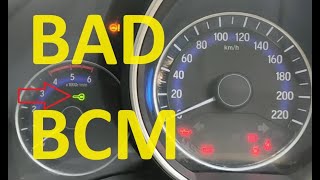
- Erratic electrical behavior, such as power locks cycling, interior/exterior lights flickering, wipers acting on their own, or gauges behaving erratically. 🎬 Watch: A guide to common symptoms of a bad BCM.
- Vehicle security light is on, possibly causing a no-start condition.
- Parasitic battery drain, causing the battery to go dead overnight.
- Failure of the remote keyless entry (RKE) system.
- Replacing the wrong module. Without using a proper scan tool to identify the source of the B1000 code, owners may mistakenly replace the BCM when the fault is in the SDM, or vice-versa.
- Replacing a BCM or SDM with a used part and not having it programmed. This will often result in a B1001 code and the system will remain inoperative.
Most Likely Causes
- Internal Failure of the Airbag Control Module (SDM) 🔴 High Probability The SDM is a sensitive computer that can fail with age, voltage spikes (from jump-starts), or internal component degradation. Water intrusion is a known issue on similar GM platforms where the module is mounted low on the floor, leading to corrosion. After an accident, the module will also store crash data and set this code, requiring a reset or replacement.
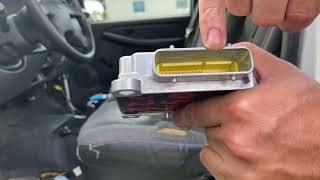
How to confirm: A professional scan tool will show that the B1000 code is stored in the Sensing and Diagnostic Module (SDM) or SIR system. The airbag warning light will be on constantly. Visual inspection of the module, often located under the passenger seat, may reveal corrosion.
Typical fix: The SDM must be replaced or sent to a specialist for repair/reset. A new or used replacement module must be programmed to the vehicle's VIN using a GM Tech 2 or similar tool, otherwise a B1001 'Configuration Error' code may be set, keeping the airbag system disabled.
Est. part cost: $50-$250 - Internal Failure of the OnStar Module (VCIM) 🔴 High Probability This is a well-documented issue confirmed by GM Technical Service Bulletins. The early analog OnStar modules are now obsolete and prone to internal failure as they can no longer connect to the decommissioned 2G cellular network. [Bulletin #PIC3278G, Bulletin #PIC3278F, 1, 2, 30]
How to confirm: A professional scan tool will show the B1000 code is stored in the Vehicle Communication Interface Module (VCIM). The primary symptom is the "Phone Unavailable" message.
Typical fix: Since the OnStar service for this vehicle is obsolete, there is no benefit to replacing the module. The most common fix is to disconnect the module to prevent battery drain and stop the audio message. The module is typically located behind the glove box. 🎬 See this simple walkthrough for removing the OnStar module. Disconnecting the three electrical connectors will disable it permanently.
Est. part cost: $0 - Internal Failure of the Body Control Module (BCM) 🟡 Medium Probability The BCM controls many body electronics and can fail due to age, electrical shorts, cracked solder joints from heat cycles, or voltage irregularities, causing a variety of strange symptoms. Water damage from a windshield or cowl leak can also destroy the BCM.
How to confirm: A professional scan tool will show the B1000 code is stored in the Body Control Module (BCM). Symptoms will be varied and random electrical issues, not related to airbags or OnStar.
Typical fix: The BCM must be replaced. A new or used BCM will require professional programming to the vehicle's VIN to function correctly and communicate with other modules like the SDM and PCM.
Est. part cost: $75-$200
Rare But Worth Checking
- Low Battery Voltage or Poor Grounds: Before replacing any modules, ensure the battery is fully charged and the main chassis and module ground connections are clean and tight. A low voltage event or a poor ground can sometimes cause a module to set a false B1000 code that may be cleared and not return.
Diagnosis Steps
- Connect a professional scan tool capable of reading manufacturer-specific codes from all vehicle modules (e.g., GM Tech 2 or equivalent).
- Perform a full vehicle scan and identify which specific module has stored the B1000 code (SDM, BCM, VCIM, etc.). This is the most critical step.
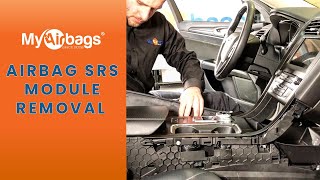
- If B1000 is in the SDM (Airbag Module): Confirm the airbag light is on. Disconnect the battery and wait at least 15 minutes before proceeding. Locate the module, which is typically under the front passenger seat on this platform. Inspect the module and its connector for corrosion or water damage. If wiring is okay, the SDM is faulty.
- If B1000 is in the VCIM (OnStar Module): Confirm the symptom is a 'Phone Unavailable' message. The module has failed. The recommended fix is to disconnect it. It is usually found behind the glove box.
- If B1000 is in the BCM: Verify battery voltage is above 12.4V and check BCM power/ground connections. The BCM is typically located under the passenger side of the dashboard. 🎬 Watch: How to remove the BCM on this platform. If connections are good and multiple, unrelated electrical problems persist, the BCM is likely faulty.
- Before replacing any module, clear the codes and perform several ignition cycles to see if the code returns immediately. A low voltage spike can sometimes set a false code that can be cleared.
Parts You'll Likely Need
- Sensing and Diagnostic Module (SDM)
(OEM #19244531)— This is the airbag control module and a high-probability cause if the airbag light is on. Failure disables the entire SRS system.
Trusted brands: ACDelco, Dorman
OEM price range: $200-$350
Aftermarket price range: $100-$250 - Body Control Module (BCM)
(OEM #09353691)— This module is the cause when B1000 is accompanied by various strange electrical issues. It requires programming upon replacement.
Trusted brands: ACDelco, Dorman
OEM price range: $150-$300
Aftermarket price range: $75-$200
Related Codes That Often Appear With This One
- U1500 — This is another communication-related code that is often set alongside B1000 when the OnStar module fails, as noted in TSBs PIC3278G and PIC3278F.
- B1001 — This code can appear after replacing an SDM or BCM if the new module is not correctly programmed with the vehicle's VIN, indicating a configuration error.
Technical Service Bulletins (TSBs) & Recalls
- PIC3278G: Notes that a B1000 or U1500 code may be present with a 'Phone Unavailable' message, pointing to an internal OnStar module fault.
- PIC3278F: An earlier version of the same bulletin, also linking B1000 to an OnStar module internal fault and a 'Phone Unavailable' message.
Platform-Specific Known Issues
- On the GM U-body vans (including the Trans Sport, Venture, and Silhouette), the SDM (airbag module) is typically located under the front passenger seat, making it vulnerable to moisture from wet carpets or spills. The BCM is located under the dashboard, often on the passenger side, and the OnStar VCIM is usually behind the glove box. It is important not to confuse these modules during diagnosis.
Hidden / Shadow Codes Worth Checking
- B1000 00: Electronic Control Unit (ECU) Performance / Internal Failure. This is a common symptom byte indicating the module failed its internal self-test. (see via A professional scan tool like the GM Tech 2 is required to read symptom bytes.)
- B1000 04: ECU RAM Failure. This points to a failure in the module's Random Access Memory. (see via A professional scan tool like the GM Tech 2 is required to read symptom bytes.)
- B1000 31: Electronic Control Unit General Checksum Problem. This indicates a data corruption error in the module's memory. (see via A professional scan tool like the GM Tech 2 is required to read symptom bytes.)
- B1000 39: Electronic Control Unit Performance Internal Electronic Failure. This indicates a general hardware failure inside the module. (see via A professional scan tool like the GM Tech 2 is required to read symptom bytes.)
Scan Tool Commands That Help
- GM Tech 2: Setup New SDM — This function must be performed after installing a new Sensing and Diagnostic Module (SDM). It registers the new module with the vehicle's other computers.
- GM Tech 2: Setup SDM Part Number in BCM — This function is also required after replacing the SDM. It ensures the Body Control Module (BCM) recognizes the specific part number of the new airbag module.
- GM Tech 2: Setup SDM Primary Key in BCM — This procedure synchronizes the security information between the new SDM and the BCM, clearing a B1001 code and allowing the airbag system to function. The menu path is typically Body > Body Control Module > Special Functions > Setup SDM Primary Key.
Wiring & Ground Locations
- Battery to Chassis Ground — On similar GM W-body platforms, this ground is located on the chassis frame rail directly below the battery tray.. A corroded or loose main chassis ground can cause low voltage and unpredictable behavior in sensitive modules like the BCM and SDM, potentially setting a false B1000 code.
- Engine to Chassis Ground Strap — Typically a large braided or solid cable running from the engine block or a bell housing bolt stud to the firewall or frame.. This is the primary ground path for the entire powertrain and many accessories. If it's compromised, modules can malfunction due to unstable ground reference.
- BCM Ground — On F-body cars of the same era (Camaro/Firebird), the BCM ground is a black wire at Pin C1 of the large blue C3 connector. While connector specifics may vary, the BCM ground is typically a black wire in one of its main connectors.. A specific BCM ground failure will directly impact that module, leading to erratic behavior and potentially an internal failure code like B1000.
OEM Part Supersession History
22627800, 22632247, 22674103→19244531— Standard part evolution and consolidation by the manufacturer for the Sensing and Diagnostic Module (SDM).
Helpful Videos

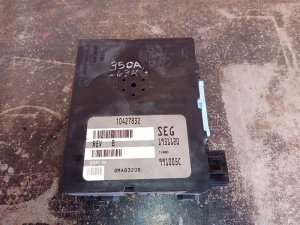
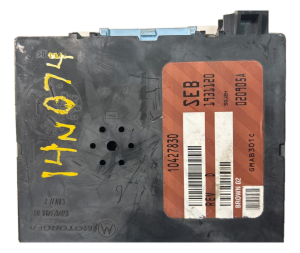
We Have This Part in Stock

The information in this article is provided for general reference and educational purposes only. Vehicle specifications, procedures, and part compatibility can vary by production date, trim level, and region. Always consult your vehicle's factory service manual and verify part numbers before purchasing or performing repairs. Safety-critical components such as airbags, seat belts, and braking systems should be installed by a qualified professional.
- Pontiac TRANS SPORT:
- 🎬 Helpful Videos
- 🛍️ Shop This Part
- What's Unique About the 2000-2001 Pontiac TRANS SPORT
- Diagnostic Flowchart
- Symptoms You May Notice
- Most Likely Causes
- Rare But Worth Checking
- Diagnosis Steps
- Parts You'll Likely Need
- Related Codes That Often Appear With This One
- Technical Service Bulletins (TSBs) & Recalls
- Platform-Specific Known Issues
- Hidden / Shadow Codes Worth Checking
- Scan Tool Commands That Help
- Wiring & Ground Locations
- OEM Part Supersession History
- 🎟️ Get 5% Off