

B1000 on 2006-2010 Hummer H3: ECU, OnStar, and BCM Faults Explained
On a 2006-2010 Hummer H3, code B1000 indicates an internal failure within an electronic control module. Manufacturer service bulletins frequently link this code to a faulty OnStar module (VCIM), causing a 'Phone Unavailable' message and parasitic battery drain. Another very common cause is a water-damaged Body Control Module (BCM) due to clogged sunroof drains. The fix requires identifying the specific module with a professional scan tool and replacing it, which includes programming the new part
- B1000 on a Hummer H3 means a control module has failed its internal self-test.
- The most likely culprits are the OnStar module (VCIM), causing a 'Phone Unavailable' message and battery drain, or a water-damaged Body Control Module (BCM).
- Diagnosis requires a professional scan tool to determine exactly which module (OnStar, BCM, Airbag, etc.) is setting the code.
- A common fix for a faulty OnStar module is to simply disconnect it, as the 2G service it relies on is obsolete.
- Check for water in the passenger footwell; if present, the BCM is the primary suspect.
What's Unique About the 2006-2010 Hummer H3

For the Hummer H3 and its platform mates (Chevy Colorado/GMC Canyon), B1000 is a general flag for a module's self-diagnostic failure. Two issues make the H3 particularly prone to this code. First is the strong, documented link to the OnStar system failing and generating a B1000, often with a 'Phone Unavailable' message. Because the 2G cellular network it used is now defunct, the module is obsolete and a known cause of parasitic battery drain. Second, the H3 is notorious for clogged sunroof drains, 🎬 Watch: How to fix clogged sunroof drains and prevent water damage. which can channel water directly onto the Body Control Module (BCM) located behind the passenger-side kick panel, causing corrosion and internal failure that sets a B1000 code.
Diagnostic Flowchart
Tap your situation to follow the diagnostic path that matches what you're seeing on this vehicle.
Symptoms You May Notice
- "Phone Unavailable" audio message from the OnStar system.
- Parasitic battery drain, leading to a dead battery after the vehicle sits for a few days.
- Service light, airbag light, or other warning indicator on the dashboard.
- OnStar system is non-functional with a red or unlit indicator on the rearview mirror.
- Erratic behavior of power windows, door locks, interior lights, or key fob if the BCM is the source.
- Turn signal flashes rapidly ('fast flash') on one side even with good bulbs, indicating a BCM issue.
- Replacing the main engine computer (PCM/ECM) when the code is actually being set by a body module like the BCM or VCIM.
- Replacing the radio head unit to fix the 'Phone Unavailable' message, when the issue is actually the separate OnStar module.
Most Likely Causes

- Internal OnStar Module (VCIM) Failure 🔴 High Probability This is explicitly mentioned in TSBs #PIC3278F/G. The module is now obsolete due to the 2G cellular network shutdown and is a very common source of parasitic battery drain as it continuously tries to find a network.
How to confirm: Use a GM-compatible scan tool to confirm the B1000 code is being reported by the VCIM. The module is located in the center dash area, below the radio/HVAC controls. A parasitic draw test can also point to this module.
Typical fix: Replace the OnStar/VCIM module. A more common and practical fix is to simply disconnect the module 🎬 Watch: How to disable the OnStar module to stop battery drain. to prevent battery drain, as its primary function is obsolete.
Est. part cost: $50-$250 (Used/Refurbished) - Internal Body Control Module (BCM) Failure 🔴 High Probability The BCM is located behind the passenger-side kick panel, directly in the path of water from clogged sunroof drains, making it highly susceptible to water damage and corrosion. Failures from aftermarket LED lights have also been reported by owners.
How to confirm: A professional scan tool will show the B1000 code originating from the BCM. Visually inspect the BCM and its connectors for green or white corrosion, or any signs of moisture.
Typical fix: Replace the Body Control Module. 🎬 See this walkthrough on how to repair or replace the BCM. This requires programming the new BCM to the vehicle's VIN and options. Some vendors offer pre-programmed modules.
Est. part cost: $200-$500 - Internal Airbag Module (SDM) Failure ⚪ Low Probability The SDM is mounted under the center console, an area that can be exposed to moisture from spills or severe water leaks, leading to corrosion and internal failure.
How to confirm: Scan tool indicates the B1000 code is from the SDM, and the airbag warning light will be illuminated. A visual inspection of the module may reveal corrosion.
Typical fix: Replace the Sensing and Diagnostic Module (SDM). This is a critical safety component that must be replaced and programmed correctly by a professional.
Est. part cost: $200-$600
Rare But Worth Checking
- Low Battery Voltage or Voltage Spike: A weak battery or improper jump-start can sometimes corrupt a module's memory, setting a false B1000 code. Before replacing parts, it's worth clearing the code after ensuring the battery and charging system are healthy.
- Wiring or Connector Issue: Less common than module failure, but a corroded connector or damaged wire providing power or ground to the affected module can mimic an internal fault. This is especially true for the trailer wiring harness, which can get damaged and short out, sometimes affecting the BCM.
Diagnosis Steps
- Connect a professional, GM-compatible scan tool (e.g., Tech 2) to the OBD-II port.
- Scan all vehicle modules for Diagnostic Trouble Codes.
- Identify which specific module (e.g., VCIM, BCM, SDM) is reporting the B1000 code and note any symptom bytes (e.g., 00, 35, 39).
- If the code is only in history, clear it, operate the vehicle, and see if it returns.
- If the code is current in the BCM, remove the passenger-side kick panel and thoroughly inspect the BCM and its connectors for any signs of water damage, rust, or corrosion.
- If the code points to the VCIM, consider performing a parasitic draw test to see if the OnStar module is draining the battery.
- Inspect the identified module and its electrical connector for any signs of physical damage or corrosion.
- Using a multimeter and wiring diagram, verify the module is receiving proper voltage and has a solid ground connection.
- If wiring, grounds, and power are good and the code is current (especially with a specific symptom byte), the module is faulty and needs to be replaced.
- After replacement, the new module must be programmed to the vehicle using a compatible scan tool.
Parts You'll Likely Need

- OnStar Module (Vehicle Communication Interface Module - VCIM)
(OEM #15942760, 20830941, 25965167, 20782641)— This is the most frequently cited cause for a B1000 code on the Hummer H3, according to TSBs. It is often disconnected rather than replaced due to obsolescence.
Trusted brands: ACDelco (OEM)
OEM price range: $250-$450
Aftermarket price range: $50-$200 (Used) - Body Control Module (BCM)
(OEM #15886073, 10382479, 15886074, 20987862)— A very common failure point due to its vulnerability to water damage from clogged sunroof drains.
Trusted brands: ACDelco (OEM), Dorman
OEM price range: $250-$500
Aftermarket price range: $200-$400
Related Codes That Often Appear With This One
- U1500 — This code is also mentioned in the TSBs alongside B1000 as being related to an internal OnStar module fault.
- B1009 — This code indicates an 'ECU ROM Checksum Error'. It often appears with B1000 during complex diagnostic situations, such as a crank-no-start condition after a failed security system relearn, further pointing to a module memory/integrity failure.
- B1000-35 — This is a more specific version of B1000, indicating 'ECU Performance ROM Failure'. Seeing this symptom byte on a professional scan tool confirms the module has a read-only memory integrity problem, strengthening the case for replacement.
Technical Service Bulletins (TSBs) & Recalls
- PIC3278F: States the OnStar module can have an internal fault, producing a 'Phone Unavailable' message and a B1000 or U1500 code.
- PIC3278G: An updated version of the previous TSB, applying to more model years and reiterating the link between B1000 and a faulty OnStar module.
Platform-Specific Known Issues
- TSBs #PIC3278F and #PIC3278G specifically identify that an internal fault in the OnStar module can cause a B1000 or U1500 DTC and a 'Phone Unavailable' message.
- The BCM is highly prone to water damage from clogged sunroof drains that leak water down the A-pillar and into the passenger-side kick panel area where the module is located.
- The obsolete 2G OnStar module is a known source of parasitic battery drain, prompting many owners to simply disconnect it as a permanent fix.
Mechanic-Grade Diagnostic Values
- BCM Ground Circuit Resistance — expected: Less than 5.0 Ohms. Failure: A reading higher than 5.0 Ohms indicates excessive resistance in the ground circuit, which can cause module malfunction.
Hidden / Shadow Codes Worth Checking
- B1000-39: Electronic Control Unit (ECU) Performance Internal Electronic Failure. This indicates a general hardware failure detected during the module's power-on self-test. (see via GM Tech 2, GDS2, or other professional scan tool capable of reading manufacturer-specific symptom bytes.)
- B1000-35: ECU Performance ROM Integrity/Failure. This points specifically to an error in the module's permanent Read-Only Memory (firmware). (see via GM Tech 2, GDS2, or other professional scan tool capable of reading manufacturer-specific symptom bytes.)
- B1000-31: Electronic Control Unit General Checksum Problem. This indicates a data corruption error was found when the module verified its own memory. (see via GM Tech 2, GDS2, or other professional scan tool capable of reading manufacturer-specific symptom bytes.)
- B1000-3A: Incorrect Component Installed. This code may set if a replacement module is not the correct part number or is not programmed correctly for the vehicle's options. (see via GM Tech 2, GDS2, or other professional scan tool capable of reading manufacturer-specific symptom bytes.)
Scan Tool Commands That Help

- GM Tech 2: Module Setup > Setup SDM Serial Number in BCM — This function is required after replacing the Body Control Module (BCM) or Sensing and Diagnostic Module (SDM). It ensures the two modules can communicate correctly for proper airbag and security system operation. Failure to perform this step can cause odometer and airbag system issues.
- GM Tech 2 / SPS: Service Programming System (SPS) > BCM Programming — When installing a new or used BCM, it must be programmed with the vehicle's specific VIN, mileage, and option configuration (RPOs). This process loads the correct software and settings into the module.
- GM Tech 2 / SPS: OnStar Activation (ONSA) — After replacing an OnStar VCIM, this SPS application is used to gather information from the new module and send it to OnStar to activate the subscription services for that specific vehicle.
Wiring & Ground Locations

- BCM (Body Control Module) — Behind the passenger-side front kick panel.. This is one of the most common modules to set a B1000 code, often due to water damage from clogged sunroof drains leaking directly onto it.
- G100 — In the engine compartment, mounted to the left front inner fender, behind the battery.. This is a primary engine bay ground point. A poor connection here can cause widespread electrical issues that could mimic a module failure.
- G104 — On the left side of the engine block, in front of the starter.. This is a critical engine-to-chassis ground. Verifying its integrity is a key step in diagnosing any electrical fault.
- G304 — Under the passenger seat carpet, on the floorboard, near the BCM.. This is a key interior ground point for the BCM and other nearby components. Corrosion here from water intrusion is common and can directly cause BCM-related codes.
Real Owner Repair Stories
- YouTube user 'Fixing Things' (2008 Hummer H3) — Odometer stopped working. The vehicle had a known sunroof leak that dripped water onto the passenger side kick panel area.
❌ Tried (didn't work) Initial inspection showed visible corrosion on the BCM case.
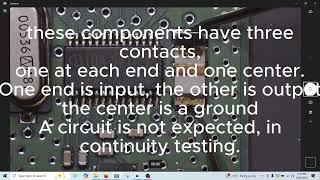
✅ What actually fixed it The owner disassembled the BCM and found a cracked ceramic filter/crystal oscillator (marked LTCV10.7M) on the circuit board, likely damaged by thermal shock from hot operation being hit with cold water. Replacing this specific component on the board was the ultimate fix.
OEM Part Supersession History
15886073→20987862— Part update or revision by the manufacturer.
Heads up: Part numbers are often specific to year ranges. For 2009-2010 H3s, compatible BCMs include 15886073, 15886074, 20987862, and 20987863. Using a BCM from a 2006-2008 model may not work correctly.
Model Year Variations Within This Range
- 2006-2008 vs. 2009-2010: The Body Control Modules (BCM) used in these year groups have different part numbers and are not directly interchangeable. A service that clones BCMs lists different interchange part numbers for 2006-2008 H3s versus 2009-2012 Colorado/Canyon and 2009-2010 H3s.
- 2007-2011: A specific over-the-air service update sent to the OnStar (VCIM) module could fail, rendering the system inoperative and setting codes. NHTSA bulletin PI1540 instructs dealers to diagnose and replace the VCIM if this occurs, indicating a software-related event that required hardware replacement for these model years.
Helpful Videos



Used OEM Parts in Stock


New Aftermarket Parts Available

The information in this article is provided for general reference and educational purposes only. Vehicle specifications, procedures, and part compatibility can vary by production date, trim level, and region. Always consult your vehicle's factory service manual and verify part numbers before purchasing or performing repairs. Safety-critical components such as airbags, seat belts, and braking systems should be installed by a qualified professional.
- Hummer H3:
- 🎬 Helpful Videos
- 🛍️ Shop This Part
- What's Unique About the 2006-2010 Hummer H3
- Diagnostic Flowchart
- Symptoms You May Notice
- Most Likely Causes
- Rare But Worth Checking
- Diagnosis Steps
- Parts You'll Likely Need
- Related Codes That Often Appear With This One
- Technical Service Bulletins (TSBs) & Recalls
- Platform-Specific Known Issues
- Mechanic-Grade Diagnostic Values
- Hidden / Shadow Codes Worth Checking
- Scan Tool Commands That Help
- Wiring & Ground Locations
- Real Owner Repair Stories
- OEM Part Supersession History
- Model Year Variations Within This Range
- 🎟️ Get 5% Off