

B1000 on 2010-2013 GMC Yukon Denali: ECU Malfunction Causes and Fixes
On a 2010-2013 Yukon Denali, B1000 means a control module has failed. If you hear a 'Phone Unavailable' message, it's the OnStar module. If the airbag light is on, it's likely the passenger seat sensor (PPS) or the main airbag module (SDM) under the driver's seat, which is prone to water damage. Diagnosis requires a professional scan tool to identify the specific faulty module.
- B1000 is a generic 'ECU Malfunction' code. You MUST use a professional scan tool to find out which module is reporting the fault.
- On the 2010-2013 Yukon, the symptoms are your best clue: an airbag light points to the PPS or SDM, while a 'Phone Unavailable' message points to the OnStar module.
- If the airbag light is on, the system is disabled. Do not ignore this code, as it represents a critical safety failure.
- Before replacing an airbag module (SDM), always inspect it for water damage. Its location under the driver's seat makes it a common victim of spills and leaks.
- Replacement of airbag system components (SDM, PPS) is not a DIY job for most people, as it requires special tools for programming and calibration to restore function.
What's Unique About the 2010-2013 Gmc YUKON DENALI
The GMC Yukon Denali from this era, part of the GMT900 platform, is known for setting the B1000 code from a few specific modules. Manufacturer service bulletins point directly to internal failures of the OnStar (VCIM) module. Additionally, the main airbag control module (SDM) is located under the driver's seat, a spot highly vulnerable to moisture from rain, spilled drinks, or melted snow wicking through the carpet. This leads to corrosion and internal failure, a widely documented issue. Failures of the Passenger Presence System (PPS) in the passenger seat are also a very common trigger for this code and an airbag light on this platform.
Diagnostic Flowchart
Tap your situation to follow the diagnostic path that matches what you're seeing on this vehicle.
Symptoms You May Notice
- Airbag warning light is on solid
- "Service Airbag" message on the Driver Information Center (DIC)
- "Phone Unavailable" audio message when trying to use OnStar.
- Red indicator light on the OnStar button instead of green
- Inability for a scan tool to communicate with the specific failed module (e.g., SRS system)
- Replacing a module without first using a professional scan tool to confirm which module is actually at fault. For example, replacing the SDM when the code is actually coming from the PPS, or vice-versa.
- Replacing the SDM without finding and fixing the source of the water leak, leading to a repeat failure of the new module.
Most Likely Causes
- Internal Failure of Passenger Presence System (PPS) 🔴 High Probability The sensor mat and module integrated into the passenger seat cushion are a common failure point on the GMT900 platform, leading to an airbag light. 🎬 Watch: A common fix for the Service Air Bag light The sensor mat can fail or the module can lose calibration.
How to confirm: A professional scan tool will show that the B1000 code is originating from the PPS module. An attempt to re-zero the system with the scan tool will likely fail, confirming the fault.
Typical fix: The passenger seat cushion, which contains the PPS sensor and module, must be replaced. The new system must then be calibrated by a professional. Some owners on forums report success with aftermarket PPS bypass emulators, but this is not an OEM-approved repair and has safety implications.
Est. part cost: $550-$900 - Internal Failure of Airbag Control Module (SDM) due to Water Intrusion 🔴 High Probability The SDM is located on the floor under the driver's seat, beneath the carpet and padding. This location is highly susceptible to moisture from spilled drinks, rain from an open window, or snowmelt from boots, which corrodes the module and causes it to fail. Common water entry points include leaking sunroof drains, windshield seals, or door seals.
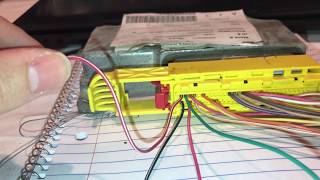
How to confirm: A scan tool will report B1000 from the SDM. Physically inspect the module by unbolting the driver's seat and lifting the carpet to check for corrosion, moisture, or a white/green powder on the module case and connector. Often, if the SDM has failed, a scan tool will be unable to communicate with the SRS system at all. 🎬 Watch: How to fix an airbag light with no communication
Typical fix: The corroded SDM must be replaced. The source of the water leak (e.g., door seals, sunroof drains, third brake light seal) must also be identified and repaired to prevent repeat failure. The new SDM must be programmed to the vehicle's VIN. Alternatively, services exist that can reset or repair the original module if it hasn't been physically damaged by water.
Est. part cost: $250-$450 - Internal Failure of OnStar Module (VCIM) 🟡 Medium Probability As documented in GM Technical Service Bulletins PIC3278F and PIC3278G, the Vehicle Communication Interface Module (VCIM) is known to have internal faults that produce this code.
How to confirm: The primary symptom is a "Phone Unavailable" audio message. A scan tool will show the B1000 code originating from the telematics module (VCIM). This may also be accompanied by code B2470.
Typical fix: Replace the OnStar/VCIM module, which is typically located behind the glove box or deeper in the dash. If OnStar service is not desired, many owners report simply disconnecting the module resolves the symptom and clears the code, with no ill effects.
Est. part cost: $150-$400
Rare But Worth Checking
- Poor Battery or Ground Connections: Corroded or loose main battery ground connections are a known issue on GMT900 trucks. This can cause low voltage or voltage spikes to various modules, which can sometimes set a false B1000 code. Before replacing any expensive modules, it's wise to clean and tighten all main power and ground connections, including the braided ground straps from the engine to the firewall.
Diagnosis Steps
- Connect a professional-grade scan tool capable of reading manufacturer-specific codes from all vehicle modules (e.g., GM Tech 2 or GDS2).
- Scan all modules and identify which one is storing the B1000 code. This is the most critical step. If the scan tool cannot communicate with the SRS module, suspect a failed SDM.
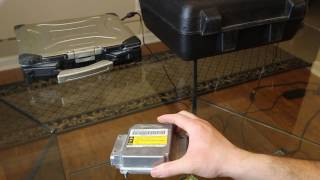
- If the code is in the SDM (Sensing and Diagnostic Module): Turn the vehicle off, disconnect the battery. Unbolt the driver's seat (typically four 15mm or 11mm bolts) and tilt it back. 🎬 See this walkthrough on removing the SDM control module Lift the carpet flap to physically inspect the SDM and its connector for any signs of water damage or corrosion (white/green powder).
- If the code is in the PPS (Passenger Presence System): Check wiring and connectors under the passenger seat. Use the scan tool to attempt a 'Passenger Presence System Re-zero' procedure. If it fails, the sensor/module assembly in the seat is faulty.
- If the code is in the VCIM (OnStar Module): Confirm symptoms like the 'Phone Unavailable' message. Inspect the module and its connections, typically behind the glove box.
- For any module, check for stable voltage and clean grounds at the module's connector using a multimeter before condemning the part.
- If a module is confirmed to be faulty and requires replacement, a new module will need to be programmed and/or calibrated to the vehicle after installation using a capable scan tool.
Parts You'll Likely Need
- Sensing and Diagnostic Module (SDM)
(OEM #25816951)— This is the main airbag control module. It is the cause of the B1000 code when it fails due to water damage from its location under the driver's seat.
Trusted brands: ACDelco, GM Genuine
OEM price range: $250-$450
Aftermarket price range: N/A, but reset services are available for around $50-$100. - Passenger Presence System Sensor Module
(OEM #23211972)— This sensor/module assembly, located in the passenger seat cushion, is a common failure point that triggers a B1000 code and disables the airbag system.
Trusted brands: ACDelco, GM Genuine
OEM price range: $580-$900
Aftermarket price range: $450-$700 - OnStar/Telematics Module (VCIM)
(OEM #20827036)— This module fails internally, causing a B1000 code and a 'Phone Unavailable' message, as noted in GM service bulletins.
Trusted brands: ACDelco, GM Genuine
OEM price range: $150-$400
Aftermarket price range: N/A
Related Codes That Often Appear With This One
- U1500 — This is a LIN Bus communication error that TSBs #PIC3278F and #PIC3278G mention can appear alongside B1000 when the OnStar module fails.
- U0170 — This code means 'Lost Communication with Passenger Presence Module' and often appears with B1000 when the main airbag module can no longer communicate with a failed PPS module.
- B0081 — This code is also related to the Passenger Presence System and may be set before or alongside a B1000 if the system fails a self-test or calibration procedure.
- B2470 — This code for 'Cellular Antenna Open Circuit' is often seen with a B1000 when the OnStar (VCIM) module is the source of the failure.
Technical Service Bulletins (TSBs) & Recalls
- PIC3278G - Mentions that an internal fault in
Platform-Specific Known Issues
- The placement of the Sensing and Diagnostic Module (SDM) under the driver's seat makes it extremely vulnerable to corrosion from water that wicks into the carpet and padding. This is a well-documented design flaw in the GMT900 platform.
- Owner forums are filled with accounts of owners removing the driver's seat to find a heavily corroded SDM after getting a B1000 code and airbag light. A common owner story involves finding the carpet wet and tracing the leak to clogged sunroof drains or a bad door seal.
Mechanic-Grade Diagnostic Values
- High Speed GMLAN Serial Data Bus Resistance — expected: 60 ohms (± 3 ohms). Failure: A reading less than 60 ohms can indicate a short in the circuit or a faulty terminating resistor inside a module. A reading of 120 ohms indicates one of the two terminating resistors (often in the ECM or EBCM) is not seen by the circuit.
- System Voltage at Module — expected: 13.9-14.5 V (engine running). Failure: Voltage significantly below this range can cause modules to set false internal fault codes. This can be caused by a failing alternator or poor ground connections.
Hidden / Shadow Codes Worth Checking
- B1000 31: ECU General Checksum Problem. This indicates a data corruption error within the module's memory. (see via A professional scan tool like the GM Tech 2 or GDS2 is required to read these two-digit hexadecimal symptom codes (sub-codes).)
- B1000 39: ECU Performance Internal Electronic Failure. This is a general hardware failure inside the module. (see via A professional scan tool like the GM Tech 2 or GDS2 is required to read these two-digit hexadecimal symptom codes (sub-codes).)
- B1000 3B: Internal Self-Test Failed. The module failed its own internal diagnostic check. (see via A professional scan tool like the GM Tech 2 or GDS2 is required to read these two-digit hexadecimal symptom codes (sub-codes).)
- B1000 0F: Erratic. This symptom code indicates an intermittent or irregular internal fault. (see via A professional scan tool like the GM Tech 2 or GDS2 is required to read these two-digit hexadecimal symptom codes (sub-codes).)
Scan Tool Commands That Help
- GM GDS2/Tech 2: Passenger Presence System Re-zero — This function is required after replacing the PPS sensor/module in the passenger seat or if the system has lost its calibration. The procedure will fail if the module is internally faulted, confirming the need for replacement.
- GM GDS2/Tech 2: Setup SDM Part Number in BCM — This is a critical step when replacing the main airbag module (SDM). It 'marries' the new SDM to the vehicle's Body Control Module (BCM) so they can communicate.
- GM GDS2: Configure New Module — After the SDM is programmed and the primary key is set, this function finalizes the setup process. It enables the deployment loops and allows the airbag light to turn off. If this step fails, it indicates other faults (like open circuits to airbags or pretensioners) are still present in the system.
Wiring & Ground Locations
- SDM Location — Under the driver's seat, beneath the carpet and a metal cover plate.. This location is the primary reason for B1000 codes originating from the SDM. It is highly prone to water intrusion from snowmelt, spills, or leaks, causing corrosion and internal failure of the module.
- G103 — At the left rear of the engine compartment on the cowl, often near or above the brake booster.. This is a major ground point that provides the ground path for the Sensing and Diagnostic Module (SDM), Body Control Module (BCM), and Instrument Panel Cluster (IPC). Corrosion or looseness at this point can cause communication errors or false B1000 codes in the airbag system.
- G300 — On the floor near the driver's side B-pillar, behind the left seat.. This ground serves the driver's seat controls. While not directly tied to the SDM, poor connections here can cause erratic behavior in seat-related modules that communicate on the same data bus.
- G201 — At the left end of the dash.. This is a key interior ground point. A wiring diagram for the 2011 Yukon Denali lists this as a ground location relevant to the Computer Data Lines system, which includes the SDM and PPS modules.
Real Owner Repair Stories
- TahoeYukonForum user report (2011 GMC Yukon (GMT900 platform)) — Service Airbag light was on solid.
❌ Tried (didn't work) Clearing the code with a scan tool (it returned immediately).
✅ What actually fixed it The owner removed the driver's seat and lifted the carpet to find the SDM was heavily corroded from years of winter snowmelt. The B1000 code originated from the SDM. Replacing the SDM with a used unit (with the exact same part number) and having it programmed resolved the issue.
OEM Part Supersession History
25816951→20928802, 25966916, 22797453 (and others)— Part has been updated multiple times by GM. It is critical to use a part number that is compatible with the specific vehicle VIN and calibration.
Heads up: Using an SDM from a different vehicle type (e.g., a Silverado SDM in a Yukon) will not work even if they look identical. The internal calibration is different. Always verify the part number with a dealer or parts catalog using the vehicle's VIN.
Helpful Videos
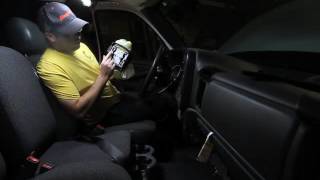
Used OEM Parts in Stock




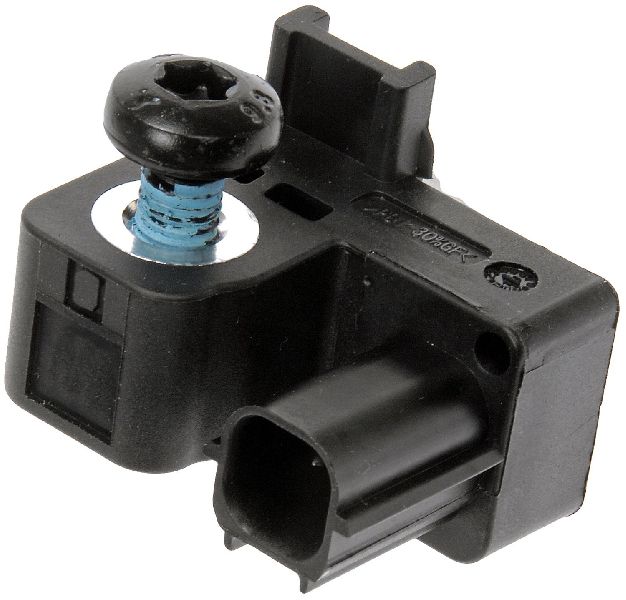
New Aftermarket Parts Available




The information in this article is provided for general reference and educational purposes only. Vehicle specifications, procedures, and part compatibility can vary by production date, trim level, and region. Always consult your vehicle's factory service manual and verify part numbers before purchasing or performing repairs. Safety-critical components such as airbags, seat belts, and braking systems should be installed by a qualified professional.
- Gmc YUKON DENALI:
- 🎬 Helpful Videos
- 🛍️ Shop This Part
- What's Unique About the 2010-2013 Gmc YUKON DENALI
- Diagnostic Flowchart
- Symptoms You May Notice
- Most Likely Causes
- Rare But Worth Checking
- Diagnosis Steps
- Parts You'll Likely Need
- Related Codes That Often Appear With This One
- Technical Service Bulletins (TSBs) & Recalls
- Platform-Specific Known Issues
- Mechanic-Grade Diagnostic Values
- Hidden / Shadow Codes Worth Checking
- Scan Tool Commands That Help
- Wiring & Ground Locations
- Real Owner Repair Stories
- OEM Part Supersession History
- 🎟️ Get 5% Off