

B1000 on 2008-2012 GMC Sierra Denali: OnStar and Airbag Module Faults Explained
On a 2008-2012 Sierra Denali, code B1000 means a control module has failed. If you hear a 'Phone Unavailable' message, the OnStar module is faulty. If the airbag light is on, the airbag module (SDM) under the driver's seat has likely failed due to water damage. A professional scan is needed to confirm which module is the source.
- B1000 means a module has failed. You must use a professional scan tool to find out which module is at fault.
- Your symptoms are the best clue: an airbag light points to the airbag module (SDM), while a 'Phone Unavailable' message points to the OnStar module.
- If the airbag light is on, the system is OFF. Treat this as a critical safety failure, as airbags will not deploy in an accident.
- If you diagnose a faulty SDM, you must also find and fix the water leak that caused it to fail (check third brake light, door seals), or the new part will be ruined as well.
- Replacement of the SDM requires VIN programming and a setup procedure to communicate with the BCM. Many owners opt to simply disconnect the obsolete OnStar module rather than replace it.
What's Unique About the 2008-2012 Gmc SIERRA DENALI
While B1000 is a generic GM code number, on the GMT900 truck platform (which includes the 2008-2012 Sierra), it has two very common and well-documented meanings. GM Technical Service Bulletins directly link B1000 to internal failures of the OnStar module, often causing a 'Phone Unavailable' message. Separately, a widespread issue on these trucks is the location of the Airbag Control Module (SDM) under the driver's seat, making it extremely vulnerable to water damage from leaks or spills, which corrodes the module and triggers a B1000 code with an accompanying airbag light. GM acknowledged this corrosion issue in Special Coverage Program 09184B for 2007-2009 models in salt-belt states.
Diagnostic Flowchart
Tap your situation to follow the diagnostic path that matches what you're seeing on this vehicle.
Symptoms You May Notice
- Airbag warning light is on (solid, not flashing)
- "Service Air Bag System" message in the driver information center
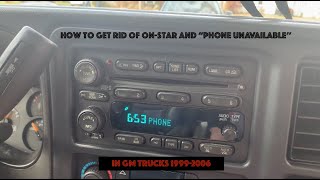
- "Phone Unavailable" audio message from the speakers when starting the truck.
- OnStar system is non-functional (red or no light on the mirror buttons)
- Inability to use Bluetooth for phone calls (if routed through the OnStar module)
- In rare, severe cases of SDM corrosion, inadvertent deployment of seat belt pretensioners.
- Replacing front impact sensors. A B1000 code points to a module failure, not an external sensor circuit fault. While communication codes for sensors may appear alongside B1000 due to the failed SDM, the root cause is the module itself.
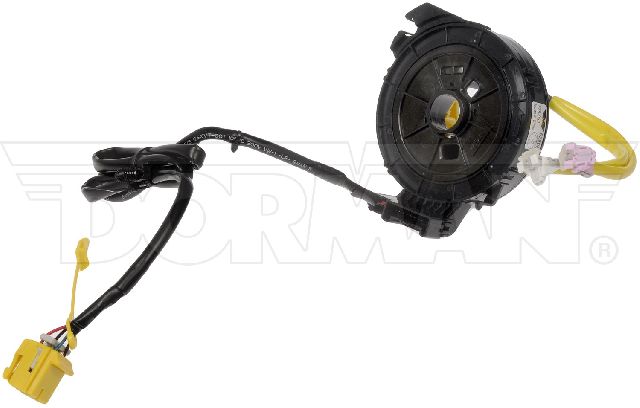
- Replacing the clock spring. A faulty clock spring would set a different, specific code related to the driver's side airbag circuit (e.g., B0051), not a general module failure code like B1000.
Most Likely Causes
- Internal Failure of the Airbag Control Module (SDM) due to Water Damage 🔴 High Probability The SDM on this generation of Sierra is located directly on the floor under the driver's seat, a poor design choice that makes it highly susceptible to corrosion from water leaks from the door seals, third brake light, rear window seal, or spills. GM issued Special Coverage Program 09184B for 2007-2009 models in salt-belt states to address this exact issue.
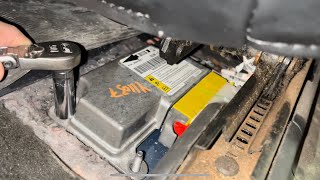
How to confirm: Scan the vehicle; if the B1000 code is stored in the SRS (Airbag) system, this is the likely cause. Physically inspect 🎬 Watch: Diagnosing B1000 and inspecting the module for corrosion. the module by unbolting and tilting back the driver's seat and lifting the carpet flap. Look for white or green chalky corrosion on the aluminum case, rust on the mounting studs, and check if the black gel sealant on the circuit board is bubbling or raised, which indicates moisture has gotten inside.
Typical fix: The SDM must be replaced. Crucially, the source of the water leak must be found and repaired (e.g., reseal the third brake light). The new SDM will require programming by a dealer or qualified shop using a tool like a GM Tech 2. Some owners place the new module in a Ziploc bag (with an opening for the connector) as an extra precaution. Alternatively, services exist that can clear 'crash data' from your original, water-damaged module if it's not too far gone, which can be cheaper than a new unit.
Est. part cost: $150-$450 - Internal Failure of the OnStar Module (VCIM) 🔴 High Probability As documented in GM Technical Service Bulletin #PIC3278F and PIC3278G, these modules are known to have internal faults that cause them to set a B1000 or U1500 code.
How to confirm: The primary symptom is a recurring "Phone Unavailable" audio message. A scan tool will show the B1000 code originating from the Telematics Communication Interface Control Module (VCIM). The OnStar light on the mirror may be red or off.
Typical fix: Replace the OnStar module (VCIM), which is typically located behind the glove box. Since the 2G/3G cellular technology these modules use is obsolete, many owners choose to simply disconnect the module to clear the code and prevent potential battery drain. This is the most common and cost-effective solution.
Est. part cost: $100-$300 (Used/Remanufactured) - Poor Main Power or Ground Connections ⚪ Low Probability GMT900 trucks are known to develop corrosion on main ground points, such as the braided straps from the engine to the firewall and the main battery-to-frame ground. A poor ground can cause voltage drops that lead to a module incorrectly flagging an internal fault.
How to confirm: Before replacing modules, inspect and clean the main battery terminals, the battery-to-frame ground, and the engine/body ground straps located on the firewall. Use a multimeter to check for voltage drops across these connections. The SDM grounds through its main harness connector, so corrosion on the connector itself can cause a loss of ground.
Typical fix: Disassemble, clean all contact points to bare metal with a wire brush, apply dielectric grease, and securely tighten all connections.
Est. part cost: $0-$20
Rare But Worth Checking
- Low System Voltage:
Diagnosis Steps
- Connect a professional-grade scan tool capable of reading GM-specific Body (B) and Communication (U) codes from all modules.
- Scan the entire vehicle and identify which specific module (e.g., SDM, VCIM, BCM) is reporting the B1000 code. This is the most critical step.
- If the code is in the SDM (Airbag module) and the airbag light is on, proceed with physical inspection. Disconnect the battery. Unbolt the driver's seat (typically four bolts) and tilt it back. 🎬 See this walkthrough for accessing the module under the seat. Lift the carpet flap (there's usually a pre-cut slit). Inspect the SDM and its connector for any signs of corrosion, moisture, or a swollen case.
- If the code is in the VCIM (OnStar module) and you hear 'Phone Unavailable', locate the module (typically behind the glove box) and inspect its connection. As a test, disconnect the module and see if the audible message stops on the next startup.
- If no obvious damage is found on the suspect module, use the scan tool to check for live data and attempt to communicate with it. A failure to communicate often confirms a dead module.
- Before replacing any module, always check for proper voltage and clean grounds at the module's connector using a multimeter and wiring diagram. Check the main engine-to-firewall ground straps.
Parts You'll Likely Need
- Sensing and Diagnostic Module (SDM)
(OEM #25896430, 25816951 (Part numbers are VIN specific, always verify))— This is the airbag control module. 🎬 Watch: A professional guide to replacing the airbag module. It is the most common cause of a B1000 code when the airbag light is on, due to its vulnerable location under the driver's seat leading to water damage.
Trusted brands: ACDelco (OEM), Dorman
OEM price range: $300-$450
Aftermarket price range: $150-$300 (Remanufactured or from brands like Dorman) - OnStar Module (VCIM)
(OEM #20827036, 22997596 (Part numbers vary greatly, often discontinued))— This telematics module is known to fail internally, causing a B1000 code and a 'Phone Unavailable' message, as documented in GM service bulletins.
Trusted brands: ACDelco (OEM, often used)
OEM price range: $250-$400
Aftermarket price range: $50-$200 (Used)
Related Codes That Often Appear With This One
- U1500 — This code is also mentioned in TSB #PIC3278F/G as being set by a faulty OnStar module, often appearing alongside B1000.
- U0151 — This code means "Lost Communication With Restraints Control Module." If the SDM has failed completely due to water damage, other modules on the data network may post this code because they can no longer see the SDM.
- B1001 — This code means 'Configuration Not Programmed' and will often appear after installing a new or used SDM, indicating that the module needs to be programmed to the vehicle's VIN and specific configuration before it will function.
Technical Service Bulletins (TSBs) & Recalls
- PIC3278F: Unwanted/Phantom Phone Calls, 'Phone Unavailable' Message, DTC U1500 or B1000
- PIC3278G: Unwanted/Phantom Phone Calls, 'Phone Unavailable' Message, DTC U1500 or B1000
- 09184B: Special Coverage for SDM Corrosion Due to Water Intrusion
Platform-Specific Known Issues
- TSB PIC3278F & PIC3278G: The manufacturer issued bulletins acknowledging that an internal fault in the OnStar module can cause a B1000 or U1500 trouble code, often accompanied by a 'Phone Unavailable' audio message.
- SDM Water Damage & Special Coverage 09184B: The placement of the airbag module under the driver's seat is a significant design flaw. It is extremely common for water leaks (from third brake light, door seals, or rear window) to saturate the carpet and corrode the SDM, causing a B1000 failure.
Mechanic-Grade Diagnostic Values
- SDM Battery Voltage at Connector — expected: 12.0 - 12.8 Volts with Key On, Engine Off. Failure: Voltage below 12V indicates a wiring or fuse issue, not necessarily a bad module.
- SDM Ignition Voltage at Connector — expected: 12.0 - 12.8 Volts with Key On, Engine Off. Failure: No voltage indicates a problem with the ignition-fed power circuit to the module.
Hidden / Shadow Codes Worth Checking
- B1000 00: Electronic Control Unit (ECU) Malfunction with no additional information. This is the most common symptom byte and confirms a generic, non-recoverable internal failure. (see via GM GDS2, Tech 2, or a high-end professional scanner that can read manufacturer-specific symptom codes.)
- B1000 3B: ECU RAM Failure. This indicates a specific failure of the module's internal random-access memory. (see via GM GDS2 or equivalent professional scan tool.)
- B1000 31: ECU General Checksum Problem. This points to a data corruption or memory integrity error within the module. (see via GM GDS2, Tech 2, or equivalent professional scan tool.)
- B1000 39: ECU Performance Internal Electronic Failure. This points to a general hardware failure inside the module. (see via GM GDS2, Tech 2, or equivalent professional scan tool.)
Scan Tool Commands That Help
- GDS2 / Tech 2 / High-End Snap-on: Setup New SDM / Configure New Module — This function is mandatory after installing a new or used Sensing and Diagnostic Module (SDM). It performs a digital 'handshake' that marries the new airbag module to the Body Control Module (BCM). Without this step, the airbag light will remain on and the system will be inactive.
- GDS2 / Tech 2: Setup SDM Primary Key in BCM — This is the first part of the two-step SDM setup procedure. It establishes the secure link between the BCM and the new SDM.
- GDS2 / Tech 2: Enable Deployment Loops — This is the second part of the SDM setup procedure, performed after setting the primary key. It activates the airbag and pretensioner firing circuits. If this step fails, it indicates a problem with a component in the SRS system (like a sensor or wiring) that must be fixed before setup can be completed.
Wiring & Ground Locations
- SDM (Sensing and Diagnostic Module) — Directly on the floor, under the driver's seat and beneath the carpet.. This location makes it extremely prone to water damage from spills or leaks, which is the primary cause of B1000 codes related to the airbag system on this truck.
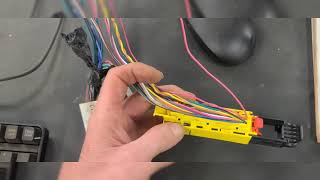
- SDM Connector Pigtail — Connected to the SDM under the driver's seat.. If the SDM is corroded by water, the connector pigtail is almost always damaged as well. A corroded pigtail can prevent a new SDM from communicating, leading to a misdiagnosis of a bad replacement part or a larger network failure. It should always be replaced if corrosion is present.
- GM Ground Numbering Scheme — Vehicle-wide. GM grounds are designated with a 'G' followed by a number (e.g., G302). The first digit indicates the location: 1xx grounds are in the engine bay, 2xx are in the front passenger cabin/dash area, 3xx are under the rear seat area, and 4xx are in the rear cargo/tailgate area. This helps technicians locate relevant grounds more quickly when troubleshooting.
Real Owner Repair Stories
- YouTube channel 'Jeremy's Car Repair' (2007-2013 Chevrolet Silverado (similar GMT900 architecture)) — Solid airbag warning light on the dashboard and code B1000 stored in the SRS module.
❌ Tried (didn't work) Initial visual inspection of the connector showed no obvious issues.
✅ What actually fixed it The SDM under the driver's seat was found to be heavily corroded from water damage, with the gel backing bubbled up. Replacing the SDM with a used unit that had the exact same part number resolved the code and turned off the airbag light without needing reprogramming. The water leak was traced to a bad door seal. - Reddit user on r/gmcsierra (2008 GMC Sierra) — Service airbag light, code B1000 00, and loss of communication codes for front impact sensors.
❌ Tried (didn't work) A dealership installed a brand new SDM but was then unable to communicate with it using the Tech2 scanner to perform the setup procedure.
✅ What actually fixed it The root cause was a severely corroded original SDM from a water leak traced to the rear of the roof. The story highlights that even with a new module, communication can fail, suggesting the water damage also affected the wiring harness or connector pigtail, making the repair more complex than just a module swap.
When the Usual Fixes Don't Work
- While replacing a water-damaged SDM is the standard fix, it is not always successful on the first attempt. A real-world case on a 2008 Sierra showed that even after a dealership installed a new SDM, they were unable to program it. This indicates that severe water intrusion can damage more than just the module itself, potentially ruining the wiring harness connector (pigtail) or other downstream wiring, preventing communication with the new part and requiring a more in-depth wiring diagnosis.
- The common advice to use a salvaged SDM with an identical part number to avoid reprogramming is a valid and often successful strategy. However, it is not a guarantee. Success depends on the used module being free of crash data and compatible with the specific options on the vehicle. If the 'Setup New SDM' procedure is still required, it necessitates a professional scan tool.
OEM Part Supersession History
25984444, 20783877→20827036— Standard part evolution and replacement.
Heads up: A bad batch of part number 25984444 was released; caution is advised when sourcing this specific number. These part numbers are for the OnStar VCIM module.
Model Year Variations Within This Range
- 2008-2012: The location of the Sensing and Diagnostic Module (SDM) is consistent throughout this entire model year range for the Sierra/Silverado platform, located under the driver's seat. This differs from the later K2XX platform (2014+) where it was moved to a more protected location under the center console.
- 2008-2012: The OnStar (VCIM) modules used in this generation rely on 2G/3G cellular technology. The shutdown of these networks is a primary reason these modules fault and set B1000/U1500 codes, as they can no longer communicate with the network. This makes the 'disconnect' fix a viable long-term solution for owners who do not use the service.
Helpful Videos
Used OEM Parts in Stock


New Aftermarket Parts Available


The information in this article is provided for general reference and educational purposes only. Vehicle specifications, procedures, and part compatibility can vary by production date, trim level, and region. Always consult your vehicle's factory service manual and verify part numbers before purchasing or performing repairs. Safety-critical components such as airbags, seat belts, and braking systems should be installed by a qualified professional.
- Gmc SIERRA DENALI:
- 🎬 Helpful Videos
- 🛍️ Shop This Part
- What's Unique About the 2008-2012 Gmc SIERRA DENALI
- Diagnostic Flowchart
- Symptoms You May Notice
- Most Likely Causes
- Rare But Worth Checking
- Diagnosis Steps
- Parts You'll Likely Need
- Related Codes That Often Appear With This One
- Technical Service Bulletins (TSBs) & Recalls
- Platform-Specific Known Issues
- Mechanic-Grade Diagnostic Values
- Hidden / Shadow Codes Worth Checking
- Scan Tool Commands That Help
- Wiring & Ground Locations
- Real Owner Repair Stories
- When the Usual Fixes Don't Work
- OEM Part Supersession History
- Model Year Variations Within This Range
- 🎟️ Get 5% Off