

B1000 on 2002-2006 Chevrolet Avalanche 1500: OnStar and Module Failure Guide
On a 2002-2006 Avalanche, code B1000 indicates an internal failure in an electronic module. The most common cause, cited in GM TSBs, is a faulty OnStar module (VCIM), often causing a 'Phone Unavailable' message. If you don't use OnStar, simply unplugging the module is a common no-cost fix. If the airbag light is on, the code is from the Airbag Module (SDM), a critical safety issue often caused by water damage under the driver's seat.
- B1000 means a module has failed internally; you must use a professional scan tool to find out which one.
- The most likely cause on a 2002-2006 Avalanche is a failed OnStar module, especially if you hear a 'Phone Unavailable' message.
- If the airbag light is on, the problem is a critical safety issue with the Airbag Control Module (SDM), which will not function in a crash.
- If you do not use OnStar, a common and effective fix is to simply locate and unplug the OnStar module.
- Before replacing any expensive module, verify your battery is healthy and all main ground connections are clean and tight.
What's Unique About the 2002-2006 Chevrolet AVALANCHE 1500
The 2002-2006 Avalanche belongs to the GMT800 platform, which was one of the earlier GM truck lines to feature integrated OnStar telematics. The B1000 code is very frequently tied to the failure of this specific OnStar module. This is partly because the 2G analog cell technology used in these early modules became obsolete around 2008, which could contribute to the system flagging an internal fault. Unlike later GMT900 generations where water intrusion into the airbag module is a primary concern, on this specific generation, the B1000 code points more directly to the OnStar system. However, the SDM on the GMT800 is still located under the driver's seat, making it vulnerable to moisture from spills or wet carpets.
Diagnostic Flowchart
Tap your situation to follow the diagnostic path that matches what you're seeing on this vehicle.
Symptoms You May Notice
- "Phone Unavailable" message playing through the speakers.
- OnStar system not functioning
- Red or flashing OnStar indicator light
- Airbag warning light illuminated on the dashboard (if the SDM is the cause).
- Parasitic battery drain, causing a dead battery after the vehicle sits.
- Erratic behavior of interior lights, power door locks, or windows (points to BCM).
- Replacing airbag impact sensors when the airbag light is on. A B1000 code points specifically to the main control module (SDM), not the external sensors.
- Replacing the radio or audio amplifier because of the 'Phone Unavailable' message. This sound is generated by the separate OnStar module.
Most Likely Causes
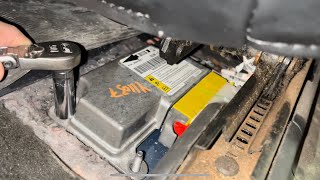
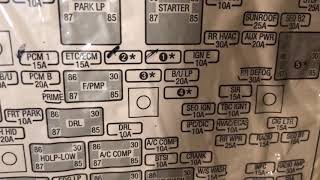
- Internal Failure of the OnStar Module (VCIM) 🔴 High Probability This is a widely documented failure on this platform, explicitly mentioned in GM Technical Service Bulletins #PIC3278G and #PIC3278F. The early 2G analog modules are now obsolete and prone to internal faults. The module can also fail to 'sleep' properly, causing a parasitic battery drain. 🎬 Watch: Troubleshooting common battery drain issues on GMT800 trucks.
How to confirm: Use a professional scan tool to see if the B1000 code originates from the Telematics Communication Interface Control Module (OnStar/VCIM). The presence of a "Phone Unavailable" audio message is a near-certain confirmation. The VCIM is often located under the instrument panel top trim pad or behind the glove box.
Typical fix: Replace the OnStar module. Alternatively, if OnStar service is not used, many owners choose to simply disconnect the module's electrical connectors to clear the code and prevent any potential battery drain. This is a common, no-cost fix discussed in owner forums.
Est. part cost: $50-$250 (Used/Remanufactured) - Internal Failure of the Airbag Module (SDM) 🟡 Medium Probability On GMT800 trucks, the SDM is located on the floor under the driver's seat, where it is susceptible to moisture from spills, wet carpets, or snowmelt, leading to corrosion and internal failure. This is a well-documented failure path for B1000 on these trucks.
How to confirm: If the airbag warning light is on, scan the SRS module specifically. A B1000 code originating from the SDM confirms it as the source. Visually inspect the module by pulling back the carpet under the driver's seat. Look for white or green corrosion on the module's aluminum case and connector.
Typical fix: The SDM must be replaced. This is a critical safety component. For GMT800 models, a used module with the exact same part number from a non-wrecked vehicle can sometimes be used without programming, but professional installation and verification are recommended. Some services offer to reset or repair original modules.
Est. part cost: $70-$500 - Internal Failure of the Body Control Module (BCM) ⚪ Low Probability The BCM, typically located near the steering column, can fail due to age, voltage spikes, or internal solder joint cracks, though it's a less common source for B1000 than the OnStar or Airbag modules. A failing BCM can also cause a parasitic battery drain.
How to confirm: If experiencing strange electrical issues (e.g., with lights, locks, windows, or climate control) in addition to the B1000 code, the BCM is a likely suspect. A pro-level scan tool like a GM Tech 2 can confirm if the BCM is the source of the code and may show a specific symptom byte, like '35' for an internal write malfunction.
Typical fix: Replace the Body Control Module and have it programmed to the vehicle's VIN and options using a tool like a Tech 2 and a paid subscription service.
Est. part cost: $150-$400
Rare But Worth Checking
- Low Battery Voltage or Poor Grounds: A weak battery, improper jump-start, or corroded main ground connections can cause voltage fluctuations that may trigger a false B1000 code in a sensitive module. Always ensure the battery is fully charged and grounds are clean before replacing any modules. A voltage drop test on the module's ground circuit can identify a bad ground.
Diagnosis Steps
- Connect a professional-grade scan tool (e.g., GM Tech 2) capable of reading manufacturer-specific codes from ALL vehicle modules (BCM, SDM, VCIM, etc.). A basic engine code reader will not work.
- Scan all systems and identify which specific module is reporting the B1000 'ECU Malfunction' code. This is the most critical step.
- If the code is from the VCIM (OnStar), and you hear a 'Phone Unavailable' message, the module has failed. Locate the module (often under the dash pad or behind the glove box) and disconnect it as the easiest fix.
- If the code is from the SDM (Airbag) and the airbag light is on, disconnect the battery. Then, unbolt the driver's seat (typically 11mm or 15mm bolts) and pull back the carpet to access the module. Inspect it and its connector for any signs of water damage or corrosion.
- If the code is from the BCM, check for other seemingly unrelated electrical issues with windows, locks, or lights. Inspect the BCM connectors under the driver's dash for corrosion.
- Before replacing any module, fully charge and test the vehicle's battery. Perform a parasitic draw test if a dead battery is a symptom. Inspect main power and ground connections for tightness and corrosion.
- If wiring, power, and grounds are good, the module identified in step 2 is faulty and needs replacement, which may also require professional programming.
Parts You'll Likely Need
- OnStar Module (VCIM) — This is the most common cause of a B1000 code on this vehicle, as documented in GM TSBs. It fails internally due to age and obsolete technology.
Trusted brands: ACDelco
OEM price range: $200-$400
Aftermarket price range: $50-$150 (Used/Remanufactured) - Airbag Control Module (SDM)
(OEM #19115443 (replaces 89047260), 12231770 (replaces 12220290))— This is the second most likely cause, especially if the airbag light is on. It often fails due to moisture damage from its location under the driver's seat.
Trusted brands: ACDelco, Dorman
OEM price range: $250-$500
Aftermarket price range: $70-$200 (Used/Remanufactured/Reset Service)
Related Codes That Often Appear With This One
- U1500 — This is another GM-specific code that often indicates an internal communication or performance fault within the OnStar (VCIM) module. Seeing B1000 and U1500 together strongly points to a failed VCIM, as noted in TSB #PIC3278G.
- U1000 — This code indicates a general loss of communication on the vehicle's Class 2 data network. A severely failed module (like the SDM or BCM) can short the data line, causing this code to appear in other modules and potentially leading to a no-start condition.
- B2470 — This code for 'Cellular Antenna Open Circuit' can appear alongside a B1000 when the OnStar VCIM has an internal fault related to its antenna connection.
Technical Service Bulletins (TSBs) & Recalls
- PIC3278G: Addresses an internal fault in the OnStar module causing a 'Phone Unavailable' message and a B1000 or U1500 DTC. Confirms the issue across a wide range of GM vehicles.
- PIC3278F: An earlier version of the same bulletin, also pointing to the OnStar module as the cause for B1000.
Platform-Specific Known Issues
- GM Technical Service Bulletins PIC3278G and PIC3278F directly state that an internal fault in the OnStar module can produce a 'Phone Unavailable' audio message and set a B1000 or U1500 trouble code.
- Owner Experience on PerformanceTrucks.net: A user with a 2003 truck reported a B1000 'ECU Malfunction' code with an airbag light. Upon inspection, the SDM module under the driver's seat was found to be 'corroded beyond belief,' confirming this common failure pattern.
Mechanic-Grade Diagnostic Values
- GM Class 2 Data Bus Voltage — expected: The bus should be active at a nominal 7.0 volts and toggle to ground potential (0V) to transmit data.. Failure: A constant voltage significantly different from 7V, such as 10V or higher, indicates a module on the network is shorted and is pulling the bus high, disrupting all communication.
Hidden / Shadow Codes Worth Checking
- B1000 35: Internal Write Malfunction. This points to an error in the module's ability to write to its own memory, often seen in BCMs. (see via GM Tech 2 or equivalent professional scan tool capable of reading manufacturer-specific symptom bytes.)
- B1000 39: Internal Electronic Failure. This is a general hardware failure inside the module. (see via GM Tech 2, GDS2, or other professional scan tool.)
- B1000 3B: Internal Self-Test Failed. This confirms the module failed its own internal diagnostic check upon power-up. (see via GM Tech 2 or equivalent professional scan tool.)
- B1000 3C: Internal Communications Failure. This indicates a fault with the communication pathways inside the module itself. (see via GM Tech 2 or equivalent professional scan tool.)
Scan Tool Commands That Help
- GM Tech 2: Setup SDM Primary Key in BCM — After replacing the Body Control Module (BCM), the airbag light may illuminate with code B1001. This special function is required to re-establish the security handshake between the new BCM and the existing Airbag Module (SDM) to extinguish the light.
- GM Tech 2 / SPS: BCM/Passlock Security Relearn — When a new BCM is installed, the vehicle's theft deterrent system will prevent the engine from starting. A 30-minute key relearn procedure must be performed to sync the new BCM with the vehicle's security credentials.
- GM Tech 2: Module Setup / RPO Reprogramming — This function within the BCM's 'Special Functions' menu is used to add or remove vehicle options (RPOs). While powerful, it is complex and may require calling GM's Techline for a new VCI number to authorize the changes.
Wiring & Ground Locations
- SDM (Sensing and Diagnostic Module) — Located on the floor under the driver's seat, beneath the carpet and acoustical padding.. This is the physical location of the airbag control module. Its placement makes it highly vulnerable to corrosion from water and salt intrusion, a primary cause of B1000 codes with an airbag light.
- G103 — A primary ground point located on the cowl in the engine compartment, above the brake booster.. This ground serves multiple critical modules, including the SDM (Airbag Module) and the BCM. A poor connection here can cause intermittent power and communication issues, potentially triggering a false B1000 code.
- SP300 (Splice Pack) — Located at the base of the driver's side B-pillar, behind the trim panel.. This splice pack is a junction for the Class 2 data bus and contains the data wire coming directly from the SDM. A corroded or loose connection here can interrupt communication from the SDM, causing U-codes and potentially being misdiagnosed as a failed module.
- DLC (Data Link Connector) Pin 2 — The OBD-II port under the driver's side dashboard.. Pin 2 is the terminal for the Class 2 serial data circuit. A technician can directly measure the data bus voltage here to check the health of the entire communication network before diagnosing individual modules.
Real Owner Repair Stories
- Chevy HHR Network forum user (Chevrolet HHR (similar GM SDM architecture)) — Airbag light was on and a B1000 code was stored in the SDM.
❌ Tried (didn't work) The GM dealer attempted to clear the code with a Tech II scan tool but was unsuccessful., The dealer recommended replacing the SDM for approximately $700.
✅ What actually fixed it The owner removed the SDM and mailed it to a repair service found on eBay (audiotronix14) who reset the module's internal computer codes for $40 plus shipping. After reinstalling the original, reset module, the B1000 code was gone and the airbag light was off.
OEM Part Supersession History
89047260→19115443— Part revision and update by manufacturer for the Airbag Control Module (SDM).
Heads up: For GMT800 vehicles, it is highly recommended to replace a failed SDM with a unit (new or used) that has the exact same part number to avoid programming and communication issues. While part numbers may be superseded, cross-compatibility is not always guaranteed without reprogramming.
Model Year Variations Within This Range
- 2002-2006: The OnStar module (VCIM) technology changed during the GMT800 run, but all versions used are now obsolete. Early models used analog 2G cellular technology, which was sunset around 2008. Later models had digital 2G capabilities, but all 2G/3G networks have since been shut down, rendering all original OnStar units non-functional. This progressive obsolescence is a direct cause of internal faults that trigger code B1000 across the entire model year range.
Helpful Videos
We Have This Part in Stock



The information in this article is provided for general reference and educational purposes only. Vehicle specifications, procedures, and part compatibility can vary by production date, trim level, and region. Always consult your vehicle's factory service manual and verify part numbers before purchasing or performing repairs. Safety-critical components such as airbags, seat belts, and braking systems should be installed by a qualified professional.
- Chevrolet AVALANCHE 1500:
- 🎬 Helpful Videos
- 🛍️ Shop This Part
- What's Unique About the 2002-2006 Chevrolet AVALANCHE 1500
- Diagnostic Flowchart
- Symptoms You May Notice
- Most Likely Causes
- Rare But Worth Checking
- Diagnosis Steps
- Parts You'll Likely Need
- Related Codes That Often Appear With This One
- Technical Service Bulletins (TSBs) & Recalls
- Platform-Specific Known Issues
- Mechanic-Grade Diagnostic Values
- Hidden / Shadow Codes Worth Checking
- Scan Tool Commands That Help
- Wiring & Ground Locations
- Real Owner Repair Stories
- OEM Part Supersession History
- Model Year Variations Within This Range
- 🎟️ Get 5% Off