

B1000 on 2005-2011 Cadillac STS: ECU Malfunction and Module Failure Guide
On a 2005-2011 Cadillac STS, the B1000 code means a specific electronic control module has failed its internal self-test. It most commonly points to a faulty OnStar module (VCIM), causing a 'Phone Unavailable' message and parasitic battery drain, or a failed Airbag (SDM) module, which disables the airbag system. Diagnosis requires a professional scan tool to identify which module has failed before attempting a repair.
- B1000 means a module has failed its self-test; it is not a sensor or wiring code.
- A professional scan tool is mandatory to find out WHICH module (OnStar, Airbag, Body, etc.) is at fault.
- The most common cause on a Cadillac STS is a faulty OnStar module, especially if you hear a 'Phone Unavailable' message.
- If your airbag light is on with a B1000 code, the airbag system is likely disabled and needs immediate attention.
- Replacement modules for Airbag (SDM) or Body (BCM) systems must be professionally programmed to work.
What's Unique About the 2005-2011 Cadillac STS
While B1000 is a general 'internal module failure' code for GM, its appearance on the Cadillac STS is frequently tied to specific, well-documented issues. The provided NHTSA Technical Service Bulletins (#PIC3278F and #PIC3278G) explicitly connect B1000 to a faulty OnStar module (VCIM) that results in a "Phone Unavailable" audio message. This makes the OnStar system a primary suspect when this code appears. A secondary common failure on the STS is the Sensing and Diagnostic Module (SDM), which is located under the center console, making it vulnerable to moisture damage from spills. The B1000 code can also be set by the radio itself, leading to a significant parasitic battery drain.
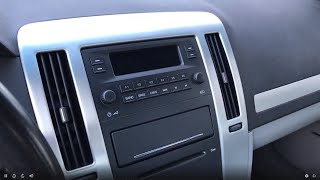
🎬 Watch: How the radio causes battery drain on the STS.Diagnostic Flowchart
Tap your situation to follow the diagnostic path that matches what you're seeing on this vehicle.
Symptoms You May Notice
- "Phone Unavailable" audio message from the OnStar system.
- Airbag warning light illuminated on the dashboard.
- Service Stability System message.
- Parasitic battery drain, leading to a dead battery after the car sits for a few days.
- Malfunctioning lights, door locks, or security system if the Body Control Module (BCM) is the cause.
- Radio and other infotainment features not working.
- Intermittent electrical glitches that seem to have no pattern.
- Replacing the car battery without first diagnosing a parasitic drain. If a faulty OnStar or radio module is the cause, the new battery will also be drained.
- Replacing other system components before identifying which module is setting the B1000 code using a capable scan tool.
Most Likely Causes
- Internal OnStar Module (VCIM) Failure 🔴 High Probability As documented in TSBs PIC3278F and PIC3278G, the OnStar module (Vehicle Communication Interface Module) on these vehicles is known to have internal faults that trigger code B1000. The older 2G CDMA cellular technology is obsolete, and the module can get stuck in a loop searching for a network that no longer exists, preventing it from entering sleep mode and causing a battery drain.
How to confirm: Use a professional scan tool to see if the B1000 code is stored in the 'Telematics Communication Interface Control Module'. The presence of a 'Phone Unavailable' message is a strong indicator. A parasitic draw test that shows a significant drop in amperage after pulling the OnStar/radio fuse also confirms this.
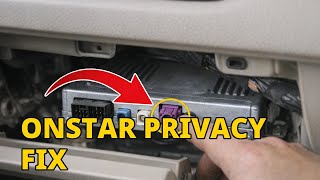
Typical fix: Replace the OnStar/VCIM module. Since older 2G CDMA OnStar modules are obsolete, many owners opt to simply unplug the module to resolve any associated battery drain. The module is often located behind the glove box or radio assembly.
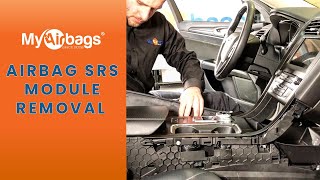
Est. part cost: $75-$400 - Internal Airbag Module (SDM) Failure 🟡 Medium Probability The Sensing and Diagnostic Module (SDM) can fail due to internal electronics aging or, more commonly, from moisture damage. Its location on the 2005-2011 STS is underneath the vehicle carpet under the center console, making it susceptible to corrosion from spilled liquids or water leaks from the sunroof or windows.
How to confirm: Scan the SRS/Airbag system specifically for codes. If B1000 is present, physically inspect the module for any signs of water damage, rust, or corrosion on the case and connector. The airbag warning light will be illuminated on the dash.
Typical fix: Replace the SDM. This is a critical safety component and the new module must be professionally programmed to the vehicle's VIN to ensure functionality. Services exist that can reset crash data from a module, but a B1000 often indicates an internal hardware fault that requires replacement.
Est. part cost: $150-$500 - Internal Body Control Module (BCM) Failure ⚪ Low Probability The BCM can fail from age, voltage spikes, or internal circuit board issues, causing a B1000 'checksum malfunction' or 'write malfunction' code. This module acts as a central hub for many of the car's electronic body features.
How to confirm: Scan the Body Control Module for codes. If B1000 is present, and you are experiencing strange electrical issues with lights, locks, windows, or the security system, the BCM is the likely culprit.
Typical fix: Replace the BCM and have it programmed by a dealer or qualified shop with the correct software for the vehicle. Inspecting the BCM's wiring and ground connections for corrosion is a crucial first step before replacement.
Est. part cost: $200-$600
Rare But Worth Checking
- Low Battery Voltage / Electrical Spikes: A weak battery or improper jump-starting can sometimes corrupt a module's memory and set a false B1000 code. Before replacing any modules, ensure the battery is fully charged and the charging system is working correctly, then clear the codes to see if they return.
- Wiring Harness or Connector Issue: While the code usually indicates an internal module fault, it's worth inspecting the electrical connector and nearby wiring of the suspect module for corrosion, damage, or loose pins before replacement. Water intrusion under the carpet is a known cause of SDM connector failure.
- Radio Head Unit Failure: In some cases, the radio/infotainment head unit itself can fail internally, setting a B1000 code and causing a severe parasitic battery drain. One owner reported an 800 milliamp draw that disappeared when the radio/OnStar fuse was pulled, and the diagnostic procedure for a B1000 code in the radio module was simply to replace the radio.
Diagnosis Steps
- Connect a professional-grade scan tool capable of reading manufacturer-specific codes from all vehicle modules (e.g., BCM, SDM, VCIM, EBCM). A GM Tech 2 or equivalent is recommended.
- Perform a full vehicle scan to identify which specific module is storing the B1000 code. The scan tool will list the code under the name of the faulty module (e.g., 'Telematics Module' or 'SRS Module').
- Note any symptom bytes (e.g., B1000-00 for EPROM failure, B1000-39 for internal electronic failure). These provide more specific detail about the internal failure.
- Based on the module identified, check for related symptoms. If the OnStar module (VCIM) is flagged, listen for a 'Phone Unavailable' message. If the Airbag module (SDM) is flagged, check for an airbag warning light.
- If a parasitic battery drain is a symptom, perform a parasitic draw test with a multimeter. Pull fuses related to the suspect module (e.g., 'Radio/OnStar') to see if the draw disappears. A draw over 50 milliamps after the vehicle has gone to sleep is excessive.
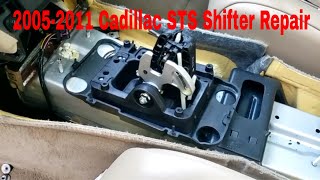
- Physically locate and inspect the identified module. For the SDM, remove the center console trim to access it under the carpet and check for signs of moisture or corrosion. For the VCIM, check behind the glove box/radio.
- Using a multimeter, verify that the module is receiving correct battery voltage and has a solid ground connection at its connector.
- If wiring, power, and ground are confirmed to be good, the B1000 code indicates an internal, non-repairable fault within the module itself.
- Replace the faulty module. Note that modules like the SDM and BCM require professional programming to function correctly.
Parts You'll Likely Need
- OnStar/Telematics Module (VCIM)
(OEM #23235227 (fits 2007-2010 STS, supersedes older numbers))— This is the most common cause according to GM Technical Service Bulletins, especially if a 'Phone Unavailable' message or parasitic battery drain is present.
Trusted brands: ACDelco (GM Genuine)
OEM price range: $250-$500
Aftermarket price range: $75-$200 (Used/Remanufactured) - Airbag Control Module (SDM)
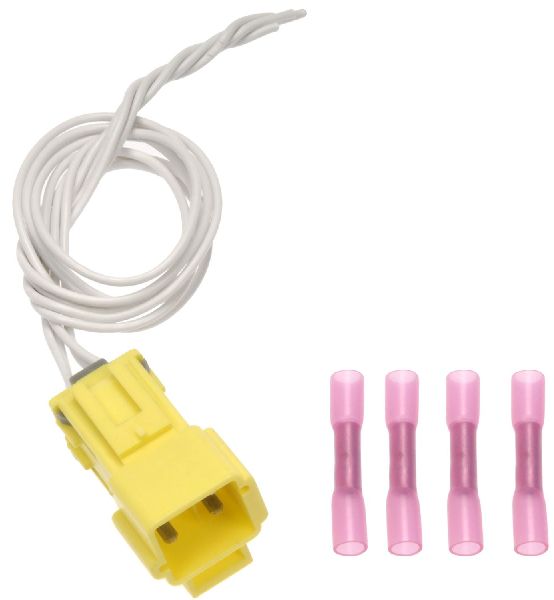
(OEM #23369683 (This part number supersedes many previous versions for GM vehicles of this era, including 10381282, 15837273, 25823556. Verify fitment with VIN.))— A common point of failure if the airbag light is on, often due to moisture damage under the console. It is a safety-critical part that requires professional installation and programming.
Trusted brands: ACDelco (GM Genuine)
OEM price range: $300-$600
Aftermarket price range: $150-$300 (Remanufactured)
Related Codes That Often Appear With This One
- U1500 — This is another communication-related code often mentioned alongside B1000 in the TSBs for a faulty OnStar module. [Bulletin #PIC3278F, #PIC3278G]
Technical Service Bulletins (TSBs) & Recalls
- PIC3278F: Addresses internal faults in the OnStar module causing a 'Phone Unavailable' message and code B1000 or U1500.
- PIC3278G: An updated version of the previous TSB, reiterating the same issue with the OnStar module.
Platform-Specific Known Issues
- TSB #PIC3278F and #PIC3278G: These bulletins state that the OnStar module can develop an internal fault, producing a 'Phone Unavailable' audio message and setting a B1000 or U1500 diagnostic trouble code.
- SDM Water Damage: The location of the Sensing and Diagnostic Module (SDM) under the center console makes it highly vulnerable to damage from spilled drinks or water leaks, a common trigger for a B1000 code in the airbag system.
Mechanic-Grade Diagnostic Values
- Power and Ground at Suspect Module Connector — expected: Connector should show full battery voltage (approx. 12.6V with key on, engine off) on the power pin(s) and less than 0.1 ohms of resistance to ground on the ground pin(s).. Failure: Voltage below 12V or high resistance on the ground circuit indicates a wiring issue, not necessarily an internal module failure.
Hidden / Shadow Codes Worth Checking
- B1000 00: Electronic Control Unit (ECU) Performance / Internal Failure. This is a common symptom byte indicating the module failed its own self-test. (see via GM Tech 2, GDS2, or other professional scan tool capable of reading manufacturer-specific symptom bytes.)
- B1000 04: ECU RAM Failure. This points to a fault in the module's temporary Random Access Memory. (see via GM Tech 2, GDS2, or other professional scan tool.)
- B1000 39: ECU Performance Internal Electronic Failure. This indicates a general hardware failure inside the module. (see via GM Tech 2, GDS2, or other professional scan tool.)
- B1000 3A: Incorrect Component Installed. The module detects that it is not the correct part for the vehicle, which can happen if a used module from a different model is installed without proper programming. (see via GM Tech 2, GDS2, or other professional scan tool.)
- B1000 57: Invalid or Incompatible Software Component. The module's software or calibration is incompatible with other vehicle hardware or software. (see via GM Tech 2, GDS2, or other professional scan tool.)
Scan Tool Commands That Help
- GM Tech 2 / GDS2: Setup New SDM — This function must be performed after installing a brand new Airbag Control Module (SDM) to initialize it for the vehicle.
- GM Tech 2 / GDS2: Setup SDM Part Number in BCM — After installing a new SDM, this function tells the Body Control Module (BCM) the part number of the new airbag module to ensure they can communicate correctly.
- GM Tech 2 / GDS2: Setup SDM Primary Key in BCM — This is a critical step after replacing the Body Control Module (BCM). The BCM and SDM share security information. If this setup is not performed, the airbag light will remain on (often with code B1001) because the modules cannot verify each other.
Wiring & Ground Locations
- G306 — Under the center console.. This is the specific ground point for the Inflatable Restraint Sensing & Diagnostic Module (SDM). Since the SDM is located under the console and is prone to moisture damage, checking this ground for corrosion is a critical diagnostic step if the B1000 code is coming from the airbag system.
- G103 (on similar platforms) — Located at the left rear of the engine compartment on the cowl, above the brake booster.. On similar GM vehicles, this ground point serves the BCM, Radio, and SDM. A fault at this shared ground could cause communication issues or codes in multiple modules.
- G201 — In the upper left corner of the instrument panel, near the A-pillar, behind the dash.. This is a major instrument panel ground. A problem here could cause various electrical issues, potentially affecting modules like the BCM or radio that are located in the dash area.
OEM Part Supersession History
10381282, 15837273, 15865554, 15892530, 15905808, 22759738, 25823556→23369683— Standard part evolution for the Sensing and Diagnostic Module (SDM) to improve reliability or consolidate inventory.
Heads up: While physically interchangeable, a new or used SDM must be programmed to the vehicle's VIN and have its primary key set up with the BCM to function and extinguish the airbag light.
Model Year Variations Within This Range
- 2005-2008 (approx.): Earlier models in this range were equipped with analog or 2G CDMA OnStar (VCIM) modules. These modules are guaranteed to fail and set a B1000 code with a 'Phone Unavailable' message because the 2G cellular network they rely on has been shut down. Later models may have more modern digital modules, but are still subject to general electronic failure.
Helpful Videos
Used OEM Parts in Stock


New Aftermarket Parts Available



The information in this article is provided for general reference and educational purposes only. Vehicle specifications, procedures, and part compatibility can vary by production date, trim level, and region. Always consult your vehicle's factory service manual and verify part numbers before purchasing or performing repairs. Safety-critical components such as airbags, seat belts, and braking systems should be installed by a qualified professional.
- Cadillac STS:
- 🎬 Helpful Videos
- 🛍️ Shop This Part
- What's Unique About the 2005-2011 Cadillac STS
- Diagnostic Flowchart
- Symptoms You May Notice
- Most Likely Causes
- Rare But Worth Checking
- Diagnosis Steps
- Parts You'll Likely Need
- Related Codes That Often Appear With This One
- Technical Service Bulletins (TSBs) & Recalls
- Platform-Specific Known Issues
- Mechanic-Grade Diagnostic Values
- Hidden / Shadow Codes Worth Checking
- Scan Tool Commands That Help
- Wiring & Ground Locations
- OEM Part Supersession History
- Model Year Variations Within This Range
- 🎟️ Get 5% Off