

B1000 on 2003-2010 Cadillac CTS: Diagnosing Internal Module Failures
On a 2003-2010 Cadillac CTS, the B1000 code signifies an internal failure in an electronic control module. The most common causes are a faulty OnStar module (VCIM), often accompanied by a 'Phone Unavailable' message and parasitic battery drain, or a failed airbag module (SDM), which disables the airbag system. A professional scan tool is required to identify which module is at fault before attempting a repair.
- B1000 means a control module has failed internally; it is not a sensor or wiring issue itself.
- You MUST use a high-quality scan tool to find out which module (OnStar, Airbag, BCM, etc.) is setting the code.
- If your airbag light is on, the system is likely disabled. Treat this as an urgent safety issue.
- The most common causes on a CTS are a faulty OnStar module (causing battery drain) or a water-damaged Airbag module.
- Most replacement modules will require professional programming to work with your vehicle.
What's Unique About the 2003-2010 Cadillac CTS
For this generation of Cadillac CTS, the B1000 code is explicitly mentioned in General Motors Technical Service Bulletins (TSBs) in relation to the OnStar module, also known as the Vehicle Communication Interface Module (VCIM). 🎬 Watch: A short explanation of the B1000 code on Cadillacs. These bulletins note that an internal fault in the OnStar module can trigger a B1000 code and cause a 'Phone Unavailable' audio message. Another common point of failure on these vehicles is the Sensing and Diagnostic Module (SDM) for the airbags, which can set this code if it fails. On many GM vehicles of this era, the SDM is located on the floor under a front seat or center console, making it vulnerable to moisture from spilled drinks, wet carpets, or water leaks, which can corrode the module and cause an internal failure.
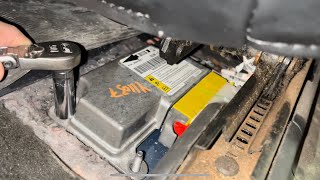
🎬 See this walkthrough on locating and removing the airbag control module.Diagnostic Flowchart
Tap your situation to follow the diagnostic path that matches what you're seeing on this vehicle.
Generation note: This range covers two generations of the Cadillac CTS built on the GM Sigma platform: the first generation (2003-2007) and the beginning of the second generation (2008-2010). The provided TSBs and common issues, particularly with the OnStar and airbag modules, apply to vehicles across both generations within this year range, as the underlying electronic architecture shares these components.
Symptoms You May Notice
- Airbag warning light illuminated on the dashboard
- "Phone Unavailable" message from the audio system.
- Service vehicle soon or other warning messages
- Parasitic battery drain, leading to a dead battery after sitting for a few days.
- Malfunctioning electronic accessories (e.g., power locks, windows, interior lights) if the BCM is the cause.
- OnStar status light is red or off.
- Inability to use OnStar services or hands-free calling features.
- Replacing the Powertrain Control Module (PCM) or Engine Control Module (ECM) when the code is actually being set by the BCM, SDM, or VCIM.
- Replacing a functional SDM without first fixing the water leak that caused the original failure, leading to the new module failing again.
Most Likely Causes
- Internal OnStar Module (VCIM) Failure 🔴 High Probability This is a well-documented issue in GM Technical Service Bulletins PIC3278F and PIC3278G. The module can develop an internal fault that triggers the B1000 code, fails to enter 'sleep mode', and often causes a parasitic battery drain. This issue is common across many GM platforms from this era that use the same VCIM.
How to confirm: Scan the vehicle with a tool that can access the Telematics Communication Interface Module. If the B1000 code is stored there, and you have symptoms like the 'Phone Unavailable' message, the VCIM is the prime suspect. A simple test for the battery drain is to pull the OnStar fuse (often located in the rear or under-dash fuse box) and monitor if the drain stops.
Typical fix: Replace the OnStar/VCIM module and have it programmed by a dealer or a shop with GM TIS2Web access. Some owners who do not use OnStar services may opt to simply unplug the module to resolve the battery drain issue. However, on some vehicles, the VCIM is a terminating resistor for the CAN bus, and unplugging it can cause wider communication issues.
Est. part cost: $75-$300 - Internal Airbag Module (SDM) Failure 🟡 Medium Probability On many GM vehicles of this era, including the CTS, the Sensing and Diagnostic Module (SDM) is located on the floor under a front seat or center console. This position makes it highly vulnerable to moisture from spilled drinks, wet carpets from rain leaks, or even melting snow from boots. This moisture wicks into the module, corrodes the circuit board, and causes an internal failure setting the B1000 code.
How to confirm: Scan the Supplemental Restraint System (SRS) for codes. If B1000 is present, physically inspect the module for signs of water damage, rust, or corrosion on the case and connectors. The module is typically under the driver's or passenger's seat (Gen 1) or under the center console (Gen 2), beneath a flap in the carpet.
Typical fix: Replace the SDM and have it programmed to the vehicle by a dealer or qualified shop. The source of any water leak must also be repaired to prevent repeat failure. Some third-party services can reset 'soft' crash data, but a B1000 code from internal corrosion or hardware failure requires module replacement.
Est. part cost: $100-$400 - Internal Body Control Module (BCM) Failure ⚪ Low Probability The BCM is the central computer for many body and electronic functions. Like any complex electronic part, it can fail internally over time due to heat, vibration, or component aging, resulting in a B1000 'checksum malfunction' code.
How to confirm: Scan the Body Control Module for codes. If B1000 is present and accompanied by other erratic electrical issues (lights, locks, security system faults, etc.), the BCM is likely at fault. Verify the BCM has good power and ground connections before condemning it.
Typical fix: Replace the BCM and have it programmed to the vehicle. This is critical for the vehicle's security system (Passlock/VATS) and other integrated functions to work.
Est. part cost: $150-$500
Rare But Worth Checking
- Low Battery Voltage or Poor Grounds: Before replacing any expensive modules, ensure the battery is fully charged and the main battery and chassis ground connections are clean and tight. Low voltage or voltage spikes during starting can sometimes set a false B1000 code that may clear and not return after addressing the power supply issue.
- Wiring Harness or Connector Issue: While the code indicates an internal module fault, it's worth visually inspecting the electrical connector and nearby wiring of the suspect module for corrosion, moisture, or physical damage before replacement. A corroded pin for a power or ground line can mimic an internal module failure.
Diagnosis Steps
- Connect a professional-grade scan tool capable of reading manufacturer-specific codes (B, C, U-codes) from all vehicle modules.
- Perform a full system scan to identify which specific module (e.g., SDM, BCM, VCIM) is storing the B1000 code. This is the most critical step.
- Check for any two-digit symptom bytes (e.g., B1000 00, B1000 31) that provide more detail on the internal failure.
- Check for any other stored trouble codes that may provide additional context, such as communication codes (U-codes).
- Based on the module identified, check for related symptoms. If the SDM set the code, the airbag light will be on. If the VCIM set the code, a 'Phone Unavailable' message may be present.
- If SDM is the suspect, physically inspect the module and its connector for white or green corrosion, rust, or signs of moisture. On Gen 1 (2003-2007), check under the front seats. On Gen 2 (2008-2010), check under the center console.
- If VCIM is the suspect and a battery drain is present, pull the OnStar fuse and use a multimeter in ammeter mode to see if the parasitic draw disappears.
- Using a multimeter, verify that the suspect module is receiving correct battery voltage and has a solid ground connection at its harness connector. Check relevant ground points like G110, G201, and G306.
- If wiring, power, and ground are all confirmed to be good, the module itself has an internal fault and requires replacement.
- After replacement, the SDM, BCM, and VCIM will require programming by a dealership or properly equipped independent shop to function correctly. For the SDM, this involves a 'Setup New SDM' or 'Setup SDM Primary Key in BCM' procedure.
Parts You'll Likely Need
- OnStar/Telematics Module (VCIM)
(OEM #25910217)— This is a very common failure point on this platform, as documented by GM TSBs, leading to code B1000 and battery drain issues. This part number supersedes several older numbers including 15257441, 15940564, 19204700, and 25828574.
Trusted brands: ACDelco, GM Genuine
OEM price range: $150-$400
Aftermarket price range: $75-$250 - Sensing and Diagnostic Module (SDM) — This airbag control module is another common source for B1000, often due to failure from water damage because of its location under the seat or console. Part numbers vary significantly by year and specific options, so it must be matched to the original unit.
Trusted brands: ACDelco, Dorman
OEM price range: $250-$500
Aftermarket price range: $100-$300
Related Codes That Often Appear With This One
- U1500 — This is a communication code. The provided TSBs specifically mention that U1500 may appear alongside B1000 when the OnStar module has an internal fault.
Technical Service Bulletins (TSBs) & Recalls
- PIC3278F: Addresses an internal fault in the OnStar module causing a 'Phone Unavailable' message and DTC B1000 or U1500.
- PIC3278G: An updated version of the previous bulletin with the same information regarding the OnStar module fault.
Platform-Specific Known Issues
- Technical Service Bulletins PIC3278F and PIC3278G directly state that the OnStar module can have an internal fault, produce a 'Phone Unavailable' audio message, and set a B1000 or U1500 trouble code.
- The placement of the SDM (airbag module) under the driver's seat (Gen 1) or center console (Gen 2) in a recessed floor pan area makes it a collection point for any water that gets into the cabin, leading to a high rate of failure from corrosion.
Hidden / Shadow Codes Worth Checking
- B1000 00: Electronic Control Unit (ECU) Performance with no additional information. This is a generic internal fault detected at power-up. (see via GM Tech 2, GDS2, or other professional scan tool capable of reading manufacturer-specific symptom bytes.)
- B1000 31: Electronic Control Unit General Checksum Problem. This indicates a data corruption or memory error within the module. (see via GM Tech 2, GDS2, or other professional scan tool capable of reading manufacturer-specific symptom bytes.)
- B1000 39: Electronic Control Unit Performance Internal Electronic Failure. This points more specifically to a hardware failure inside the module. (see via GM Tech 2, GDS2, or other professional scan tool capable of reading manufacturer-specific symptom bytes.)
Scan Tool Commands That Help
- GM Tech 2 / GDS2 / Professional Scan Tool: Setup New SDM / Setup SDM Primary Key in BCM — This function is required after installing a new Sensing and Diagnostic Module (SDM). It 'marries' the new airbag module to the Body Control Module (BCM), allowing them to communicate. Failure to perform this step will result in the airbag light staying on.
- GM Tech 2: Module Sleep Command — When diagnosing a parasitic battery drain, this command can force individual modules (like the VCIM or radio) into sleep mode. If the parasitic current draw drops significantly after commanding a specific module to sleep, that module is confirmed as the source of the drain.
Wiring & Ground Locations
- G306 — Under the center console.. This is a primary ground point for components in the center of the vehicle, including the Sensing and Diagnostic Module (SDM), especially on first-generation (2003-2007) models. A poor connection here can cause communication issues or false codes from the SDM.
- G110 — On the right frame rail in the engine compartment, near the ABS module.. This ground is used by the Electronic Brake Control Module (EBCM). On CTS-V models, it has been documented that aftermarket Cold Air Intakes sometimes use this ground as a mounting point, creating a poor connection that can lead to multiple communication codes and warnings, potentially mimicking a module failure.
- G201 — Behind the right kick panel in the passenger footwell.. This is a major interior ground point. On some model years, it serves as a ground for the Dash Integration Module (DIM) or Body Control Module (BCM), both of which could potentially set a B1000 code if they have an unstable ground.
- G304 — On the rear package shelf, often to the left of the subwoofer.. This ground is often used by rear-mounted modules, including the Vehicle Communication Interface Module (VCIM/OnStar) on some GM vehicles. A bad ground here could contribute to the common OnStar-related B1000 faults.
Real Owner Repair Stories
- YouTube video on a 2007-2013 GM Truck (GM Truck (Silverado/Sierra platform)) — Solid airbag warning light on the dash. Scan revealed code B1000, described as 'ECU Malfunction'.
❌ Tried (didn't work) Initial diagnosis did not immediately point to a specific external cause.
✅ What actually fixed it The Sensing and Diagnostic Module (SDM), located under the driver's seat, was found to have significant water damage and corrosion on the casing. The gel material sealing the circuit board was lifted, indicating moisture had gotten inside. Replacing the water-damaged SDM with a new one resolved the B1000 code and the airbag light. This is a direct parallel to the common CTS failure. - 2CarPros Forum User (Buick Century) — Airbag light on, BCM immediately throws code B1000 after clearing.
❌ Tried (didn't work) Replacing the Body Control Module (BCM) with a known-good used unit and performing the 30-minute relearn procedure did not fix the problem.
✅ What actually fixed it The issue was not resolved in the thread, but a responding technician correctly pointed out that the BCM was just reporting the code, and the actual fault was likely in the 'inflatable restraint and diagnostic module' (SDM). This serves as a real-world example of the common misdiagnosis of replacing the reporting module (BCM) instead of the source module (SDM).
Model Year Variations Within This Range
- 2003-2007 vs 2008-2010: The location of the Sensing and Diagnostic Module (SDM) changed between the first and second generations. On the first generation (2003-2007), it is typically found under one of the front seats. On the second generation (2008-2010), service information shows it located underneath the vehicle carpet, under the center console. This affects the diagnostic process, as technicians need to know where to look for the module to inspect for the common issue of water damage.
Helpful Videos
Used OEM Parts in Stock


New Aftermarket Parts Available

The information in this article is provided for general reference and educational purposes only. Vehicle specifications, procedures, and part compatibility can vary by production date, trim level, and region. Always consult your vehicle's factory service manual and verify part numbers before purchasing or performing repairs. Safety-critical components such as airbags, seat belts, and braking systems should be installed by a qualified professional.
- Cadillac CTS:
- 🎬 Helpful Videos
- 🛍️ Shop This Part
- What's Unique About the 2003-2010 Cadillac CTS
- Diagnostic Flowchart
- Symptoms You May Notice
- Most Likely Causes
- Rare But Worth Checking
- Diagnosis Steps
- Parts You'll Likely Need
- Related Codes That Often Appear With This One
- Technical Service Bulletins (TSBs) & Recalls
- Platform-Specific Known Issues
- Hidden / Shadow Codes Worth Checking
- Scan Tool Commands That Help
- Wiring & Ground Locations
- Real Owner Repair Stories
- Model Year Variations Within This Range
- 🎟️ Get 5% Off