

B0126 on 2024-2025 GMC Acadia: Driver Monitoring Camera Fault Causes and Fixes
On a 2024-2025 GMC Acadia, code B0126 indicates a fault with the Driver Monitoring Camera, a key component for ADAS features like Super Cruise. This is a known issue documented in GM's Technical Service Bulletin #PIC6556H. The fault, often with symptom byte 82, usually points to an internal camera failure. The fix requires dealer diagnosis and replacement of the camera module, followed by a mandatory calibration procedure.
- B0126 on a 2024-2025 Acadia means there's a problem with the Driver Monitoring Camera, not another system.
- This is a known issue documented by GM in TSB #PIC6556H, and the most common cause is an internal camera fault.
- Do not attempt a DIY replacement unless you have access to specialized tools (GDS2) for post-repair calibration, as this is a critical safety system.
What's Unique About the 2024-2025 Gmc ACADIA
The 2024 GMC Acadia represents a new generation built on an updated platform with a heavy emphasis on integrated safety and driver-assist technologies like Super Cruise. This B0126 code is directly tied to the new Driver Monitoring System, a feature not present or as integrated on previous Acadia generations. The existence of a specific TSB (PIC6556H) covering the 2024-2025 Acadia, along with its platform mates like the Chevy Traverse and Cadillac Lyriq, indicates it's a known issue on this new platform, likely related to the rollout of this new hardware and software.
Diagnostic Flowchart
Tap your situation to follow the diagnostic path that matches what you're seeing on this vehicle.
Symptoms You May Notice
- A warning message on the instrument cluster, such as "Driver Monitoring System Fault" or "Service Driver Assist".
- Driver-assist features like Super Cruise, lane-keep assist, or attention alerts are disabled or unavailable.
- A steady warning light on the dashboard.
- Inability to activate Super Cruise.
- "Camera fault" or similar error message in the vehicle's infotainment settings menu.
- Replacing the Body Control Module (BCM) or Image Processing Control Module (IPCM) without proper diagnosis. The fault code is stored in these modules, but the cause is most often the camera itself or its connection.
Most Likely Causes
- Internal Driver Monitoring Camera Failure 🔴 High Probability A specific GM Technical Service Bulletin (PIC6556H) directs technicians to check for this code and symptom byte (B0126 SYM 82), and the final step in the diagnostic procedure is often to replace the camera, suggesting it's a known hardware fault.
How to confirm: A professional scan tool will show code B0126 with symptom byte 82. Diagnosis following the TSB procedure, which includes checking connections and power cycling modules, will confirm the camera as the faulty component if the code persists.
Typical fix: Replace the Driver Monitoring Camera module (often designated B292) and perform the required calibration.
Est. part cost: $200-$450 - Software or Calibration Issue 🟡 Medium Probability As a new model generation, software updates are common to fix initial bugs. A failed over-the-air (OTA) update or a voltage drop during service could corrupt calibration data. TSB PIC6556H includes steps like disconnecting modules for 30 minutes and performing a Serial Data Authentication (SDAC) to rule out a temporary glitch before replacing hardware.
How to confirm: A dealer technician would check for any available software updates for the Image Processing Control Module (IPCM) or the camera module itself using the GM Service Programming System (SPS).
Typical fix: Update the module's software and/or perform a system recalibration. Sometimes a simple module power reset as described in the TSB can resolve the issue.
Est. part cost: $0 - Wiring or Connector Issue ⚪ Low Probability On a new vehicle, manufacturing defects like a poorly seated connector are possible, but corrosion or vibration damage is less likely. The TSB does mention checking the LVDS cable for damage as a diagnostic step.
How to confirm: Visually inspect the camera's connector and wiring harness for any signs of damage, looseness, or pinched wires. This involves accessing the camera, which is mounted on the steering column.
Typical fix: Repair the damaged wiring or reseat the connector. If the LVDS cable is damaged, it would need to be replaced.
Est. part cost: $5-$150
Diagnosis Steps
- Verify the presence of code B0126 using an OBD-II scanner capable of reading B-codes (Body codes) and manufacturer-specific codes. Note the symptom byte (e.g., SYM 82).
- Check for any visible obstructions blocking the Driver Monitoring Camera lens. The camera is located on the steering column.
- Consult the latest version of TSB #PIC6556 (e.g., PIC6556H or newer) for manufacturer-specific diagnostic procedures.
- As per the TSB, a technician may first attempt to disconnect the Image Processing Module for 30 minutes, reconnect, and perform a Serial Data Authentication (SDAC) to clear potential software glitches.
- Inspect the electrical connector and LVDS video cable at the Driver Monitoring Camera for a secure connection and any signs of damage.
- If wiring is intact and the code remains current (not in history), follow the TSB's guidance, which directs to disconnect the camera. If the code status changes to 'history', this confirms the camera is the fault.
- If the camera (GM component B292) is determined to be faulty, replace it.
- After replacement, perform the mandatory camera calibration procedure using a compatible, high-level diagnostic tool (e.g., GDS2) and the GM Service Programming System (SPS). This may involve a dynamic calibration where the vehicle is driven under specific conditions.
Parts You'll Likely Need
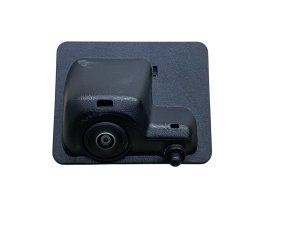
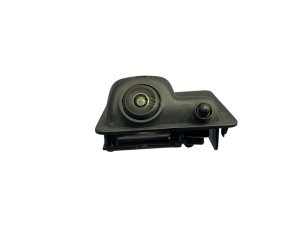
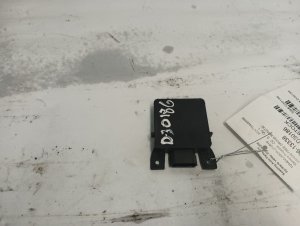
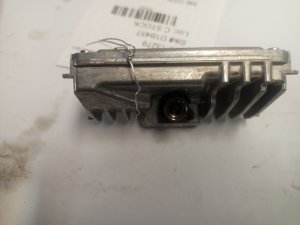
- Driver Monitoring Camera
(OEM #85515959 (replaces 84600208))— This is the component identified by the fault code and the associated TSB as the most likely cause of the failure.
Trusted brands: ACDelco, GM Genuine Parts
OEM price range: $200-$450
Related Codes That Often Appear With This One
- B1DD0 SYM57 — This code is explicitly mentioned in TSB #PIC6556H alongside B0126 and relates to the same Driver Monitoring Camera system, indicating a similar internal fault.
- B1599 SYM13 — Also mentioned in some versions of TSB #PIC6556, this code can appear with the others and is related to the Image Processing Control module, though the diagnostic path may differ slightly.
Technical Service Bulletins (TSBs) & Recalls
- PIC6556H: This Preliminary Information bulletin instructs technicians on how to diagnose a B0126 SYM 82 or B1DD0 SYM 57 code related to the driver monitoring camera. It provides steps to differentiate between a software glitch and a hardware failure.
Platform-Specific Known Issues
- TSB #PIC6556H was issued by GM specifically for the 2024-2025 model year, indicating a known potential for the Driver Monitoring Camera to set a B0126 SYM 82 fault code due to an internal issue.
- The issue is not isolated to the Acadia; it is a platform-wide issue affecting multiple new GM vehicles that use the Super Cruise and Driver Monitoring System.
Mechanic-Grade Diagnostic Values
- LIN Bus Voltage — expected: When communicating, voltage should toggle between approximately 1V (min) and 12V (max) when measured with a multimeter set to 'peak' min/max. A steady ~12V indicates the bus is at rest (not communicating).. Failure: A voltage reading of 0V could indicate an open or short to ground. A voltage equal to the full system voltage could indicate a short to power.
Hidden / Shadow Codes Worth Checking
- B0126 SYM 82: This specific code and symptom byte combination is called out by GM's TSB (PIC6556H) and points directly to a suspected internal Driver Monitoring Camera fault. (see via A professional scan tool capable of reading manufacturer-specific codes and data, such as the dealer-level GM GDS2.)
- B1DD0 SYM 57: Mentioned in the same TSB as B0126, this code also relates to a Driver Monitoring Camera fault and is diagnosed using a similar procedure. (see via A professional scan tool capable of reading manufacturer-specific codes and data, such as the dealer-level GM GDS2.)
Scan Tool Commands That Help
- GDS2 / Techline Connect (SPS): K124 Image Processing Module: Programming and Setup — This function is required after replacing the Image Processing Module or the Driver Monitoring Camera to program the new hardware to the vehicle.
- GDS2: Dynamic Camera Calibration — After a new camera is installed and programmed, a dynamic calibration must be performed. This involves driving the vehicle under specific conditions (e.g., 35-56 MPH on a well-marked road) to allow the camera to learn its position and alignment.
- GDS2: Clear DTCs — Used after a repair or a module reset procedure (like disconnecting the IPCM for 30 minutes) to see if the fault code returns as 'current' or stays in 'history'.
OEM Part Supersession History
84600208→85515959— Not publicly documented, but typically indicates a design revision, manufacturing improvement, or supplier change.
Helpful Videos
We Have This Part in Stock



The information in this article is provided for general reference and educational purposes only. Vehicle specifications, procedures, and part compatibility can vary by production date, trim level, and region. Always consult your vehicle's factory service manual and verify part numbers before purchasing or performing repairs. Safety-critical components such as airbags, seat belts, and braking systems should be installed by a qualified professional.
- Gmc ACADIA:
- 🎬 Helpful Videos
- 🛍️ Shop This Part
- What's Unique About the 2024-2025 Gmc ACADIA
- Diagnostic Flowchart
- Symptoms You May Notice
- Most Likely Causes
- Diagnosis Steps
- Parts You'll Likely Need
- Related Codes That Often Appear With This One
- Technical Service Bulletins (TSBs) & Recalls
- Platform-Specific Known Issues
- Mechanic-Grade Diagnostic Values
- Hidden / Shadow Codes Worth Checking
- Scan Tool Commands That Help
- OEM Part Supersession History
- 🎟️ Get 5% Off