

B0126 on 2024-2025 Chevrolet Silverado EV: Driver Monitoring Camera Fault Explained
On a 2024-2025 Silverado EV, code B0126 indicates a fault with the Driver Monitoring Camera, which is essential for systems like Super Cruise. The most likely causes are an internal camera failure or a software/calibration issue. This is a known issue across GM's Ultium platform and is a warranty repair that must be handled by a dealer, often via software updates before any parts are replaced.
- B0126 on a Silverado EV means there's a problem with the Driver Monitoring Camera, which will disable features like Super Cruise.
- This is not a DIY repair. The camera system requires special tools for diagnosis and calibration, making a trip to the dealer necessary.
- The issue is a known problem to GM, and the repair should be fully covered under the vehicle's bumper-to-bumper warranty.
- The official GM fix involves a software-first approach (module resets, key cycles) before replacing the camera module itself.
What's Unique About the 2024-2025 Chevrolet SILVERADO EV
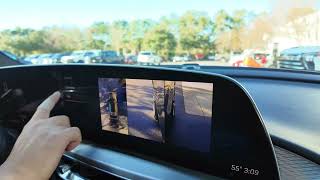
As a modern electric vehicle built on GM's Ultium platform, the Silverado EV relies heavily on a network of cameras and control modules. The B0126 code is specific to the driver-facing infrared camera in the steering column area, not the forward-facing or surround-view cameras. 🎬 See a demonstration of the different GM Ultium camera views GM has issued an evolving series of Technical Service Bulletins (TSB PIC6556) for this exact code on 2024 models and other Ultium vehicles, indicating it's a known issue requiring a specific, software-first diagnostic approach by technicians before hardware is replaced.
Diagnostic Flowchart
Tap your situation to follow the diagnostic path that matches what you're seeing on this vehicle.
Symptoms You May Notice
- "Service Driver Assist" or similar warning message on the instrument cluster.
- Super Cruise is unavailable or disengages unexpectedly. 🎬 Watch: Troubleshooting GPS drift and location errors in GM vehicles
- Other driver assistance functions may be disabled, such as Adaptive Cruise Control.
- A warning light for the driver monitoring system may be illuminated.
- In some related cases on the same platform, the entire infotainment screen may go black or become unresponsive as it can be tied to the same image processing module.
- Replacing the forward-facing windshield camera. This code is specific to the driver-facing camera, which is typically located on or near the steering column.
- Replacing the camera module before performing the software-reset steps outlined in TSB PIC6556H, such as disconnecting the Image Processing Module for 30 minutes and performing multiple key cycles.
Most Likely Causes
- Internal Driver Monitoring Camera Failure 🔴 High Probability The existence of TSB PIC6556H and its subsequent versions explicitly identifies a 'Possible Drivers Monitoring Camera fault' as the cause. This suggests that early failures of this component are a known issue for which GM has provided extensive dealer guidance.
How to confirm: A technician will follow the TSB diagnostic steps, which may include disconnecting the Image Processing Module for 30 minutes, performing key cycles, and checking for other codes. If the code returns and is not accompanied by others (like B1599), the TSB directs replacement of the Driver Monitoring Camera.
Typical fix: Replacement of the Driver Monitoring Camera module, followed by mandatory calibration and clearing of DTCs.
Est. part cost: $150-$250 - Software or Calibration Corruption 🟡 Medium Probability New vehicle platforms like GM's Ultium can experience software glitches that are resolved through updates. TSBs for related codes on the platform, like PIT6055B for U3000, explicitly recommend reprogramming the Driver Monitoring System Module as the fix, highlighting the software-first approach.
How to confirm: A dealer technician will use a GM diagnostic tool (GDS2/SPS2) to check the software version and attempt to reprogram the module. The diagnostic steps in TSB PIC6556H also involve power cycling modules and key cycling to reset software states before replacing parts.
Typical fix: Updating the module's software and performing a dynamic camera calibration procedure, which involves driving the vehicle under specific conditions.
Est. part cost: $0 (if under warranty) - Wiring or Connector Issue (LVDS Cable) ⚪ Low Probability While less common on new vehicles, a loose connector or chafed wire between the camera and the Image Processing Module can interrupt the signal. TSB PIC6556H specifically instructs technicians to check the LVDS (Low-Voltage Differential Signaling) cable for damage.
How to confirm: Visual inspection of the camera connector and wiring harness. A technician may perform a 'wiggle test' while monitoring data. The TSB directs a check of the LVDS cable if B0126 is set in history or current after other steps fail.
Typical fix: Reseating the connector or replacing the damaged LVDS cable.
Est. part cost: $0-$50
Rare But Worth Checking
- Image Processing Control Module (IPCM) Fault:
Diagnosis Steps
- Confirm the presence of code B0126 (specifically with SYM 82) using a professional scan tool capable of reading GM body codes.
- Check for any accompanying codes, especially B1DD0 SYM 57 or B1599 SYM 13.
- Consult the latest version of TSB #PIC6556 (e.g., PIC6556H, PIC6556C) for the official GM diagnostic procedure.
- Per the TSB, disconnect the Image Processing Module for 30 minutes, reconnect, and clear DTCs.
- Perform 5 key cycles and re-check for DTCs. If the codes are gone and Super Cruise works, the issue is resolved.
- If the code returns, visually inspect the Driver Monitoring Camera lens for obstructions and its electrical connector (and the LVDS cable) for a secure fit and damage.
- If B0126 or B1DD0 returns without B1599, the TSB directs the technician to replace the Driver Monitoring Camera.
- After any replacement, a new calibration procedure is mandatory for the system to function.
Parts You'll Likely Need
- Driver Monitoring Camera
(OEM #87833313 (Example from platform mate, verify by VIN))— As indicated by GM's own service bulletin (PIC6556 series), an internal fault in the camera is the primary cause for this code after software resets are attempted.
Trusted brands: ACDelco
OEM price range: $150-$250
Related Codes That Often Appear With This One
- B1DD0 SYM 57 — TSB PIC6556H and its later versions explicitly link B0126 SYM 82 and B1DD0 SYM 57 as related codes for the driver monitoring camera on this platform, often appearing together.
- U023B — This is a generic code for 'Lost Communication With Image Processing Module B', which can be set alongside B0126 if the camera module goes completely offline.
- B1599 SYM 13 — Later versions of TSB PIC6556 also include this code in the diagnostic procedure, indicating a related potential fault within the Image Processing Control module.
Technical Service Bulletins (TSBs) & Recalls
- PIC6556H (and later versions): Instructs technicians on a specific diagnostic procedure for B0126 SYM 82 and B1DD0 SYM 57. The procedure involves power-cycling the Image Processing Module, performing key cycles, and inspecting the LVDS cable before condemning the camera itself.
- PIT6055B: While for a different code (U3000), this TSB for Ultium platforms shows that reprogramming the Driver Monitoring System Module is a common fix for 'Service Driver Assist' messages, reinforcing the software-first approach.
Platform-Specific Known Issues
- This issue is not isolated to the Silverado EV but is seen across GM's Ultium platform vehicles that use the Super Cruise system.
- GM has issued multiple evolving versions of TSB #PIC6556 (C, G, H, etc.) specifically for the 2024 model year and beyond, instructing dealers on how to diagnose B0126 SYM 82. The procedure emphasizes software resets before hardware replacement.
Mechanic-Grade Diagnostic Values
- Wiring Harness Continuity Test — expected: Less than 0.1 Ω. Failure: Resistance above 0.1 Ω indicates excessive resistance in the wire, suggesting a break or corrosion.
Hidden / Shadow Codes Worth Checking
- B0126 SYM 82: This specific symptom byte indicates the Image Processing Control Module has detected an internal malfunction within the Driver Monitoring Camera itself. This is more specific than the base code and strongly points towards a faulty camera module. (see via A professional scan tool capable of reading GM-specific body codes and symptom bytes, such as the dealer-level GDS2 (Global Diagnostic System 2).)
- B1DD0 SYM 57: This code is frequently set alongside B0126 SYM 82 and relates to a Driver Monitoring Camera internal electronic failure. GM TSBs treat these two codes as a pair for this diagnosis. (see via A professional scan tool capable of reading GM-specific body codes and symptom bytes, such as the dealer-level GDS2.)
Scan Tool Commands That Help
- SPS2 (Service Programming System 2): Serial Data Authentication (SDAC) — This function is used after disconnecting and reconnecting the K124 Image Processing Module, as instructed by TSB PIC6556C, to re-establish secure communication between modules.
- GDS2 (Global Diagnostic System 2): Front View Camera Module Learn — This calibration procedure must be initiated after the Driver Monitoring Camera is replaced to ensure it is properly aligned and configured with the vehicle's ADAS.
- GDS2 (Global Diagnostic System 2): Clear All DTCs — Used after performing software updates or module power cycles to clear stored fault codes and verify if the fault is still present after key cycles.
Wiring & Ground Locations
- Driver Monitoring Camera — Located on the steering column, integrated into the assembly behind the steering wheel.. This is the primary component that sets code B0126. Its location is critical for visual inspection of the lens for blockage and for accessing its electrical connector and LVDS cable.
- K124 - Image Processing Control Module (IPCM) — While a specific diagram for the Silverado EV was not found, on related GM vehicles this module is typically located behind the glove box or integrated into the center stack area. TSBs reference pulling a specific fuse for this module as a reset procedure.. The K124 IPCM is the control unit that receives the signal from the Driver Monitoring Camera. Diagnostic procedures in TSBs require power cycling this specific module by disconnecting it or pulling its fuse.
Real Owner Repair Stories
- Reddit user in r/BoltEV (2022 Chevrolet Bolt EUV Launch Edition (GM EV platform-mate)) — Constant "Service Driver Assist System" notification on startup and intermittent Super Cruise functionality.
❌ Tried (didn't work) Initial dealership troubleshooting and consultation with GM technical support could not resolve the issue.
✅ What actually fixed it Replacement of the entire steering wheel assembly, which contains the driver monitoring camera and its internal wiring.
OEM Part Supersession History
85566165, 86797412→87833313— Likely an internal revision to improve reliability or address the faults leading to code B0126. Using the latest part number is critical for a lasting repair.
Helpful Videos
We Have This Part in Stock




The information in this article is provided for general reference and educational purposes only. Vehicle specifications, procedures, and part compatibility can vary by production date, trim level, and region. Always consult your vehicle's factory service manual and verify part numbers before purchasing or performing repairs. Safety-critical components such as airbags, seat belts, and braking systems should be installed by a qualified professional.
- Chevrolet SILVERADO EV:
- 🎬 Helpful Videos
- 🛍️ Shop This Part
- What's Unique About the 2024-2025 Chevrolet SILVERADO EV
- Diagnostic Flowchart
- Symptoms You May Notice
- Most Likely Causes
- Rare But Worth Checking
- Diagnosis Steps
- Parts You'll Likely Need
- Related Codes That Often Appear With This One
- Technical Service Bulletins (TSBs) & Recalls
- Platform-Specific Known Issues
- Mechanic-Grade Diagnostic Values
- Hidden / Shadow Codes Worth Checking
- Scan Tool Commands That Help
- Wiring & Ground Locations
- Real Owner Repair Stories
- OEM Part Supersession History
- 🎟️ Get 5% Off