

Ford & Lincoln Ambient Lighting Module Failure (2007-2019): Diagnosis and Replacement
If your interior accent lighting is dead, stuck on one color, or unresponsive, this guide will help you diagnose, replace, and understand the common issues with the Interior Lighting Control Module.
- This module controls interior ambient lighting and commonly fails due to liquid spills in the center console.
- This guide does NOT apply to 2015+ F-150s, which use a different BCM-integrated system.
- Programming may be required if your vehicle uses the SYNC screen for control; it's usually plug-and-play for button-controlled systems.
- When buying a used module, inspect for corrosion and match the OEM part number exactly to avoid compatibility issues.
Is This Guide for Your Vehicle?

This guide covers the specific, replaceable Interior Lighting Control Module (ILCM) found in many Ford and Lincoln vehicles equipped with multi-color ambient lighting. This part is known by the OEM part numbers 7S4Z-13C788-A, 8S4Z-13C788-A, and BE8Z-13C788-A, among others.
This module is commonly found in the following vehicles, but only on trims equipped with the optional ambient lighting package:
- 2011-2015 Ford Explorer
- 2008-2012 Ford Escape
- 2008-2010 Ford Edge & 2008-2010 Lincoln MKX
- 2007-2012 Ford Fusion & 2007-2009 Lincoln MKZ
- 2008-2011 Ford Focus
- 2008-2014 Ford Mustang
- 2009-2019 Ford Flex
Important Vehicle Note: Newer Ford vehicles, especially the 2015-2020 Ford F-150, use a different system. In those trucks, the ambient lighting is controlled directly by the Body Control Module (BCM) and the SYNC APIM module. There is no separate, small ILCM module to replace. Troubleshooting for those vehicles requires software tools like FORScan and is not covered in this guide.
Symptoms of a Failing Lighting Control Module


Failure of the ILCM is common, especially since it's often located in the center console where it can be damaged by spilled drinks. Here are the most frequent signs of a problem:
- Complete Failure: None of the ambient lights (cupholders, footwells, door pockets) turn on.
- Unresponsive Controls: Pressing the color-select button or using the SYNC screen controls does nothing. The button itself may still light up, as this is often a separate circuit.
- Stuck on One Color: The lights work but you cannot change the color.
- Incorrect Colors: Selecting one color results in a different color appearing.
- Partial Failure: Only some of the lighted zones work correctly.
Before assuming the module is bad, always check the simple things first: ensure the feature is turned on in your vehicle's settings menu (if applicable) and check the fuse. On some vehicles, the ambient lighting only works when the headlights are on.
Common Diagnostic Trouble Codes (DTCs)
A scan tool that can read Body Control Module (BCM) codes may reveal specific faults related to the ILCM. Common codes include:
- B145C: Ambient Lighting Power Supply Output - Circuit Short to Ground.
- B2B18: Ambient Light Switch Input Fault. 🎬 See how to fix ambient lighting output using FORScan
Diagnosing and Replacing the Module

The ILCM is almost always located inside the center console, usually under or directly next to the cupholder assembly. This location makes it vulnerable to liquid damage.
- Gain Access: You will need to disassemble parts of your center console to access the module. This typically involves removing trim panels, the shifter surround, and the cupholder insert.
- Inspect for Damage: Once you locate the module (a small black plastic box with one or two electrical connectors), inspect it and the connectors for any signs of sticky residue, corrosion, or discoloration from liquid spills. Often, the cause of failure is immediately obvious.
- Swap the Module: Disconnect the battery. Unplug the electrical connectors from the old module, unbolt or unclip it from its bracket, and install the new one. Reconnect the battery.
Does the Module Need to be Programmed?
This is the most common question, and the answer is "it depends."
- For vehicles with a physical button to cycle through colors (like many earlier Mustang, Fusion, and Focus models), the module is typically plug-and-play. No programming is required.
- For vehicles that control colors via the SYNC touchscreen (like many Explorer, Edge, and Flex models), a replacement may require configuration. Sometimes the system works immediately, but other times you may need a technician with a Ford diagnostic tool or a DIYer with FORScan to perform a "module reset" or re-enable the feature in the Body Control Module (BCM) or APIM.
Pro Tip: To maximize your chances of a plug-and-play repair, always buy a used module with the exact same part number as the one you are replacing. Even a single letter difference can indicate a different software version that may not be compatible with your vehicle's other systems.
Buying a Used Lighting Control Module
Since this is not a critical component, a used OEM module is an excellent, cost-effective choice. Aftermarket options are generally not available.
- Physical Inspection: When buying in person or looking at photos, check the electrical pins in the connector sockets. Look for any green or white crusty buildup, which indicates corrosion from liquid damage. Avoid any module that shows signs of being wet.
- Match the Part Number: This is critical. Pull your original module first to confirm the part number printed on its label. Match this number exactly. Common part numbers include 7S4Z-13C788-A, 8S4Z-13C788-A, and BE8Z-13C788-A.
- Verify Vehicle Options: In some rare cases, like with Mustang convertibles, the module may have other functions tied into it. A forum user noted that using a module from a coupe could cause the convertible top to stop working. While this is not common across all models, it highlights the importance of getting a part from a similarly-optioned vehicle if possible.
- Why Used OEM is Smart: This is a simple, low-wear electronic part. A used OEM module from a reputable recycler is functionally identical to a new one but costs significantly less. It's a much better value than paying full price for a new part from a dealership.
Cost of Replacement
Replacing the ILCM is a very manageable DIY job for most, with the main cost being the part itself.
| Part or Service | Estimated Cost |
|---|---|
| New OEM Module | $90 - $180 |
| Used OEM Module | $25 - $75 |
| Shop Labor | $100 - $200 (1-1.5 hours) |
Frequently Asked Questions
Do I have to program a replacement ambient lighting module?
Maybe. If your vehicle uses a simple push-button to change colors, it's usually plug-and-play. If you control colors through the SYNC touchscreen, it might require a reset or configuration with a proper scan tool like FORScan or a visit to a dealer.
Where is the Interior Lighting Control Module located?
It is almost always found inside the center console, typically mounted underneath or beside the cupholder assembly. You will need to remove some console trim pieces to access it.
My ambient lights stopped working after I disconnected the battery. What should I do?
First, check the settings in your SYNC menu to make sure the feature hasn't been turned off. Sometimes, a power cycle can reset the system. Try toggling the ambient lighting off and on in the settings menu. If that doesn't work, the module may have lost its configuration, which can sometimes happen. This may require a reset using a diagnostic tool.
Can I add ambient lighting to my car if it didn't come from the factory?
It is technically possible but very difficult. It involves more than just plugging in the module and lights. You would need to add all the wiring, the individual LED lamps, and potentially replace or reprogram your vehicle's Body Control Module (BCM) to recognize the new hardware. It is not a simple upgrade.
Helpful Videos
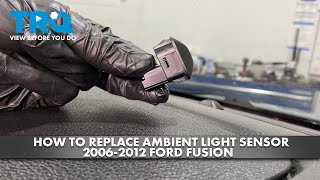
Technical Specifications
OEM Part Numbers: 7S43-13E702-AA 7S4Z-13C788-A 8S4Z-13C788-A 9S43-13E702-AA AE83-13E702-AA BE8Z-13C788-A
Controls multi-color RGB LED interior lights. Typically located in the center console. Communicates with vehicle via LIN bus or direct switch input.
We Have This Part in Stock



The information in this article is provided for general reference and educational purposes only. Vehicle specifications, procedures, and part compatibility can vary by production date, trim level, and region. Always consult your vehicle's factory service manual and verify part numbers before purchasing or performing repairs. Safety-critical components such as airbags, seat belts, and braking systems should be installed by a qualified professional.
- Ford F-150:
- Ford Explorer:
- Ford Escape:
- Ford Edge:
- Ford Fusion:
- Lincoln MKZ:
- Ford Focus:
- Ford Mustang:
- Lincoln MKX:
- Ford Flex:
- Ford C-Max:
- Ford Fiesta:
- Mercury Milan:
- 🎬 Helpful Videos
- 🛍️ Shop This Part
- Is This Guide for Your Vehicle?
- Symptoms of a Failing Lighting Control Module
- Common Diagnostic Trouble Codes (DTCs)
- Diagnosing and Replacing the Module
- Does the Module Need to be Programmed?
- Buying a Used Lighting Control Module
- Cost of Replacement
- Frequently Asked Questions
- 🎟️ Get 5% Off