

Ford Sync 1 Module (APIM) Issues in 2009-2011 Explorer, Mustang, Focus & More
This guide covers the common failures, replacement, and critical programming needs for the first-generation Sync module in many popular Ford, Lincoln, and Mercury vehicles.
- A replacement Sync 1 module MUST be programmed to your vehicle's VIN to function correctly.
- A faulty module is a common cause of parasitic battery drain that can leave you stranded.
- When buying a used module, you must match the part number from your original unit.
- DIY replacement is possible, but you must have a plan for programming, either at a shop or using advanced tools like FORScan.
Symptoms of a Failing Sync 1 Module

A bad first-generation APIM can cause a range of problems from minor annoyances to issues that can leave you with a dead battery. Because it's a computer, failure can be intermittent at first, getting progressively worse over time.
- Complete loss of Sync functions: The "Phone" or "Sync" button does nothing. You cannot access Bluetooth, USB, or Aux inputs that are routed through the module.
- "No Sync" or similar error on screen: The radio may work, but the system reports that Sync is unavailable.
- Intermittent or failed Bluetooth connection: Your phone may refuse to pair, or it might connect and then drop randomly.
- USB port not working: The system won't recognize or play music from a connected USB drive.
- System freezes or becomes unresponsive: The screen or controls may lock up, sometimes requiring you to turn the car off and on again to reset it.
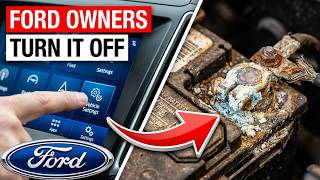
- Parasitic battery drain: This is a major issue with these modules. A faulty APIM can fail to enter its "sleep mode" when the ignition is off, causing a significant power draw 🎬 Watch: How Sync settings can drain your battery that can drain the battery overnight or over a few days. Technicians often trace this drain to the fuse for the Sync module.
- Voice commands not working: The system may not respond to any voice prompts, even for basic commands.
Known Issues, TSBs, and Recalls

The first-generation Sync system was known for being buggy. While no specific recalls were found for the APIM module itself across all listed vehicles during research, Ford issued numerous Technical Service Bulletins (TSBs) and software updates to address common complaints like connectivity issues, system freezes, and battery drain. Many of these updates were intended to be performed by dealers. Given the age of these vehicles, it's likely that many modules are still running older, more problematic software versions. A common temporary fix suggested by owners for a frozen module is to pull the Sync fuse or disconnect the vehicle's battery for several minutes to force a hard reset.
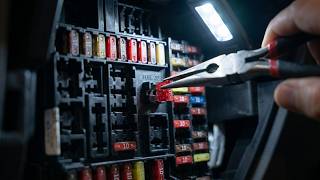
Pro Tip: Before replacing the module, try a "master reset" through the Sync settings menu. This returns the system to its factory defaults and can sometimes resolve software glitches. If the system is frozen, pulling the specific fuse for the Sync module (check your owner's manual for the exact number, but it's often fuse #29) for about 10 minutes can also force a reboot and may temporarily restore function.
Vehicle-Specific Information

This APIM was used across a wide array of Ford platforms. While the module's internal function is the same, its physical location can vary. Always verify the location for your specific vehicle before beginning work.
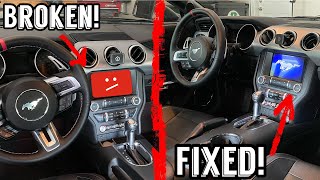
- 2009-2010 Ford Explorer / Mercury Mountaineer: The module is typically located inside the dashboard, often below the top tray or behind 🎬 Watch: How to replace the module in an Explorer the main radio and climate control unit.
- 2009-2010 Ford Edge / Lincoln MKX: The module is generally found behind the glove box or within the center stack, accessible after removing trim panels.
- 2009-2010 Ford Focus: The APIM is located on the right side of the dash, behind the glove box.
- 2010-2011 Ford Mustang: The module is mounted behind the radio/center stack area.
- 2010 Ford Taurus / Lincoln MKT: The module is typically behind the center console trim or glovebox.
- 2011 Ford Fiesta: The location is often behind the glovebox or within the center dash structure.
Programming and Installation Requirements

Warning: A replacement Sync APIM must be programmed to your vehicle's specific VIN and feature set. Failure to program the module will result in missing or non-functional features. For example, a module from a base model car installed in a car with premium audio will not work correctly.
Programming configures the module to work with your vehicle's specific options, such as its screen type, presence of a backup camera, satellite radio, and steering wheel controls. This is not a simple plug-and-play part.
- Dealer Programming: A Ford or Lincoln dealership can program a new or used module using their Integrated Diagnostic System (IDS). This is the most straightforward but often most expensive option.
- Independent Shop: A well-equipped independent mechanic with a J2534 pass-thru device and a subscription to Ford's diagnostic software can also perform the programming.
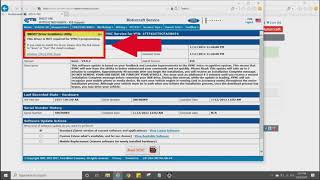
- DIY with FORScan: Advanced DIYers can use a compatible OBDII adapter (like OBDLink EX) and FORScan software on a laptop to program the module. This involves backing up the "As-Built" data from your old module (if possible) and writing it to the replacement. 🎬 See: Step-by-step Ford SYNC APIM programming guide If the old module is dead, you may need to obtain the As-Built data for your VIN from Ford's database. This is a powerful tool but carries the risk of 'bricking' the module if done incorrectly.
Buying a Used Integrated Control Module
Purchasing a used OEM Sync module is a cost-effective way to restore your vehicle's infotainment functions. However, you must be careful to get the right part and understand the necessary steps after purchase.
- Match the Part Number: The most critical step is to match the engineering part number on your original module. Remove your old module first to identify the number printed on its label (e.g., 9L2T-14D212-CC). While service part numbers (like AR3Z-14D212-D) may supersede older numbers, matching the original engineering number is the safest bet.
- Inspect the Unit: Check the used module for any physical damage, especially to the connectors. Avoid any units that show signs of water damage or corrosion, as this is a common cause of electronic failure.
- Source is Important: Buy from a reputable seller who provides the VIN of the donor vehicle if possible. This can sometimes help with programming later.
- Plan for Programming: Remember that the cost of the part is not the final cost. Factor in the price of programming by a dealer or mechanic, or the cost of the tools needed to do it yourself. Some online sellers offer pre-programming services if you provide your VIN.
Cost Comparison
Prices can vary based on location and availability, but here is a general estimate of what to expect.
| Part Source | Estimated Cost |
|---|---|
| New OEM | $450 - $550 |
| New Aftermarket | Not commonly available |
| Used OEM | $50 - $150 |
| Remanufactured | $125 - $250 |
| Shop Labor (Installation & Programming) | $150 - $300 |
Frequently Asked Questions (FAQ)
Can I install a Sync module myself?
Yes, the physical installation is straightforward for a DIYer with basic tools. The module is usually located behind the radio or glovebox and is held in by a few screws. The main challenge is not the installation, but the mandatory programming required afterward.
Will a module from a different model work in my car?
Physically, it might plug in if it's from the same generation, but it will not function correctly unless it is reprogrammed for your vehicle's specific VIN and options. It is always best to match the part number from your original module.
My battery keeps dying. Could the Sync module be the cause?
Yes, a faulty Sync 1 APIM is a well-documented cause of parasitic battery drain. If the module fails to shut down properly with the ignition, it can draw enough power (sometimes over 1 amp) to drain a healthy battery in a day or two.
Can I upgrade from Sync 1 to a newer Sync 2 or Sync 3 system?
Yes, but it is a complex and expensive process. It requires not only a new APIM, but also a new touchscreen, GPS module, USB hub, and custom wiring harnesses and programming. It is a popular but involved project that goes far beyond a simple module replacement.
Helpful Videos
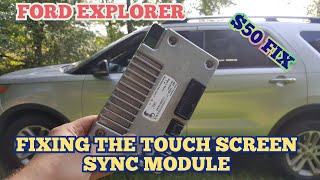
Technical Specifications
OEM Part Numbers: 9L2T14D212CC 9L2T14D212CD 9L2T14D212CE AR3T14D212AC AR3T14D212AD AR3T14D212AE AR3T14D212AF AR3T14D212AG AR3Z14D212C AR3Z14D212D AR3Z14D212B
This is the Accessory Protocol Interface Module (APIM) for the first-generation Ford Sync system. It typically has a main 54-pin connector, a mini-USB port for diagnostics/programming, and a primary USB input.
We Have This Part in Stock


The information in this article is provided for general reference and educational purposes only. Vehicle specifications, procedures, and part compatibility can vary by production date, trim level, and region. Always consult your vehicle's factory service manual and verify part numbers before purchasing or performing repairs. Safety-critical components such as airbags, seat belts, and braking systems should be installed by a qualified professional.
- Ford Explorer:
- Ford Edge:
- Ford Focus:
- Ford Mustang:
- Lincoln MKX:
- Ford Taurus:
- Lincoln MKT:
- Ford Fiesta:
- Mercury Mountaineer: