

2018-2025 Tesla Model S & X Instrument Cluster: Pre-Refresh vs. Refresh and Programming
This guide clarifies the critical differences between the two distinct instrument clusters used from 2018-2025 and explains the mandatory programming required for any replacement.
- There are two different, non-interchangeable clusters: Pre-Refresh (2018-2021, vertical center screen) and Refresh (2021+, horizontal center screen). Buying the wrong one will not work.
- Any replacement cluster (new or used) is NOT plug-and-play and MUST be programmed to the car by Tesla or a qualified shop with Toolbox 3 software.
- The vehicle's mileage is NOT stored in the cluster; it will adopt the car's true mileage after programming, making used parts a safe option from a mileage standpoint.
- A blank screen is the most common symptom; always try a reboot and check the 12V battery before assuming the cluster hardware has failed.
A Critical Distinction: Two Clusters for 2018-2025 Models

The most important thing to understand when replacing the instrument cluster in a 2018-2025 Tesla Model S or Model X is that two completely different, non-interchangeable parts were used during this period. Installing the wrong one is a common mistake and will not work. The dividing line is the major interior refresh that occurred in 2021.
Type 1: Pre-Refresh (Mid-2018 to Early 2021)
Identifying Feature: Vertical main infotainment screen.
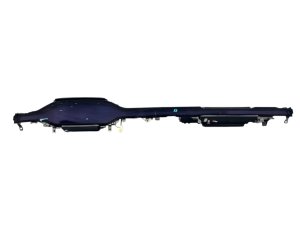
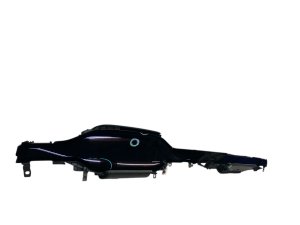
This instrument cluster is found in vehicles equipped with the Media Control Unit 2 (MCU2) but retaining the older interior style. The cluster itself is a larger screen housed inside a more traditional, curved dashboard binnacle. If your car has the large, portrait-oriented center screen, you have a pre-refresh model.
- Vehicles: Tesla Model S & Model X, approximately March 2018 - early 2021
- Known Part Numbers: 1447934-00-D, 1447934-00-E, 1004788-00-E
Type 2: Refresh / Palladium (2021 to 2025)
Identifying Feature: Horizontal main infotainment screen.
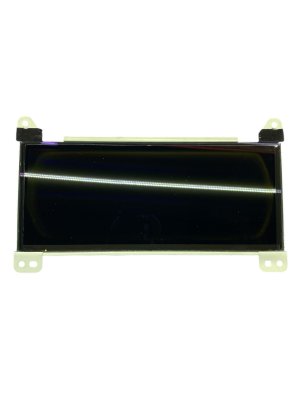
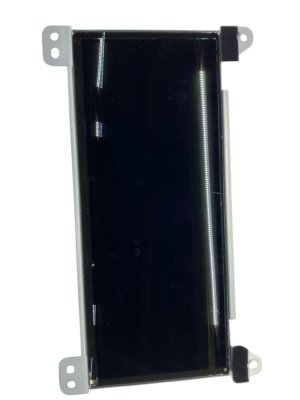
In 2021, Tesla introduced a major interior update, often called the 'Refresh' or 'Palladium' update. This included a new landscape-oriented center screen and a completely redesigned, smaller, rectangular instrument cluster that is more integrated into the dashboard. If your car has the horizontal center screen, you have a refresh model.
- Vehicles: Tesla Model S & Model X, approximately mid-2021 - 2025
- Known Part Numbers: 1562948-00-D, 1562948-80-D, 1562948-99-D, 1562957-00-G, 1562972-00-C, 1562973-00-C, 1836690-98-B
Symptoms of a Failing Instrument Cluster


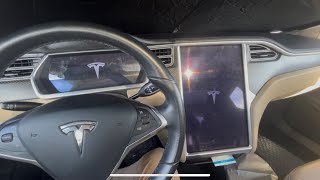
Before assuming the hardware is bad, always perform a soft reboot by holding down both scroll wheels on the steering wheel for 15-30 seconds. 🎬 Watch: How to reboot a frozen or black Tesla screen If that doesn't work, try an instrument cluster-specific reset by putting the car in Park and holding the two buttons *above* the scroll wheels for 15-30 seconds until the screen restarts. A weak 12V auxiliary battery can also cause screen issues.
- Blank or Black Screen: This is the most common failure. The screen fails to power on, leaving the driver without any information. This can happen intermittently or permanently.
- Flickering or Freezing: The display may flicker, show distorted graphics, or freeze on the Tesla logo during startup.
- Misaligned Graphics: After a software update, some owners have reported that the Autopilot visualization is misaligned or shows the car in the wrong position on the screen. This is typically a software bug fixed by a subsequent update.
- General Digital Display Issues: In some cases, you might see dead pixels, vertical lines, or areas of the screen that are dim or discolored, similar to other failing LCD panels.
Known Issues, TSBs, and Recalls

Many issues related to the instrument cluster are resolved via Over-The-Air (OTA) software updates rather than hardware replacement.
- NHTSA Recall 24V051000 (Font Size): Issued in early 2024, this recall affected nearly all Tesla models, including the 2018-2024 Model S and Model X. The issue was that the font size for the brake, park, and ABS warning lights was too small, violating federal safety standards. This was not a hardware defect and was corrected with a free OTA software update.
- MCU eMMC Recall (Pre-2018 Models): You may have heard of a major recall for failing Tesla screens. This recall (NHTSA 21V-035) primarily concerned the 8GB eMMC memory chip in the *center infotainment screen (MCU1)* on Model S/X vehicles built *before* March 2018. While it doesn't directly apply to the 2018-2025 instrument clusters discussed here, it highlights the brand's history with display module reliability.
- Software-Related Failures: It is common for service centers to initially diagnose screen issues as pending software fixes. Sometimes a software update can cause the cluster to go blank, which is then fixed by a subsequent patch.
Warning: Any replacement instrument cluster, whether new or used, is NOT a plug-and-play part. It is an electronic module that is cryptographically linked to the vehicle and MUST be programmed to function.
Programming and Calibration Requirements

This is the single most important factor to consider after confirming compatibility. A used instrument cluster cannot be simply swapped between cars.
- Mandatory Programming: The cluster is tied to the car's configuration and VIN. When installed, it will be 'locked' and non-functional until it is provisioned to your car.
- Tesla Toolbox 3 Software: The programming procedure requires Tesla's proprietary diagnostic software, known as Toolbox 3. A technician uses this software to connect to the vehicle and run a routine to 'redeploy' or 'provision' the new module to your car's VIN.
- Who Can Program It: This service can be performed at a Tesla Service Center or by a qualified independent repair shop that has a subscription to the Tesla diagnostic network and the necessary tools. It is not something a DIY mechanic can typically do.
- Firmware Updates: After physical installation, the technician will need to reinstall or update the vehicle's firmware to ensure the new cluster is fully integrated.
Buying a Used Instrument Cluster
A used OEM cluster can be a great value, but you must be a careful shopper. The most critical step is ensuring you buy the correct part and budget for the required programming.
- Verify Your Vehicle Type: First, determine if you have a Pre-Refresh (vertical screen) or Refresh (horizontal screen) model. This dictates which cluster you need. They are not physically or electronically interchangeable.
- Match Part Numbers: While programming is required, starting with a part number known to be for your vehicle's generation is the best practice.
- Factor in Programming Costs: A used cluster might seem cheap online, but it's useless without programming. Contact a local Tesla Service Center or a qualified EV repair shop *before* you buy the part to get a quote for installing and programming a customer-supplied module. This cost is a mandatory part of the total repair.
- Inspect for Physical Damage: When the part arrives, inspect the screen for deep scratches, cracks, or signs of delamination (bubbling). Check that all mounting tabs and connector ports are intact.
- Mileage is Not an Issue: The vehicle's true mileage is stored in other modules on the car, not in the instrument cluster itself. Once the used cluster is properly programmed to your vehicle, it will automatically adopt and display your car's correct mileage.
Cost Breakdown
Costs can vary significantly based on whether you are sourcing the part yourself or having a Tesla Service Center handle the entire job.
| Item | Estimated Cost | Notes |
|---|---|---|
| New OEM (from Tesla) | $1,400+ | Reported price for hardware replacement and labor at a Tesla Service Center. |
| Used OEM (Pre-Refresh) | $150 - $400 | Part only. Prices from online marketplaces like eBay. |
| Used OEM (Refresh) | $400 - $850 | Part only. As these are newer, they tend to be more expensive. |
| Shop Labor & Programming | $250 - $500 | This is for the specialized software session required for programming, which may include the physical swap labor (approx. 1 hour). |
Replacement Procedure Overview
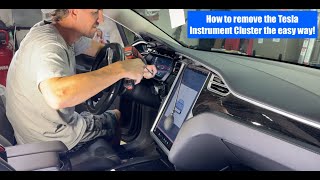
While the mandatory programming makes this a job for a professional, the physical removal and installation is relatively straightforward. The official Tesla service manual recommends disconnecting 12V power, but some technicians have developed a faster method.
🎬 See this shortcut: Swapping the cluster without disconnecting the 12V battery- Prepare the Vehicle: Move the steering wheel fully down and out.
- Power Down: The official method involves enabling Service Mode and disconnecting the 12V battery. An alternative method is to use the 'Power Off' function on the center screen and avoid sitting in the driver's seat, which would power the car back on.
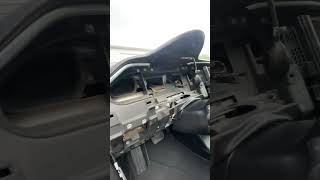
- Remove Trim: Various trim pieces and air vents surrounding the cluster must be carefully removed using plastic pry tools.
- Unbolt the Cluster: The cluster is typically held in by four Torx screws.
- Disconnect and Remove: Carefully pull the cluster forward to access the two electrical connectors on the back, disconnect them, and remove the unit.
- Installation and Programming: Installation is the reverse of removal. After the new part is in, the vehicle must be connected to the Tesla diagnostic system for firmware installation and module provisioning.
Frequently Asked Questions (FAQ)
Does a replacement Tesla instrument cluster need to be programmed?
Yes, absolutely. Any replacement cluster, new or used, must be electronically programmed to your vehicle's VIN using Tesla's proprietary Toolbox 3 software. It is not a plug-and-play part.
If I install a used cluster, will my car show the wrong mileage?
No. The vehicle's mileage is not stored in the instrument cluster. It is stored securely in other computer modules. When a replacement cluster is correctly programmed to your car, it will read and display the vehicle's true mileage.
Can I drive my Tesla if the instrument cluster screen is black?
While the car may still be able to move, it is extremely unsafe and not recommended. You will have no speedometer, no gear indicator (P/R/N/D), no battery range display, and no access to critical vehicle warning lights. In many regions, driving without a functional speedometer is illegal.
My screen is blank. Is the cluster definitely broken?
Not necessarily. Before spending money on a replacement, always try a soft reboot (hold down both steering wheel scroll wheels) and an instrument cluster-specific reboot (hold down the two buttons above the scroll wheels). Also, confirm your 12V auxiliary battery is healthy, as a weak 12V battery can cause various electronic issues, including screen failures.
Helpful Videos

Technical Specifications
OEM Part Numbers: 1447934-00-D 1447934-00-E 1562948-00-D 1562948-80-D 1562948-99-D 156294899D 1562957-00-G 1562972-00-C 1562973-00-C 1836690-98-B
Requires programming via Tesla Toolbox 3 software. Connects via two electrical connectors on the rear of the unit. Secured by four Torx screws.
We Have This Part in Stock

The information in this article is provided for general reference and educational purposes only. Vehicle specifications, procedures, and part compatibility can vary by production date, trim level, and region. Always consult your vehicle's factory service manual and verify part numbers before purchasing or performing repairs. Safety-critical components such as airbags, seat belts, and braking systems should be installed by a qualified professional.
- Tesla S:
- Tesla X:
- 🎬 Helpful Videos
- 🛍️ Shop This Part
- A Critical Distinction: Two Clusters for 2018-2025 Models
- Type 1: Pre-Refresh (Mid-2018 to Early 2021)
- Type 2: Refresh / Palladium (2021 to 2025)
- Symptoms of a Failing Instrument Cluster
- Known Issues, TSBs, and Recalls
- Programming and Calibration Requirements
- Buying a Used Instrument Cluster
- Cost Breakdown
- Replacement Procedure Overview
- Frequently Asked Questions (FAQ)
- 🎟️ Get 5% Off