

2017 MINI Countryman Instrument Cluster: Programming, Failures, and Replacement
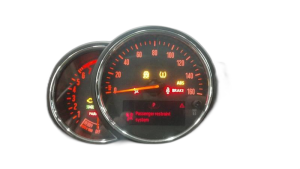
This guide covers the mandatory programming, common failures, and replacement costs for the instrument cluster in the 2017 F60 MINI Countryman.
- A replacement instrument cluster MUST be professionally programmed to your car's VIN and options; it is not a plug-and-play part.
- Failure to program a used cluster will result in a persistent red 'tamper dot' on the display and incorrect mileage readings.
- Ensure the replacement part is compatible, specifically for a vehicle without a Head-Up Display (HUD) and with an MPH speedometer.
- Common failure symptoms include a blank screen, false warning lights, and communication error codes like U0155.
Symptoms of a Failing 2017 MINI Countryman Instrument Cluster

When the instrument cluster in a 2017 Countryman (F60 chassis) begins to fail, the symptoms are usually obvious and can range from minor annoyances to critical safety issues. Because it's a central computer, a faulty cluster can cause problems that seem unrelated.
- Blank or Flickering Screen: The entire display may go dark, either intermittently or permanently. This leaves you without a speedometer, fuel gauge, or any warning indicators.
- Incorrect Gauge Readings: The speedometer, tachometer, or fuel gauge may get stuck, show incorrect values, or stop working entirely.
- Persistent or False Warning Lights: You might see a sudden cascade of error lights for the engine, ABS, or airbags, even when there is no actual problem with those systems. Conversely, a critical warning light may fail to illuminate when there is a real issue.
- Loss of Turn Signal Indicators: The clicking sound or the flashing arrows on the dash for the turn signals may stop working, even if the exterior lights still function.
- Communication and Network Errors: A failing cluster can disrupt the entire vehicle's communication network. This can trigger a variety of diagnostic trouble codes, particularly U-codes, which indicate a loss of communication between modules.
Common Diagnostic Trouble Codes (DTCs)
A professional scan tool may reveal specific codes pointing to a faulty cluster. The most common is:
- U0155 - Lost Communication With Instrument Panel Cluster (IPC) Control Module: This code is a direct confirmation that other modules in the car cannot communicate with the instrument cluster.
- U0001 - High Speed CAN Communication Bus: While not exclusive to the cluster, this code often appears when the cluster is failing and disrupting the network.
Known Issues, Recalls, and Technical Service Bulletins (TSBs)
As of mid-2026, there are no specific recalls or Technical Service Bulletins (TSBs) issued by MINI or the NHTSA for widespread failure of the instrument cluster on the 2017 MINI Countryman.
However, a related recall (NHTSA 17V-719) was issued for some 2018 model year MINIs due to a software error that could cause the instrument panel display not to illuminate. The fix was a vehicle software update, which highlights the importance of software in this component's operation.
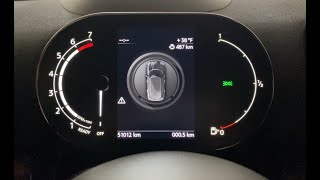
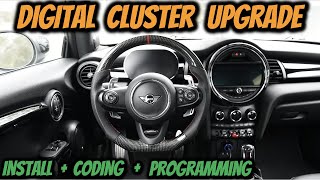
Important: This article covers the standard analog-style cluster. Some owners perform a complex retrofit to install the newer all-digital cluster. That process has its own unique requirements not fully covered here.
🎬 Watch: How to upgrade to a digital instrument clusterBuying a Used Instrument Cluster for Your 2017 Countryman

Purchasing a used OEM instrument cluster is an excellent way to save money, but this is not a simple plug-and-play part. Success depends entirely on proper electronic programming after installation.
Programming is Not Optional
A used instrument cluster must be electronically matched to your vehicle by a professional. The cluster stores the vehicle's unique 17-digit Vehicle Identification Number (VIN) and the mileage. If you install a used cluster without programming, two things will happen:
- The cluster will display the mileage from the donor car, not your car's actual mileage.
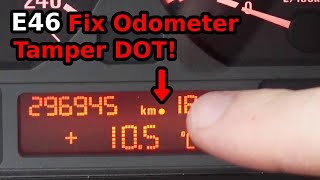
- A small red "tamper dot" will appear on the display next to the odometer reading. This dot indicates a mismatch between the VIN and mileage stored in the cluster and the data stored in other modules in your car 🎬 See how VIN and mileage mismatches cause the tamper dot (like the immobilizer system).
Pro Tip: Some specialized services offer to "virginize" a used cluster. This process involves desoldering a chip from the circuit board, erasing the donor car's VIN and mileage, and restoring it to a like-new state. Once installed, a virginized cluster can then be programmed to accept your car's data. Another option is "cloning," where data from your old cluster is transferred to the replacement unit.
Compatibility Checks are Crucial
- Match Part Numbers: Always start by matching the OEM part number. The part numbers listed in this guide are known to fit, but it's best to verify the number on your original part.
- Head-Up Display (HUD): The most critical option to match is the Head-Up Display. Clusters are different for cars with and without a HUD. The part numbers in this guide are for vehicles without a HUD.
- MPH vs. KPH: Ensure you are buying a cluster intended for the US market that displays speed in Miles Per Hour (MPH).
Who Can Program a MINI Cluster?
This is not a job for a general mechanic. Programming requires specific diagnostic software like ISTA or E-Sys, which are used by dealerships and specialist shops. When calling shops, ask specifically if they can "code and program a replacement instrument cluster for an F-series MINI."
🎬 Watch: A guide to coding your F-series MiniCost of Replacing a 2017 MINI Countryman Instrument Cluster
The total cost involves the part itself and the specialized labor for programming.
| Item | Estimated Cost | Notes |
|---|---|---|
| New OEM | $600 - $800 | Price from a MINI dealership parts department. |
| Used OEM | $150 - $400 | Price from online sellers and salvage yards. Requires programming. |
| Remanufactured / Repair Service | $200 - $450 | Your original cluster is sent out to be repaired and returned. |
| Shop Labor (Installation & Programming) | $250 - $500 | Physical installation is quick, but programming takes time and specialized tools. |
DIY Replacement Overview

While the final programming step requires a professional, the physical installation is straightforward and can be done by a confident DIYer to save on labor costs. The process typically takes less than an hour.
- Disconnect the Battery: Always disconnect the negative battery terminal before working on any electronic components.
- Remove Upper Steering Column Trim: The plastic trim piece behind the steering wheel often needs to be unclipped and removed to access the cluster's mounting screws.
- Unscrew the Cluster: The instrument cluster is typically held in by just two T20 Torx screws. Be careful not to drop them into the dashboard.
- Disconnect Wiring: Gently pull the cluster forward and disconnect the electrical connectors from the back. There are usually one to three connectors with locking tabs.
- Install the New Cluster: Connect the wiring to the replacement cluster, slide it into place, and secure it with the two Torx screws before re-installing the trim.
After physical installation, the car can be driven to a shop for the mandatory programming, but be aware that the speedometer and other functions will not be accurate until this is done.
Frequently Asked Questions (FAQ)
Do I have to program a replacement MINI instrument cluster?
Yes, programming is absolutely mandatory. The cluster must be coded to your vehicle's specific options and VIN, and the mileage must be synchronized. Without this step, it will not function correctly and will display a red tamper dot.
What is the red 'tamper dot' on the odometer?
The tamper dot is a small red light that appears next to the mileage when the instrument cluster detects a data mismatch with other control modules in the car. It almost always means the cluster has been replaced without being properly programmed to the car's VIN.
Will my car's mileage be incorrect if I install a used cluster?
Yes, initially it will show the mileage from the donor vehicle. During the professional programming process, the technician will reset the cluster and synchronize it with the correct mileage stored in your car's other modules.
Can I install a cluster from a car with a Head-Up Display (HUD) into my non-HUD car?
No, this is not recommended. The hardware and software are different. You must use a replacement cluster that matches your vehicle's original equipment, specifically whether it was built with or without the Head-Up Display.
Helpful Videos

Technical Specifications
OEM Part Numbers: 62106822944 62106830792 62106843997 62109130814 62109337273 62109355627 62109368000 62109388467
For vehicles without Head-Up Display (HUD) and with MPH speedometer.
We Have This Part in Stock

The information in this article is provided for general reference and educational purposes only. Vehicle specifications, procedures, and part compatibility can vary by production date, trim level, and region. Always consult your vehicle's factory service manual and verify part numbers before purchasing or performing repairs. Safety-critical components such as airbags, seat belts, and braking systems should be installed by a qualified professional.
- MINI Countryman:
- 🎬 Helpful Videos
- 🛍️ Shop This Part
- Symptoms of a Failing 2017 MINI Countryman Instrument Cluster
- Common Diagnostic Trouble Codes (DTCs)
- Known Issues, Recalls, and Technical Service Bulletins (TSBs)
- Buying a Used Instrument Cluster for Your 2017 Countryman
- Programming is Not Optional
- Compatibility Checks are Crucial
- Who Can Program a MINI Cluster?
- Cost of Replacing a 2017 MINI Countryman Instrument Cluster
- DIY Replacement Overview
- Frequently Asked Questions (FAQ)
- 🎟️ Get 5% Off