

2009-2018 Traverse Instrument Cluster: Failing Gauges and Programming Guide
This guide covers the common causes of instrument cluster failure in the first-generation Chevrolet Traverse, with a detailed focus on the mandatory programming required for replacement units.
- Programming is mandatory. A replacement cluster must be programmed by a dealer or qualified shop to set the correct mileage and sync with your vehicle's VIN.
- Match the display type. You must buy a replacement that matches your original cluster, either the standard display or the multi-color graphic display (option code UDD).
- Failing stepper motors are the most common cause of erratic and sticking gauge needles.
- A used OEM cluster is a reliable, cost-effective option, but the cost of professional programming must be factored into the total price.
Symptoms of a Failing Instrument Cluster

A failing instrument cluster in a 2009-2018 Traverse can manifest in several ways, ranging from minor annoyances to critical safety issues. Many of these problems are shared across various GM vehicles from this era due to common internal components.
- Erratic or Sticking Gauges: The speedometer, tachometer, or other gauges may behave erratically, get stuck in one position, or stop working entirely. This is frequently caused by failing internal stepper motors that control the needle movements.
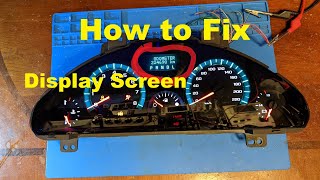
- Dim or Dead Display: The digital display for the odometer and Driver Information Center (DIC) may become dim, flicker, or go completely blank. This can be an intermittent problem that is sometimes affected by temperature or sunlight. Often, this is due to cracked solder joints on resistors behind the display screen. 🎬 Watch: How to repair a dim or dead odometer display
- Backlighting Failure: The lights that illuminate the gauges for night driving may flicker or fail, making the cluster difficult to read in the dark.
- Complete Power Loss: The entire cluster may shut off intermittently or permanently, leaving you with no information about your speed, fuel level, or engine status. This can be caused by internal circuit board issues, a blown fuse, or a poor electrical connection.
- Warning Lights On or Not Working: The check engine light, ABS light, or other warning indicators may stay on constantly or fail to illuminate during the initial startup check.
- Associated OBD-II Codes: A common trouble code associated with a major cluster communication failure is U0155 (Lost Communication with Instrument Panel Control Module). This code indicates the cluster is not properly sending or receiving data on the vehicle's network.
Programming and Calibration: The Most Important Step

Replacing the instrument cluster in a 2009-2018 Traverse is not a simple plug-and-play procedure. The replacement unit, whether new or used, must be professionally programmed to the vehicle.
Warning: Failure to program a replacement cluster will result in incorrect mileage display, potential feature incompatibility, and possible communication errors with other vehicle modules.
Why is Programming Required?
- Odometer Mileage: The vehicle's mileage is stored within the instrument cluster itself. When you install a used cluster, it will display the mileage from the donor vehicle. Programming is legally required to set the odometer to your vehicle's true and accurate mileage.
- VIN Matching: The cluster must be programmed with your vehicle's Vehicle Identification Number (VIN). This syncs it with other modules like the BCM and ECM, ensuring proper communication and function.
- Vehicle Options: The cluster needs to be configured for your Traverse's specific options, such as the type of display (standard vs. graphic display) and other features.
Who Can Program the Cluster?
This is not a DIY task. Programming requires specialized tools and software subscriptions.
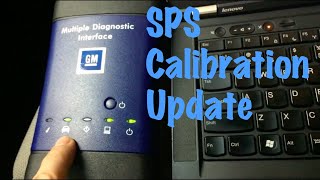
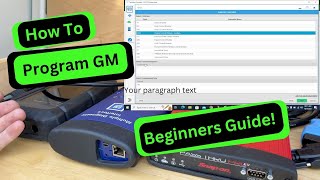
🎬 See how to get started with GM SPS2 programming- GM Dealerships: Dealers have the required tools, such as the MDI 2, and access to GM's Service Programming System (SPS) to properly program a new or used cluster.
- Qualified Independent Shops: Some independent repair shops invest in the same GM-approved tools and software subscriptions (like ACDelco TDS) and can perform the programming.
- Mail-In Services: Several companies offer mail-in programming services where you send your original cluster and the replacement unit, and they will transfer the necessary data.
Variant Differences: Standard vs. Graphic Display (UDD)

The first-generation Traverse was available with two different types of instrument cluster displays. It is critical to purchase a replacement that matches your vehicle's original configuration.
- Standard Display: This is the base-level display, typically featuring a monochrome (single-color) screen for the Driver Information Center.
- Multi-Color Graphic Display (Option Code UDD): Higher trim levels were equipped with a more advanced, multi-color graphic display in the center of the cluster. This provides a richer, more detailed information readout.
Pro Tip: Before ordering a replacement, verify which display your Traverse has. Installing a UDD cluster in a vehicle that was not originally equipped with it (or vice-versa) will cause compatibility and programming issues.
Buying a Used 2009-2018 Traverse Instrument Cluster

A used OEM instrument cluster can be a cost-effective solution, but careful purchasing is key. Remember to factor in the additional cost of professional programming.
What to Inspect:
- Match the Part Number: Verify that the OEM part number on the used cluster matches your original part.
- Check the Lens: Inspect the clear plastic lens for deep scratches, hazing, or cracks. While the lens can often be swapped from your old cluster, starting with a clean one is ideal.
- Examine the Housing: Check the rear plastic housing and all mounting tabs for cracks or damage to ensure it will install securely.
- Look for Water Damage: Inspect the connectors and circuit board on the back for any signs of corrosion or water intrusion, which could indicate deeper electronic problems.
Why Used OEM is a Good Choice
For a complex electronic part like an instrument cluster, a used OEM unit is often a better choice than a new aftermarket one. Used OEM clusters guarantee perfect physical fitment, correct gauge face graphics, and proper electronic compatibility with the vehicle's systems once programmed. Aftermarket units can sometimes have quality control issues or subtle electronic differences that can cause problems.
Cost Comparison
| Part Type | Estimated Cost |
|---|---|
| New OEM | $300 - $460 |
| New Aftermarket (Dorman, etc.) | $250 - $500+ |
| Used OEM | $75 - $150+ |
| Remanufactured / Repair Service | $150 - $400 |
| Shop Labor (Installation & Programming) | $100 - $250 |
Frequently Asked Questions (FAQ)
Will my Traverse start or drive after I install a used cluster but before it's programmed?
The vehicle may start and run, but it is not recommended. You will not have a working speedometer, fuel gauge, or warning lights, which is unsafe and illegal. Additionally, a VIN mismatch can sometimes cause conflicts with the vehicle's anti-theft system.
Can I program the mileage myself?
No. Adjusting the odometer requires specialized diagnostic tools (like a GM MDI 2), a subscription to GM's Service Programming System (SPS), and knowledge of the procedure. This is a task for a dealership or a properly equipped professional shop.
Is it better to repair my original cluster or buy a used one?
Both are good options. Repairing your original cluster means you avoid the need for programming, as your mileage and VIN data are preserved. However, it involves downtime while the unit is being serviced. Buying a used cluster is often faster, but you must factor in the time and cost of having it professionally programmed.
My gauges are acting crazy but the rest of the car is fine. Could it be the battery?
Yes, it's possible. A weak battery, a failing alternator, or corroded battery terminals can cause a variety of strange electrical issues, including erratic instrument cluster behavior. It's always a good idea to have your battery and charging system tested before replacing the cluster itself.
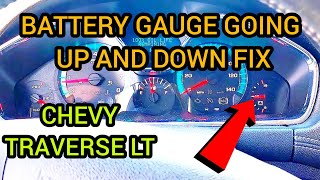
🎬 Watch: Troubleshooting a fluctuating battery gauge before replacing partsHelpful Videos
Technical Specifications
OEM Part Numbers: 22868683 84256343 84319266 84338276 84376065 84398091 84404692 84486598 84573382 15936896 20865615 20907547 22792862 22818841 22971864
Displays speed in Miles Per Hour (MPH) for the US market. Available with two display types: standard monochrome or optional multi-color graphic display (UDD).
We Have This Part in Stock



The information in this article is provided for general reference and educational purposes only. Vehicle specifications, procedures, and part compatibility can vary by production date, trim level, and region. Always consult your vehicle's factory service manual and verify part numbers before purchasing or performing repairs. Safety-critical components such as airbags, seat belts, and braking systems should be installed by a qualified professional.
- Chevrolet Traverse:
- 🎬 Helpful Videos
- 🛍️ Shop This Part
- Symptoms of a Failing Instrument Cluster
- Programming and Calibration: The Most Important Step
- Why is Programming Required?
- Who Can Program the Cluster?
- Variant Differences: Standard vs. Graphic Display (UDD)
- Buying a Used 2009-2018 Traverse Instrument Cluster
- What to Inspect:
- Why Used OEM is a Good Choice
- Cost Comparison
- Frequently Asked Questions (FAQ)
- 🎟️ Get 5% Off