

2006-2016 Highlander Display Screen Guide: Nav, MID, and Entune Problems
Diagnosing and replacing the main navigation unit, upper multi-information display (MID), and rear entertainment screens across three Highlander generations.
- The 2006-2016 Highlander uses three different, non-interchangeable displays: the main head unit, the upper Multi-Information Display (MID), and a rear screen. Identify the correct part before buying.
- Most issues on 2014-2016 Entune systems (rebooting, freezing, blank screen) are software-related and can be fixed by a dealer with a software update per TSB T-SB-0035-16.
- For 2008-2013 models, aftermarket head units are often a cheaper and better upgrade than replacing a failed OEM unit with another used one.
- No anti-theft codes or programming are required when swapping a broken display with a compatible used OEM unit.
Understanding the Three Types of Highlander Displays

Before diagnosing a problem, it's crucial to identify which screen in your 2006-2016 Highlander is failing. These vehicles were equipped with up to three different types of displays, which are not interchangeable.
- Main Audio/Navigation Display: This is the primary touch screen located in the center of the dashboard. It controls the radio, media, navigation (if equipped), and phone settings.
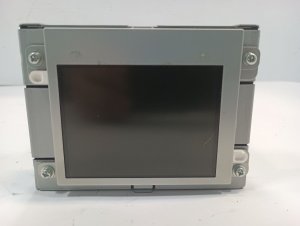
- Multi-Information Display (MID): This is a smaller, non-touch screen (typically 3.5 inches) located in the upper part of the dashboard, often near the windshield. It displays the time, climate control information, fuel economy, and sometimes the backup camera feed. In parts catalogs, it is often simply called the 'Clock Assembly'.
- Rear Seat Entertainment (RSE): This is a roof-mounted, fold-down screen for rear passengers, available on some higher trim levels.
First Generation: 2006-2007 Highlander

This generation marked a transition, with the most complex display system reserved for the Hybrid model.
Main Navigation Display (Hybrid Models Only)
A large touch screen with navigation was primarily offered on the 2006-2007 Highlander Hybrid with 4WD. Failures are common and can be costly.
- Common Symptoms: The touch screen becomes unresponsive to commands, the screen flickers, or it fails to power on. In some cases, the screen may shatter if pressed too hard when it's unresponsive. Water damage from leaving a window open has also been reported to cause failure.
- Part Numbers: A common part number for this unit is 86111-48100. This part is often discontinued by Toyota, making a used unit the only option.
Second Generation: 2008-2013 Highlander

This generation offered more display options across the lineup, including base audio, JBL premium audio, and navigation systems.
Main Audio/Navigation Display
Failures often relate to the touch screen digitizer (the part that senses your touch) wearing out.
- Common Symptoms: Certain areas of the touch screen stop responding, making it impossible to press on-screen buttons. The unit may also experience boot-up problems or other electronic glitches.
- Compatibility: It is critical to match your replacement unit to the vehicle's original equipment. Units for JBL and non-JBL systems are different and not interchangeable. Likewise, navigation and non-navigation units are not plug-and-play with each other.
- Repair Options: Several companies offer repair services for these screens, which can be more affordable than a full replacement. Aftermarket head units with modern features like Apple CarPlay and Android Auto are also widely available and popular for this generation.
Multi-Information Display (MID)
The upper dashboard display in these models is known to fail by going completely blank. This prevents you from seeing climate control settings, the clock, and other vital information. Refurbishment services are available specifically for this common issue.
Third Generation: 2014-2016 Highlander

These models feature Toyota's Entune infotainment system, and most problems are software-related.
Entune Audio/Navigation Systems
The most widely reported issues for this era are glitches that can often be fixed with a software update.
- Common Symptoms: The system randomly reboots or freezes, the screen goes blank intermittently, Bluetooth disconnects frequently, or the touch screen becomes unresponsive.
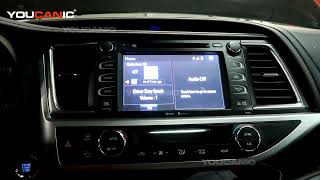
- Known Issues & TSBs: Toyota released Technical Service Bulletin T-SB-0035-16 to address many of these problems. The fix involves a dealer reprogramming the audio system's control module with updated firmware. Symptoms covered by the TSB include intermittent rebooting, the screen freezing, Bluetooth audio skipping, and the radio getting stuck on the Toyota logo. 🎬 Learn more about Toyota's official fix for Entune system glitches.
- DIY Fixes: Some owners have reported that removing the navigation map SD card from its slot can stop the system from randomly rebooting. For a frozen screen, a simple system reset by turning the vehicle off and on again can sometimes resolve the issue.
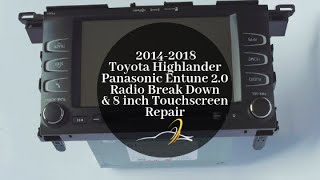
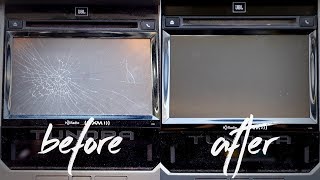
- Physical Repair: If the screen is physically cracked or the touch function is broken, it is possible to replace just the touch screen glass (digitizer) without replacing the entire head unit. 🎬 Watch this step-by-step guide to replacing the Entune touch screen glass.
Warning: A recall was issued for aftermarket windshields on 2014-2018 Highlanders. These windshields could allow water to leak onto the Engine Control Module (ECM), potentially causing the engine to stall. While not a display issue, it is a critical electronic-related safety concern for this generation.
Programming, Calibration, and Anti-Theft
For the 2006-2016 Highlander, replacing a display is generally straightforward.
- Programming: For most like-for-like swaps (e.g., a used JBL unit for a broken JBL unit), no programming is required. The unit should be plug-and-play.
- Software Updates: For 2014-2016 models exhibiting software glitches like rebooting, a dealer will need to perform the software update outlined in TSB T-SB-0035-16. This is a flash procedure to fix bugs, not a requirement to make a replacement part work.
- Anti-Theft: These Highlander radios are not typically equipped with anti-theft codes that require dealer intervention after a power loss or replacement.
Buying a Used Highlander Display: What to Look For

A used OEM display is often the most cost-effective and reliable solution. Here’s what to check:
- Match Part Numbers Exactly: This is the most important step. There are many variations based on trim, model year, and features (JBL, Navigation, etc.). A mismatched part number will likely not work correctly.
- Verify the System Type: Ensure the donor vehicle had the same audio system as yours. A radio from a car with a JBL amplifier will not work correctly in a car without one. Check for JBL logos on your original unit.
- Inspect the Screen Surface: Look for deep scratches, delamination (a peeling or bubbling look), or cracks in the touch screen digitizer.
- Check the Connectors: Look at the back of the unit. Ensure none of the connector pins are bent, broken, or corroded.
- Ask About Functionality: When buying from a recycler, ask if the unit was tested. Specifically, ask if the touch screen was responsive across its entire surface.
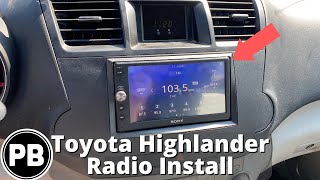
Pro Tip: For 2008-2013 models, upgrading to a modern aftermarket unit with Apple CarPlay/Android Auto can often be cheaper than finding a used OEM navigation unit and will provide significantly more functionality.
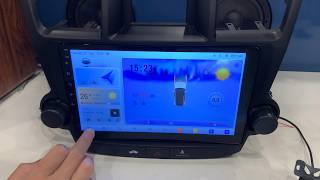
🎬 See how to install a modern Android head unit with CarPlay.Cost of Replacement (Estimated)
| Part/Service | Estimated Cost |
|---|---|
| New OEM Main Navigation Unit | $2,000 - $5,000+ |
| New OEM MID ('Clock') | $250 - $400 |
| Used OEM Main Unit | $200 - $800 |
| New Aftermarket Head Unit (2008-2013) | $120 - $600 |
| Screen Digitizer Replacement Part (2014-2016) | $100 - $150 |
| Refurbish/Repair Service | $150 - $500 |
| Shop Labor for Replacement | $150 - $300 |
Frequently Asked Questions (FAQ)
Can I upgrade my standard radio to a factory navigation unit?
This is generally not feasible. The wiring harnesses and connections for navigation and non-navigation units are different. It is much easier and more cost-effective to install an aftermarket navigation system.
Does a replacement display need to be programmed by the dealer?
No, a like-for-like used replacement does not typically require programming or dealer intervention to function. However, if your 2014-2016 model is experiencing software glitches like random rebooting, a dealer software update (TSB T-SB-0035-16) is the recommended fix.
Why did my screen suddenly go blank?
Common causes include a blown fuse, a loose wiring connection behind the dash, an internal failure of the unit, or a software glitch. On 2014-2016 models, this is a known issue that may require a software update. On 2008-2013 models, the upper MID is known to fail and go blank.
Can I just replace the touch screen glass if it's cracked or unresponsive?
Yes, for many models, especially the 2014-2016 Highlander, you can purchase and replace just the touch screen digitizer. This is a more delicate repair that involves disassembling the head unit but is much cheaper than replacing the entire radio.
Helpful Videos
![Idoing Head Unit for [Toyota Highlander 08-13] - Wired Tethering - 4G - CarPlay & Android Auto!](https://img.youtube.com/vi/52-AfAMTiAw/mqdefault.jpg)
Technical Specifications
OEM Part Numbers: 839100E040 839100E050 839100E051 839100E070 8391048020 8391048040 8391048070 8611148100 86680-48050-B0 8668048050B0 86120-48F00 86120-0E250 86120-48F30
Display types include main navigation/audio units, 3.5-inch upper Multi-Information Displays (MID), and roof-mounted Rear Seat Entertainment (RSE) systems. Compatibility is dependent on model year, trim level, and factory-installed options like JBL premium audio and navigation.
We Have This Part in Stock





The information in this article is provided for general reference and educational purposes only. Vehicle specifications, procedures, and part compatibility can vary by production date, trim level, and region. Always consult your vehicle's factory service manual and verify part numbers before purchasing or performing repairs. Safety-critical components such as airbags, seat belts, and braking systems should be installed by a qualified professional.
- Toyota Highlander:
- 🎬 Helpful Videos
- 🛍️ Shop This Part
- Understanding the Three Types of Highlander Displays
- First Generation: 2006-2007 Highlander
- Main Navigation Display (Hybrid Models Only)
- Second Generation: 2008-2013 Highlander
- Main Audio/Navigation Display
- Multi-Information Display (MID)
- Third Generation: 2014-2016 Highlander
- Entune Audio/Navigation Systems
- Programming, Calibration, and Anti-Theft
- Buying a Used Highlander Display: What to Look For
- Cost of Replacement (Estimated)
- Frequently Asked Questions (FAQ)
- 🎟️ Get 5% Off