

2019-2024 Ram 1500 Infotainment Screen: Delamination, Ghost Touches, and Replacement Guide
Diagnosing and replacing the common 8.4-inch and 12-inch Uconnect touch screens in your 5th Generation Ram 1500.
- The most common failures are physical: screen delamination (bubbling) and "ghost touches," which are not fixable with software updates.
- A replacement display MUST be programmed to the vehicle using a procedure called a "Proxy Alignment" to avoid a flashing odometer and ensure full functionality.
- Compatibility is critical. You must match the screen size (8.4" or 12"), navigation, and satellite radio features of your original unit for a direct replacement.
- These displays are for the 2019-2024 Ram 1500 (DT body style) and will NOT fit the Ram 1500 Classic (DS body style).
Symptoms of a Failing Infotainment Display

A faulty infotainment display can range from a minor annoyance to a major problem that affects core vehicle functions. The most common issues are related to the physical failure of the touch screen itself.
Ghost Touches or Phantom Inputs
One of the most widely reported problems is the screen acting as if it's being touched when it's not. This can cause the radio station to change randomly, navigation destinations to be entered, or settings to be altered without any user input. This is typically caused by a failure in the digitizer, the clear layer on top of the LCD that registers touch.
Screen Delamination
Owners often notice what appears to be a bubble or peeling layer on the screen. This is called delamination, where the adhesive bonding the screen layers fails, often due to heat and sun exposure. This can lead to unresponsive areas on the screen and eventually cause ghost touches as the separated layers make improper contact.
Unresponsive or Black Screen
The display may freeze, become completely unresponsive to touch, or fail to turn on at all, showing only a black screen. While this can sometimes be a software glitch that a system reboot can fix, it often indicates a more serious hardware failure within the display or the radio module itself.
Software and Connectivity Issues
Some problems are software-based, such as Bluetooth connectivity dropping, Apple CarPlay or Android Auto failing to launch, or the system lagging and resetting intermittently. While a software update can sometimes resolve these issues, they can also be symptoms of a failing hardware component.
Known Issues, Recalls, and Technical Service Bulletins (TSBs)

While widespread hardware failures like delamination are well-documented in owner forums, there have also been official communications from the manufacturer regarding the Uconnect system.
- NHTSA Safety Recall 20V-191 (W32): This recall was issued for some 2019-2020 Ram 1500 models equipped with the 8.4-inch screen. The issue involved the rearview camera image remaining on the screen after the vehicle was shifted out of reverse, which could distract the driver. The fix was a software update performed by the dealer or over-the-air (FOTA).
- TSB 08-095-22: This Technical Service Bulletin was released to address numerous Uconnect concerns on 2019-2021 models, including software glitches and system performance. It involves a software update that must be performed by a dealership.
- TSB 08-009-19 REV. A: For 2019 models with the 12-inch screen, this TSB addressed issues like audio distortion, navigation errors, a flickering screen, and intermittent resets with a software update.
Programming and Installation Requirements

Warning: Replacing the infotainment display is not a simple plug-and-play procedure. Programming is almost always required to ensure the new unit communicates correctly with the vehicle's other computers.
Proxy Alignment
After a new infotainment module is installed, a procedure called a "Proxy Alignment" (or Proxi Configuration) must be performed. This process introduces the new module to the vehicle's network (the CAN bus) and synchronizes its configuration with other modules like the Body Control Module (BCM). Failure to perform a proxy alignment will often result in a flashing odometer and may cause features to work incorrectly or not at all.
Who Can Program the Unit?
A Ram dealership is the most reliable option for performing a proxy alignment using their proprietary wiTECH scan tool. However, some advanced independent shops and DIY mechanics with professional-grade scan tools or specialized software like AlfaOBD may also be able to perform the procedure. Keep in mind that for 2019 and newer models, a Security Gateway Module (SGW) bypass cable is often required to make configuration changes with aftermarket tools.
Buying a Used Infotainment Display: What to Look For

Purchasing a used OEM display can be a cost-effective solution, but careful inspection and verification are key to getting a good part.
- Verify the Part Number: The surest way to ensure compatibility is to match the OEM part number from your original unit.
- Confirm Features: Ensure the replacement unit has the same features as your original—specifically, screen size (8.4-inch or 12-inch), Navigation (NAV), and SiriusXM satellite radio. While upgrades are possible, they are complex and require additional parts and programming.
- Inspect for Delamination: Carefully examine the screen surface, especially around the edges. Look for any signs of bubbling, peeling, or a sticky residue, which are all signs of delamination.
- Check for Physical Damage: Look for deep scratches or cracks in the screen and damage to the housing or connectors.
- Distinguish DT from Classic: The infotainment systems for the 2019+ Ram 1500 (DT body style) are different from the Ram 1500 Classic (DS body style). Ensure the part is from a DT model.
Pro Tip: Some companies offer a repair service for your existing unit or sell just the replacement touch screen/digitizer. This can be a cheaper alternative to replacing the entire radio module, especially if your only issue is delamination or ghost touching.
Replacement Cost Comparison
The cost to replace a Ram 1500 infotainment display can vary significantly depending on the source of the part and labor costs.
| Part Source | Estimated Cost |
|---|---|
| New OEM (Dealer) | $950 - $1,700+ |
| New Aftermarket (Screen Only) | $110 - $300 |
| Used OEM | $400 - $900 |
| Remanufactured/Refurbished | $490 - $1,100 |
| Shop Labor (Installation & Programming) | $150 - $400 |
Note: Prices are estimates and can vary based on location, specific part number, and vehicle options. Dealer programming for a software update or proxy alignment alone can cost between $180 and $200.
Frequently Asked Questions (FAQ)
Can I just replace the peeling touch screen instead of the whole radio?
Yes. If the underlying LCD is still functional, you can often purchase just the replacement touch screen and digitizer assembly. This is a more involved repair that requires disassembling the radio unit, but it can 🎬 See this step-by-step walkthrough for replacing a delaminated screen. be significantly cheaper than buying a complete infotainment system.
What is a "Proxy Alignment" and do I really need it?
A Proxy Alignment is a software procedure that syncs a new electronic module (like your radio) with the rest of the vehicle's computer systems. If you replace the infotainment unit, this procedure is almost always necessary. Without it, you may experience a flashing odometer, loss of certain features, and persistent error codes.
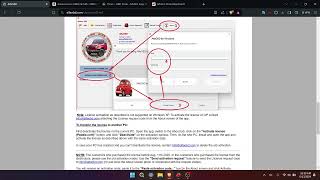
🎬 Watch: How to perform a proxy alignment on your vehicle.Can I upgrade from the small 5-inch screen to the 8.4-inch or 12-inch screen?
Yes, upgrading is possible and a popular modification. However, it requires more than just the screen itself. You will need the new display, the correct radio module, a new dash bezel, and specific wiring harnesses. The vehicle's BCM will also need to be reprogrammed to recognize the new, larger screen. Several companies sell complete plug-and-play upgrade kits.
Will a dealer software update fix the ghost touch issue?
Generally, no. Ghost touching and phantom inputs are almost always caused by a physical failure of the screen's digitizer, often as a result of delamination. While software updates can fix glitches like system freezes or connectivity problems, they cannot repair this type of hardware damage.
Helpful Videos
Technical Specifications
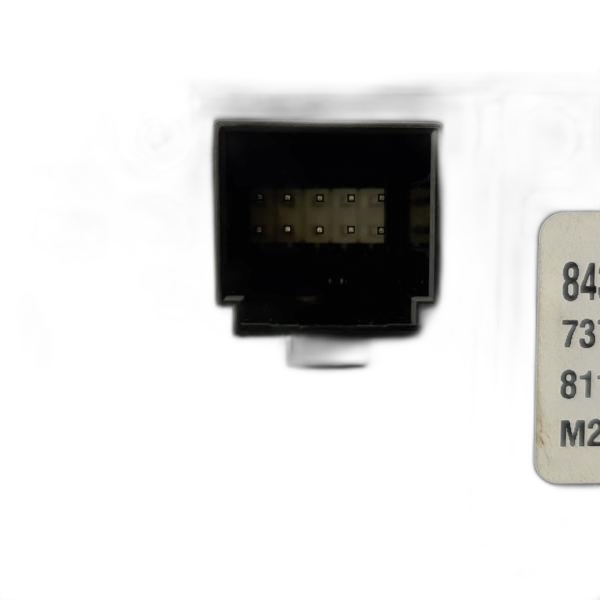
OEM Part Numbers: 68309262ad 68340282ad 68425520ab 68425520AC 68428539AA 68428539AB 68428539AC 68428539AD 68428539AE 68428540AC 68428540AE 68467272AC 68467272AD 68472364AB 68472364AI
Screen Sizes: 8.4-inch, 12-inch. Key Systems: Uconnect 4, Uconnect 4C, Uconnect 5. Features: Available with or without factory navigation and SiriusXM satellite radio.
We Have This Part in Stock





The information in this article is provided for general reference and educational purposes only. Vehicle specifications, procedures, and part compatibility can vary by production date, trim level, and region. Always consult your vehicle's factory service manual and verify part numbers before purchasing or performing repairs. Safety-critical components such as airbags, seat belts, and braking systems should be installed by a qualified professional.
- Ram 1500:
- 🎬 Helpful Videos
- 🛍️ Shop This Part
- Symptoms of a Failing Infotainment Display
- Ghost Touches or Phantom Inputs
- Screen Delamination
- Unresponsive or Black Screen
- Software and Connectivity Issues
- Known Issues, Recalls, and Technical Service Bulletins (TSBs)
- Programming and Installation Requirements
- Proxy Alignment
- Who Can Program the Unit?
- Buying a Used Infotainment Display: What to Look For
- Replacement Cost Comparison
- Frequently Asked Questions (FAQ)
- 🎟️ Get 5% Off