

2017 Mazda 6 Infotainment Display: Solving Ghost Touch and Screen Cracking
This guide explains the common 'ghost touch' and delamination issues with the 2017 Mazda 6 infotainment screen, and details your diagnosis and replacement options.
- The most common failure is 'ghost touch', caused by screen delamination, which requires a hardware repair, not a software update.
- Replacing the display assembly is a plug-and-play job; no programming is needed if you reuse your original computer module (CMU).
- A known diagnostic code for this failure is B108E:04, which points to an internal display failure.
- A cheap and effective long-term fix is to physically disconnect the touchscreen ribbon cable, which stops the phantom inputs and forces you to use the reliable commander knob.
Known Issues for the 2017 Mazda 6 Infotainment Display


The infotainment display in the 2017 Mazda 6 is known for a few specific, widespread problems related to the screen's construction. These issues are not typically related to the internal electronics of the display but rather the physical layers of the screen itself.
Screen Delamination ('Ghost Touch' or 'Phantom Touch')
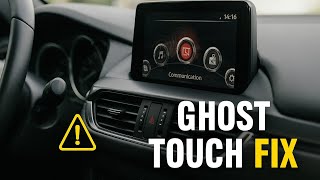
The most notorious problem is commonly called 'ghost touch' or 'phantom touch'. This occurs when the top layer of the screen, the touch-sensitive digitizer, begins to separate or delaminate from the LCD panel underneath. This separation, often caused by heat and temperature cycles, creates false touch inputs. Drivers report the system randomly changing radio stations, making phone calls, altering navigation routes, and adjusting settings without any human input 🎬 Watch: A mechanic explains why your screen is tapping itself, creating a significant distraction. This issue typically only happens when the vehicle is stopped or moving at very low speeds (under 5 mph), as Mazda disables the touchscreen functionality at higher speeds for safety.
Spontaneous Cracking ('Spider Cracks')
Another common failure is the appearance of 'spider web' cracks on the screen, even without any physical impact. This is also a result of the digitizer layer failing due to manufacturing defects and thermal stress. These cracks can obscure the display and are often accompanied by the same ghost touch issues.
Relevant Technical Service Bulletins (TSBs) and Warranty Extensions
Mazda has acknowledged these screen issues across various models. Service Alert SA-001/23a and other related bulletins describe the ghost touch, surface peeling, and spider cracking problems. These documents instruct technicians to use a low-cost repair kit to replace the screen's top layers rather than the entire display assembly. While some TSBs for this issue did not initially list the Mazda 6, the problem and the part are similar to those in other covered models like the Mazda 3. Additionally, a class-action lawsuit regarding the MAZDA CONNECT system led to a Customer Service Program (CSP13) that extended the warranty for the Connectivity Master Unit (CMU) on many models, including the 2016-2021 Mazda 6. However, this program specifically covers the CMU (the computer), not the display screen itself for ghost touch or cracking issues.
Pro Tip: If you experience ghost touch, you can perform a temporary DIY fix by disassembling the unit and disconnecting the small ribbon cable for the touch digitizer. This will permanently disable the touch function, but it will stop the random inputs, allowing you to use the system normally with the commander knob.
Symptoms of a Failing Infotainment Display

- Phantom Touches: The screen registers inputs on its own, changing settings, making calls, or altering navigation.
- Unresponsive Touchscreen: The screen does not respond to touch commands, either intermittently or completely.
- Visible 'Spider Web' Cracks: Hairline cracks appear on the screen without any impact.
- Bubbling or Peeling: The top layer of the screen appears to be bubbling or peeling away, often starting at the corners.
- Frozen or Lagging Display: The screen freezes and becomes unresponsive to both touch and commander knob inputs. 🎬 See how to fix a system that keeps rebooting
- Diagnostic Trouble Code (DTC): A failing display may store the code B108E:04 (Center Display Internal Failure) in the system's memory.
Programming and Installation

Important: Replacing the infotainment display screen assembly (the part numbers listed in this guide) is a plug-and-play procedure. No programming or dealer visit is required if you are only swapping the screen and reusing your vehicle's original Connectivity Master Unit (CMU). The CMU is the silver box attached to the back of the screen; it can be unbolted and transferred to the new display.
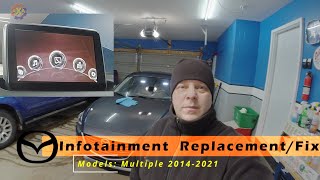
If you were to replace the CMU itself, programming would be required to configure the unit 🎬 Watch this walkthrough on how to upgrade the CMU to your vehicle's specific features. However, for the common screen failures described here, only the display needs replacement.
Buying a Used 2017 Mazda 6 Infotainment Display
Given the high cost of a new OEM display, a used unit is a popular and cost-effective option. However, since this part has a known failure rate, careful inspection is crucial.
- Verify the Part Number: Before purchasing, confirm that one of the OEM part numbers (GRT655HU0C, GRT655HU0D, etc.) matches the number on your original unit. This ensures perfect compatibility.
- Physical Inspection: Carefully examine photos of the used display. Look for any signs of delamination, such as air bubbles, a hazy appearance, or lifting at the edges of the screen. Check for any hairline cracks or deep scratches.
- Ask About the Donor Vehicle: If possible, find out the history of the vehicle the part came from. A part from a lower-mileage vehicle that was not in a hot climate may have a longer lifespan.
- Seller Reputation and Warranty: Buy from a reputable seller that offers a warranty. This protects you in case the used unit develops the same ghost touch or cracking issues shortly after installation.
- Why Used OEM is a Good Choice: A used original Mazda display is often a better choice than a cheap, new aftermarket Android screen. Aftermarket units can be laggy, have poor user interfaces, and may not integrate as seamlessly with the vehicle's commander controls and other systems.
Cost Comparison
| Part Type | Estimated Cost |
|---|---|
| New OEM Display Assembly | $1000 - $1500+ (from dealer) |
| Used OEM Display Assembly | $175 - $400 |
| Aftermarket Digitizer Only | $40 - $70 (requires complex DIY repair) |
| Shop Labor for Replacement | $120 - $250 (1-2 hours) |
Frequently Asked Questions (FAQ)
Do I need to program a replacement infotainment display?
No. If you are only replacing the screen assembly and transferring your original Connectivity Master Unit (CMU) to the new screen, it is a plug-and-play installation with no programming required.
Can I just replace the cracked touch screen layer instead of the whole unit?
Yes, this is possible and much cheaper. You can buy just the aftermarket glass digitizer online. However, the repair involves carefully disassembling the display unit, separating the old, glued-on digitizer from the LCD, and installing the new one. It is a delicate procedure that can damage the LCD if not done correctly.
What causes the 'ghost touch' problem?
The issue is caused by the delamination of the screen's layers due to a manufacturing defect, often accelerated by heat. This separation causes the touch sensor (digitizer) to register false inputs.
Will a software update fix the ghost touch or cracked screen?
No. While software updates can fix issues like system reboots, freezing, or Bluetooth problems, they cannot fix a physical failure of the screen. Ghost touch and cracking are hardware problems that require replacing the screen or digitizer.
Is there a recall for the 2017 Mazda 6 infotainment screen?
No, there is no safety recall for the infotainment screen itself. There was a warranty extension program (CSP13) for the internal computer (CMU) but it does not cover the physical screen for ghost touch or cracking.
Helpful Videos

Technical Specifications
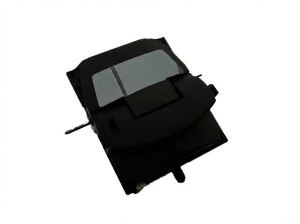
OEM Part Numbers: GRT655HU0C GRT655HU0D GRT655HU0E GRT655HU0F GRT655HU0H
7-inch Color Touchscreen Display
We Have This Part in Stock

The information in this article is provided for general reference and educational purposes only. Vehicle specifications, procedures, and part compatibility can vary by production date, trim level, and region. Always consult your vehicle's factory service manual and verify part numbers before purchasing or performing repairs. Safety-critical components such as airbags, seat belts, and braking systems should be installed by a qualified professional.
- Mazda Mazda6:
- 🎬 Helpful Videos
- 🛍️ Shop This Part
- Known Issues for the 2017 Mazda 6 Infotainment Display
- Screen Delamination ('Ghost Touch' or 'Phantom Touch')
- Spontaneous Cracking ('Spider Cracks')
- Relevant Technical Service Bulletins (TSBs) and Warranty Extensions
- Symptoms of a Failing Infotainment Display
- Programming and Installation
- Buying a Used 2017 Mazda 6 Infotainment Display
- Cost Comparison
- Frequently Asked Questions (FAQ)
- 🎟️ Get 5% Off