

2016-2021 Mazda CX-9 Infotainment Screen: Ghost Touch, Cracking, and Replacement
Diagnose and fix common issues like phantom inputs and delamination on your CX-9's 7-inch display, and learn what to look for when buying a used replacement.
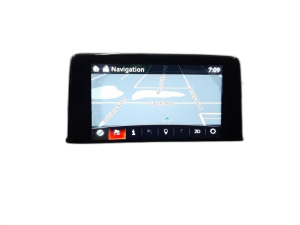
- This part (TK48-61-1J0) is ONLY for the 7-inch screen; it is not interchangeable with the larger 8, 9, or 10.25-inch screens available on other trims.
- The most common failures are "ghost touch" and internal "spider cracks," both caused by the touch digitizer layer delaminating due to a known design flaw.
- Replacing the screen with a like-for-like unit does NOT require dealer programming, as all software is stored in the separate Connectivity Master Unit (CMU).
- A blank or rebooting screen may be a sign of a failed CMU, not a bad display. Replacing the screen will not fix a CMU problem.
Known Issues, Recalls, and Service Bulletins

The infotainment screens in 2016-2021 Mazda CX-9 models are known for two widespread and well-documented failures: internal cracking (delamination) and "ghost touch" or phantom inputs. These issues are not isolated incidents but are common across this generation of Mazda vehicles.
Internal Cracking / Delamination (Spider Cracks)
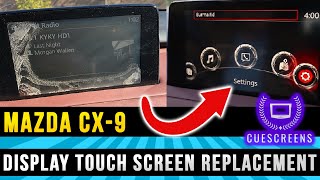
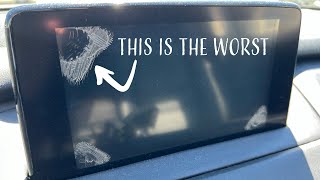
Many owners report the appearance of spiderweb-like cracks that seem to grow from the corners of the screen. This is not typically caused by impact damage. Instead, it's a failure of the adhesive layer that bonds the touch-sensitive digitizer to the underlying LCD. Mazda has referred to this as "Mazda Connect Center Display Cracking" or "Spider Cracking." Over time, due to heat cycles and UV exposure, this adhesive breaks down, causing the layers to separate (delaminate). The cracks are internal and cannot be felt on the surface. This problem can eventually lead to touch response issues.
Mazda issued a Special Service Program (SSP B9) extending the warranty for this specific issue on certain 2016-2017 CX-9 vehicles to 7 years with no mileage limit. However, this program had specific production date ranges and may not cover all vehicles. Another service alert, SA-008/18, also addresses this problem.
🎬 Watch: Learn about Mazda's screen cracking warranty extensionGhost Touch / Phantom Inputs
"Ghost touch" is when the screen registers inputs on its own, causing it to randomly change menus, make phone calls, or adjust settings without user interaction. This is a direct result of the touch digitizer failing, often due to the same delamination process that causes spider cracks. The separating layers create false touch signals, making the system frustrating and difficult to use. This is a hardware failure, and software resets or updates will not fix it. A diagnostic trouble code (DTC) of B105E:04 may be stored in the system, indicating an abnormal input from the display.
Variant Differences: Screen Sizes

It is critical to understand that Mazda offered multiple screen sizes on the CX-9 during this period, and they are not interchangeable. The part number TK48-61-1J0 specifically refers to the 7.0-inch display screen.
- 7-inch Screen: Typically found on the base Sport trim.
- 8-inch Screen: Some model years and trims used an 8-inch screen.
- 9-inch Screen: Found on mid-level trims like the Touring for some model years.
- 10.25-inch Screen: Introduced on higher trims like the Grand Touring, Signature, and Carbon Edition, particularly in the 2021 model year. These newer screens run an updated Mazda Connect system and are not compatible with vehicles originally equipped with the 7-inch MZD Connect system.
Warning: Always verify your vehicle's original screen size before purchasing a replacement. A 7-inch display cannot be replaced with a larger 8, 9, or 10.25-inch screen without also swapping the Connectivity Master Unit (CMU) and potentially other components, which may not be possible.
Buying a Used Infotainment Display

A used OEM display is often a cost-effective solution, but careful inspection is key to avoiding a problematic part.
What to Inspect
- Confirm the Size: The absolute first step is to confirm you are buying a 7-inch screen to match part number TK48-61-1J0. Do not trust listings that are vague about size.
- Check for Cracks and Delamination: Hold the screen up to a light and inspect it from multiple angles. Look for any signs of the tell-tale "spider cracks" starting in the corners. Check for any bubbles or peeling, which indicates the delamination process has begun.
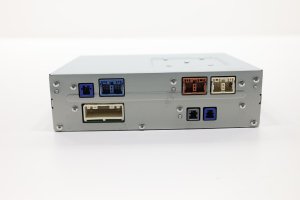
- Examine the Connectors: Ensure the electrical connectors on the back of the unit are clean, straight, and free of any corrosion or damage. Bent pins can prevent the unit from working correctly.
- Look for Pry Marks: Check the plastic housing for deep scratches or pry marks, which could indicate a careless removal that may have caused hidden damage.
Why Used OEM is a Good Choice
For a part like this, a quality used OEM screen is often a better choice than a cheap aftermarket alternative. Used OEM guarantees perfect fitment, connector compatibility, and the same screen brightness and color calibration as the original. While some aftermarket companies sell just the replacement touch digitizer, this requires a delicate repair process 🎬 See how to replace a cracked CX-9 screen that involves disassembling the screen unit. A complete, used OEM display assembly is a direct swap.
Programming and Installation
Replacing the infotainment display screen itself is a straightforward process that does not typically require programming or flashing. The screen is essentially a monitor, and the vehicle's software, VIN information, and settings are stored in the separate Connectivity Master Unit (CMU). As long as you are replacing a 7-inch screen with another 7-inch screen, it should be a plug-and-play installation.
Pro Tip: If your screen is black, rebooting constantly, or stuck on the Mazda logo, the problem may be with the CMU, not the display. In that case, replacing only the screen will not solve the issue. A CMU replacement often does require dealer programming.
The replacement process is feasible for a DIYer with basic tools. It involves using plastic trim tools to remove the trim piece behind the screen, undoing two 10mm bolts, and unplugging two connectors. The entire job can often be completed in under an hour.
🎬 Watch: Step-by-step touchscreen removal guideCost to Replace a 2016-2021 Mazda CX-9 Infotainment Display
| Part Type | Estimated Cost |
|---|---|
| New OEM (Dealer) | $640 - $965 (Part only) |
| New Aftermarket (Digitizer only) | $30 - $150 |
| Used OEM (Salvage) | $100 - $250 |
| Shop Labor | $100 - $200 |
Note: Prices are estimates and can vary based on supplier, location, and vehicle condition. Dealer quotes for a full replacement can be significantly higher, sometimes exceeding $2,000.
Frequently Asked Questions (FAQ)
Does a replacement infotainment screen need to be programmed?
No, if you are replacing the screen with an identical used OEM unit (e.g., 7-inch for 7-inch), programming is not required. The screen is a display, and all the vehicle's programming is stored in the separate Connectivity Master Unit (CMU).
Will replacing the screen fix my "ghost touch" problem?
Yes, in most cases. The ghost touch phenomenon is caused by a hardware failure in the screen's touch digitizer layer. Replacing the entire display assembly with a good unit will resolve this issue.
Can I upgrade my 7-inch screen to a larger 9-inch or 10.25-inch screen?
No, this is not a simple plug-and-play swap. The larger screens are part of a different Mazda Connect system and are not compatible with the hardware (CMU) and wiring for the 7-inch screen. Attempting this swap would require extensive and complex modifications.
Is it difficult to replace the CX-9 infotainment screen myself?
For most DIYers, this is a relatively easy job. It requires basic tools like a 10mm socket and plastic trim removal tools to avoid scratching the dashboard. The screen is held in by two bolts and two electrical connectors, making it a straightforward removal and replacement process that can often be done in under an hour.
Helpful Videos

Technical Specifications
OEM Part Numbers: TK48-61-1J0 TK48611J0
Screen Size: 7.0 inches
We Have This Part in Stock




The information in this article is provided for general reference and educational purposes only. Vehicle specifications, procedures, and part compatibility can vary by production date, trim level, and region. Always consult your vehicle's factory service manual and verify part numbers before purchasing or performing repairs. Safety-critical components such as airbags, seat belts, and braking systems should be installed by a qualified professional.
- Mazda CX-9:
- 🎬 Helpful Videos
- 🛍️ Shop This Part
- Known Issues, Recalls, and Service Bulletins
- Internal Cracking / Delamination (Spider Cracks)
- Ghost Touch / Phantom Inputs
- Variant Differences: Screen Sizes
- Buying a Used Infotainment Display
- What to Inspect
- Why Used OEM is a Good Choice
- Programming and Installation
- Cost to Replace a 2016-2021 Mazda CX-9 Infotainment Display
- Frequently Asked Questions (FAQ)
- 🎟️ Get 5% Off