

2010-2012 Mazda CX-9 Infotainment Display: A Guide to Blank Screens & Part Number TD11-61-1J0
This in-depth guide covers common failures, programming requirements, and replacement tips for the 2010-2012 Mazda CX-9's 6.5-inch information display.
- Part number verification is mandatory. The replacement display MUST have the part number TD11-61-1J0 to be compatible.
- This display screen is a plug-and-play part and does NOT require dealer programming after installation.
- A blank screen is the most common failure; always check fuses and try a system reset before ordering a replacement part.
- Do not remove the main radio unit when replacing only the screen, as this can disable the A/C system on some models.
Symptoms of a Failing Infotainment Display
When the infotainment display in a 2010-2012 Mazda CX-9 begins to fail, it can create significant frustration. While issues like "ghost touch" and screen delamination are widely reported on later model years (2016+), the first-generation CX-9 displays tend to exhibit different symptoms.
- Completely Blank or Black Screen: The most common failure is a screen that does not turn on at all, even though the radio and audio functions may still work. You might be able to hear music, but the screen remains black.
- Flickering or Intermittent Operation: The display may flicker, cut in and out, or only work sporadically. This can sometimes be related to temperature changes or vehicle vibration.
- Unreadable or Garbled Display: The screen may light up but show distorted graphics, lines, or unreadable text, making it impossible to use the navigation or see system information.
- Stuck on a Single Screen: The display might freeze on the Mazda logo or a specific menu, becoming completely unresponsive to any button presses.
Pro Tip: Before assuming the display is broken, try a system reset. Press and hold the Power/Volume knob for about 10 seconds. If that doesn't work, check the vehicle's fuse panel for any blown fuses related to the audio or display system. Sometimes a simple reset or a new fuse can resolve a blank screen issue.
Is Programming Required for a Replacement Display?
No, the infotainment display screen itself, identified by part number TD11-61-1J0, is a plug-and-play component. If you are only swapping the screen, you do not need to visit a dealer for programming. The vehicle's settings, radio presets, and security information are stored in the main audio unit, not in the display.
Warning: Do not confuse the display screen with the main radio/audio head unit. On some 2011 CX-9 models, the original factory audio unit must remain connected to the vehicle's wiring harness for the air conditioning (A/C) system to function correctly. If you replace the entire radio with an aftermarket system and disconnect the original unit, you may lose A/C control. This is not a concern if you are only replacing a broken screen with a compatible used OEM screen.
Buying a Used 2010-2012 CX-9 Infotainment Display
Purchasing a used OEM display is the most cost-effective way to fix a failed screen. Aftermarket options for just the screen are virtually nonexistent for this model year, and a new OEM part would be prohibitively expensive, if available at all. Here’s what to look for.
1. Verify the Part Number—This is Critical
The single most important step is to match the part number. Before ordering, you must remove your original display and confirm the number on the sticker. For these vehicles, the correct part number is typically TD11-61-1J0 (or variations like TD11611JO). Do not buy a part with a different number, even if it looks identical. Small differences in part numbers can indicate different wiring connectors or internal software, rendering the part incompatible with your vehicle.
2. Physical Inspection
When you receive the used part, inspect it carefully:
- Screen Condition: Check for deep scratches, cracks, or any signs of the screen layers separating (delamination), which looks like bubbling.
- Connectors: Ensure all plastic connector ports on the back are intact, with no bent or broken pins.
- Housing: Look for cracks or damage to the plastic casing and mounting tabs.
Why Used OEM is the Best Choice
For a part like this, a used original factory part is superior to new aftermarket alternatives. It guarantees a perfect fit, correct electronic communication, and maintains the stock appearance of your interior. Aftermarket solutions typically involve replacing the entire head unit, which can be expensive and may lead to the A/C control issue mentioned earlier.
Recalls and Technical Service Bulletins (TSBs)
As of mid-2026, there are no active recalls or Technical Service Bulletins (TSBs) from Mazda or the NHTSA that specifically address failures of the infotainment display for the 2010-2012 Mazda CX-9 in the US market. While Mazda did issue a warranty extension program (SSPB9) for "spider cracking" on the displays of 2016-2017 models, this program does not apply to the 2010-2012 generation.
Cost to Replace a 2010-2012 Mazda CX-9 Display
Replacing the infotainment display is generally affordable if you use a recycled part and perform the labor yourself.
| Part/Service | Estimated Cost |
|---|---|
| New OEM Display | $700+ (if available) |
| New Aftermarket Display | Not commonly available |
| Used OEM Display | $40 - $125 |
| Shop Labor Cost | $120 - $250 |
DIY Replacement Overview
Replacing the display is a straightforward job for a DIYer with basic tools. The process generally takes about an hour.
- Disconnect the Battery: Always disconnect the negative battery terminal before working on vehicle electronics.
- Remove Dash Trim: Use plastic trim removal tools to carefully pry away the trim pieces surrounding the display and radio controls.
- Unbolt the Display: The display is typically held in place by a few 10mm bolts. Remove them.
- Disconnect and Swap: Gently pull the old unit out, disconnect the wiring harnesses from the back, and connect them to the replacement display.
- Test Before Reassembly: Reconnect the battery and turn the key to accessory mode to ensure the new screen powers on and functions correctly.
- Reassemble: Reinstall the bolts and snap the trim pieces back into place.
Frequently Asked Questions (FAQ)
Does the TD11-61-1J0 display need to be programmed by a dealer?
No. The display screen is a plug-and-play part. All programming and vehicle-specific data are stored in the separate radio/head unit module, not the screen itself.
My screen is blank. Is the display definitely broken?
Not necessarily. Before buying a replacement, check the audio system fuse in the vehicle's fuse box. Also, try a soft reset by pressing and holding the power/volume knob for 10-15 seconds. If the radio works but the screen is black, the display or its direct wiring is the likely culprit.
Will replacing the screen fix my navigation or radio reception?
No. The display is only a monitor. The navigation system (if equipped) and the radio tuner are part of the main audio unit. If you are having issues with GPS signal or radio reception, the problem lies elsewhere.
Can I upgrade to a newer touchscreen from a different Mazda?
This is not recommended. The wiring, mounting points, and software communication protocols are different between generations. For a hassle-free repair, you must use a replacement part with the exact same part number (TD11-61-1J0) from a 2010-2012 CX-9.
Technical Specifications
OEM Part Numbers: TD11-61-1J0 TD11611JO TD1161J0
6.5-inch Color LCD Display
We Have This Part in Stock
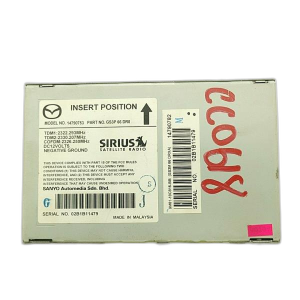



The information in this article is provided for general reference and educational purposes only. Vehicle specifications, procedures, and part compatibility can vary by production date, trim level, and region. Always consult your vehicle's factory service manual and verify part numbers before purchasing or performing repairs. Safety-critical components such as airbags, seat belts, and braking systems should be installed by a qualified professional.
- Mazda CX-9:
- 🛍️ Shop This Part
- Symptoms of a Failing Infotainment Display
- Is Programming Required for a Replacement Display?
- Buying a Used 2010-2012 CX-9 Infotainment Display
- 1. Verify the Part Number—This is Critical
- 2. Physical Inspection
- Why Used OEM is the Best Choice
- Recalls and Technical Service Bulletins (TSBs)
- Cost to Replace a 2010-2012 Mazda CX-9 Display
- DIY Replacement Overview
- Frequently Asked Questions (FAQ)
- 🎟️ Get 5% Off