

Mazda CX-5 Infotainment Display (2016-2025): Fixing Ghost Touch, Screen Swaps, and Reboot Loops
This guide helps you identify the correct 7, 8, or 10.25-inch display for your CX-5, diagnose common failures like ghost touch, and understand replacement requirements.
- The most common failure is 'ghost touch' on 2017-2020 7-inch screens, which Mazda addresses with a TSB recommending a screen repair kit, not a full unit replacement.
- You MUST match your screen size (7", 8", 10.25") and type (touch vs. non-touch). The 2021-23 non-touch and 2024+ touch 10.25" screens look identical but are not interchangeable.
- Constant rebooting is often caused by a corrupted navigation SD card. Try removing the card before pursuing more expensive repairs.
- Replacing a screen with an identical used unit is a simple, plug-and-play DIY job that does not require dealer programming.
Infotainment Display Variants: 2016-2025 Mazda CX-5

The most critical step in diagnosing or replacing your CX-5's infotainment screen is correctly identifying which version your vehicle has. Mazda used several different sizes and types of screens across this period, and they are not interchangeable. Using the wrong screen can result in anything from a non-functional display to lost features. Always verify your vehicle's original screen before purchasing a replacement.
| Model Years | Screen Size | Touchscreen Functionality | Key Details |
|---|---|---|---|
| 2016 | 7-inch | Yes | First-generation CX-5 (facelift). Screen is integrated into the dash. Subject to rebooting issues. |
| 2017-2020 | 7-inch or 8-inch | Yes (7-inch and 8-inch) | Second-generation 'tablet-style' display. The 7-inch screen is notorious for the 'ghost touch' and delamination issue. The 8-inch screen was available on higher trims. |
| 2021-2023 | 10.25-inch | No | Wider, modern display. Mazda disabled touchscreen functionality, relying solely on the commander knob. |
| 2024-2025 | 10.25-inch | Yes (for Apple CarPlay / Android Auto only) | Visually identical to the 2021-2023 screen, but with touch capability restored for smartphone integration. The native Mazda interface is still non-touch. |
Warning: The 2021-2023 non-touchscreen 10.25-inch display and the 2024+ touchscreen 10.25-inch display look identical but are NOT interchangeable. You cannot add touchscreen functionality to a 2021-2023 model by simply swapping the screen. This requires a matching Connectivity Master Unit (CMU) and dealer programming that may not even be possible.
Symptoms of a Failing Infotainment Display


1. 'Ghost Touch,' Delamination, and Spider Cracks
This is the most common and frustrating failure, primarily affecting the 7-inch touchscreens in 2017-2020 models. Due to heat and time, the layers of the screen's touch digitizer begin to separate (delaminate) or fail. This causes the system to register random, phantom touches.
- The screen seems to operate on its own, rapidly changing menus, adjusting settings, or making phone calls.
- The display may have a peeling or bubbling look on its surface.
- Spider-web-like cracks may appear internally, even with no physical impact.
- The system may store the diagnostic trouble code (DTC) B108E:04, indicating an abnormal touchscreen input.
Mazda has acknowledged this widespread problem with Technical Service Bulletin (TSB) 09-003/22. The official fix is not to replace the entire expensive display unit, but to install a 'Display Repair Kit' (Part # K1Y3-61-1JZA) which only replaces the faulty screen/digitizer layer.
Pro Tip: If you are out of warranty and comfortable with a DIY repair, you can permanently fix the ghost touch issue by disassembling the unit and disconnecting the small ribbon cable for the touchscreen. You will lose all touch functionality, but the screen will still work perfectly with the commander knob, and the phantom inputs will stop completely.
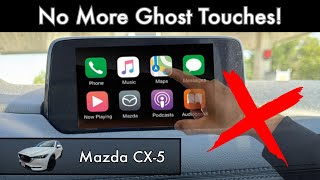
🎬 Watch: How to disable the touchscreen to stop ghost touches for free2. System Constantly Rebooting or Freezing
If your screen is stuck in a loop showing the Mazda logo, freezing, or crashing, the problem may not be the screen itself. This issue is common on earlier models (especially 2016-2018) and can have several causes.
- Corrupted Navigation SD Card: This is a very common cause. Before attempting any other repairs, remove the navigation SD card from its slot in the center console. If the system boots up and operates normally (without navigation), the SD card is faulty and needs to be replaced. 🎬 Watch: How to fix a Mazda CX-5 boot loop and restart issue
- Software Glitch: The Mazda Connect software can become corrupted. A soft reset can often fix this. Press and hold the Mute + Nav + Back buttons for about 10-15 seconds until the system reboots.
- Failing CMU: The Connectivity Master Unit (CMU), the computer brain attached to the back of the screen, can fail. This was the subject of a class-action lawsuit and a subsequent Customer Service Program (CSP13) that extended the warranty on the CMU for certain vehicles.
3. Black or Unresponsive Screen
A screen that is completely black or fails to respond to any input could be a simple issue or a sign of hardware failure.
- System is Off: First, press the volume knob to ensure the system wasn't simply turned off.
- Software Freeze: A black screen can be a symptom of a major software freeze. Attempt the soft reset procedure (Mute + Nav + Back).
- Fuse or Power Issue: Check the vehicle's fuse box for a blown fuse related to the audio or infotainment system.
- Hardware Failure: If resets and fuse checks don't work, the screen itself or the CMU may have failed and require replacement.
Buying a Used Infotainment Display
A used OEM display can be a cost-effective solution, but careful selection is key to avoid buying the wrong part or a unit with the same problems you're trying to fix.
- Verify Your Exact Screen Type: Use the table above. Is your screen 7, 8, or 10.25 inches? Is it a touchscreen? This is the most important step. A seller may list a part for a '2017-2025 CX-5,' but as shown, the screens are very different.
- Match the Part Number: If possible, remove your existing display to find the OEM part number on the back. Matching this number is the best way to guarantee compatibility.
- Physical Inspection: When inspecting a used unit, look for signs of delamination (peeling, bubbles) or spider cracks on the screen. Ask the seller for clear, powered-on photos if buying online. Avoid units with notes like 'outer layer worn.'
- Consider a Repair Kit Instead: For the common 'ghost touch' issue on 7-inch screens, buying a new screen repair kit is often a better choice than buying a used screen, which may develop the same fault over time. These kits provide a brand new, updated touch surface.
Programming and Installation

For a direct, like-for-like replacement of the display screen, programming is generally not required. The process is considered plug-and-play. It is highly recommended to disconnect the vehicle's negative battery terminal before starting the work to prevent any electrical issues.
The physical replacement is straightforward for a DIYer with basic tools. It involves prying off some dash trim pieces, removing a few bolts holding the screen, and disconnecting the electrical connectors at the back. The entire job can typically be completed in under an hour.
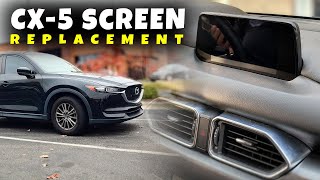
🎬 See this step-by-step Mazda CX-5 screen replacement walkthroughWarning: Swapping the entire infotainment unit (screen and CMU) or attempting to upgrade to a different screen size/type will likely require programming by a Mazda dealership with their specific diagnostic tools. There is no guarantee that a dealer can or will program a mismatched set of components.
Cost of Replacement: 2016-2025 Mazda CX-5 Infotainment Display
| Part or Service | Estimated Cost | Notes |
|---|---|---|
| New OEM Display Unit | $900 - $1,500 | Purchased from a Mazda dealership. Price varies by screen size. |
| Used OEM Display Unit | $100 - $250 | From a salvage yard or online seller. Carries risk of pre-existing faults. |
| New OEM Screen Repair Kit | $200 - $350 | Fixes 'ghost touch' on 7-inch screens. Part K1Y3-61-1JZA. |
| New Aftermarket Screen Repair Kit | $60 - $250 | Aftermarket digitizer-only or full LCD/digitizer assemblies are available. |
| Shop Labor for Replacement | $100 - $200 | The job takes approximately 40-60 minutes. |
Frequently Asked Questions (FAQ)
What actually causes the 'ghost touch' problem?
The ghost touch issue is caused by a hardware failure in the touchscreen's digitizer layer. Over time, exposure to heat causes the layers of the screen to separate or delaminate. This degradation leads to false electrical signals being sent to the system, which interprets them as touches on the screen. It is not a software problem.
Does a used replacement display need to be programmed by the dealer?
No, if you are replacing your screen with an identical used part (same size, type, and part number), it is a plug-and-play installation and should not require any dealer programming. However, if you are trying to upgrade or change the type of unit, programming will be necessary and may not be possible.
Can I upgrade my 7-inch screen to the newer 10.25-inch screen?
While technically possible, it is not a practical or cost-effective upgrade. It requires not only the new screen but also a new dashboard trim piece, mounting brackets, and potentially a new CMU. The cost of the OEM parts alone can be over $2,500, plus labor. It is far cheaper to trade in the vehicle for a newer model that came with the larger screen from the factory.
How can I tell if a 2024+ CX-5 has the touchscreen if it looks the same as a 2021?
The easiest way to check is to connect a phone via Apple CarPlay or Android Auto. On 2024 and newer models, the screen will become touch-sensitive *only* when one of these systems is active. If you try to touch the native Mazda menus, it will not respond. On a 2021-2023 model, the screen will never respond to touch, even in CarPlay or Android Auto.
Helpful Videos





Technical Specifications
OEM Part Numbers: K123611J0 K123611J0A K123611J0B K123611J0C K19G611J0 KA0T611J0 KA0T611J0A KA0T611J0B KA5F611J0A KDPW-61-1J0 KDPW-61-1J0A KDPW-611J0 KDPW611J0 KGC2611J0 KGC2611J0A KGC2611J0B KGC2611J0C K1Y3-61-1JZA
Screen Sizes: 7-inch, 8-inch, 10.25-inch. System: Mazda Connect. Control: Touchscreen (model dependent) and Commander Knob.
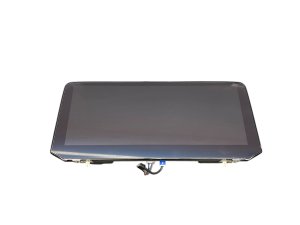
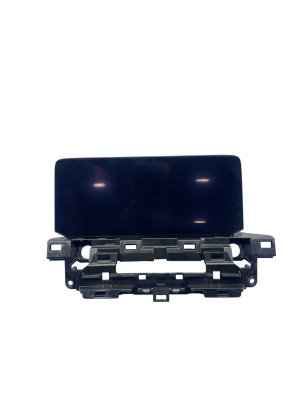
We Have This Part in Stock


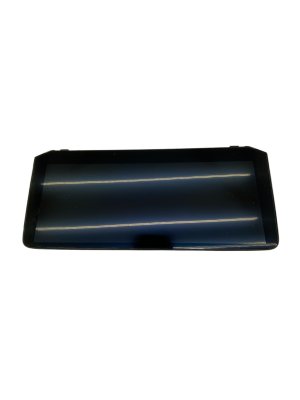

The information in this article is provided for general reference and educational purposes only. Vehicle specifications, procedures, and part compatibility can vary by production date, trim level, and region. Always consult your vehicle's factory service manual and verify part numbers before purchasing or performing repairs. Safety-critical components such as airbags, seat belts, and braking systems should be installed by a qualified professional.
- Mazda CX-5:
- 🎬 Helpful Videos
- 🛍️ Shop This Part
- Infotainment Display Variants: 2016-2025 Mazda CX-5
- Symptoms of a Failing Infotainment Display
- 1. 'Ghost Touch,' Delamination, and Spider Cracks
- 2. System Constantly Rebooting or Freezing
- 3. Black or Unresponsive Screen
- Buying a Used Infotainment Display
- Programming and Installation
- Cost of Replacement: 2016-2025 Mazda CX-5 Infotainment Display
- Frequently Asked Questions (FAQ)
- 🎟️ Get 5% Off