

2016-2017 Mazda 6 Infotainment Screen: Ghost Touch, Cracks, and Replacement Guide
This guide covers the common 'ghost touch' and cracking issues with the 2016-2017 Mazda 6 infotainment display, and explains your replacement options.
- The most common failures are 'ghost touch' and 'spider web' cracks, which are physical hardware issues requiring screen replacement, not a software update.
- A popular free fix for ghost touch is to disconnect the touchscreen's ribbon cable, which disables touch but makes the system usable again with the commander knob.
- Mazda has acknowledged the issue with TSBs (SA-041/22) and offers a lens repair kit (GRY7-61-1JZ) as a cheaper alternative to replacing the entire unit.
- When buying a used display, ensure it has a 50-pin connector and is from a Mazda 6. The latest part revision is GRT7-61-1J0C.
Known Issues and Symptoms of Failure

The infotainment display in the 2016-2017 Mazda 6 is known for several widespread issues, primarily related to the physical construction of the screen itself rather than internal electronics. These problems can be distracting and, in some cases, a safety concern.
Ghost Touch (Phantom Touches)
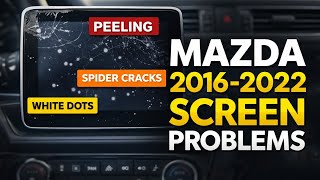
The most notorious problem is 'ghost touch' or 'phantom touch'. This happens when the screen registers inputs on its own, causing it to randomly change radio stations, make phone calls, alter navigation routes, or adjust settings without any human input. The root cause is often the delamination of the screen's top layer (the touch-sensitive digitizer), which separates from the LCD panel underneath due to heat and temperature cycles. This separation creates false touch inputs. Mazda has acknowledged this issue, stating that corrosion of the Indium Tin Oxide (ITO) film inside the screen can cause the malfunction.
Spontaneous Cracking and Delamination
Many owners report spontaneous 'spider web' cracks appearing on the screen, often starting from the corners, without any impact. The screen may also show signs of peeling or bubbling at the edges, which is a sign of delamination. These are physical hardware failures caused by heat expansion and contraction over time.
Screen Flickering, Freezing, or Going Blank
Other common symptoms include the screen flickering, freezing, lagging, or going completely black. A black screen can sometimes be resolved by a simple system reset, but if it persists, it could indicate a power supply issue, a blown fuse, or a failure of the display's backlight. Continuous rebooting, where the Mazda logo appears repeatedly, is another known issue often linked to corrupted software or failing internal memory on the Connectivity Master Unit (CMU).
🎬 Watch: How to troubleshoot and fix a Mazda reboot loopAssociated Diagnostic Codes
When ghost touch issues are present, the vehicle may store the diagnostic trouble code (DTC) B108E:04, which indicates an abnormal input from the touchscreen.
Recalls and Technical Service Bulletins (TSBs)

While there are no active safety recalls for the infotainment display itself on the 2016-2017 Mazda 6, Mazda has issued multiple Technical Service Bulletins (TSBs) and even a warranty extension program for some models related to these screen issues.
- Warranty Extension Program: Mazda previously offered a warranty extension for certain 2014-2016 models experiencing ghost touch, though this may have expired for most vehicles.
- TSB SA-041/22 & SA-001/23a: These service alerts acknowledge the ghost touch, surface peeling, and spider cracking issues. Crucially, they instruct dealers to use a screen repair kit (Part No. GRY7-61-1JZ for the Mazda 6) to replace only the outer lens and digitizer, rather than the entire expensive display unit. This was partly due to a global semiconductor shortage impacting the availability of full display units.
Pro Tip: If you are experiencing these issues, even out of warranty, mention TSB SA-041/22 to your dealer. They may offer a goodwill repair or use the more affordable lens kit replacement method.
Buying a Used Infotainment Display for Your 2016-2017 Mazda 6

A used OEM display can be a cost-effective solution, but careful inspection is critical to avoid buying a part that will soon fail in the same way as your original.
Confirming Compatibility: Part Numbers and Connectors
The most critical step is ensuring compatibility. The 2016-2017 Mazda 6 uses a display with a 50-pin connector. Some earlier or different models use a 36-pin connector, which is not compatible. Always verify the pin count before purchasing.
The latest part number for the complete display assembly is GRT7-61-1J0C. This part supersedes several older numbers, including GML8-61-1J0A, GML8-61-1J0B, GRT7-61-1J0A, and GRT7-61-1J0B. If possible, purchase the latest revision ('C') as it may have improvements over earlier versions.
Physical Inspection Checklist
- Check for Delamination: Carefully inspect the edges of the screen. Look for any signs of bubbling, peeling, or lifting.
- Inspect for Cracks: Examine the screen under a bright light for any hairline 'spider web' cracks, especially starting from the corners.
- Examine the Connector: Ensure the 50-pin connector on the back is clean and free of bent or damaged pins.
- Ask for the VIN: If possible, get the VIN of the vehicle the part came from. This can help a dealer verify its history, although it's not required for installation.
Why Used OEM is Often the Best Choice
While cheap aftermarket screens are available, they often come with risks. Many are complete Android-based head units that may not integrate perfectly with the vehicle's commander knob, steering wheel controls, or other factory systems. A used OEM display ensures perfect fitment and function with the vehicle's existing CMU and controls, provided it is a good, non-failing unit.
Programming and Installation Requirements
Warning: The display unit itself does not typically require programming. However, the Connectivity Master Unit (CMU) it attaches to is VIN-specific. If you are only replacing the screen, no programming is needed. If you replace the CMU, a dealer visit or advanced tools like FORScan may be required.
Replacing the display is a straightforward DIY task for many. The process generally involves prying off dashboard trim, removing a single 10mm bolt holding the display, and disconnecting the cables. The display and the CMU can then be separated by removing a few screws. No special programming is needed if you are just swapping the screen and re-attaching your original CMU.
The '$0 Fix': Disconnecting the Touchscreen
If you primarily use the commander knob and steering wheel controls, a popular free fix for ghost touch is to simply disconnect the touchscreen's ribbon cable. 🎬 Watch: How to disable the touch ribbon cable for free This involves removing the display and opening the screen assembly to unplug the small ribbon cable for the touch digitizer. This permanently disables all touch functionality but completely stops the phantom inputs, making the system usable again via the physical controls.
Cost Comparison
| Part/Service | Estimated Cost |
|---|---|
| New OEM Display (Full Assembly) | $870 - $1,300 |
| New OEM Screen Lens Kit (Part Only) | $120 - $200 |
| Used OEM Display (Full Assembly) | $150 - $400 |
| New Aftermarket Digitizer (Touch Layer Only) | $40 - $70 |
| Shop Labor (Screen Replacement) | $150 - $250 |
| Dealer Repair (Using Lens Kit) | $500 - $850 |
Frequently Asked Questions (FAQ)
Can I just replace the top layer of the screen (the digitizer)?
Yes. This is a common and cost-effective repair. You can buy an aftermarket touch digitizer online. This requires carefully heating and separating the old, cracked layer from the LCD. 🎬 See this step-by-step guide to replacing the touch digitizer This is more labor-intensive than replacing the whole screen but can save a lot of money. Mazda dealers also use a similar method with their official lens repair kit.
Will a screen from a Mazda 3 or CX-5 work in my Mazda 6?
No. While the screens look very similar and suffer from the same issues, the mounting brackets and part numbers are different. You must use a screen specifically designated for the Mazda 6 to ensure proper fit.
Does a software update fix the ghost touch or cracking?
No. Software updates (like updating to version 74.00.311) can fix issues like system reboots, freezing, or Bluetooth problems, but they cannot fix a physical hardware failure. Ghost touch and cracking are hardware problems that require replacing the screen or digitizer.
What happens if I just ignore the problem?
Ignoring ghost touch can be a significant distraction and potential safety hazard. The system can unexpectedly blast the volume, change navigation, or make calls. Eventually, the screen may become completely unusable. If you don't want to pay for a repair, the best option is to disconnect the touch digitizer ribbon cable to stop the phantom inputs.
Helpful Videos

Technical Specifications
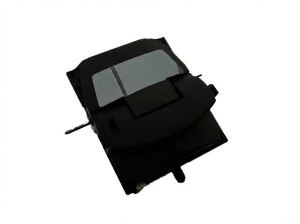
OEM Part Numbers: GML8-61-1J0A GML8-61-1J0B GRT7-61-1J0A GRT7-61-1J0B GRT7-61-1J0C GW2G-61-1J0A
7-inch color display, 50-pin main connector.
We Have This Part in Stock


The information in this article is provided for general reference and educational purposes only. Vehicle specifications, procedures, and part compatibility can vary by production date, trim level, and region. Always consult your vehicle's factory service manual and verify part numbers before purchasing or performing repairs. Safety-critical components such as airbags, seat belts, and braking systems should be installed by a qualified professional.
- MAZDA 6:
- 🎬 Helpful Videos
- 🛍️ Shop This Part
- Known Issues and Symptoms of Failure
- Ghost Touch (Phantom Touches)
- Spontaneous Cracking and Delamination
- Screen Flickering, Freezing, or Going Blank
- Associated Diagnostic Codes
- Recalls and Technical Service Bulletins (TSBs)
- Buying a Used Infotainment Display for Your 2016-2017 Mazda 6
- Confirming Compatibility: Part Numbers and Connectors
- Physical Inspection Checklist
- Why Used OEM is Often the Best Choice
- Programming and Installation Requirements
- The '$0 Fix': Disconnecting the Touchscreen
- Cost Comparison
- Frequently Asked Questions (FAQ)
- 🎟️ Get 5% Off