

2009-2013 Mazda 6 Info Display: Fading Screens and the Trip Meter Trap
This guide covers the common failures, replacement costs, and critical compatibility warnings for the second-generation Mazda 6 information display.
- This display is ONLY for models WITHOUT the trip meter function; verify your car does not have an 'INFO' button before buying.
- Failure is very common and usually presents as a blank or faded screen due to heat damage.
- Replacement is plug-and-play and does NOT require any programming or a dealer visit.
- A used OEM display is the most economical repair option, costing significantly less than new parts.
Symptoms of a Failing Info Display

When the information display begins to fail, the symptoms are usually visual and hard to miss. Because this is not a critical system, a failing display will not prevent the car from starting or driving, but it can be a significant annoyance.
- Blank or Dark Screen: The most common failure is the screen going completely blank. The radio and climate controls may still function, but nothing is shown on the display.
- Fading or Dim Display: The text and icons may become very dim, making them difficult or impossible to read, especially in bright daylight. This often happens due to heat and sun exposure over time.
- Pixelated or Garbled Text: Segments of the characters may disappear, making the text unreadable. This can be caused by failing solder joints on the display's internal circuit board.
- Intermittent Operation: The display might work correctly when the car is first started but then fade or go blank as the interior warms up. Conversely, it might flicker on and off randomly while driving.
Known Issues, TSBs, and Recalls

While there are no specific recalls for the infotainment display itself, the 2009-2013 Mazda 6 was subject to other recalls and a notable warranty extension that owners should be aware of.
- Sticky Dashboard Warranty Extension (SSPA0): Mazda extended the warranty for the dashboard upper panel (crash pad) due to a condition where it could become sticky in high heat and humidity. While this doesn't directly affect the display, it's a common interior issue for this generation. The warranty was extended to 10 years with no mileage limit for this specific condition.
- Safety Recalls: This generation had safety recalls for potentially loose door latch screws (Recall 7013I) and front crossmember corrosion in salt-belt states (Recall 2818I). These do not relate to the electronics of the display.
Pro Tip: The most common cause of failure for these displays is heat. Prolonged exposure to direct sunlight can damage the screen's internal components and the liquid crystal display (LCD) itself, leading to the fading and blank screen issues. Using a sunshade can help prolong the life of a replacement unit.
Buying a Used 2009-2013 Mazda 6 Info Display

A used OEM display is often the most cost-effective solution. Since these units are not complex, a good-condition used part can provide years of service. Here’s what to look for.
The #1 Mistake: Buying the Wrong Version
Warning: The most critical step is verifying compatibility. This vehicle was available with two different upper displays: a standard version and a version for models with a trip computer. This part (GAA9611J0, GAA9611J0A, GS3M611J0A) is for vehicles WITHOUT the trip computer function.
How can you tell which version you have? Look for an "INFO" button on your steering wheel or dashboard. If your car has an "INFO" button that cycles through displays like average MPG, distance-to-empty, and average speed, you have the trip computer. This part will NOT work for your vehicle. This part is for the base model display that only shows radio and climate information.
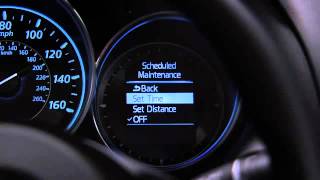
🎬 See: How the Type B multi-information display operatesWhat to Inspect on a Used Unit
- Check the Screen Surface: Look for any signs of delamination (a spider-web or bubbling look under the surface), deep scratches, or cracks.
- Inspect the Connectors: Ensure the electrical connector pins on the back are straight, clean, and free of corrosion.
- Ask for a Function Test: If possible, ask the seller if the unit was tested before being removed from the donor vehicle to confirm it powers on and the display is bright and clear.
Programming and Installation

Good news for DIY mechanics: this part is plug-and-play. No programming, flashing, or dealer visit is required for installation. It does not need to be matched to the vehicle's VIN and has no anti-theft features linked to it. The car's radio may have a security code feature that is triggered by a loss of power, but this is separate from the display screen itself. The display simply receives and shows data; replacing it is a straightforward remove-and-replace job.
Cost Breakdown
Prices can vary based on condition and supplier, but here is a general cost comparison:
| Part Type | Estimated Cost |
|---|---|
| New OEM | $400 - $550+ (if available) |
| New Aftermarket (Dorman) | $250 - $300 |
| Used OEM | $50 - $150 |
| Shop Labor Cost | $100 - $200 |
Frequently Asked Questions
Does this display need to be programmed by a dealer?
No. The 2009-2013 Mazda 6 information display is a plug-and-play component. You can install a replacement unit without any special tools or software programming.
How do I know if my car has the trip meter function?
Look for an "INFO" button on your steering wheel or dash controls. If you can press it to cycle through fuel economy data (like MPG or distance-to-empty) on the upper display, you have the trip computer model, and this part is not correct for your car.
My screen is blank. Could it just be a fuse?
It's possible, but less likely if the radio still plays audio. A blank screen is a very common symptom of the display itself failing internally. You should always check the fuses first (typically labeled 'ROOM' or 'AUDIO' in the fuse box), but be prepared for the display to be the root cause.
Can I repair my broken display instead of replacing it?
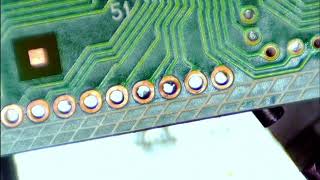
For those with advanced electronics skills, repair is sometimes possible. The most common internal failures are cracked solder joints on the main integrated circuit (IC) chip, which can be re-soldered (or "reflowed"). 🎬 Watch: Time-lapse of a Mazda 6 LCD display repair However, for most people, replacing the unit with a known-good used part is a faster and more reliable repair.
Helpful Videos
Technical Specifications
OEM Part Numbers: GAA9611J0 GAA9611J0A GS3M611J0A
Monochrome Liquid Crystal Display (LCD) for vehicles without trip computer functionality.
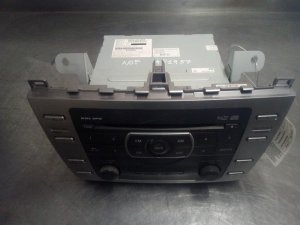
We Have This Part in Stock



The information in this article is provided for general reference and educational purposes only. Vehicle specifications, procedures, and part compatibility can vary by production date, trim level, and region. Always consult your vehicle's factory service manual and verify part numbers before purchasing or performing repairs. Safety-critical components such as airbags, seat belts, and braking systems should be installed by a qualified professional.
- Mazda 6:
- 🎬 Helpful Videos
- 🛍️ Shop This Part
- Symptoms of a Failing Info Display
- Known Issues, TSBs, and Recalls
- Buying a Used 2009-2013 Mazda 6 Info Display
- The #1 Mistake: Buying the Wrong Version
- What to Inspect on a Used Unit
- Programming and Installation
- Cost Breakdown
- Frequently Asked Questions
- 🎟️ Get 5% Off