

2014-2021 Lexus GX460 Infotainment Display: Unresponsive Screen, Freezing, and Black Screen Fixes
This guide details how to diagnose and replace the 8-inch navigation display, covering common failures like unresponsive touchscreens, rebooting, and black screens without requiring dealer programming.
- The most common failure is an unresponsive touchscreen, which can be fixed by replacing the entire display unit or just the digitizer.
- A replacement OEM display is plug-and-play and does NOT require dealer programming, making a used unit a great value.
- Verify your part number before buying. The correct part numbers are typically 86110-60380 or 86110-60390.
- If the screen is black or rebooting but the backup camera still works, the problem may be the lower radio unit, not the screen.
Diagnosing Your GX460's Infotainment Problem: Screen or Something Else?

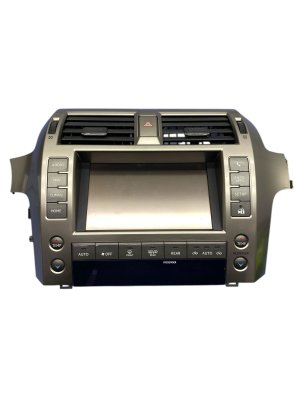
When the infotainment system in your 2014-2021 Lexus GX460 acts up, it's important to understand the source of the problem. The system is composed of two main parts: the upper 8-inch display screen (the part you touch) and the lower radio/CD player unit, which contains the main computer or logic board. The symptoms you experience can point to which component has failed.
- Screen-Only Issues: If the screen is physically cracked, scratched, or doesn't respond to touch in certain areas, the problem is almost certainly the display assembly itself or its top layer, the digitizer.
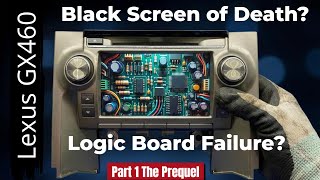
- System-Wide Issues: If the screen goes completely black, gets stuck in a reboot loop (showing the Lexus logo over and over), or freezes entirely, the issue may be the lower radio unit's logic board. A common sign of this is when the backup camera still works on a black screen, as it can sometimes bypass the main processing unit.
Symptoms of a Failing Infotainment Display

Failures of the GX460's infotainment display typically fall into a few common categories.
- Unresponsive or Inaccurate Touchscreen: This is the most common failure. You may find that touching a button on the screen does nothing, or it activates an area somewhere else on the screen. This is a classic sign of a failing digitizer, which is the touch-sensitive layer on top of the LCD.
- "Ghost" Touches: The screen may act as if it's being touched when it isn't, causing menus to change or functions to activate on their own.
- Freezing or Lagging: The system may become slow, freeze on a particular screen, or become completely unresponsive to any input. This can sometimes be a software issue, but is often a sign of hardware failure.
- System Rebooting or Stuck in a Loop: The display may spontaneously restart or get stuck on the initial Lexus startup screen, endlessly rebooting without ever fully loading. This often points to a problem with the main logic board in the lower unit.
- Black Screen: The screen may fail to turn on at all, appearing completely black. As mentioned, if the backup camera still functions, the problem is likely not the screen itself but the computer that sends the video signal to it.
- Scratched or Delaminating Screen: The anti-glare or protective layer of the screen can become scratched or start to peel, making it difficult to see the display clearly.
Is a Software Update or Simple Reset the Answer?

Before spending money on parts, it's worth trying a few simple resets. Software glitches can mimic hardware failure.
Pro Tip: In 2016, a faulty over-the-air update from Lexus caused many infotainment systems, including those in the GX460, to get stuck in a reboot loop. The fix was to simply disconnect the vehicle's battery for about 10-15 minutes to force a full reset of the system. This procedure can still resolve random software freezes today.
You can also try a soft reset by pressing and holding the volume/power knob until the system reboots. If freezing is a persistent issue, a Lexus dealer may have a firmware update available that can resolve software bugs.
Known Issues, Recalls, and Service Bulletins
There are no active recalls from the NHTSA for the infotainment display unit in the 2014-2021 Lexus GX460. While numerous Technical Service Bulletins (TSBs) exist for this vehicle platform, none specifically address a widespread manufacturing defect or recall campaign for the screen assembly itself. Most issues are considered isolated hardware failures that occur outside of the vehicle's warranty period.
Buying a Used 2014-2021 GX460 Infotainment Display

A used OEM display is often the most cost-effective and reliable solution. Because this part does not require dealer programming, it's an excellent candidate for a used purchase.
Confirm the Part Number
The most critical step is to verify the part number. The two primary part numbers for the 8-inch navigation display are 86110-60380 and 86110-60390. These numbers are typically found on a sticker on the back of the unit. Always confirm the part number on your original unit before ordering a replacement.
Physical Inspection Checklist
- Screen Surface: Check photos carefully for deep scratches, cracks, or signs of the top layer peeling (delamination). Minor surface scratches may be acceptable, but deep gouges will be distracting.
- Connectors: Ensure all electrical connectors on the back are intact and not damaged. The pins should be straight and free of corrosion.
- Housing: Look for cracks or damage to the plastic housing and mounting tabs.
Is It Just the Digitizer?
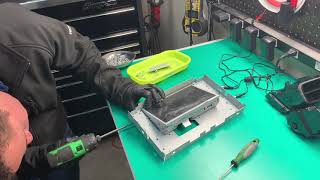
If your LCD display looks perfect but simply doesn't respond to touch, you may only need to replace the digitizer. This is a glass panel that sits on top of the LCD. Replacing only the digitizer is a much cheaper repair but requires careful disassembly of the screen unit. If you are not comfortable with delicate electronic repairs, replacing the entire display assembly is a safer option.
🎬 Watch: How a professional repair shop replaces a cracked digitizer.Programming and Installation: Is This a DIY Job?
No Programming Required
Pro Tip: A replacement OEM infotainment display for the 2014-2021 GX460 is plug-and-play. It does not need to be programmed, flashed, or coded to your vehicle's VIN. The vehicle's main computer, security, and identity are stored in other modules, allowing the screen to be swapped without a trip to the dealer.
Replacement Overview
Replacing the display is a manageable DIY project for someone with basic tools and patience. The process generally takes 1-2 hours.
- Disconnect the vehicle's negative battery terminal.
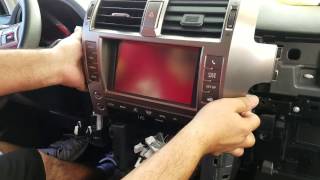
- Carefully remove the dash trim pieces surrounding the screen and radio. These are typically held in by clips and can be gently pried off with a plastic trim removal tool.
- Unscrew the 10mm bolts that secure the display unit to the dashboard frame.
- Gently pull the unit out and disconnect the electrical harnesses from the back.
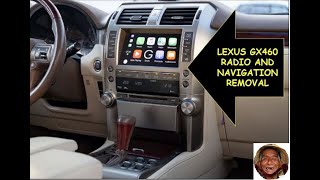
- Connect the new display and reinstall everything in reverse order. 🎬 See this walkthrough on how to remove the display unit.
Cost of Replacing the GX460 Infotainment Display
| Part/Service | Estimated Cost |
|---|---|
| New OEM Display (Dealer) | $4,000 - $6,000 |
| Used OEM Display | $500 - $800 |
| Aftermarket Digitizer (Part Only) | $50 - $100 |
| Shop Labor for Replacement | $200 - $400 |
Frequently Asked Questions (FAQ)
My screen is black, but the backup camera still works. Is the screen broken?
Not necessarily. This symptom often indicates that the screen itself is functional, but the main computer (the lower radio unit) has failed and is not sending a video signal for normal operations. The backup camera system can sometimes operate on a separate circuit. In this case, replacing the screen will not fix the problem.
🎬 Watch: Avoid this $800 mistake if your screen is black.Does a replacement display need to be programmed by the Lexus dealer?
No. A like-for-like OEM replacement display is a plug-and-play part and does not require any special programming or dealer visit for installation.
Can I just replace the scratched or cracked glass on top of the screen?
Yes. If the LCD image is still good but the screen is physically damaged or won't respond to touch, you can replace just the outer touch-sensitive layer, called the digitizer. This is a more involved repair but is much less expensive than replacing the entire unit.
Can I upgrade my 2010-2013 GX460 with this 2014+ screen?
No, the units are not directly interchangeable due to differences in wiring, software, and dash mounting between the generations. This guide and the part numbers listed are specific to the 2014-2021 model years.
Helpful Videos

Technical Specifications
OEM Part Numbers: 86110-60380 86110-60390
8-inch Touchscreen Display with Navigation
We Have This Part in Stock



The information in this article is provided for general reference and educational purposes only. Vehicle specifications, procedures, and part compatibility can vary by production date, trim level, and region. Always consult your vehicle's factory service manual and verify part numbers before purchasing or performing repairs. Safety-critical components such as airbags, seat belts, and braking systems should be installed by a qualified professional.
- Lexus GX460:
- 🎬 Helpful Videos
- 🛍️ Shop This Part
- Diagnosing Your GX460's Infotainment Problem: Screen or Something Else?
- Symptoms of a Failing Infotainment Display
- Is a Software Update or Simple Reset the Answer?
- Known Issues, Recalls, and Service Bulletins
- Buying a Used 2014-2021 GX460 Infotainment Display
- Confirm the Part Number
- Physical Inspection Checklist
- Is It Just the Digitizer?
- Programming and Installation: Is This a DIY Job?
- No Programming Required
- Replacement Overview
- Cost of Replacing the GX460 Infotainment Display
- Frequently Asked Questions (FAQ)
- 🎟️ Get 5% Off