

2014 Jeep Grand Cherokee Uconnect Display: Fixing Delamination, Ghost Touch & Anti-Theft Locks
This guide covers the common failures of the 8.4-inch RA4 navigation screen, how to buy a used replacement, and the critical anti-theft programming you can't ignore.
- A used replacement radio WILL require a 4-digit anti-theft code from a dealer or third-party service to function.
- Screen delamination ("bubbling") and "ghost touch" are extremely common hardware failures. Replacing just the touchscreen/digitizer is a cost-effective permanent fix.
- Ensure any unit has the software update for NHTSA recall 15V-461000 to protect against a major security vulnerability.
- Verify the part is an RA4 model for navigation and matches your vehicle's telematics configuration (with or without Uconnect Access).
Key Symptoms of a Failing Uconnect 8.4AN Display
The Uconnect 8.4-inch display in the 2014 Grand Cherokee is known for several common, well-documented failures. These issues are primarily due to a hardware defect in the screen assembly itself, not a problem with the radio's internal computer.
Screen Delamination or "Bubbling"
The most frequent complaint is screen delamination. This looks like a large air bubble, a peeling layer, or a liquid-like stain spreading across the screen, often starting from the top edge. This is caused by the failure of the liquid optically clear adhesive (LOCA) that bonds the outer touchscreen layer (the digitizer) to the inner LCD. High temperatures inside the cabin accelerate this breakdown. Once delamination begins, it cannot be reversed and will typically worsen over time.
🎬 Watch: Jeep and Chrysler Uconnect screen problems explained"Ghost Touch" or Phantom Inputs
A direct result of delamination is "ghost touch." As the screen layers separate, they create pressure points that the system mistakes for a finger press. This causes the unit to behave erratically, such as changing radio stations on its own, making random phone calls, inputting navigation destinations, or changing climate settings without any user input. This can be a significant distraction and a safety concern. A simple software reboot will not fix this physical problem.
Unresponsive or Frozen Touchscreen
The opposite of ghost touch can also occur. The screen may become partially or completely unresponsive to touch. This can make it impossible to use navigation, change audio sources, or access menus controlled exclusively through the touchscreen.
System Randomly Rebooting or Shutting Down
While less common than screen-specific issues, a failing unit can sometimes get stuck in a boot loop or shut down intermittently. In some cases, a parasitic electrical drain caused by the faulty radio can even drain the vehicle's battery when parked.
Important Security Recall: A major security vulnerability was discovered that allowed unauthorized remote access to vehicle systems through the Uconnect radio. This affects 2014-2015 Grand Cherokees. The fix is a software update detailed in NHTSA campaign 15V-461000 (FCA recall R40). Any replacement radio installed in the vehicle must have this software update. You can check for recalls at nhtsa.gov or download software updates from FCA's Uconnect website.
Buying a Used 2014 Grand Cherokee Infotainment Display
Due to the high cost of a new OEM unit, a used display is a popular choice. However, there are critical details to be aware of to ensure you get a functional, compatible part.
The Anti-Theft Lock: What You MUST Know
This is the most important step. Every Uconnect radio is electronically tied to the VIN of the vehicle it was originally installed in. When you install a used radio, it will power on but remain locked in an "Anti-Theft" mode until a 4-digit code is entered. This code is unique to the radio's serial number and the new vehicle's VIN.
- Dealer-Obtained Code: A Chrysler, Jeep, or Dodge dealer can provide this code. You will need the serial number of the used radio and your vehicle's VIN. Some dealers provide this for free or a small fee, while others may be reluctant.
- Third-Party Services: Several online vendors sell unlock codes or offer programming services.
- Pre-Unlocked Units: Some sellers on sites like eBay or specialized infotainment retailers sell units that are advertised as "unlocked" or are shipped with the correct anti-theft code for your VIN.
Verify the Part Number and System: RA4 vs. RA3
This guide covers the Uconnect 8.4AN (RA4), which includes factory navigation. There is a similar-looking unit, the Uconnect 8.4A (RA3), which does not have navigation from the factory. Ensure the part number you are buying corresponds to the RA4 system if you want built-in navigation. The faceplate ID should read "RA4".
Telematics vs. Non-Telematics
The initial buyer warnings are correct: you must match the unit to your vehicle's telematics system. The part numbers listed (68190248AC, AD, AE) are for vehicles WITHOUT Uconnect Access. Uconnect Access is the subscription-based service that includes features like an SOS button on the rearview mirror and remote start from a phone app. Installing a non-telematics radio in a telematics-equipped vehicle (or vice-versa) can cause system conflicts.
Inspect the Screen for Physical Defects
When buying a used unit, physically inspect the screen for any signs of bubbling or delamination, especially around the edges. Ask the seller for clear, powered-on photos. A screen that is already delaminating will only get worse.
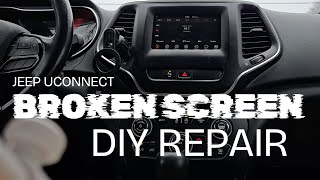
Pro Tip: Consider replacing just the touchscreen. If your radio's computer works but the screen is delaminating or ghosting, you can buy a replacement touchscreen/digitizer assembly. This is a much cheaper repair than replacing the entire unit and permanently fixes the problem with improved components that don't use the failure-prone factory adhesive. This repair requires careful disassembly of the radio unit.
🎬 See this step-by-step guide to replacing the screenCost Comparison for Replacement
| Part/Service | Estimated Cost | Notes |
|---|---|---|
| New OEM Unit (Dealer) | $1,200 - $1,900+ | Part only. Does not include dealer labor or programming. |
| Used OEM Unit | $145 - $450 | Price varies by condition and seller. Anti-theft code required. |
| Aftermarket Head Unit | $400 - $1,000+ | Requires special dash kits and wiring adapters (like iDatalink Maestro) to retain climate controls and steering wheel functions. Can be complex. |
| Screen/Digitizer Only (DIY) | $100 - $250 | Replaces only the failed screen component, fixing delamination/ghost touch. Requires careful disassembly. |
| Shop Labor (Replacement) | $100 - $200 | Replacement is straightforward, taking about 1 hour. |
Known Issues, TSBs, and Recalls
Beyond the major security recall and physical screen failures, Jeep has issued several Technical Service Bulletins (TSBs) to address software glitches. These TSBs provide software updates to fix issues like:
- The radio switching from SiriusXM to an AM station by itself.
- Duplicate song titles appearing in USB mode.
- Navigation system losing vehicle position or giving incorrect guidance.
- Bluetooth and Voice Recognition (VR) issues.
These software updates can be performed by a dealer or, in some cases, downloaded and installed by the owner via a USB drive.
Frequently Asked Questions (FAQ)
Do I need to program a replacement Uconnect display?
Yes. At a minimum, you will need a 4-digit anti-theft code specific to your vehicle's VIN and the radio's serial number to make it functional. Without this code, the radio will be locked.
Can I just replace the touchscreen instead of the whole unit?
Yes. For common issues like delamination and ghost touch, replacing only the touchscreen and digitizer assembly is a very common and cost-effective DIY repair. This fixes the root cause of the problem without needing to buy an entire new radio unit.
What's the difference between the RA3 and RA4 radio?
The RA4 (sales code 8.4AN) has built-in factory navigation, while the RA3 (sales code 8.4A) does not. The RA3 can sometimes have navigation activated for a fee, but the RA4 includes it from the start.
How do I remove the radio from my 2014 Grand Cherokee?
The process is relatively simple. The main dash bezel surrounding the radio is held in by clips and can be carefully pried off. Once the bezel is removed, the radio itself is secured by four 7mm screws. After removing the screws, you can pull the unit out and disconnect the wiring harnesses.
🎬 Watch: How to remove your factory radioWill a radio from a 2015 or newer Grand Cherokee work in my 2014?
It is not recommended. While they may look identical, there are often differences in the vehicle's communication network (CAN bus), software, and wiring that can cause compatibility issues. It is best to use a radio from the same model year or one specifically verified to be compatible.
Helpful Videos
Technical Specifications
OEM Part Numbers: 68190248 68190248AC 68190248AD 68190248AE
Uconnect 8.4AN (RA4) with 8.4-inch touchscreen and factory navigation. For vehicles without Uconnect Access (Telematics).
We Have This Part in Stock



The information in this article is provided for general reference and educational purposes only. Vehicle specifications, procedures, and part compatibility can vary by production date, trim level, and region. Always consult your vehicle's factory service manual and verify part numbers before purchasing or performing repairs. Safety-critical components such as airbags, seat belts, and braking systems should be installed by a qualified professional.
- Jeep Grand Cherokee:
- 🎬 Helpful Videos
- 🛍️ Shop This Part
- Key Symptoms of a Failing Uconnect 8.4AN Display
- Screen Delamination or "Bubbling"
- "Ghost Touch" or Phantom Inputs
- Unresponsive or Frozen Touchscreen
- System Randomly Rebooting or Shutting Down
- Buying a Used 2014 Grand Cherokee Infotainment Display
- The Anti-Theft Lock: What You MUST Know
- Verify the Part Number and System: RA4 vs. RA3
- Telematics vs. Non-Telematics
- Inspect the Screen for Physical Defects
- Cost Comparison for Replacement
- Known Issues, TSBs, and Recalls
- Frequently Asked Questions (FAQ)
- 🎟️ Get 5% Off