

2011-2022 Honda Odyssey Display Problems: Black Screens, Popping Audio & Replacement Guide
Diagnose and replace your faulty 2011-2022 Odyssey's upper infotainment or navigation screen, and understand the critical compatibility and programming differences between generations.
- For 2018-2022 models, popping audio and black screens are likely caused by a known MOST bus wiring issue, not a failed display. Check for warranty extensions and TSBs before buying a part.
- Part compatibility is critical. You must match the new display to your vehicle's options: Navigation vs. Non-Navigation and presence of a Rear Entertainment System (RES). They are not interchangeable.
- Replacements for 2011-2017 models require an anti-theft code, which you can retrieve yourself online for free. No dealer programming is usually needed.
- A used OEM display offers significant savings over a new unit, but you must verify the part number and options match your original part to ensure it will work correctly.
Symptoms of a Failing Odyssey Infotainment Display

A failing infotainment display can present a range of issues, from minor annoyances to the loss of critical functions like the backup camera. Symptoms often vary between the fourth (2011-2017) and fifth (2018-2022) generations due to different system architectures.
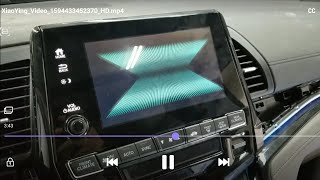
- Black or Blank Screen: The display may fail to turn on, remain black, or intermittently shut off while driving. This can be caused by a software glitch, an internal hardware failure, or a wiring issue.
- Flickering or Distorted Video: The screen might flicker, show lines, or display a distorted image. This often points to a failing LCD panel or a loose connection.
- Unresponsive Touch Screen: On models with touch functionality, the screen may stop responding to touch inputs, or it may register "ghost touches" in the wrong locations.
- Popping or Crackling Audio: Particularly common on 2018 and newer models, this is often accompanied by other display issues and points to a known problem with the MOST bus network.
- System Freezing or Rebooting: The infotainment system may freeze, become sluggish, or randomly restart. This is frequently a software-related issue that can sometimes be fixed with a reset or update.
- "Network Loss" or "Radio Unavailable" Message: These messages indicate a communication failure between the display and other modules in the vehicle.
Known Issues by Odyssey Generation

The problems, causes, and solutions for infotainment display issues are often specific to the vehicle's generation.
2011-2017 Honda Odyssey (Fourth Generation)
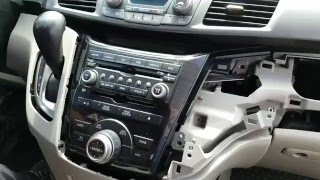
The primary displays in this generation are the upper i-MID or navigation screen. Common failures include the screen going blank or the navigation unit freezing. Replacement is generally straightforward, but requires an anti-theft code 🎬 Watch this video to see how to remove the display unit. for the radio/navigation unit to function after installation. This code can often be retrieved online from Honda's website using the vehicle's VIN and the serial number of the audio unit.
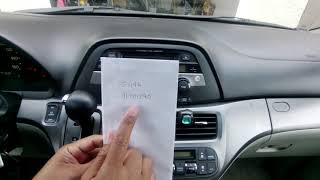
🎬 See how to retrieve your radio security code without a dealer.2018-2022 Honda Odyssey (Fifth Generation)
This generation is known for a widespread issue causing popping or crackling speakers, a black screen, and "Network Loss" messages. The root cause is a poor connection in the MOST bus (Media Oriented Systems Transport) network, which links the various infotainment components. Honda has issued multiple Technical Service Bulletins (TSBs), such as 20-049 and 21-012, to address this. The fix involves installing improved FAKRA connectors and ensuring the wiring harness is not stressed. Honda also extended the warranty on these components for many affected vehicles to 5 years or 60,000 miles.
Pro Tip: Before assuming the display has failed on a 2018+ Odyssey, try a system reboot by pressing and holding the audio system power/volume knob for about 10 seconds. If problems persist, especially popping audio, have a dealer check for TSBs related to the MOST bus network, as the repair may be covered under an extended warranty.
Recalls and Technical Service Bulletins (TSBs)

- Software Recall: Honda issued a recall for some 2018-2020 Odysseys due to a software error that could cause the instrument panel display and center display to not show critical information, like the speedometer or rearview camera feed. The fix is a software update performed by a dealer.
- TSB A19030B / 20-049 / 21-012: These related bulletins address the popping/crackling audio and display issues on 2018-2022 models. The cause is identified as loose MOST bus network connectors. The repair involves installing an updated FAKRA connector set.
- Warranty Extension: As a result of a class-action lawsuit, Honda extended the warranty for MOST bus network connector issues on many 2018-2020 Odysseys and other models.
Buying a Used 2011-2022 Odyssey Infotainment Display

A used OEM display is an excellent, cost-effective alternative to an expensive new unit. However, careful matching is required to ensure compatibility. Failure to match the part correctly will result in a non-functional unit.
Warning: Compatibility is everything. You cannot upgrade a non-navigation vehicle to navigation simply by swapping the screen. The vehicle's wiring harness and other control units are different.
What to Verify Before Buying:
- Match Part Numbers: The most reliable method is to match the OEM part number from your original display to the replacement. Part numbers are typically found on a sticker on the back of the unit.
- Navigation vs. Non-Navigation: The upper display for a vehicle with factory navigation is different from the i-MID screen in a vehicle without it. They are not interchangeable.
- Rear Entertainment System (RES): Some displays are specific to models with the factory RES. Verify if the donor vehicle and your vehicle have this option.
- Roof-Mounted Screen Size: For the rear entertainment system, Honda offered both 9.0-inch and 16.2-inch roof-mounted screens. These parts are not interchangeable.
- Physical Inspection: When buying a used unit, inspect the screen for deep scratches, delamination (peeling), or cracks. Check that all connectors on the back are intact and not damaged.
Programming and Installation
Installation involves removing several dash trim pieces to access the mounting screws for the display. While DIY replacement is feasible for those comfortable with basic tools, programming requirements differ by generation.
- 2011-2017 Models: After installation, the radio/navigation unit will likely be in an anti-theft lock mode. You will need to enter a 5-digit security code. This code can be found on a card that came with the vehicle or retrieved for free from a Honda website by entering the VIN and the serial number of the audio unit. No special dealer programming is typically required.
- 2018-2022 Models: These systems are more integrated. While a direct swap of a matching part number often works without dealer intervention (plug-and-play), some functions may require a dealer to perform a software update or system re-initialization, especially if the replacement part is from a different trim level or year. There is no simple anti-theft code for these units.
Replacement Cost Comparison
Prices can vary significantly based on the source and condition of the part. Labor for replacement at a professional shop typically runs 1-2 hours.
| Part Type | Estimated Cost |
|---|---|
| New OEM | $650 - $2,600 |
| New Aftermarket | $400 - $800 (Screen only, not full unit) |
| Used OEM | $150 - $500 |
| Shop Labor | $150 - $300 |
Frequently Asked Questions (FAQ)
Do I need to program a replacement infotainment display?
For 2011-2017 models, you will need the radio's anti-theft code, but usually no dealer programming. For 2018-2022 models, it is generally plug-and-play if the part number matches exactly, but a dealer visit may be required for software updates or if issues arise.
Can I upgrade my non-navigation Odyssey to have navigation by swapping the screen?
No. The wiring harnesses and supporting modules are different. This is not a plug-and-play upgrade and would require extensive, costly modifications.
My 2019 Odyssey's speakers are popping and the screen goes black. Is the display bad?
Not necessarily. This is a classic symptom of the MOST bus network connector issue. The display itself is likely fine. The problem is in the wiring connectors between the infotainment components. Check with a Honda dealer about TSB 21-012, as the repair may be covered by an extended warranty.
Where do I find the anti-theft code for my 2015 Odyssey's radio?
The code may be on a small card in your owner's manual packet. If not, you can retrieve it online from the official Honda Radio/Navigation Code website. You will need your vehicle's VIN and the serial number of the radio unit, which can be found by pressing and holding the #1 and #6 radio preset buttons while turning the radio on.
Helpful Videos
Technical Specifications
OEM Part Numbers: 39170THRA82 39460-TK8-A21 39460-TK8-A210-M1 39460-TK8-A21ZA 39460-TK8-A21ZB 39460-TK8-A21ZC 39460TK8A21 39710-TK8-305 39710-TK8-A31 39710-TK8-A310 39710-TK8-C31 39810-TK8-305 39810-TK8-A01 39810-TK8-A01CN 39810-TK8-A01CP
Varies by model year and trim. Key variants include Navigation vs. Non-Navigation (i-MID), and compatibility with Rear Entertainment Systems (RES). Screen sizes for the main dash display are typically 8 inches, while rear entertainment screens can be 9 or 16.2 inches.
We Have This Part in Stock



The information in this article is provided for general reference and educational purposes only. Vehicle specifications, procedures, and part compatibility can vary by production date, trim level, and region. Always consult your vehicle's factory service manual and verify part numbers before purchasing or performing repairs. Safety-critical components such as airbags, seat belts, and braking systems should be installed by a qualified professional.
- Honda Odyssey:
- 🎬 Helpful Videos
- 🛍️ Shop This Part
- Symptoms of a Failing Odyssey Infotainment Display
- Known Issues by Odyssey Generation
- 2011-2017 Honda Odyssey (Fourth Generation)
- 2018-2022 Honda Odyssey (Fifth Generation)
- Recalls and Technical Service Bulletins (TSBs)
- Buying a Used 2011-2022 Odyssey Infotainment Display
- What to Verify Before Buying:
- Programming and Installation
- Replacement Cost Comparison
- Frequently Asked Questions (FAQ)
- 🎟️ Get 5% Off