

2012-2016 Honda CR-V i-MID Display: Solving Blank Screens & Compatibility Issues
This guide covers the common failures of the upper information display, explains the critical differences between trim levels, and details what you need to know before buying a replacement.
- This part is the upper i-MID screen for CR-V models WITHOUT factory navigation; it is not the main touchscreen radio.
- Failure is typically a blank or flickering screen, and replacement units do NOT require dealer programming.
- Before replacing a blank screen, always check fuse #29 and try a hard reset by disconnecting the battery for 15 minutes.
- When buying a used unit, match the OEM part number from your original screen to ensure compatibility with your vehicle's trim level.
Understanding the i-MID System in the 4th Gen CR-V

The 2012-2016 Honda CR-V features an intelligent Multi-Information Display, or i-MID, as a central part of its dashboard. This upper screen is standard on models without the factory navigation system. It provides essential vehicle information at a glance, including audio details, trip computer data, and customizable settings. A major point of confusion for buyers is the distinction between this i-MID screen and the larger, optional touchscreen audio or navigation unit that sits below it on higher trims like the EX, EX-L, and Touring. The base LX model typically only has the i-MID and a standard radio. The parts are not interchangeable, so verifying your vehicle's original equipment is crucial.
Symptoms of a Failing i-MID Display

When the i-MID begins to fail, the symptoms are usually obvious. The most common issue is the screen going completely blank or black. Other problems include a flickering or distorted display, or the screen freezing and becoming unresponsive to steering wheel controls. In most cases, a failure of the i-MID screen will not trigger a Check Engine Light, but it can be a significant inconvenience as it hides important information like the clock and fuel economy data.
Pro Tip: Before assuming the screen has failed, try a system reset. Sometimes, after a battery replacement or jump-start, the screen may not power on. Disconnecting the negative battery terminal for about 15 minutes can often force a hard reset and restore function. Also, check fuse #29 in the under-hood fuse box, as this is often linked to the information display.
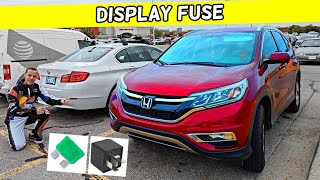
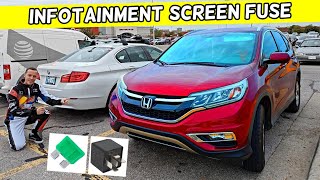
🎬 See this video to find the exact i-MID fuse locationKnown Issues, Recalls, and TSBs
The 2012-2016 Honda CR-V has been subject to several recalls, but none specifically target the i-MID display for widespread failure. Recalls for this generation have addressed issues like faulty door latches, incorrect certification labels, and potential fuel pump failures. While there are no major recalls for the screen itself, electrical glitches are a known quirk of this CR-V generation. Some owners report issues like parasitic battery drain, which can sometimes be traced back to a faulty relay, not the display itself. There are no prominent Technical Service Bulletins (TSBs) related to a pattern of i-MID screen failures, suggesting that when they do fail, it is typically due to an internal hardware issue rather than a widespread defect requiring a software update.
Programming and Installation Requirements

A significant advantage for DIY mechanics and buyers of used parts is that the i-MID display for the 2012-2016 CR-V is typically a plug-and-play component. No special programming, flashing, or dealer visit is required after installation. The unit is not tied to the vehicle's anti-theft or immobilizer system, and it does not store the vehicle's VIN or mileage. This makes swapping in a used unit a straightforward process.
Buying a Used Infotainment Display

Purchasing a used OEM i-MID is a cost-effective way to fix a failed screen. However, careful verification is essential to ensure you get the right part.
- Verify Your System: The most critical step is confirming your CR-V does NOT have the factory navigation system. The i-MID is for non-navigation models only.
- Match Trim Levels: There can be differences between the display units for various trims (LX, EX, EX-L, Touring). Always match the part number from your original unit to the replacement. Part numbers like 39710-T0A-A11 are common for these displays.
- Physical Inspection: When buying a used unit, inspect the screen for deep scratches, delamination (peeling), or any signs of moisture damage. Check that all mounting tabs and electrical connector ports are intact and free of corrosion.
- Why Used OEM is a Good Choice: For a simple display like the i-MID, a used original equipment part is often a reliable and affordable option. Aftermarket solutions are typically complete head unit replacements that can be complex to install and may not integrate perfectly with factory features like steering wheel controls without additional adapters.
Warning: Some online listings may incorrectly label the main radio or even climate control panels 🎬 Watch: How to locate the infotainment and display fuses with part numbers similar to the i-MID display. Always confirm via photos that you are buying the upper dashboard-mounted information screen.
Cost Comparison
Replacing the i-MID display can vary in cost depending on the source of the part and who performs the labor.
| Part Source | Estimated Cost |
|---|---|
| New OEM (Remanufactured) | $170 - $220 |
| New Aftermarket | Not commonly available as a direct replacement. |
| Used OEM | $50 - $100 |
| Shop Labor | $100 - $200 |
Frequently Asked Questions (FAQ)
Does a replacement i-MID display need to be programmed by a dealer?
No, the i-MID in the 2012-2016 CR-V is a plug-and-play part and does not require any programming or flashing after installation.
Will I need a radio code after replacing the i-MID screen?
No. The radio security code is associated with the main audio head unit, not the upper i-MID. Replacing the i-MID should not trigger a request for a radio code.
Can I upgrade my base model's i-MID to a larger touchscreen?
Yes, but it is not a simple swap. Upgrading to a factory navigation or touchscreen unit requires the head unit itself, a different dash bezel, and potentially different wiring harnesses. A more common solution is to install an aftermarket Android-based head unit, which often comes with a compatible bezel and wiring adapters.
My screen is blank after changing the car battery. Is the screen broken?
Not necessarily. This is a common issue. Before replacing the screen, try disconnecting the negative battery cable for 15 minutes to perform a hard reset of the vehicle's electronics. In many cases, this will restore the screen's function.
Helpful Videos
Technical Specifications
OEM Part Numbers: 39460-T0A-A011 39460T0AA01 39460T0AA01ZA 39710-T0A-A02RM 39710-T0A-A110-M1 39710T0AA020M1 39710T0AA110 39710T0AA110M1 39710T0AA13 39710T0AA61 39710T0AA61RM 39710T1WA61 39710TOAA132M1 39711T0AA01 39711T0AA02
Upper dashboard-mounted color multi-information display (i-MID)
We Have This Part in Stock




The information in this article is provided for general reference and educational purposes only. Vehicle specifications, procedures, and part compatibility can vary by production date, trim level, and region. Always consult your vehicle's factory service manual and verify part numbers before purchasing or performing repairs. Safety-critical components such as airbags, seat belts, and braking systems should be installed by a qualified professional.
- Honda CR-V: