

2011-2022 Honda Accord Infotainment Display: Solving Blank Screens & Compatibility Issues
This guide covers common failures, critical part number matching, and programming requirements for the 8th, 9th, and 10th generation Accord displays.
- Part compatibility is the biggest challenge. You must match the part number, screen size, and features (Navigation vs. Non-Navigation) from your original display.
- Many issues like freezing or rebooting on 2018+ models can be fixed with a simple software reboot or reset, which should be tried before replacing hardware.
- The upper display screen on 9th generation Accords (2013-2017) is a very common failure point, often resulting in a blank screen.
- After replacement, you will likely need the 5-digit anti-theft code to reactivate the radio. This can be found in your glovebox or from a Honda dealer.
Key Differences by Accord Generation

The 2011-2022 Honda Accord spans three distinct generations, each with a unique infotainment setup. Understanding which generation you have is the first step in diagnosing problems or finding the right replacement part.
8th Generation (2011-2012)
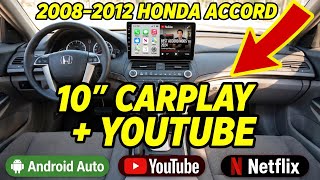
These models feature a more basic system, typically with a single, non-touch display screen located high on the dashboard. The screen primarily shows audio information, climate settings, and the clock. Failures are less common but usually involve the screen going blank or becoming unreadable. These are simpler units and generally do not require programming after replacement.
🎬 Watch: Step-by-step guide to removing the 8th generation head unit.9th Generation (2013-2017)
This generation is known for its dual-screen setup on many trims (EX, EX-L, Touring). It features a larger upper display (often 7.7-inch) for navigation and vehicle information, and a lower touchscreen for audio and app controls. The upper display is a very common failure point, often going blank or flickering. Compatibility is extremely specific for these screens, depending on trim and whether the vehicle has factory navigation.
Warning: For 9th generation Accords, you must match the part number from your original upper display. A screen from a navigation-equipped car will not work 🎬 See how to remove the 9th generation radio and screen. in a non-navigation car, and vice-versa.
10th Generation (2018-2022)
Honda moved to a single, tablet-style 8-inch touchscreen for this generation. These systems are more integrated and rely heavily on software. Common issues include the system freezing, rebooting in a loop, or Apple CarPlay/Android Auto connectivity problems. Many of these glitches can be software-related and may be resolved with a system reboot or a software update from a dealer. Hardware failures often manifest as a totally black screen or unresponsive touch functionality.
Common Symptoms of a Failing Infotainment Display

A failing display can show a variety of symptoms, ranging from minor annoyances to a complete loss of function.
- Blank or Black Screen: The screen fails to turn on, even though you can still hear audio from the radio. This is one of the most common failure modes, especially on 2013-2017 models.
- Flickering or Intermittent Display: The screen flashes, goes dark, and comes back on randomly. This can be caused by heat, vibration, or failing internal components.
- Unresponsive or "Ghost" Touching: The touchscreen doesn't respond to your taps, or it seems to press buttons on its own. This can be a sign that the digitizer (the touch-sensitive layer) is failing.
- Constant Rebooting or Freezing: The system gets stuck on the Honda logo, freezes on a single screen, or continuously restarts itself. This is more common on 10th-gen models and can sometimes be a software issue.
- Bubbling or Delamination: You may see what looks like air bubbles or peeling under the screen's surface. This is the physical separation of the screen layers and is a clear sign of hardware failure.
- Distorted or Garbled Visuals: The screen displays pixelated or jumbled images, which is a common complaint with Apple CarPlay on 2016-2017 models.
Known Issues, Recalls, and Technical Service Bulletins (TSBs)

Several issues have been officially recognized by Honda over the years.
- NHTSA Recall for 2018-2020 Accord (Software Glitch): Honda issued a recall for some 2018-2020 Accord models due to a software glitch that could cause the backup camera display, navigation, and other functions to malfunction or become disabled. The fix involves a software update performed by a dealer.
- TSB 16-059 for 2016 Accord: This Technical Service Bulletin addresses numerous software issues on EX, EX-L, and Touring trims. Symptoms include a blank screen, system reboots, freezing, no sound, and problems with Bluetooth or XM radio. The solution is a software update that must be performed by a Honda dealer using a specific USB device.
- TSB 23-043 for 2023 Accord: While slightly outside the main year range, this TSB for the following generation shows ongoing software challenges. It addresses an internal communication error (DTC U1803-88) that can cause warning messages. The fix is an Over-the-Air (OTA) software update.
- TSB A18-085 for 2018 Accord: This bulletin addresses a peculiar issue on EX, EX-L, and Sport trims where the FM radio cuts out when the right turn signal is activated. The fix involves installing a ferrite core on a specific wiring harness to reduce electrical interference.
Diagnosis and Troubleshooting
Before assuming the display is broken, try these simple steps which can resolve many common software glitches, especially on 2018 and newer models.
- Perform a Soft Reboot: With the car running, press and hold the audio system's power button (often the volume knob) for 5-10 seconds. The system should shut down and restart, which can clear temporary bugs.
- Perform a System Reset: Turn the car off, open and close the driver's door, then restart the car. This forces a full system reset on some models.
- Check Fuses: Consult your owner's manual to locate the fuse for the audio system or radio. A blown fuse can cause the screen to go completely dead.
- Disconnect the Battery: As a last resort for software issues, you can disconnect the negative terminal of your car's 12-volt battery for about 10 minutes. This forces a hard reset of all vehicle electronics. Note: You will likely need the radio's anti-theft code after doing this.
Buying a Used Infotainment Display: A Buyer's Guide

Buying a used OEM display is a cost-effective way to fix a broken screen, but careful selection is crucial to avoid compatibility problems.
1. Verify Compatibility Above All Else
Warning: This is the most critical step. An incompatible display will not work. The warnings provided in the initial data are essential: a display for a car with navigation will not work in one without it, and screens for different trim levels (e.g., LX vs. EX-L) are often not interchangeable.
- Match the Part Number: The surest way to guarantee compatibility is to match the OEM part number. You will need to remove your old display to find the sticker on the back that lists the part number.
- Match Screen Size and Features: For 9th-gen Accords, know if you need the 7.0-inch, 7.7-inch, or 8.0-inch screen. For all generations, know if your car has factory navigation. Do not buy a screen just because it looks similar.
- VIN Verification: For some newer parts, the seller may require your Vehicle Identification Number (VIN) to confirm fitment.
2. Physical Inspection
- Check the Screen Surface: Look for deep scratches, cracks, or signs of delamination (bubbling/peeling).
- Inspect Connectors: Ensure all electrical connector ports on the back are clean and free of bent or broken pins.
- Look for Water Damage: Check for any signs of corrosion or water marks on the housing, which could indicate internal damage.
3. Why Used OEM is Often Better
For a part like an infotainment display, a used OEM unit is often a smarter choice than a cheap new aftermarket one. The OEM unit is designed to integrate perfectly with your car's existing systems, such as steering wheel controls, backup cameras, and climate controls. Aftermarket units can sometimes have laggy performance or lose factory functionality.
Programming and Anti-Theft Requirements
Whether a replacement display needs programming depends on the year and the specific part.
- Anti-Theft Code: After disconnecting the battery or replacing the audio unit, the system will likely ask for a 5-digit security code. This code can often be found on a sticker in the glove box or can be retrieved from a Honda dealer or Honda's website with the vehicle's VIN and the radio's serial number. You can enter the code using the radio preset buttons.
- Programming/Flashing: While older models (like the 8th gen) are typically plug-and-play, newer displays (especially 10th gen) may be linked to the vehicle's specific options and VIN. If you swap a display and features are missing or not working correctly, it may require reprogramming by a Honda dealership or a specialized independent shop with the correct i-HDS diagnostic software.
Cost Comparison
Replacing an infotainment display can be expensive, especially at a dealership. Here are some typical cost ranges:
| Part Type | Estimated Cost |
|---|---|
| New OEM | $700 - $1,400+ |
| New Aftermarket | $115 - $300 |
| Used OEM | $50 - $250 |
| Remanufactured OEM | $170 - $280 |
| Shop Labor | $150 - $400 |
Frequently Asked Questions (FAQ)
Can I replace just the cracked touch screen layer (digitizer)?
For some models, it is possible to buy just the touch screen digitizer and replace it, which is much cheaper than replacing the entire display assembly. However, this is a delicate repair that involves separating the old digitizer from the LCD without damaging it. It is more complex than swapping the whole unit.
Why did my screen go black but the radio still plays music?
This is a classic symptom of a failed display screen. The audio control unit (the radio tuner and amplifier) is a separate component. When the screen fails, the audio unit can continue to function, but you lose the ability to see what's playing or change settings.
Will a screen from a 2017 Accord fit my 2013 Accord?
Even within the same generation (2013-2017), part numbers changed. While they may look identical, there could be internal hardware or software differences. It is always best to match the part number exactly or use a part that is confirmed to fit your specific model year and trim. For example, part number 39710-T2A-A71RM is specified for 2016-2017 models.
My screen is frozen. Do I need a new one?
Not necessarily. A frozen screen is often a software glitch. Before buying a new part, always try a soft reboot by holding the power button for 10 seconds. If that doesn't work, try disconnecting the car's battery for 10-15 minutes to force a hard reset. If the problem persists after these steps, it may be a hardware failure.
Helpful Videos
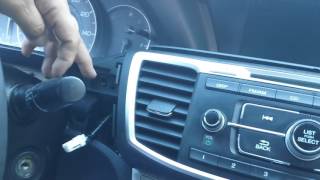
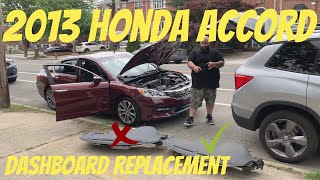
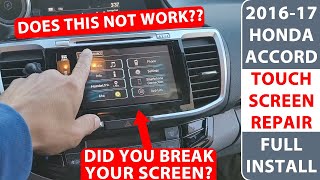
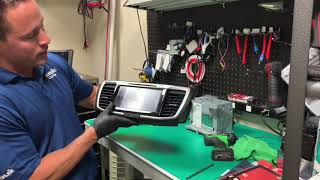
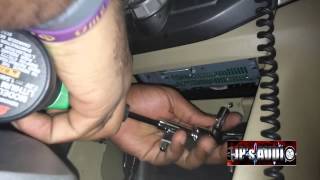
Technical Specifications
OEM Part Numbers: 39710-T2A-A01RM 39710-T2A-A31 39710-T2A-A71 39710-T2A-A71CN 39710-T2A-A71CP 39710-TVA-A03 39710-TVA-A11 39710-TVA-A12 39710-TVA-A13 39710-TVA-A130 39710-TVA-A130-M1 39710T2AA01 39710T2AA010 39710T2AA010M1 39710T2AA31
Screen sizes vary by generation and trim, including 7.0-inch, 7.7-inch, and 8.0-inch displays. Systems are divided into Navigation and Non-Navigation variants. Some units are manufactured by Panasonic or Alpine.
We Have This Part in Stock



The information in this article is provided for general reference and educational purposes only. Vehicle specifications, procedures, and part compatibility can vary by production date, trim level, and region. Always consult your vehicle's factory service manual and verify part numbers before purchasing or performing repairs. Safety-critical components such as airbags, seat belts, and braking systems should be installed by a qualified professional.
- Honda Accord:
- 🎬 Helpful Videos
- 🛍️ Shop This Part
- Key Differences by Accord Generation
- 8th Generation (2011-2012)
- 9th Generation (2013-2017)
- 10th Generation (2018-2022)
- Common Symptoms of a Failing Infotainment Display
- Known Issues, Recalls, and Technical Service Bulletins (TSBs)
- Diagnosis and Troubleshooting
- Buying a Used Infotainment Display: A Buyer's Guide
- 1. Verify Compatibility Above All Else
- 2. Physical Inspection
- 3. Why Used OEM is Often Better
- Programming and Anti-Theft Requirements
- Cost Comparison
- Frequently Asked Questions (FAQ)
- 🎟️ Get 5% Off