

2010-2012 Ford Taurus Infotainment Display: Fixing a Blank Screen and Replacement Guide
This guide covers common issues, replacement costs, and the critical programming steps for the non-navigation display screen in your 2010-2012 Taurus.
- A replacement display MUST be programmed to the vehicle's VIN by a dealer or a shop with Ford-specific scan tools.
- This part is ONLY for vehicles WITHOUT the factory navigation system; the two types are not interchangeable.
- The most common failure is a completely blank screen, often caused by internal failure of the display module (FDIM).
- A used OEM display is the most cost-effective solution, but you must budget for professional programming.
Symptoms of a Failing Infotainment Display

The most common sign of a problem with the 2010-2012 Taurus display is a screen that suddenly goes blank or black. You might also experience flickering, a frozen or unresponsive screen, or random rebooting where the Ford logo appears and then disappears. In some cases, the audio and climate controls may still function using the physical buttons, but you will have no visual feedback. When the module loses communication with the rest of the vehicle, it can trigger the diagnostic trouble code U0257.
Common Failure Symptoms:
- Completely Blank or Black Screen: The display does not turn on at all, even though the backlights for the surrounding buttons may be lit.
- Intermittent Operation: The screen works sometimes but cuts out randomly while driving.
- Frozen Display: The screen is stuck on a single image, often the Ford logo, and does not respond to any button presses.
- Flickering or Dim Display: The screen's brightness flashes or is too dim to read clearly.
- Diagnostic Trouble Code U0257: A scan tool may show code U0257, indicating a loss of communication with the Front Controls/Display Interface Module.
Important: This guide and the associated part numbers are for Ford Taurus models that are NOT equipped with the factory navigation system. The navigation and non-navigation units are not interchangeable. Before ordering, confirm your vehicle does not have factory navigation.
Is Programming Required for a Replacement Display?

Yes, absolutely. This is the most critical factor to understand when replacing the infotainment display. You cannot simply swap a used or new display and expect it to work. The replacement module must be programmed to your vehicle's specific configuration.
Ford calls this process Programmable Module Installation (PMI). It requires a specialized Ford diagnostic scan tool, like the IDS or FDRS, to copy the configuration data from your old module and transfer it to the replacement. If your original module is completely dead and the data cannot be retrieved, the technician will need to download your vehicle's original "As-Built" data from Ford's servers using your VIN and install it onto the new unit.
Because of this requirement, a visit to a Ford dealership or a well-equipped independent repair shop with the proper tools is necessary to complete the installation. Failure to program the module will likely result in a non-functional display or other system errors.
Buying a Used 2010-2012 Taurus Infotainment Display

Buying a used OEM display is the most cost-effective way to fix a failed screen. Since aftermarket support for these specific integrated displays is limited, a quality recycled part is often the best choice. Here’s what to look for:
- Verify Part Numbers: Match the part number from your original unit to the replacement. Common part numbers include AG1T-19C116-AA, AG1T-19C116-AB, BG1T-19C116-AB, and BG1Z-10D885-A. Ford often updates part numbers, so several different numbers may be compatible.
- Confirm Non-Navigation: Double-check that the donor vehicle did not have factory navigation. A display from a navigation-equipped car will not work in a non-navigation vehicle.
- Physical Inspection: When the part arrives, inspect the screen for deep scratches, cracks, or signs of delamination (a bubbling or peeling look). Check that all electrical connector pins are straight and free of corrosion.
- Plan for Programming: Remember that even a perfect used part will require professional programming. Factor the cost of a shop visit into your total repair budget.
Known Issues, TSBs, and Recalls
As of mid-2024, there are no active safety recalls from the National Highway Traffic Safety Administration (NHTSA) specifically for the failure of the infotainment display screen in 2010-2012 Ford Taurus vehicles. While Ford has issued Technical Service Bulletins (TSBs) for screen issues on other models and years, often related to SYNC software, no specific TSB for a widespread blank screen issue on this particular model range has been widely published. The problem is typically attributed to an internal failure of the Front Display Interface Module (FDIM) itself.
Cost to Replace the Infotainment Display
The cost can vary significantly depending on the parts source and labor rates. The physical replacement is straightforward for a DIYer, but the mandatory programming adds a professional labor component.
| Item | Estimated Cost |
|---|---|
| New OEM Display (Dealer) | $780 - $1,000 |
| New Aftermarket Display | Not commonly available; full system upgrades cost $200-$500+ |
| Used OEM Display (Recycled) | $75 - $250 |
| Shop Labor (Physical Swap & Programming) | $200 - $350 |
Replacement Overview

Physically replacing the display is a manageable DIY task for those comfortable with basic tools. The entire job for the physical swap takes about 1 to 1.5 hours. You will need a 7mm socket, a ratchet, and plastic trim removal tools to avoid scratching your dashboard.
The basic steps are:
- Disconnect the negative battery terminal to prevent electrical shorts.
- Carefully pry off the trim pieces around the shifter and center stack.
- Remove several 7mm screws holding the center control panel and vents in place.
- Pull the main control unit forward to access the display screen mounted on top.
- Unplug the electrical connectors from the back of the display and unbolt it from the main unit.
- Install the new display and reassemble everything in reverse order.
Pro Tip: After the physical installation, the vehicle is drivable, but the screen will not work until it is programmed. You must schedule a visit with a dealer or qualified shop to perform the Programmable Module Installation (PMI).
Frequently Asked Questions (FAQ)
Why did my 2011 Taurus screen suddenly go black?
A blank screen is the most common failure mode for these displays and is usually caused by an internal electronic failure within the Front Display Interface Module (FDIM). It can also be caused by a software glitch or a lost communication signal from other modules in the car.
Can I install a screen from a Taurus with navigation in my non-nav car?
No. The display units for navigation and non-navigation models are different parts with different connectors and software requirements. They are not interchangeable.
Do I have to go to a Ford dealer to get a replacement screen programmed?
While a Ford dealer can certainly do the programming, they are not the only option. Many independent repair shops that specialize in domestic vehicles have the necessary Ford-specific diagnostic tools (like IDS or FDRS) to perform the required Programmable Module Installation (PMI). However, a generic code reader from an auto parts store cannot do this.
Can I just replace the SYNC module (APIM) to fix my blank screen?
For the 2010-2012 Taurus, a blank screen is typically a failure of the display screen itself (the FDIM), not the SYNC module (APIM). The APIM processes data for SYNC functions, while the FDIM is the physical screen. Replacing the APIM will not fix a dead screen.
Technical Specifications
OEM Part Numbers: AG1T19C116AA AG1T19C116AB AG1Z10D885A BG1T-19C116-AB BG1T19C116AA BG1T19C116BA BG1Z10D885A BG1Z10D885B
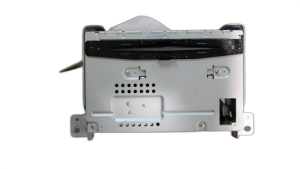
Front Display Interface Module (FDIM) for non-navigation vehicles with SYNC system.
We Have This Part in Stock




The information in this article is provided for general reference and educational purposes only. Vehicle specifications, procedures, and part compatibility can vary by production date, trim level, and region. Always consult your vehicle's factory service manual and verify part numbers before purchasing or performing repairs. Safety-critical components such as airbags, seat belts, and braking systems should be installed by a qualified professional.
- Ford Taurus:
- 🛍️ Shop This Part
- Symptoms of a Failing Infotainment Display
- Common Failure Symptoms:
- Is Programming Required for a Replacement Display?
- Buying a Used 2010-2012 Taurus Infotainment Display
- Known Issues, TSBs, and Recalls
- Cost to Replace the Infotainment Display
- Replacement Overview
- Frequently Asked Questions (FAQ)
- 🎟️ Get 5% Off