

2014-2020 Ford Edge Screen Guide: Fixing Blackouts, Ghost Touch & SYNC Issues
This guide covers the common failures of Ford Edge infotainment screens, explains the critical differences between systems, and details programming requirements for replacement.
- A black screen with working audio is usually a failed APIM module, not a broken screen.
- Compatibility is critical: 2014-2020 models used SYNC 2 or SYNC 3, while 2021+ models use a completely different SYNC 4A system. Parts are not interchangeable.
- Replacement APIM modules MUST be programmed to the vehicle's specific features using a dealer tool or FORScan software.
- Upgrading from the 4.2-inch base screen to the 8-inch touchscreen is a complex project, not a simple part swap, and requires additional parts and programming.
Critical Compatibility Warning: Three Generations of Screens

Warning: The 2014-2024 Ford Edge was equipped with three completely different and non-interchangeable infotainment systems. Before purchasing a replacement, you must identify which system your vehicle has.
- 2014 Models (and some early 2015s): These vehicles use the MyFord Touch (SYNC 2) system for the 8-inch touchscreen. Base models have a smaller 4.2-inch non-touch display. A screen from a newer SYNC 3 vehicle will not work.
- 2015-2020 Models: These primarily use the SYNC 3 system for the 8-inch touchscreen, which is faster and supports Apple CarPlay and Android Auto. Base models continued with a 4.2-inch display. These parts are not backward compatible with MyFord Touch systems.
- 2021-2024 Models: These feature a large, 12.1-inch vertical touchscreen running the SYNC 4A system. These components are entirely different and are not compatible with any 2014-2020 model.
Symptoms of a Failing Infotainment Display


Infotainment system problems can stem from the display screen itself, the APIM computer module attached to it, or software glitches. Diagnosing the right component is key to a successful repair.
1. Black or Blank Screen
This is the most common failure. The screen goes completely black and becomes unresponsive. To help diagnose the cause, check if the radio and audio still function. If you can still hear music and change stations using the steering wheel controls while the screen is black, the problem is very likely the APIM module, not the screen itself. In some cases, a simple system reset can temporarily fix a black screen caused by a software glitch.
Pro Tip: To perform a soft reset on a SYNC 3 system, press and hold the Power button (volume knob) and the Right-Seek button simultaneously for about 10 seconds until the screen restarts. This can resolve temporary freezing and software bugs without affecting your vehicle's settings.
🎬 Watch: How to reset a black or frozen Edge screen2. Ghost Touch or Phantom Inputs
The screen acts as if it's being touched when it isn't. This can cause random menu selections, navigation map zooming, or settings changing on their own. This issue is almost always a hardware failure of the screen's digitizer, the clear layer that senses touch. In this case, the entire screen assembly needs to be replaced. Sometimes, a screen calibration procedure accessed through the diagnostic menu can help, but often the failure is permanent.
3. Screen Delamination or Bubbling
The top protective layer of the touchscreen begins to separate from the glass, creating bubbles or a peeling effect. This can eventually interfere with touch sensitivity and makes the screen difficult to read. This is a known cosmetic and functional issue, particularly on 8-inch SYNC 3 screens. Replacement of the touchscreen is the only permanent solution.
4. Unresponsive, Slow, or Freezing System
If the screen is on but registers touches intermittently, is very slow to respond, or freezes completely, the issue could be software or a failing APIM module. Performing a soft reset or a master reset (which erases all personal data) can sometimes resolve these issues. If the problem persists, it may indicate the APIM is failing. There was a recall for 2021-2024 models with SYNC 4 for similar issues, which was resolved with a software update.
Buying a Used Infotainment Display
Purchasing a used OEM display is a cost-effective way to fix a broken screen, but careful selection is critical to avoid compatibility problems.
- Match Part Numbers Exactly: The most important step is to match the part number from your original screen to the replacement. Part numbers are found on a sticker on the back of the unit. Even if two screens look identical, they may have different internal programming for different vehicle options (e.g., with or without navigation, different climate controls). Using the wrong part number will likely lead to features not working.
- Screen vs. APIM: Understand what you are buying. Many listings are for the touchscreen only, while others include the APIM module attached to the back. If your issue is a black screen but the radio works, you may only need an APIM. If you have ghost touch or delamination, you need the screen. Often, buying them as a matched pair is the safest option.
- Physical Inspection: When buying a used screen, look at high-resolution photos to check for signs of delamination, deep scratches, or cracks in the glass.
- Upgrading is Not Plug-and-Play: Do not purchase an 8-inch touchscreen with the intent of upgrading a base model 4.2-inch system. This conversion is extremely complex, requiring a new screen, APIM, faceplate, wiring harnesses, and extensive programming. It is not a simple parts swap.
Programming and Installation Requirements
Replacing an infotainment screen is a job most DIY mechanics can handle, but programming is often the biggest hurdle.
- Does it need to be programmed? Yes, in most cases. If you replace your APIM module with one from another vehicle, it must be programmed with your vehicle's specific configuration, known as "as-built" data. This tells the module what features your car has, such as a backup camera, heated seats, or a specific sound system. Failure to program the module can result in lost features.
- Who can program it? A Ford dealership is always an option. However, many independent shops and advanced DIYers use a tool called FORScan. This is a software program that runs on a laptop and, when paired with a compatible OBD-II adapter, can access and modify the vehicle's module programming. Using FORScan, you can download your vehicle's original as-built data and write it to the replacement APIM.
- Anti-Theft: The infotainment display is not typically linked to the vehicle's immobilizer or anti-theft system, so a replacement will not prevent the car from starting.
Warning: Swapping between SYNC 2 (MyFord Touch) and SYNC 3 requires a complete kit including a compatible screen, APIM, and specific wiring. The hardware is not interchangeable.
Cost to Replace a Ford Edge Infotainment Display
| Part/Service | Estimated Cost |
|---|---|
| New OEM (8-inch Screen/APIM Assembly) | $800 - $1,500+ |
| New Aftermarket (Screen Only) | $150 - $300 |
| Used OEM (8-inch Screen/APIM Assembly) | $150 - $400 |
| Remanufactured | $200 - $500 |
| Shop Labor for Installation & Programming | $200 - $400 |
Frequently Asked Questions (FAQ)
Can I upgrade my 4.2-inch screen to an 8-inch touchscreen?
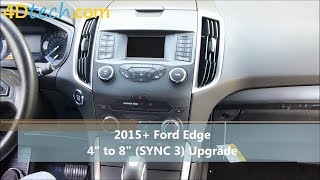
Yes, but it is a difficult and expensive project. It is not a plug-and-play swap. You will need the 8-inch screen, a compatible APIM module, the correct dash bezel/faceplate, a new USB hub for Apple CarPlay/Android Auto, and a custom wiring harness. The new APIM will also require extensive programming using a tool like FORScan. It is often more practical to buy a complete, pre-programmed conversion kit from a specialty retailer.
🎬 Watch: Full 4-inch to 8-inch SYNC 3 conversion guideIs my screen broken or is it the APIM module?
A good rule of thumb is to check if other functions still work. If the screen is black but you can still hear the radio, change stations with steering wheel controls, and hear Bluetooth audio, the APIM module is the most likely culprit. If the screen is physically damaged, delaminating, or experiencing 'ghost touch,' the screen itself has failed.
Does a replacement screen need to be programmed?
If you are only replacing the screen and keeping your original APIM module, programming is usually not required. However, if you replace the APIM module, it absolutely must be programmed to match your vehicle's features. Since many used parts are sold as a screen/APIM assembly, you should assume programming will be necessary.
Why is my screen black but the radio still works?
This classic symptom points directly to a failure in the APIM (Accessory Protocol Interface Module). The APIM is the computer that generates the video signal for the display. The radio tuner (ACM) is a separate module. When the APIM fails, it stops sending a signal to the screen, causing it to go black, but the radio module continues to function and play audio.
Helpful Videos

Technical Specifications
OEM Part Numbers: CT4T-19C116-CD DT4T-19C116-CA DT4T-19C116-CB DT4T-19C116-CC DT4T-19C116-CD EM2T-18B955-FD EM2T18B955FD EM2Z10D885FA ET4T-19C116-CA ET4T19C116CA ET4Z10D885CA G1GT18B955CA G1GT18B955CB G1GT18B955CC G1GT18B955CD
Available in three main versions: 4.2-inch non-touch display (SYNC), 8-inch touchscreen (MyFord Touch/SYNC 2 or SYNC 3), and 12.1-inch portrait touchscreen (SYNC 4A). The screen and APIM (Accessory Protocol Interface Module) are separate but connected components.
We Have This Part in Stock



The information in this article is provided for general reference and educational purposes only. Vehicle specifications, procedures, and part compatibility can vary by production date, trim level, and region. Always consult your vehicle's factory service manual and verify part numbers before purchasing or performing repairs. Safety-critical components such as airbags, seat belts, and braking systems should be installed by a qualified professional.
- Ford Edge:
- 🎬 Helpful Videos
- 🛍️ Shop This Part
- Critical Compatibility Warning: Three Generations of Screens
- Symptoms of a Failing Infotainment Display
- 1. Black or Blank Screen
- 2. Ghost Touch or Phantom Inputs
- 3. Screen Delamination or Bubbling
- 4. Unresponsive, Slow, or Freezing System
- Buying a Used Infotainment Display
- Programming and Installation Requirements
- Cost to Replace a Ford Edge Infotainment Display
- Frequently Asked Questions (FAQ)
- 🎟️ Get 5% Off