

2014 Dodge Viper Uconnect Display: Screen Bubbling, Replacement, and Programming
Your complete guide to diagnosing common 8.4-inch screen failures, understanding replacement options, and navigating the critical anti-theft programming for the Viper's infotainment system.
- The most common failure is screen delamination (bubbling), which causes 'ghost touches'. This is a physical failure requiring screen replacement, not a software update.
- Replacement units must be programmed to the vehicle's VIN. A used radio will require a 4-digit anti-theft code and may need dealer programming to enable all features.
- Verify the part number is for the 8.4AN (Navigation) system, specifically 68224525AE or a superseding number. Radios from other Dodge, Jeep, or Ram models are not directly compatible.
- A software update for recall 15V-461 is critical to patch a major security vulnerability.
Common Failures and Symptoms
The infotainment system in the 2014 Dodge Viper is generally reliable, but like many touchscreen units from this era, it is susceptible to a few well-known issues. Understanding these symptoms can help you decide whether to repair, replace, or troubleshoot your unit.
Screen Delamination (Bubbling) and Ghost Touches
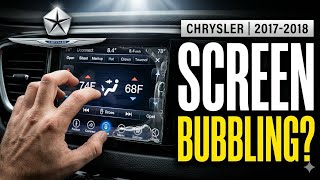
The most widespread problem is screen delamination. This happens when the adhesive bonding the outer touch-sensitive layer (digitizer) to the inner LCD panel fails, often due to heat and humidity. This failure creates visible air bubbles, a cloudy or milky appearance, or what looks like an oil slick behind the glass. As the layers separate, the system may start registering "ghost touches," where the radio changes stations, makes calls, or adjusts settings on its own. In some cases, the melted adhesive can even leak out from behind the bezel. This is a physical hardware failure; a software update will not fix it.
Software Glitches and Freezing
Owners may experience the system freezing, becoming unresponsive, or rebooting intermittently. These issues can sometimes be resolved with a "soft reset." To perform a soft reset, turn the vehicle to the 'Run' position without starting the engine, then press and hold the volume and tuner knob buttons simultaneously 🎬 Watch: How to reset your Uconnect system for 10-20 seconds until the screen goes blank and reboots. If problems persist, a software update from the dealer or via the Uconnect website may be necessary.
Blank or Black Screen
A screen that goes completely black can indicate a few problems. It could be a software glitch, a loose connection behind the unit, or a total failure of the display panel itself. Often, the radio may still play audio, and steering wheel controls might work, but the screen remains dark. This issue is sometimes intermittent.
Known Recalls and Technical Service Bulletins (TSBs)
NHTSA Recall 15V-461 (Chrysler Recall R40): This major recall was issued for a software vulnerability that could allow unauthorized third-party access to vehicle control systems through the Uconnect radio. The fix involves a software update, which Chrysler provided to owners on a USB drive or made available for dealer installation. For 2014 models, the software should be version 15.26.1 or higher to address this vulnerability.
While many TSBs exist for the broader Uconnect 8.4 platform, they often address specific software bugs like speaker popping, Bluetooth connectivity problems, or navigation errors that are not unique to the Viper.
Warning: The infotainment display is part of a networked system. A failure can sometimes be related to communication issues between modules, which may generate 'U' series diagnostic trouble codes, such as U0140 (Lost Communication with Body Control Module).
Buying a Used Infotainment Display
A used OEM display is often the most cost-effective replacement option. However, compatibility is critical. Here’s what to look for when buying a recycled part.
Verify the Part Number and Options
The correct part for a 2014 Viper with factory navigation is the Uconnect 8.4AN system. The primary OEM part number is 68224525AE, though it may supersede other numbers. It is crucial to ensure you are buying the 8.4AN (Navigation) model, not the 8.4A (Nav-Ready) version found in other Chrysler vehicles. Installing the wrong model will result in missing features.
Physical Inspection
When inspecting a used unit, look closely at the screen for any signs of delamination starting at the edges. Even a small bubble can spread over time. Check for deep scratches on the screen and ensure the surrounding bezel is not cracked or damaged.
Anti-Theft and VIN Locking
Uconnect radios are tied to the original vehicle's VIN for anti-theft purposes. When you install a used radio, it will likely require a four-digit anti-theft code to unlock it. Some sellers will provide this code with the radio. If not, a dealer or a specialized service may be able to provide the code based on the radio's serial number. Even after unlocking, some features may not work correctly until the unit is programmed to your Viper's specific configuration.
Pro Tip: Some companies specialize in repairing these units or selling pre-unlocked radios. They can fix the common delamination issue by replacing the screen and digitizer with 🎬 See how to fix screen bubbles and ghost touches improved, gel-free components that are more resistant to heat. This can be a better long-term solution than buying a used unit that may eventually develop the same problem.
Replacement and Programming
Installation Overview
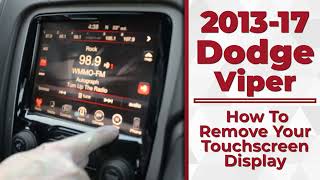
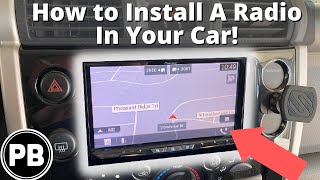
Replacing the display is a moderately difficult job that a DIY mechanic can perform. The process involves carefully prying off the dash and console trim panels to access the four screws holding the radio in place. The steering wheel may need to be tilted down to help remove the main bezel. Once the screws are out, the unit slides forward, and the various electrical connectors can be unplugged.
🎬 Watch this step-by-step touchscreen removal guideProgramming Requirements
A replacement radio must be configured to your vehicle's VIN and options. While a used unit may power on after entering the anti-theft code, features like the SRT Performance Pages, specific audio settings, or even the correct startup logo may not function correctly. A dealership can use its diagnostic tools to align the radio with the vehicle's body control module (BCM). Advanced DIYers may be able to perform some of this configuration using tools like AlfaOBD.
Cost of Replacement
The cost to replace a 2014 Dodge Viper infotainment display can vary significantly based on the source of the part and labor.
| Part Source | Estimated Cost |
|---|---|
| New OEM | $1,300 - $2,000+ |
| Used OEM | $400 - $800 |
| Remanufactured / Repaired | $500 - $900 |
| Shop Labor | $150 - $300 (1-2 hours) |
Frequently Asked Questions (FAQ)
Does a used infotainment display need to be programmed?
Yes. At a minimum, you will likely need a 4-digit anti-theft code to unlock a used radio. For all features to work correctly and to prevent conflicts with other vehicle modules, the radio should be programmed to your vehicle's VIN by a dealer or a specialist with the proper tools.
Can I just replace the bubbling touchscreen part myself?
Yes, this is a common repair. You can purchase a replacement LCD and digitizer assembly and separate the failed screen from the main radio chassis. This requires careful disassembly but is often cheaper than replacing the entire unit and permanently fixes the delamination issue if a quality gel-free screen is used.
Will a Uconnect 8.4 radio from a Jeep or Ram work in my Viper?
No, not without significant issues. While the units look identical, the internal software and hardware configurations are different. Using a radio from another model line will result in incorrect branding (e.g., a Jeep logo on startup), missing features like SRT Performance Pages, and potential communication errors with other modules in the Viper.
What causes the "ghost touching" and random screen inputs?
Ghost touching is a direct result of screen delamination. As the adhesive layer between the touchscreen and the LCD breaks down, it creates air gaps and pressure points that the system incorrectly interprets as a finger touching the screen. This is a physical hardware failure, not a software bug.
Helpful Videos
Technical Specifications
OEM Part Numbers: 68224525AE 68224525ZE 68224525ZF 68224525ZG 68224525ZH 68224525ZI 68224525ZJ 68224525ZK 68224525ZL 68224525ZM
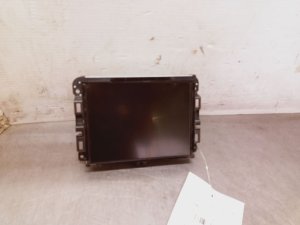
8.4-inch touchscreen display, Uconnect 8.4AN system with factory navigation and Uconnect Access.
We Have This Part in Stock


The information in this article is provided for general reference and educational purposes only. Vehicle specifications, procedures, and part compatibility can vary by production date, trim level, and region. Always consult your vehicle's factory service manual and verify part numbers before purchasing or performing repairs. Safety-critical components such as airbags, seat belts, and braking systems should be installed by a qualified professional.
- Dodge Viper:
- 🎬 Helpful Videos
- 🛍️ Shop This Part
- Common Failures and Symptoms
- Screen Delamination (Bubbling) and Ghost Touches
- Software Glitches and Freezing
- Blank or Black Screen
- Known Recalls and Technical Service Bulletins (TSBs)
- Buying a Used Infotainment Display
- Verify the Part Number and Options
- Physical Inspection
- Anti-Theft and VIN Locking
- Replacement and Programming
- Installation Overview
- Programming Requirements
- Cost of Replacement
- Frequently Asked Questions (FAQ)
- 🎟️ Get 5% Off