

2013-2014 Pathfinder Infotainment Module: Black Screen & Boot Loop Fix
This guide covers the common failures of the 2013-2014 Nissan Pathfinder's infotainment control module, focusing on the critical Bose/Navigation requirement and a surprisingly simple DIY fix for many issues.
- The most common cause of failure is a corrupted internal MicroSD card, leading to a black screen or boot loop.
- This module is ONLY compatible with Pathfinders that have BOTH factory navigation and the Bose premium sound system.
- A used module is typically plug-and-play and does not require dealer programming or anti-theft unlocking.
- A DIY repair by replacing the internal MicroSD card is a very cost-effective option for tech-savvy owners.
Symptoms of a Failing Infotainment Control Module
Failure of the infotainment control module in the 2013-2014 Pathfinder can present in several ways, often starting intermittently. The most common issues are related to the system's software, which is stored on an internal MicroSD card that is prone to failure. Here are the most frequent symptoms:
- Black or Blank Screen: The screen is completely dark, but you may notice the backlight is still on. Audio might still play, or it could be silent.
- Stuck on Nissan Logo / Boot Loop: The system tries to start, shows the Nissan splash screen, and then freezes or endlessly reboots.
- Unresponsive System: The screen is on, but it doesn't respond to touch commands or button presses. The system may also be extremely slow or laggy.
- No Audio: The display appears to be working correctly, but there is no sound from any source.
- Backup Camera Works, But Nothing Else: A key diagnostic clue is when the main system is dead (black screen or boot loop), but the backup camera display works perfectly when the vehicle is in reverse. This strongly points to a software/OS failure on the module's internal SD card, as the camera feed often bypasses the main operating system.
- Intermittent Operation: The system may work correctly when the vehicle is first started, especially in colder weather, but fails after being turned off and on again.
- Connectivity Problems: Frequent dropping of Bluetooth connections or failure to pair a phone can be a sign of a failing module.
Known Issues and Technical Service Bulletins (TSBs)
While there are no specific recalls for the infotainment module on the 2013-2014 Pathfinder, the most significant known issue is the failure of the internal MicroSD card that stores the system's operating software. This is not a typical wear-and-tear part but a design flaw where the cheap internal memory card corrupts over time, leading to the common black screen and boot loop symptoms. Technicians and DIYers have discovered that in many cases, the expensive control module hardware is fine; only the small memory card has failed.
Nissan has issued service campaigns for other modules on these vehicles, such as reprogramming the Transmission Control Module (TCM) for CVT judder issues (Campaign ID: PC500, NTB13-002), but not for this specific infotainment failure. TSBs for later model years do address infotainment software updates to fix flickering or camera issues, showing that software is a common point of failure for these systems.
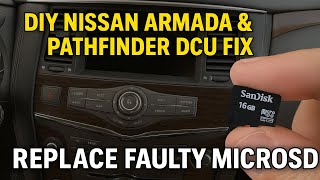
Pro Tip: A DIY repair for the failed MicroSD card is possible for advanced users. It involves disassembling the unit, removing the original card, and using a Linux-based tool to edit a configuration file on a disk image of the software before writing it to a new, high-quality MicroSD card. 🎬 Watch: Step-by-step guide to replacing the faulty internal MicroSD card Several online guides and videos detail this process, potentially saving thousands of dollars compared to a dealer replacement.
Buying a Used Infotainment Display Control Module
Purchasing a used module is the most common repair path for most owners. However, compatibility is absolutely critical. Follow these steps to ensure you get the right part.
Warning: This module is ONLY for Pathfinders equipped with BOTH the factory navigation system AND the Bose premium sound system. It will not work in a vehicle that does not have both of these options from the factory. Before ordering, verify your vehicle has a 'NAV' or 'MAP' button and 'Bose' logos on the speaker grilles.
How to Verify Compatibility:
- Check Your Options: Confirm your Pathfinder has the factory navigation system (look for a 'MAP' or 'NAV' button) and the Bose sound system (look for the Bose logo on the door speakers or dashboard). Aftermarket installation kits are available for non-Bose, non-Nav models, which confirms the wiring and system architecture are different.
- Match the Part Number: The best way to ensure compatibility is to remove your original module and match the part number exactly. The part number is printed on a sticker on the unit's housing. Known interchangeable part numbers include 25915-1JA1B, 25915-3KF0A, 25915-3KF0B, 25915-3KF0C, and 25915-3KF0D.
- Inspect the Connectors: When you receive the used part, compare the electrical connectors on the back to your original unit. They should be identical in shape, color, and pin configuration.
Programming and Installation
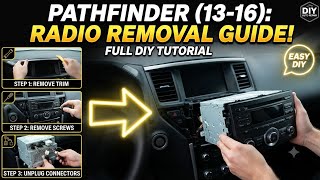
Replacement is generally plug-and-play, and there is no anti-theft system that will lock out a used module. However, some sources suggest that dealer programming may be required for all features to function perfectly, though many users do not report this as a necessary step. The physical replacement involves removing several pieces of dash trim to access the mounting screws for the module, which is located behind the climate controls. 🎬 See this video walkthrough on how to remove the radio This is a feasible DIY job for someone comfortable with basic tools and removing interior panels.
Cost to Repair or Replace
The cost can vary dramatically depending on the solution you choose.
| Repair Option | Estimated Cost | Notes |
|---|---|---|
| New OEM Module (Dealer) | $4,000 - $5,600+ | This is the most expensive option and often unnecessary, as the failure is typically just a small internal part. |
| Used OEM Module | $150 - $400 | The most common and cost-effective solution. Prices vary based on condition and seller. |
| Remanufactured Module | $300 - $600 | Offered by some third-party suppliers. |
| DIY SD Card Repair | $15 - $150 | Cost of a new MicroSD card and potentially a repair kit with pre-loaded software. |
| Shop Labor for Installation | $210 - $310 | Typically 1.5-2.5 hours of labor to remove dash trim and swap the unit. |
Frequently Asked Questions (FAQ)
Does a used infotainment module need to be programmed by the dealer?
Generally, no. For the 2013-2014 Pathfinder, a used module with the correct part number should be plug-and-play. There is no anti-theft link that will prevent it from working. While some sellers mention dealer programming might be needed, most DIY replacements work immediately without a dealer visit.
Can I fix my black screen issue myself?
Yes, in many cases. The most common cause of a black screen or a system stuck in a boot loop is a failed internal MicroSD card. If you are technically inclined, you can disassemble the unit and replace this card yourself for a fraction of the cost of a new module. There are detailed video guides and forum posts explaining the process.
Can I upgrade my base model Pathfinder with this Bose/Navigation unit?
No, this is not a simple swap. The vehicle wiring harness, amplifier, speakers, and other components are different between the base audio system and the premium Bose/Navigation system. Attempting to install this module in a non-equipped vehicle will result in it not functioning correctly.
Is the screen part of the control module?
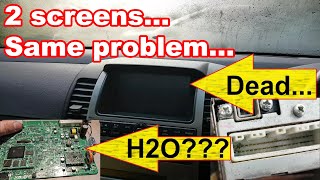
No, they are separate parts. This article covers the control module, which is the computer 'box' located in the dashboard, usually behind the climate controls. The display screen is a separate component. If you have audio but the screen is black, the screen itself could be the problem. 🎬 Watch: How to diagnose and repair a dead navigation screen If you have a black screen but the backup camera still works, the control module is almost certainly the problem.
Helpful Videos

Technical Specifications
OEM Part Numbers: 259151JA1B 259153KF0A 259153KF0B 259153KF0C 259153KF0D
Controls navigation, audio (AM/FM/CD/Bluetooth), and display functions. Requires vehicle to be equipped with factory navigation and Bose premium sound system.
We Have This Part in Stock



The information in this article is provided for general reference and educational purposes only. Vehicle specifications, procedures, and part compatibility can vary by production date, trim level, and region. Always consult your vehicle's factory service manual and verify part numbers before purchasing or performing repairs. Safety-critical components such as airbags, seat belts, and braking systems should be installed by a qualified professional.
- Nissan Pathfinder:
- 🎬 Helpful Videos
- 🛍️ Shop This Part
- Symptoms of a Failing Infotainment Control Module
- Known Issues and Technical Service Bulletins (TSBs)
- Buying a Used Infotainment Display Control Module
- How to Verify Compatibility:
- Programming and Installation
- Cost to Repair or Replace
- Frequently Asked Questions (FAQ)
- 🎟️ Get 5% Off