

2006 Hummer H2 Navigation Module: Fixing a Blank Screen or No Sound
This guide explains the common failures of the 2006 Hummer H2's factory navigation screen, including the critical VIN-lock programming and how to troubleshoot a 'no sound' condition.
- A replacement module MUST be programmed to your vehicle's VIN by a GM dealer to exit 'THEFT LOCK' mode.
- A 'no sound' issue is often caused by the separate Bose amplifier under the console, not the head unit itself.
- There are different radio versions for different Bose sound systems; a mismatch can cause a 'no sound' condition even after programming.
- The built-in navigation is outdated, requiring a 2012 or older map DVD to function.
Key Symptoms of a Failing H2 Navigation Module
When the factory navigation unit in a 2006 H2 begins to fail, it can cause several distinct problems. Identifying the specific symptom is the first step in determining if the module itself is the culprit.
- Blank or Black Screen: This is the most common failure. The display screen goes completely black and becomes unresponsive. In many cases, the audio (radio or CD) will continue to play, but you cannot see what is playing or change settings. This failure can be intermittent, sometimes working after the vehicle is restarted.
- No Audio Output: The display may appear to work correctly, but there is no sound from the speakers, including radio, CD, and door chimes. This issue often points to a problem with the separate Bose amplifier or its connection to the head unit.
- Unit is Hot to the Touch: Some owners report the face of the radio and the surrounding dash area becoming unusually hot, sometimes accompanied by an electrical burning smell. This indicates a serious internal electrical fault that should be addressed immediately.
- GPS Inaccuracy: The GPS position on the map may lag, drift, or show your vehicle in the wrong location.
- CD Player Malfunctions: The unit may refuse to play, load, or eject CDs, or the audio may skip frequently.
- "THEFT LOCK" or "DEF LOCK" Displayed: This message will appear on the screen if you install a used radio from another vehicle. The unit is electronically tied to the original vehicle's VIN and will not function until it is reprogrammed.
CRITICAL: VIN Programming is Required for All Replacements
You cannot simply swap a used Infotainment Display Control Module into your Hummer H2. These units feature a built-in anti-theft system that links them to the vehicle's Vehicle Identification Number (VIN).
Warning: If you install a replacement module (new or used) without programming, it will enter "THEFT LOCK" mode and will be completely non-functional. You will not be able to play music or access any features.
To make a replacement unit work, it must be programmed to your vehicle's VIN. This procedure requires a GM Tech 2 scan tool and access to the appropriate software. Typically, this means a trip to a GM dealership is necessary. Some well-equipped independent shops that specialize in GM vehicles may also be able to perform this service. Expect to pay a service fee for this programming, which some owners have reported to be around $150.
Troubleshooting: Is It the Radio, the Amp, or Something Else?
Before buying a replacement head unit, it's crucial to diagnose the problem correctly, as other components can cause similar symptoms.
If You Have No Sound (But the Display Works)
A "no sound" condition, especially if the door chimes are also gone, rarely points to the head unit itself. The more likely culprit is the Bose amplifier located under the center console. This amp is known to fail intermittently or completely. Before replacing anything, check the 30-amp fuse for the radio amplifier in the under-hood fuse block. In some cases, widespread electrical issues caused by bad grounds (specifically at a location known as splice pack SP 205) or a faulty Body Control Module (BCM) can mimic radio or amp failure.
If You Have a Blank Screen (But Sound Works)
This symptom is much more likely to be a failure within the head unit itself. An internal fault in the display's power supply or logic board can cause the screen to go dark while the audio processing part of the unit continues to function.
Buying a Used 2006 H2 Infotainment Module
Given that new OEM units are scarce and expensive, a used module is often the most practical choice. Here’s what to look for.
- Verify the Part Number: The most common part number for the 2006 H2 navigation unit is 15293813. Always match the part number from your original unit to ensure you are buying the correct hardware.
- Identify Your Sound System: The H2 was available with different tiers of the Bose sound system (often designated by RPO codes like Y91). Using a radio designed for a different amplifier setup can result in a "no sound" condition even after successful programming. While difficult to confirm, try to source a replacement from a vehicle with the exact same sound system option.
- Physical Inspection: Check the used unit for deep scratches on the screen, damage to the connectors, and any signs of water intrusion.
- Budget for Programming: Remember to include the cost of dealer programming in your total budget. A used radio that costs $150 is actually a $300+ repair once programming fees are included.
Pro Tip: When installing an aftermarket radio, you will lose factory features like OnStar and steering wheel controls unless you purchase a specific wiring interface adapter. A common DIY mistake is failing to connect the blue-and-white amplifier turn-on wire from the new harness. This results in the new radio powering on with no sound because the factory Bose amp never receives the signal to turn on.
Cost Comparison for a 2006 H2 Infotainment Module
| Part Source | Estimated Cost | Notes |
|---|---|---|
| New OEM | $2000+ (if available) | Extremely rare and likely discontinued. May require special order from a dealer. |
| Used OEM | $150 - $400 | Widely available from online sellers and salvage yards. Requires dealer programming. |
| Repair Service | $275 - $450 | You send your original unit to be repaired. This avoids the need for VIN programming. |
| New Aftermarket | $200 - $900+ | Modern units with features like Apple CarPlay and Bluetooth. Requires an installation kit and wiring adapter. |
| Shop Labor (Installation) | $100 - $200 | Physical installation is straightforward. |
| Shop Labor (Programming) | $125 - $200 | Required for new or used OEM units. |
Frequently Asked Questions (FAQ)
Does a replacement 2006 H2 navigation radio need to be programmed?
Yes, absolutely. All factory GM radios from this era are linked to the vehicle's VIN as an anti-theft measure. A replacement radio will display "THEFT LOCK" and will not work until it is programmed to your H2 by a dealer or a qualified shop with a GM Tech 2 tool.
Why did my replacement radio install with no sound?
If you installed a used OEM radio, the issue could be an incompatibility between the radio and your vehicle's specific Bose amplifier, or the amplifier itself may have failed. If you installed an aftermarket radio, the most common reason is that the amplifier turn-on wire (usually blue with a white stripe) was not connected, so the factory amp is not powering on.
Why is my radio screen blank but I can still hear music?
This is a classic sign of internal failure in the head unit. The display portion of the module has failed, but the radio tuner and audio processing circuits are still functioning. Repairing the unit or replacing it are the only solutions.
Can I upgrade my 2006 H2 to a modern radio with Bluetooth and Apple CarPlay?
Yes. Many companies offer modern double-DIN head units that can be installed in the H2. To do this, you will need a vehicle-specific installation kit (dash bezel), a wiring harness adapter, and an antenna adapter. To retain features like steering wheel audio controls and the Bose amplifier, you must use a specific, more advanced interface adapter.
Technical Specifications
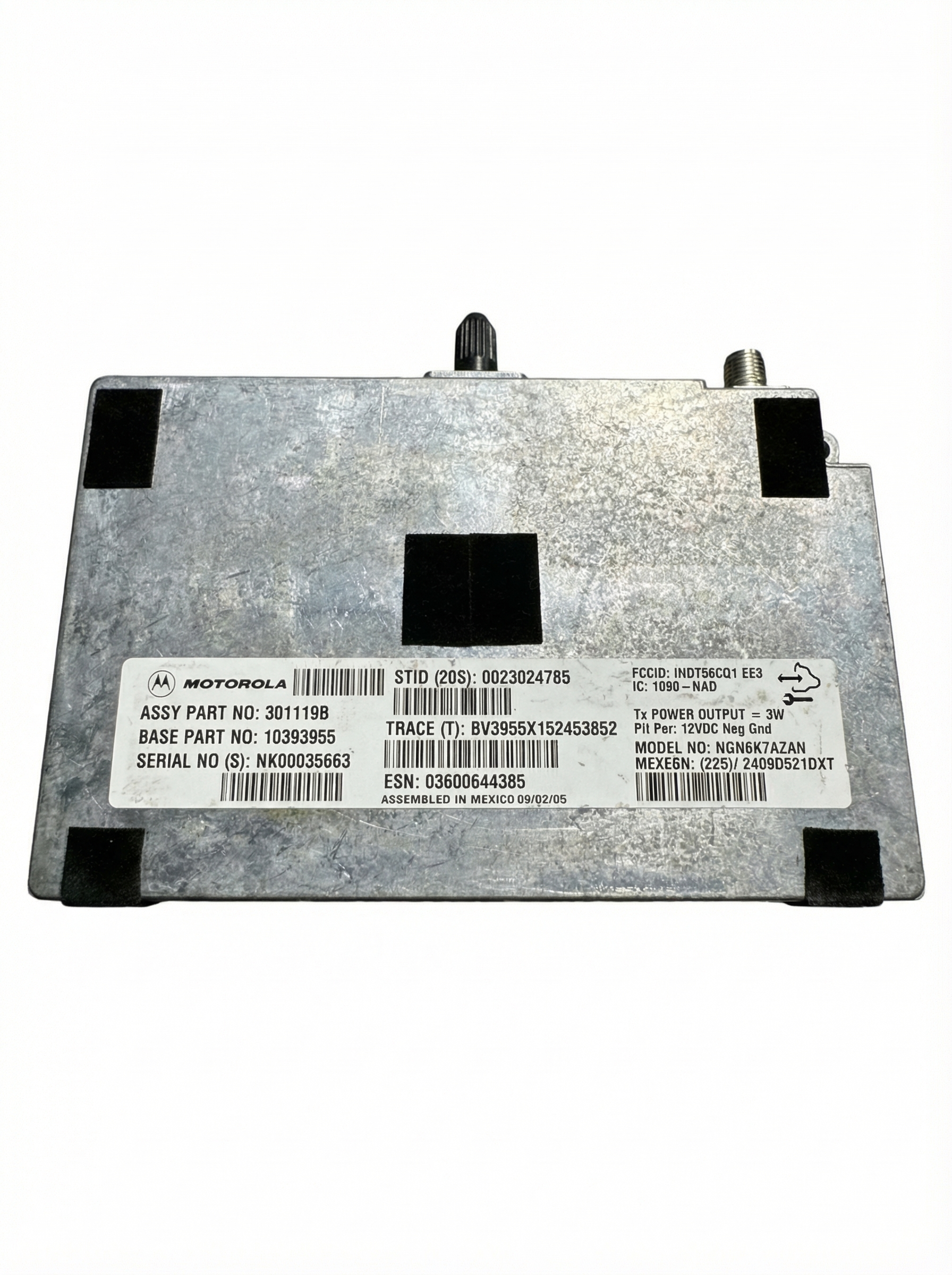
OEM Part Numbers: 15293813
Fits 2006 Hummer H2 with factory navigation screen. Requires external Bose amplifier. Navigation is DVD-based.
We Have This Part in Stock




The information in this article is provided for general reference and educational purposes only. Vehicle specifications, procedures, and part compatibility can vary by production date, trim level, and region. Always consult your vehicle's factory service manual and verify part numbers before purchasing or performing repairs. Safety-critical components such as airbags, seat belts, and braking systems should be installed by a qualified professional.
- Hummer H2:
- 🛍️ Shop This Part
- Key Symptoms of a Failing H2 Navigation Module
- CRITICAL: VIN Programming is Required for All Replacements
- Troubleshooting: Is It the Radio, the Amp, or Something Else?
- If You Have No Sound (But the Display Works)
- If You Have a Blank Screen (But Sound Works)
- Buying a Used 2006 H2 Infotainment Module
- Cost Comparison for a 2006 H2 Infotainment Module
- Frequently Asked Questions (FAQ)
- 🎟️ Get 5% Off