

2020-2023 Buick Encore GX Infotainment Display: Black Screens, Programming, and Replacement Guide
This guide covers the common causes of infotainment display failure in the 2020-2023 Buick Encore GX, with a focus on programming requirements and how to handle anti-theft locks when replacing the unit.
- A replacement infotainment display, even a used OEM unit, MUST be reprogrammed by a dealer or specialist to your vehicle's VIN to bypass the anti-theft lock.
- Common failure symptoms include a black screen, unresponsive touch, and constant rebooting. Software glitches are a frequent cause.
- Before replacing hardware, perform a hard reset by disconnecting the vehicle's battery for 15-20 minutes to rule out a simple software freeze.
- A recall for 2024 models (NHTSA ID 23V744) addresses black screen issues with a software update, indicating that many problems may be software-based rather than hardware failures.
Symptoms of a Failing Infotainment Display
When the infotainment system in a 2020-2023 Buick Encore GX begins to fail, it can manifest in several ways, ranging from minor annoyances to a complete loss of function. Understanding these symptoms can help you diagnose the problem correctly.
- Intermittent or Completely Black Screen: The most common and frustrating symptom is the screen going completely black. This can happen randomly at startup or while driving. Sometimes the audio continues to play, but the screen is dark. This issue was so prevalent on some 2024 models that it led to a software-related recall, highlighting the potential for software glitches to cause blackouts.
- Unresponsive or Lagging Touchscreen: The display may light up and show information, but it fails to respond to touch inputs. This is often referred to as a failed digitizer. In other cases, the system may be extremely slow to react to commands.
- "Ghost" or Phantom Touches: The system may act as if someone is touching the screen, causing it to change menus, make calls, or select options on its own.
- Connectivity Problems: Frequent disconnection of Apple CarPlay or Android Auto, or the inability to pair a phone via Bluetooth, can be a sign of a failing module.
- Reboot Loops: The system may get stuck in a continuous reboot cycle, showing the Buick logo over and over without ever fully starting up.
- Backup Camera Failure: The screen may display a "Service Rear Vision System" message or simply go blue or black when the vehicle is put in reverse. A specific Technical Service Bulletin (TSB #19-NA-076) addresses this issue.
Known Issues, Recalls, and Technical Service Bulletins (TSBs)
While the 2020-2023 Encore GX has been generally reliable, its infotainment system is the subject of several official communications from GM.
Recalls
A notable recall (NHTSA Campaign ID: 23V744, GM Recall: A232424320) was issued for certain 2024 Encore GX models due to a software issue in the Virtual Cockpit Unit Module (VCU) that could cause the instrument panel and infotainment display to go black while driving. While this recall specifically lists the 2024 model year, the symptoms are identical to many owner complaints for 2020-2023 models, suggesting a history of software-related screen issues. The fix for this recall is a software update, which can be performed over-the-air (OTA) or by a dealer.
Technical Service Bulletins (TSBs)
TSBs are instructions sent to dealers to help diagnose and repair common, non-safety-related issues. Several are relevant to the infotainment system:
- TSB #19-NA-076: Addresses a blue or black screen and a "Service Rear Vision System" message when shifting into reverse.
- TSB #22-NA-127: Details the release of Radio Software Version V160 to correct various customer concerns with radio performance.
- TSB #24-NA-084: Pertains to a newer software update (Version 169.3) for 2024 models to fix numerous bugs, including black screens, CarPlay/Android Auto disconnections, and frozen displays. While for a newer year, the listed problems are highly relevant to owners of all modern GM infotainment systems.
Pro Tip: Before assuming a hardware failure, try a hard reset. Turn the vehicle off, disconnect the negative battery terminal for 15-20 minutes, then reconnect it. This can sometimes resolve software freezes and save you a trip to the mechanic.
Buying a Used Infotainment Display
Purchasing a used infotainment display can save you hundreds of dollars compared to a new unit, but it comes with critical considerations, especially regarding programming and compatibility.
Warning: This is NOT a plug-and-play part. A used display from another vehicle will trigger an anti-theft lock when installed. The screen will power on but display a "LOCKED" or "THEFT LOCK" message, rendering it useless until it is reprogrammed.
Compatibility Verification
- Match the Part Number: The most important step is to match the OEM part number exactly. The known part number for the 8-inch display with navigation (IOU) is 42721359. Other numbers may exist for different trim levels or model years. Always verify the number on your original unit before purchasing a replacement.
- Verify the Option Code (RPO): This display is for vehicles with the IOU option code, which signifies the premium infotainment system with factory navigation. A display from a vehicle without this option will not work correctly.
Programming and Anti-Theft
Because the infotainment module is tied to the original vehicle's VIN, a replacement unit must be reprogrammed to your vehicle.
- Dealer Programming: A GM dealership can reprogram a used module to your vehicle using their Service Programming System (SPS). This involves clearing the old VIN and programming your vehicle's VIN into the module.
- Independent Shops & DIY: Some independent shops with the right tools (like a J2534 passthrough device) and a subscription to GM's Techline Connect software can also perform this programming. A DIY-savvy owner can potentially do this as well, but it requires technical skill and purchasing a subscription and the necessary hardware.
- Mail-In Services: Several third-party services offer to unlock and reprogram used modules. You ship your used replacement unit to them, they program it with your VIN, and then ship it back ready for plug-and-play installation.
Cost Comparison
The cost to fix a failing infotainment display can vary dramatically depending on the approach you take.
| Repair Option | Estimated Cost | Notes |
|---|---|---|
| New OEM Unit (Dealer) | $800 - $1,500+ | Part cost plus dealer labor for installation and programming. |
| Used OEM Unit | $50 - $200 | Part cost only. Does not include required programming. |
| Shop Labor (Install & Program) | $150 - $400 | Cost for a dealership or independent shop to install and program a customer-supplied part. |
| Mail-In Programming Service | $100 - $250 | Cost to unlock and VIN-match a used module you provide. |
Frequently Asked Questions (FAQ)
Will a used screen from a junkyard work in my Encore GX?
It will physically fit if the part number matches, but it will not function correctly out of the box. It will be in "Theft Lock" mode and will require reprogramming by a dealer or a specialized service to match your vehicle's VIN.
My screen is black but the radio still plays. Is the whole unit bad?
Not necessarily. If you still have audio, it means the main radio/processing module is likely working. The problem could be a failed LCD screen, a loose connection, or a software glitch. A hard reset by disconnecting the battery is a good first step.
Can I install the new display myself?
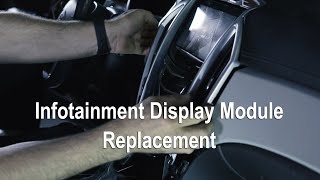
Yes, the physical installation is straightforward for a DIYer 🎬 Watch this step-by-step infotainment display replacement guide with basic tools. It involves removing several trim pieces and a few screws. However, the unit will not work until it is electronically programmed to the vehicle.
What is the difference between the infotainment display and the HMI/CSM module?
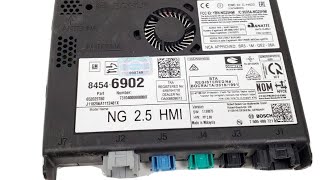
The infotainment display is the screen and touchscreen digitizer you interact with. The Human Machine Interface (HMI) or Computer Systems Module (CSM) is the "brain"—a separate box, often located behind the display or glove box, that runs the software. In many GM vehicles, these are separate but linked components. Failure can occur in either the screen or the module, and both are VIN-locked.
🎬 See how to locate and remove the HMI moduleHelpful Videos
Technical Specifications
OEM Part Numbers: 42721359
8-inch diagonal color touchscreen display. Designed for vehicles with RPO (option code) IOU with factory navigation.
We Have This Part in Stock


The information in this article is provided for general reference and educational purposes only. Vehicle specifications, procedures, and part compatibility can vary by production date, trim level, and region. Always consult your vehicle's factory service manual and verify part numbers before purchasing or performing repairs. Safety-critical components such as airbags, seat belts, and braking systems should be installed by a qualified professional.
- Buick Encore GX:
- 🎬 Helpful Videos
- 🛍️ Shop This Part
- Symptoms of a Failing Infotainment Display
- Known Issues, Recalls, and Technical Service Bulletins (TSBs)
- Recalls
- Technical Service Bulletins (TSBs)
- Buying a Used Infotainment Display
- Compatibility Verification
- Programming and Anti-Theft
- Cost Comparison
- Frequently Asked Questions (FAQ)
- 🎟️ Get 5% Off