

2014 Enclave & Traverse Infotainment Display: Blank Screens, VIN Lock & Programming Guide
Diagnosing a blank or unresponsive screen in your 2014 Buick Enclave or Chevrolet Traverse and understanding the mandatory programming for a replacement unit.
- Programming is mandatory. A used display must be programmed to your vehicle's VIN by a dealer or specialist to unlock it.
- You must match the RPO codes (e.g., UGX for Navigation) from the sticker in your glove box to ensure compatibility.
- Common failures include blank screens and "ghost touch" caused by screen delamination from heat.
- A used OEM unit is a cost-effective option, but you must budget for the additional cost of programming.
Common Failure Symptoms
When the infotainment display in a 2014 Buick Enclave or Chevrolet Traverse begins to fail, it can cause a range of frustrating issues. Recognizing these specific symptoms can help you determine if the display unit is the source of the problem.
1. Blank or Black Screen
The most common failure is a screen that goes completely black and unresponsive. The backlights may fail, or the unit may lose power internally. In some cases, you might still hear audio from the radio, but have no visual display or touch control. This can also be caused by a blown fuse or a loose connection, so those should be checked first.
2. Unresponsive or "Ghost" Touches (Delamination)
The screen may stop responding to your touch in certain areas or altogether. Conversely, it might start registering "ghost touches," where the system acts on its own, changing stations or making calls. This is a classic sign of screen delamination, where the top touch-sensitive layer (digitizer) separates from the LCD underneath due to heat and age. You may see what looks like bubbles or a wet, oily patch under the screen surface.
3. System Freezing or Rebooting
The infotainment system may freeze during use, becoming stuck on a single screen. It might also get caught in a reboot loop, where the GM logo appears and then the system shuts down and restarts repeatedly. This often points to a software glitch or an internal hardware failure within the main unit.
4. Bluetooth and Connectivity Problems
Difficulty pairing a phone, frequent Bluetooth disconnections, or the system failing to recognize a connected device are common complaints. While sometimes solved with a software reset, persistent connectivity issues can indicate a fault in the infotainment module's hardware.
5. Intermittent Audio and Strange Noises
Some owners report the radio shutting off and making a noise like a CD is being ejected, followed by static through the speakers. This type of electrical issue, especially when combined with other symptoms, points toward a failing head unit.
Pro Tip: Before assuming the unit is bad, try a soft reset. For MyLink systems of this era, pressing and holding the Home and Fast-Forward buttons for 10-15 seconds can often resolve temporary software glitches. If that fails, disconnecting the vehicle's battery for 15-20 minutes can perform a hard reset.
Known Issues, Recalls, and Technical Service Bulletins (TSBs)
While there are no specific recalls for the infotainment display itself, these vehicles were subject to other recalls and TSBs that involve vehicle electronics.
- NHTSA Recall 14V223 (GM Recall 14007): This safety recall was for an inaccurate fuel gauge reading caused by a software issue in the Engine Control Module (ECM). The fix was a dealer-performed reprogram of the ECM. While not directly related to the infotainment system, it shows how critical software is in these vehicles.
- NHTSA Recall 14V092000 (GM Recall 14048): A small number of vehicles had an issue where the transmission shift cable could disengage, meaning the gear selected might not match the actual gear the transmission is in. This was a mechanical issue, not an electronic one.
- TSB #PIC6073D: This bulletin provides information to technicians about a special diagnostic tool kit (EL-51578) for the Media Oriented Systems Transport (MOST) bus, which is the data network the radio and other modules use to communicate.
- Intermittent Electrical Issues: A known issue can cause the instrument cluster gauges to become inoperative and the radio to shut off. This may be caused by a wiring harness in the rear of the vehicle rubbing against the exhaust, causing a short on the vehicle's data network.
Buying a Used Infotainment Display: What to Look For
Purchasing a used OEM infotainment display is a great way to save money, but compatibility is critical. A radio from the wrong vehicle or with the wrong options will not work correctly, even if it looks identical.
1. The Golden Rule: Match Your RPO Codes
GM uses a system of three-character Regular Production Option (RPO) codes to identify every feature a vehicle was built with. These codes are found on a silver sticker called the Service Parts Identification label, which is typically located inside the glove box on these vehicles.
- UGX: This is the RPO code for the navigation-equipped radio with DVD playback.
- UE1: This code indicates the vehicle is equipped with the OnStar telematics system.
- UE0: This code means the vehicle was built *without* OnStar.
The initial information for this part highlights a unit with RPO code UGX for vehicles without UE1 (OnStar). You MUST verify the codes on your vehicle's sticker and purchase a replacement unit from a vehicle with the exact same critical RPO codes. Failure to do so will result in features not working or the unit being incompatible.
2. Physical Inspection
When buying a used unit, inspect it carefully. Look for deep scratches on the screen, cracks in the plastic bezel, and any signs of screen delamination (bubbling, peeling, or a milky appearance). Ensure all connectors on the back are intact and not damaged.
3. Part Numbers
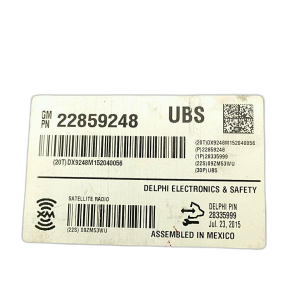
The following OEM part numbers are known to fit this specific configuration (Navigation, No OnStar): 22922854, 23148076, 23162881, and 23193681. Part numbers are often superseded over time, so focus on matching the RPO codes first and foremost.
Programming and Installation: This is NOT Plug-and-Play
Warning: You cannot simply swap a used infotainment unit into your vehicle. GM uses a VIN-locking anti-theft system. A used radio installed in a new vehicle will display "LOCKED" on the screen and will not function until it is programmed to your vehicle's VIN.
Who Can Program the Radio?
This is the most critical step of the replacement. Programming requires specialized tools and software subscriptions from GM.
- GM Dealership: Any GM dealer can perform the VIN relearn procedure. This is the most straightforward, though often most expensive, option.
- Specialized Independent Shops: Some independent auto repair shops that specialize in GM vehicles may have the necessary tools, like a GM MDI or a Tech2 scanner, and a subscription to GM's Service Programming System (SPS).
- Mail-In Services: Several companies offer mail-in unlocking and programming services. You send them your used radio, and they program it with your car's VIN before sending it back, making it plug-and-play upon return.
A typical mechanic, locksmith, or DIY-er will not have the ability to perform this programming. The cost for programming at a dealer or shop typically ranges from $125 to $200.
Replacement Cost Breakdown
The cost to replace the infotainment display can vary significantly depending on the path you choose.
| Part/Service | Estimated Cost |
|---|---|
| New OEM Unit (from Dealer) | $1,500 - $2,800+ |
| Used OEM Unit | $150 - $400 |
| New Aftermarket Screen (Digitizer Only) | $50 - $150 |
| Shop Labor (Physical Install) | $100 - $200 (approx. 1 hour) |
| Shop Labor (Programming) | $125 - $200 |
Frequently Asked Questions (FAQ)
Do I have to go to the dealer to get a replacement radio programmed?
Not necessarily. While a GM dealer is a guaranteed option, some specialized independent shops with GM-specific tools can do it. There are also mail-in services that will unlock and program a used radio to your VIN for a fee, making it plug-and-play when you receive it.
My screen is bubbling and has "ghost touches." Do I need to replace the whole radio?
No, not usually. This issue is called screen delamination. The problem is with the touch-sensitive overlay (the digitizer), not the entire radio. You can buy a replacement digitizer and install it onto your existing radio, which is a much cheaper repair. However, this is a delicate repair that involves disassembling the unit.
What are RPO codes and where do I find them?
RPO (Regular Production Option) codes are three-character codes that specify every option your vehicle was built with. For the 2014 Enclave and Traverse, they are on a silver sticker titled "Service Parts Identification" located inside the glove compartment. You must match these codes to ensure a used part is compatible.
Why is my screen black but I can still hear the radio?
This usually means the radio module itself is functioning, but the screen or the part of the circuit that powers the screen's backlight has failed. It could also be a loose connection to the display. Before replacing the entire unit, it's worth checking the fuses and the cable connections behind the dash.
Technical Specifications
OEM Part Numbers: 22922854 23148076 23162881 23193681
Features Navigation (RPO: UGX) and DVD playback. Designed for vehicles without OnStar/telematics (RPO: UE1).
We Have This Part in Stock




The information in this article is provided for general reference and educational purposes only. Vehicle specifications, procedures, and part compatibility can vary by production date, trim level, and region. Always consult your vehicle's factory service manual and verify part numbers before purchasing or performing repairs. Safety-critical components such as airbags, seat belts, and braking systems should be installed by a qualified professional.
- Buick Enclave:
- Chevrolet Traverse:
- 🛍️ Shop This Part
- Common Failure Symptoms
- 1. Blank or Black Screen
- 2. Unresponsive or "Ghost" Touches (Delamination)
- 3. System Freezing or Rebooting
- 4. Bluetooth and Connectivity Problems
- 5. Intermittent Audio and Strange Noises
- Known Issues, Recalls, and Technical Service Bulletins (TSBs)
- Buying a Used Infotainment Display: What to Look For
- 1. The Golden Rule: Match Your RPO Codes
- 2. Physical Inspection
- 3. Part Numbers
- Programming and Installation: This is NOT Plug-and-Play
- Who Can Program the Radio?
- Replacement Cost Breakdown
- Frequently Asked Questions (FAQ)
- 🎟️ Get 5% Off