

2013-2024 Buick Enclave Infotainment Screen: Delamination, VIN Lock & Replacement Guide
Learn to diagnose common screen failures like delamination and ghost touches, and understand the critical VIN-locking and programming steps required for replacement.
- A used or new replacement display MUST be programmed to your vehicle's VIN to disable the anti-theft 'LOCKED' message. This requires a dealer or a properly equipped independent shop.
- First-generation (2013-2017) models are highly prone to screen delamination ('spider-webbing'), which causes ghost touches and unresponsiveness.
- Second-generation (2018-2024) models are more likely to suffer from software glitches causing black screens or freezing, which can often be fixed with a system reboot or software update.
- You can often replace just the touch-screen digitizer on delaminated screens, which is cheaper than a full unit replacement and avoids the need for programming.
Generational Differences and Key Issues

The 2013-2024 Buick Enclave spans two distinct generations, each with a different infotainment system and unique problems.
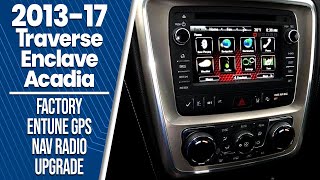
First Generation (2013-2017): IntelliLink System
The first-generation Enclave uses the GM IntelliLink system, typically with a 6.5-inch or 8-inch screen. The most widespread and well-documented issue with these units is screen delamination. The adhesive bonding the touch-sensitive digitizer to the LCD screen can break down from heat and age, causing a 'spider-web' or bubbling appearance. This isn't just a cosmetic problem; it causes the touchscreen to register 'ghost touches' (making selections on its own) or become completely unresponsive in certain areas.
Second Generation (2018-2024): Buick Infotainment System
The second-generation Enclave features a more modern Buick Infotainment System, often with a standard 8-inch screen and updated software. While less prone to the delamination seen in earlier models, these systems are more susceptible to software glitches. Owners report issues like a blank or black screen while the audio continues to work, system freezing, and problems with Apple CarPlay or Android Auto connectivity. In many cases, these problems can be resolved with a system reboot or a software update from a dealer.
Symptoms of a Failing Infotainment Display

An infotainment display rarely fails without warning. Watch for these common signs:
- Unresponsive or 'Ghost' Touches: The screen randomly makes selections, changes stations, or dials numbers without being touched. This is a classic sign of a failing digitizer, common in 2013-2017 models.
- Screen Delamination or 'Spider-Webbing': Visible bubbles, cracks, or a web-like pattern appear under the screen's surface. This directly impacts touch accuracy.
- Black or Flickering Screen: The screen goes completely black, flickers, or is very dim, but you can still hear audio from the radio. This often points to a failure of the LCD panel itself or a loose connection.
- Dead Spots: Certain areas of the touchscreen no longer respond to touch, making it impossible to press certain on-screen buttons.
- System Freezing or Lagging: The system becomes slow, freezes during use, or reboots unexpectedly. This is more common on newer models and can often be a software issue.
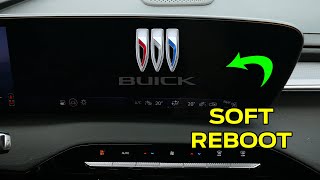
Pro Tip: Before assuming the hardware is bad, try a soft reset. On many newer Enclave models, you can do this by pressing and holding the 'End Call' button on the steering wheel for 10-20 seconds until the screen reboots. 🎬 Watch: A quick demonstration of how to reboot your Buick screen. For older models, turning the vehicle off for several minutes or temporarily pulling the radio fuse can sometimes clear temporary glitches.
Known Issues, TSBs, and Recalls

While there are no widespread recalls specifically for the infotainment display itself, GM has issued several Technical Service Bulletins (TSBs) related to software glitches and other electronic issues.
- NHTSA Recall 14V614: Affecting some 2014 Enclave models, this recall was for a potential electrical short in the chassis electronic module, which could cause the vehicle to stall. While not directly an infotainment issue, it highlights the interconnected nature of the vehicle's electronics.
- Software Glitches (2018+): GM has acknowledged software instability in newer models that can cause black screens and audio dropouts (Dealer Bulletin PIT60362). Dealers are often instructed to apply software updates rather than replace the entire unit.
Always check the NHTSA website for the most up-to-date recall information for your specific vehicle.
Buying a Used Buick Enclave Infotainment Display

Buying a used infotainment display can save you a significant amount of money, but it's critical to understand the challenges involved. This is not a simple plug-and-play part.
Warning: All factory GM radios from this era are equipped with an anti-theft system that locks the radio to the original vehicle's Vehicle Identification Number (VIN). If you install a used radio, it will display a 'LOCKED' message and will not function until it is reprogrammed to your vehicle's VIN.
Programming is Required
You cannot bypass the VIN lock without special tools. The new (used) radio must be programmed to your car. This can be done by:
- A GM Dealership: The most straightforward, but often most expensive, option. They have the correct diagnostic tools (like a Tech2 or GDS2/MDI) and software access.
- A Qualified Independent Shop: Some independent auto repair shops that specialize in electronics have the necessary tools and subscriptions to perform GM module programming.
- Mail-In Services or DIY Programmers: Some companies offer mail-in unlock services or sell OBD-II programmers that can clear the VIN lock, allowing the radio to pair with your vehicle.
What to Inspect on a Used Unit
- Match the Part Number EXACTLY: There are dozens of part numbers for these displays. They vary based on year, screen size, and whether the vehicle has factory navigation. A mismatched part number may not be compatible.
- Check for Delamination: For 2013-2017 screens, inspect the screen surface carefully in good light. Look for any signs of bubbling, peeling, or spider-webbing, even if minor.
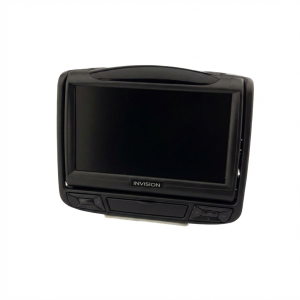
- Distinguish from Rear Seat Entertainment: The initial data included part numbers for headrest-mounted Rear Seat Entertainment (RSE) screens. These are NOT interchangeable with the main dash display. Ensure you are buying the correct dash-mounted unit.
Cost Comparison
| Part Type | Estimated Cost | Notes |
|---|---|---|
| New OEM | $700 - $1,500+ | Purchased from a dealer. Guarantees compatibility but is the most expensive option. |
| New Aftermarket | $400 - $800 | Varies widely in quality and features. May require special adapters and might not integrate perfectly with all vehicle functions. |
| Used OEM | $150 - $450 | A cost-effective option, but requires VIN programming ($100-$250) and careful inspection before purchase. |
| Remanufactured | $300 - $600 | Often comes with a warranty and may have common failure points (like the digitizer) already replaced. Programming is still required. |
| Shop Labor (Replacement) | $100 - $250 | Typically 1-2 hours of labor for removal and installation. |
| Shop Labor (Programming) | $100 - $250 | A separate charge from installation, required for used units. |
Frequently Asked Questions (FAQ)
Do I absolutely have to go to a dealer for programming?
No, but it's often the simplest path. A well-equipped independent shop that services GM vehicles can also perform the programming. There are also mail-in services and dedicated OBD-II programmers available that can remove the VIN lock.
Can I just replace the bubbling touch screen layer (digitizer) instead of the whole unit?
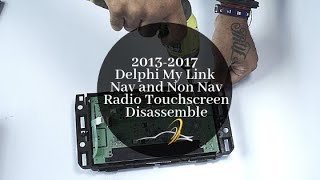
Yes. For the common delamination issue on 2013-2017 models, you can purchase just the replacement touch screen digitizer. This is a more involved repair that requires disassembling the radio module but is much cheaper than replacing the entire unit and does not require VIN programming. This is a good option if your LCD display still works perfectly.
🎬 See this walkthrough on how to disassemble and repair the touchscreen.Will a used screen show the previous owner's data?
No. Once the unit is programmed to your vehicle's VIN, it integrates with your car's systems. Personal data like paired phones or saved addresses is not typically stored in a way that transfers between vehicles. Performing a factory reset after installation is always a good practice.
What causes the 'ghost touch' or random button presses?
This is almost always caused by the breakdown of the touch screen digitizer. As the layers separate or degrade, the screen registers false pressure points, leading to erratic behavior. It is a physical failure of the screen itself.
Helpful Videos
Technical Specifications
OEM Part Numbers: 84580942 84629802 84713905 84764225 85158795 23139997 84067239 84337910 84789234 86780643
System types: Buick IntelliLink (2013-2017), Buick Infotainment System (2018-2024). Screen sizes typically 6.5-inch or 8-inch. All units feature VIN-based anti-theft technology.
We Have This Part in Stock



The information in this article is provided for general reference and educational purposes only. Vehicle specifications, procedures, and part compatibility can vary by production date, trim level, and region. Always consult your vehicle's factory service manual and verify part numbers before purchasing or performing repairs. Safety-critical components such as airbags, seat belts, and braking systems should be installed by a qualified professional.
- Buick Enclave:
- 🎬 Helpful Videos
- 🛍️ Shop This Part
- Generational Differences and Key Issues
- First Generation (2013-2017): IntelliLink System
- Second Generation (2018-2024): Buick Infotainment System
- Symptoms of a Failing Infotainment Display
- Known Issues, TSBs, and Recalls
- Buying a Used Buick Enclave Infotainment Display
- Programming is Required
- What to Inspect on a Used Unit
- Cost Comparison
- Frequently Asked Questions (FAQ)
- 🎟️ Get 5% Off