

2016-2020 Bentley Bentayga Infotainment Display: Replacement, Recalls, and Anti-Theft Programming
Learn about common screen failures, critical software updates, and the essential anti-theft programming required when replacing your Bentayga's main display.
- A replacement infotainment display MUST be programmed by a Bentley dealer or specialist to function due to anti-theft measures.
- Many common issues like freezing, reboots, or a blank screen can be fixed with a software update from a dealer, some of which are covered by recalls.
- Always verify the part number on a used unit matches your original part number (e.g., 36A919606) to ensure compatibility.
- A failing backup camera display is a known safety issue with official NHTSA recalls (18V-632 and 22V-743) that provide a free software fix.
Programming and Anti-Theft: The #1 Consideration

Before considering a replacement, it is critical to understand that the infotainment system in the Bentley Bentayga is protected by an anti-theft system, similar to Volkswagen Auto Group's (VAG) 'Component Protection'. This system links the infotainment display to the vehicle's original Vehicle Identification Number (VIN).
Warning: A new or used replacement display will NOT be plug-and-play. After physical installation, the unit will have limited or no functionality. It must be programmed and adapted to the vehicle by an authorized Bentley dealer or a qualified independent specialist with access to Bentley's diagnostic software (ODIS). This online programming procedure, sometimes called 'access protection', is required to remove the anti-theft lock and enable full functionality. Factor the cost of this mandatory programming into your repair budget.
Known Issues, Recalls, and Technical Service Bulletins

Several software-related issues have been identified for this infotainment system, with remedies available through software updates from a Bentley dealer.
Official Recalls (NHTSA)
- NHTSA Recall 18V-632: Affecting some 2018 Bentayga models, this recall addresses a software issue where the rearview camera image may be obstructed or delayed when selecting reverse. The fix is a software re-flash performed by a dealer.
- NHTSA Recall 22V-743: While this recall officially covers 2021-2022 models, it highlights a persistent software bug in the platform. A blank screen may appear instead of the rearview camera image. The remedy is a 3.5-hour software update at the dealership. Owners of 2016-2020 models experiencing similar issues should inquire about available software updates.
Technical Service Bulletins (TSBs)
- TSB 2053719/2 (Campaign EB26 / SC19/12): Bentley issued a service campaign to update the infotainment unit software to "improve the access protection." This is not a safety recall, but rather a proactive measure performed during routine service visits to enhance system security and performance.
Symptoms of a Failing Infotainment Display
Failures can range from intermittent glitches to a completely dead screen. Here are the most common symptoms owners report:
- Black or Blank Screen: The display may fail to turn on, remaining completely black, even though the audio system might still work. This can sometimes be temporarily fixed with a system reboot.
- System Freezing or Unresponsive: The touchscreen becomes unresponsive to touch, or the entire system freezes, requiring a vehicle restart to temporarily resolve.
- Constant Rebooting: The system gets stuck in a boot loop, showing the Bentley logo, turning off, and then repeating the cycle.
- Electrical Glitches: Since the system is deeply integrated, a failing infotainment unit can sometimes cause seemingly unrelated issues, like faulty parking sensor alerts or other warning messages.
- Backup Camera Not Displaying: The screen may go blank or fail to switch to the camera view when the vehicle is put in reverse, a known issue addressed by recalls.
Buying a Used 2016-2020 Bentayga Infotainment Display

Due to the extremely high cost of a new OEM unit, a used display is a popular choice. However, there are critical factors to consider to avoid a costly mistake.
Verify Your Part Number
Warning: Bentley used different infotainment options and software versions throughout the Bentayga's production. Before purchasing, you must verify that the part number of the replacement unit exactly matches your original part. The primary part number is 36A919606, but variations like 36A919606A exist. A mismatch can lead to compatibility issues even after programming.
What to Inspect on a Used Unit
- Screen Condition: Check for deep scratches, delamination (peeling of the top layer), or any signs of liquid damage.
- Connectors: Inspect all electrical connectors on the back for bent or corroded pins. Damage here can make the unit unusable.
- Casing: Look for cracks or signs that the unit has been opened, which could indicate a failed repair attempt.
Used OEM vs. New Aftermarket
You have two main alternatives to a new dealer part: a used OEM unit or a new aftermarket system.
- Used OEM: This is the best option for retaining the factory look, feel, and integration. Its primary drawback is the mandatory, and often costly, dealer programming required to make it work.
- New Aftermarket: Several companies offer large, Android-based replacement screens that add modern features like wireless Apple CarPlay and Android Auto. While they avoid the need for dealer anti-theft programming, they may not integrate as seamlessly with all vehicle functions and can have their own software quirks. Prices typically range from $1,600 to $2,200.
Replacement Cost Comparison
The cost of replacing the infotainment display can vary dramatically depending on the path you choose.
| Part Type | Estimated Cost | Notes |
|---|---|---|
| New OEM (Dealer) | $3,000 - $8,000+ | Includes part and mandatory programming. Price can be very high. |
| Used OEM | $1,000 - $2,500 | Part only. Does not include the required dealer programming fee. |
| New Aftermarket | $1,600 - $2,200 | Adds modern features but may have integration issues. |
| Repair Service | $500 - $1,000 | Your original unit is sent out for repair. This avoids programming issues. |
| Shop Labor (Installation & Programming) | $400 - $900 | Includes physical installation (1-2 hours) and dealer programming (2-4 hours). |
Frequently Asked Questions (FAQ)
Does a replacement 2016-2020 Bentayga infotainment display need to be programmed?
Yes, absolutely. All replacement units, whether new or used, must be programmed by a Bentley dealer or a specialist with the correct diagnostic tools. This process removes the anti-theft protection and syncs the unit to your vehicle's VIN.
Can I install a replacement display myself?
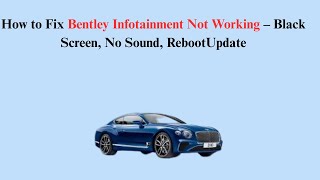
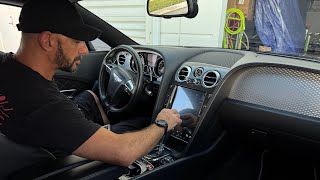
While the physical installation is straightforward for an experienced DIY mechanic, the unit 🎬 Watch: Step-by-step guide on how to remove the factory screen will not function correctly without professional programming. Therefore, DIY replacement is not recommended unless you have already arranged for a dealer or specialist to perform the final software adaptation.
What causes the infotainment screen to go black or freeze?
Most intermittent issues like a black screen or freezing are caused by software glitches. A simple system reboot (holding the power/volume knob for 10-15 seconds) can often resolve it temporarily. If the problem persists, a software update from the dealer is the next step. If updates don't help, it may indicate a hardware failure within the unit.
Is there a recall for the infotainment screen on my Bentayga?
There are recalls for software issues that cause the rearview camera to fail, specifically NHTSA 18V-632 for 2018 models and 22V-743 for later models. While there is no recall for the entire infotainment unit, these recalls provide a free software update at a dealer, which can resolve related glitches.
Helpful Videos

Technical Specifications
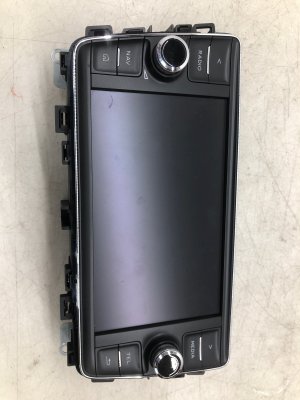
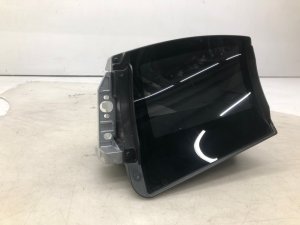
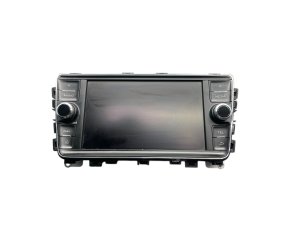
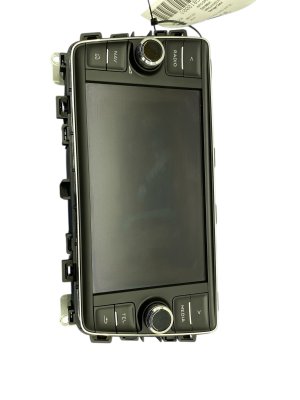
OEM Part Numbers: 36A919606 36A919606A 36A035050A
8-inch touchscreen display, integrated with MOST fiber optic vehicle network.
We Have This Part in Stock



The information in this article is provided for general reference and educational purposes only. Vehicle specifications, procedures, and part compatibility can vary by production date, trim level, and region. Always consult your vehicle's factory service manual and verify part numbers before purchasing or performing repairs. Safety-critical components such as airbags, seat belts, and braking systems should be installed by a qualified professional.
- Bentley Bentayga:
- 🎬 Helpful Videos
- 🛍️ Shop This Part
- Programming and Anti-Theft: The #1 Consideration
- Known Issues, Recalls, and Technical Service Bulletins
- Official Recalls (NHTSA)
- Technical Service Bulletins (TSBs)
- Symptoms of a Failing Infotainment Display
- Buying a Used 2016-2020 Bentayga Infotainment Display
- Verify Your Part Number
- What to Inspect on a Used Unit
- Used OEM vs. New Aftermarket
- Replacement Cost Comparison
- Frequently Asked Questions (FAQ)
- 🎟️ Get 5% Off