

Acura MDX Infotainment Display Issues: A Guide for 2010-2020 Models
This guide explains common problems, replacement costs, and compatibility for the two different infotainment systems used in the 2010-2020 Acura MDX.
- The infotainment systems in 2010-2013 and 2014-2020 MDX models are completely different and parts are not interchangeable.
- On 2014-2020 models, an unresponsive lower touchscreen can often be fixed by replacing only the inexpensive digitizer, not the entire unit.
- Replacing the battery will require you to enter a security code. This code can be retrieved online from Acura for free if you have the VIN and device serial number.
- The display screens themselves are typically plug-and-play, but the main radio/navigation computer unit may require dealer programming if replaced.
Identifying Your MDX Generation: 2010-2013 vs. 2014-2020

Before diagnosing or buying parts, you must know which generation of MDX you own. The infotainment systems are completely different and parts are not interchangeable.
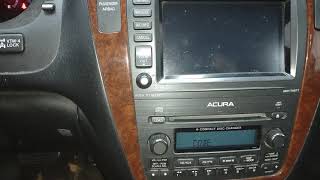
- 2010-2013 Acura MDX (Second Generation): Features a single, non-touch display screen recessed into the top of the dashboard, controlled by a large knob and a cluster of buttons below it. These models often have a 'HDD' (Hard Disk Drive) button for the navigation system.
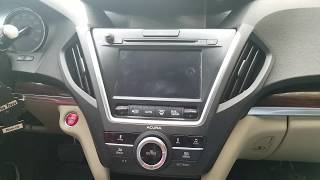
- 2014-2020 Acura MDX (Third Generation): Features a dual-screen setup. There is an 8-inch upper display (non-touch) recessed in the dash and a separate 7-inch touchscreen below it, closer to the shifter.
2014-2020 Acura MDX (Third Generation) Infotainment System


The Dual-Screen Setup: Upper Display vs. Lower Touchscreen
This generation's system is split into two distinct components that can fail independently.
- Upper 8-Inch Information Display (Part numbers may include 39810-TZ5-A21 series): This screen shows navigation maps, the backup camera, and vehicle data. It is not a touchscreen.
- Lower 7-Inch Touchscreen (Part numbers may include 39541-TZ3-A13): This screen, also called the On-Demand Multi-Use Display (ODMD), controls audio, climate, and other settings. It is a common failure point.
Common Failure Symptoms & Diagnostics
- Upper Screen is Black or Flickering: If the upper screen is black but the lower screen and radio work, the issue is often the upper screen itself or the main navigation/audio unit that sends it a signal. Intermittent black screens have been reported by owners, sometimes temporarily fixed by restarting the car. In some cases, dealers have replaced the entire unit to resolve the problem even when they couldn't replicate it.
- Lower Touchscreen is Unresponsive or Cracked: This is a very common problem. The screen may not respond to touch at all, or it may have 'ghost touches,' where it acts like it's being pressed randomly. If the display still lights up but doesn't respond to touch, the problem is likely the touch-sensitive layer called the digitizer.
- System Freezing, Rebooting, or Laggy: Software glitches can cause the entire system to freeze or randomly reboot. This can sometimes be related to issues with connected phones (Apple CarPlay/Android Auto) or a failing control unit. A simple reboot can often temporarily fix this.
- Apple CarPlay / Android Auto Issues: Frequent disconnections or failure to connect are common complaints. These problems can sometimes be traced to a bad USB cable, the phone's software, or glitches within the Acura infotainment software itself.
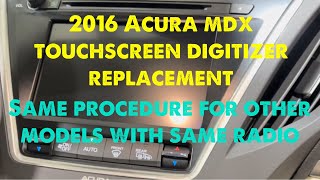
Pro Tip: For an unresponsive lower touchscreen on a 2014-2017 MDX, you may not need to replace the entire expensive unit. The touch screen digitizer is available as a separate part 🎬 Watch this step-by-step guide on replacing the lower touchscreen digitizer. for under $20. This is a more involved repair that requires disassembling the unit, but it can save hundreds of dollars.
2010-2013 Acura MDX (Second Generation) Infotainment System
The Single Screen & HDD Navigation System
The 2010-2013 MDX uses a single upper display screen integrated with a hard-drive-based navigation and audio system. A key feature of these models is the 'HDD' button on the control panel. The wiring and connectors for these HDD models are different from the earlier 2007-2009 MDX, which used a DVD-based navigation system. This is a critical detail when looking for aftermarket upgrades or harnesses.
Common Failure Symptoms & Diagnostics
- Screen is Blank, White, or Frozen: A total failure of the display screen is a common issue. If the radio still plays but the screen is dead, the screen itself has likely failed.
- 'Enter Code' Message: After disconnecting or replacing the battery, the system will require a 5-digit security code for the radio and a separate code for the navigation system.
- Navigation System Errors: Problems with the hard drive (HDD) unit can cause navigation functions to fail, even if the audio system still works.
Programming, Security Codes, and Replacement

Anti-Theft Security Codes
The most common 'programming' a user will encounter is the anti-theft security code. After a power interruption (like a new battery), the system locks itself until a code is entered.
- Finding the Code: The codes are often on a small sticker card in the glove box or with the owner's manual. Sometimes a sticker is placed on the side of the glove box or in the engine bay fuse box.
- Retrieving the Code: If you can't find the card, you can retrieve the codes from Acura's official website (radio-navicode.acura.com). You will need 🎬 Watch: How to find your radio and navigation security codes. your vehicle's VIN and the serial number of the radio and/or navigation unit.
- Getting the Serial Number: For the radio, turn the car on, make sure the radio is off, then press and hold presets 1 and 6 and turn the radio on. The serial number will display. For the navigation unit, press and hold the 'Map/Guide', 'Menu', and 'Cancel' buttons simultaneously for about 5 seconds to enter a diagnostic menu where you can find the unit's serial number.
Do I Need to Program a Replacement Display?
Generally, the display screens themselves are plug-and-play and do not require programming to the vehicle's VIN. However, the main computer that controls them (the DVD Player Unit, Navigation Unit, or Radio) may be a different story. Some of the initial warnings suggest a mechanic may need to reprogram a replacement audio unit for it to function correctly with all vehicle features. If you are only replacing a screen, you should not need programming. If you are replacing the entire radio/navigation module, be prepared for a potential dealer visit.
Buying a Used MDX Infotainment Display

Given the high cost of new OEM units, a used display is often the most economical choice. Here’s what to look for:
- Verify the Generation: First and foremost, ensure the part is from the correct generation of MDX (2010-2013 or 2014-2020).
- Match Part Numbers: The best way to ensure compatibility is to match the OEM part number from your original unit to the replacement. There are many variations. For example, 39810-STX-A11RM is a common part number for the 2010-2013 display. Part numbers beginning with 39110-TZ5- are typically the main DVD/player unit 🎬 See this video for a walkthrough on removing the display unit. for 2014-2020 models.
- Identify the Correct Component: Be clear about what you are buying. Are you buying just the upper screen? The lower touchscreen? Or the main player/computer unit? Sellers on sites like eBay often list these separately.
- Physical Inspection: When the part arrives, inspect the screen for deep scratches, delamination (a bubbling or peeling look), or cracks. Check all plastic mounting tabs and electrical connector ports for damage.
- Why Used OEM is a Good Choice: For integrated displays like these, there are few, if any, new aftermarket direct replacements. The choice is usually between a very expensive new OEM part, a used OEM part, or a remanufactured part. Used OEM offers a factory fit and function at a much lower price point.
Cost of Replacement
Prices can vary significantly based on the specific part and source.
| Part | New OEM (Dealer) | Used OEM (Online) | Remanufactured | Shop Labor |
|---|---|---|---|---|
| 2014-2020 Main DVD/Player Unit (39110-TZ5-A01) | $1,800 - $2,800 | $300 - $500 | $400 - $600 | $200 - $400 |
| 2014-2020 Lower Touchscreen Digitizer ONLY | Not Sold Separately | $18 - $30 | N/A | |
| 2010-2013 Upper Display Screen (39810-STX-A11) | $325 - $375 | $85 - $200 | $250 - $350 |
Frequently Asked Questions (FAQ)
Why is my 2015 MDX upper screen black but the radio still works?
This is a common failure. The problem could be the upper display screen itself, the main audio/navigation unit that generates the video signal, or a loose connection between them. Since the audio works, the main unit has power. The first step is to check connections, but often either the screen or the main unit needs replacement.
Can I replace just the cracked touchscreen on my 2016 MDX?
Yes, if the display underneath still works, you can often replace just the outer touch layer, called the digitizer. This is a cost-effective but detailed repair that involves taking the unit apart. Replacement digitizers are available online for 2014-2017 models.
My 2012 MDX screen says 'Enter Code' after I replaced the battery. What do I do?
You need to enter the factory anti-theft code. Look for a sticker card in your glove box or owner's manual. If you can't find it, you can get the code for free from Acura's website using your VIN and the radio's serial number.
Can I upgrade my 2012 single-screen system to the 2014 dual-screen system?
No, this is not a feasible upgrade. The dashboards, wiring, and electronic modules are completely different between the two generations. You would need to replace the entire dashboard and most of the vehicle's electronics.
How do I reboot my infotainment system if it's frozen?
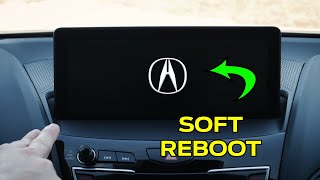
For many models, you can perform a soft reset by pressing and holding the audio system power/volume knob for about 10-15 seconds until the system reboots. For 2014+ models, you can also enter a hidden diagnostic menu to force a reboot while driving.
Helpful Videos


Technical Specifications
OEM Part Numbers: 39110-TZ5-A01 39110-TZ5-A01CN 39110-TZ5-A01CP 39110-TZ5-A01RM 39460-TZ6-A11 39810-TZ5-A21 39810-TZ5-A21CN 39810-TZ5-A21CP 39810-TZ5-A21RM 39810-STX-A11 39810-STX-A11RM 39810-STX-A11CN 39810-STX-A11CP
Systems vary by generation. 2010-2013 models use a single screen with HDD-based navigation. 2014-2020 models use a dual-screen setup with an 8-inch upper display and a 7-inch lower touchscreen.
We Have This Part in Stock



The information in this article is provided for general reference and educational purposes only. Vehicle specifications, procedures, and part compatibility can vary by production date, trim level, and region. Always consult your vehicle's factory service manual and verify part numbers before purchasing or performing repairs. Safety-critical components such as airbags, seat belts, and braking systems should be installed by a qualified professional.
- Acura MDX:
- 🎬 Helpful Videos
- 🛍️ Shop This Part
- Identifying Your MDX Generation: 2010-2013 vs. 2014-2020
- 2014-2020 Acura MDX (Third Generation) Infotainment System
- The Dual-Screen Setup: Upper Display vs. Lower Touchscreen
- Common Failure Symptoms & Diagnostics
- 2010-2013 Acura MDX (Second Generation) Infotainment System
- The Single Screen & HDD Navigation System
- Common Failure Symptoms & Diagnostics
- Programming, Security Codes, and Replacement
- Anti-Theft Security Codes
- Do I Need to Program a Replacement Display?
- Buying a Used MDX Infotainment Display
- Cost of Replacement
- Frequently Asked Questions (FAQ)
- 🎟️ Get 5% Off