

Mazda Stalling & No-Start Fix: Ignition Switch Guide for Mazda 6, Miata, CX-7, CX-9, RX-8 & MPV (2000-2015)
This guide covers the common symptoms, diagnosis, and replacement of the failure-prone electrical ignition switch for various 2000-2015 Mazda models.
- This electrical ignition switch requires NO programming or immobilizer reset, making a used OEM part a great value.
- The most common symptoms are the engine stalling while driving and an intermittent no-start condition.
- Replacement is a simple DIY job requiring basic hand tools and about an hour of time.
- A major fire-risk recall for ignition switches did NOT apply to the Mazda 6, MX-5, CX-7, CX-9, RX-8, or 2000-06 MPV models covered here.
Symptoms of a Failing Mazda Ignition Switch
A failing ignition switch often causes confusing, intermittent problems that can be mistaken for a bad battery, starter, or fuel pump. The key is that the issues are often related to the key position or vibrations from the road. Watch for these common signs:
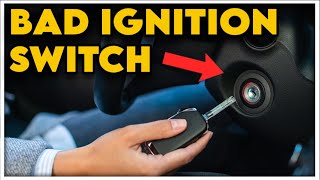
🎬 Watch: 8 common symptoms of a bad ignition switch- Engine Stalls While Driving: This is one of the most common and dangerous symptoms. A worn contact inside the switch can momentarily lose connection when you hit a bump, causing the engine to shut off without warning.
- Car Won't Start or Crank: You turn the key and nothing happens—no click, no crank, just silence. This can be intermittent; it might fail to start once, then work perfectly ten times in a row.
- Starts and Immediately Stalls: 🎬 See how to diagnose a Mazda 6 start-and-stall issue The engine fires up for a second and then immediately dies. This happens because the switch provides power in the 'START' position but fails to keep power flowing to the ignition and fuel systems in the 'ON' position.
- Flickering Dashboard Lights and Accessories: As you turn the key or jiggle it in the ignition, the dashboard lights may flicker or cut out. You might also notice the radio, power windows, or climate control randomly turning off and on.
- Key is Hard to Turn or Won't Shut Off Car: While less common, the mechanical part of the switch can bind. In some cases, the switch fails to cut power when you turn the key to the 'OFF' position, leaving the engine or accessories running.
Generally, a faulty ignition switch will not trigger a specific Check Engine Light code by itself. However, the stalling and power interruptions it causes can lead to secondary codes, such as a random misfire code (P0300).
Is it the Ignition Switch or Something Else? (Diagnosis)
Before replacing parts, try these simple diagnostic steps:
- The Jiggle Test: If the car is running, try gently wiggling the key in the ignition without turning it. If this causes the dashboard to flicker or the engine to stumble, the ignition switch is almost certainly the culprit.
- Check Accessories: Turn the key to the 'ACC' (Accessory) and 'ON' positions without starting the engine. Do the radio, blower fan, and dashboard lights work correctly and consistently? If they cut in and out, the switch is a likely suspect.
- Observe the Dash Lights: When a stall occurs, pay close attention to the dashboard. If all the lights go out completely as if you turned the key off, it strongly points to the ignition switch cutting power to the entire cabin. If the lights stay on but the engine dies, the problem may be elsewhere (like the fuel system).
Pro Tip: On the Mazda CX-9, intermittent no-start issues have been traced to a loose wire in the harness connecting to the ignition switch. Before replacing the switch, it's worth inspecting the connector and wiring behind the steering column for any loose connections.
Known Issues, Recalls, and Technical Service Bulletins (TSBs)
There was a major Mazda ignition switch recall in 2015 (NHTSA Campaign 8715J) for a fire risk caused by grease inside the switch overheating. However, this recall primarily affected older models.
- 2000-2006 Mazda MPV: 🎬 Watch: MPV ignition switch replacement walkthrough The recall for fire risk applied to the 1989-1998 MPV models. The 2000-2006 MPV models covered by this guide were not part of that specific safety recall, though they can still suffer from the general failure symptoms described here.
- Mazda 6, MX-5 Miata, CX-9, CX-7, RX-8: None of the year ranges for these models listed in this guide were included in the 2015 ignition switch fire risk recall. While the Mazda CX-7 had recalls for suspension corrosion and airbags, none were related to the ignition switch.
Buying a Used Ignition Switch: What to Look For
A used OEM ignition switch is an excellent, cost-effective choice because this part does not require programming. Here’s what to inspect:
- Verify the Connector: This is the most critical step. Unplug your old switch and confirm it has a 6-pin connector. The parts covered in this guide are for 6-pin models. Ensure the used part you are buying has the identical pin configuration.
- Inspect the Pins and Housing: Look closely at the plastic housing and the metal connector pins. Avoid any switch that shows signs of melting, charring, or discoloration. These are signs of overheating and electrical failure.
- Check for Brittleness: The plastic can become brittle with age and heat cycles. Gently feel the housing to ensure it's not cracked or crumbling.
- Why Used OEM is a Good Choice: Original Equipment Manufacturer (OEM) parts are built to the automaker's exact specifications for materials and durability. For a critical electrical part like this, a low-mileage used OEM switch is often more reliable than a cheap, new aftermarket alternative which may use lower-quality internal contacts.
Programming and Immobilizer Information
Good News: No Programming Required. This ignition switch is a direct electrical component and does not need to be programmed, flashed, or coded to your vehicle. The vehicle's anti-theft or immobilizer system is separate. The security chip is located in your key, and it is read by a transponder ring (an antenna) located around the lock cylinder assembly. Because you are only replacing the rear electrical switch and reusing your original lock cylinder and keys, the immobilizer system is not affected. You will not need a dealer or locksmith visit after installation.
Ignition Switch Replacement Guide
Replacing the ignition switch is a straightforward DIY job that typically takes under an hour. While specifics vary slightly between models, the general process is the same.
- Disconnect the Battery: Always disconnect the negative battery terminal before working on any electrical components.
- Remove Steering Column Covers: Remove the plastic covers (shrouds) around the steering column. This usually involves removing three Phillips head screws from the underside.
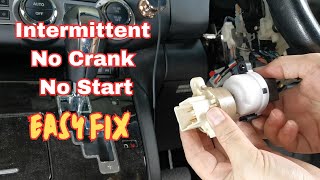
- Locate and Unplug the Switch: The ignition switch is the electronic part attached to the very back of the metal ignition lock cylinder. Unplug its electrical connector.
- Remove the Old Switch: The switch is typically held in place by a small clip and/or one or two small screws. One screw is often in a tight spot, requiring a short, 'stubby' Phillips screwdriver for access. Once the screw(s) are out, the switch will slide off the back of the lock cylinder.
- Install the New Switch: Before installing, it's a good idea to spray the wiring harness connector with electrical contact cleaner. Slide the new switch into place, reinstall the retaining screw(s), and plug in the connector.
- Test and Reassemble: Reconnect the battery and test all key positions ('ACC', 'ON', 'START') to ensure everything works correctly before reattaching the steering column covers.
Cost Comparison: New vs. Used Ignition Switch
| Part Type | Estimated Price Range |
|---|---|
| New OEM (Dealer) | $55 - $80 |
| New Aftermarket | $20 - $50 |
| Used OEM | $25 - $50 |
| Shop Labor Cost | $75 - $150 |
Frequently Asked Questions (FAQ)
Do I need to get my keys reprogrammed if I replace the ignition switch?
No. You are only replacing the rear electrical part. Since you are reusing your original metal lock cylinder and keys, the car's security system is not affected and no reprogramming is needed.
Can I replace just the switch without the lock cylinder and keys?
Yes. This guide is specifically for replacing only the electrical switch. The lock cylinder and keys are separate components and do not need to be replaced unless they are physically damaged.
Is a bad ignition switch dangerous?
Yes, it can be. The greatest danger is the engine stalling while driving, which causes a loss of power steering and power brakes, increasing the risk of a crash. It is recommended to replace the switch as soon as symptoms appear.
Will a bad ignition switch drain my battery?
Yes, it can. If the switch fails to completely cut power to all accessory circuits when the key is turned off, it can cause a parasitic drain that will deplete the battery overnight.
Compatible Part Numbers
This electrical ignition switch was used across a wide variety of Ford and Mazda vehicles. Always verify the 6-pin connector matches your original part. Known part numbers include:
| Brand | Part Number |
|---|---|
| Mazda | GP7A-66-151 |
| Mazda | LC70-66-151 |
| Mazda | UM49-66-151 |
| Ford / Motorcraft | 2M34-11572-AA |
| Standard Motor Products (Aftermarket) | LS1084 |
| Wells (Aftermarket) | 1S5979 |
Helpful Videos
Technical Specifications
OEM Part Numbers: GP7A-66-151 LC70-66-151 UM49-66-151 2M34-11572-AA 2M3411572AA
Connector Type: 6-Pin
We Have This Part in Stock



The information in this article is provided for general reference and educational purposes only. Vehicle specifications, procedures, and part compatibility can vary by production date, trim level, and region. Always consult your vehicle's factory service manual and verify part numbers before purchasing or performing repairs. Safety-critical components such as airbags, seat belts, and braking systems should be installed by a qualified professional.
- Mazda 6:
- Mazda MX-5 Miata:
- Mazda CX-9:
- Mazda CX-7:
- Mazda MPV:
- Mazda RX-8:
- 🎬 Helpful Videos
- 🛍️ Shop This Part
- Symptoms of a Failing Mazda Ignition Switch
- Is it the Ignition Switch or Something Else? (Diagnosis)
- Known Issues, Recalls, and Technical Service Bulletins (TSBs)
- Buying a Used Ignition Switch: What to Look For
- Programming and Immobilizer Information
- Ignition Switch Replacement Guide
- Cost Comparison: New vs. Used Ignition Switch
- Frequently Asked Questions (FAQ)
- Compatible Part Numbers
- 🎟️ Get 5% Off