

2024-2026 Tesla Cybertruck HVAC: Decoding Failures, Noises, and Repair Costs
An in-depth look at the common climate control problems, warning messages, and component failures emerging in the first-generation Tesla Cybertruck.
- The 'HVAC Control' is a complex system of software and multiple hardware components; it is not a single part.
- Early production models (2024-2025) are prone to premature failures, including coolant leaks and failed control modules, often with little to no warning.
- Most repairs are extremely difficult and expensive, often requiring removal of the entire instrument panel and access to Tesla's service software.
- A complete heater failure in cold weather is a known issue and a serious safety risk, as it prevents defrosting the windshield.
Symptoms of HVAC System Failure


Because the Cybertruck's climate system is deeply integrated with the vehicle's main computer and thermal management, a failure can present in several ways, from simple annoyances to critical malfunctions.
1. Complete Loss of Heating or Cooling
The most severe symptom is a total failure of the A/C or heat. Owners have reported the system abruptly stopping, sometimes just days or weeks into ownership. This can be caused by several underlying issues:
- Failed Climate Control Module: A specific warning message, "climate control module failed," may appear on the touchscreen, indicating a fault with this core component.
- Refrigerant or Coolant Leaks: A "Low Coolant" warning can indicate a leak in the thermal management system. Leaks have been traced to components like the coolant bottle or HVAC manifolds, requiring replacement.
- Heater Failure in Cold Weather: Multiple owners have experienced a complete loss of heat, which is a significant safety concern in cold climates. It can make it impossible to defrost or defog the windows, severely impairing visibility.
2. Warning Messages on the Touchscreen
The vehicle will often report a problem before a complete failure. Common messages include:
- "Cabin climate control limited…": This message often appears when the system is struggling to perform, such as when a refrigerant leak is developing.
- "Low Coolant": This points to a leak in the system that affects both the powertrain and HVAC performance.
3. Abnormal Noises
The Cybertruck's quiet cabin makes HVAC noises more apparent. While some humming is normal, several distinct abnormal sounds have been reported by owners.
- Ticking or Clicking: A faint ticking sound when adjusting airflow is a common complaint. This is often attributed to the HVAC dampers or blend door actuators moving behind the dashboard.
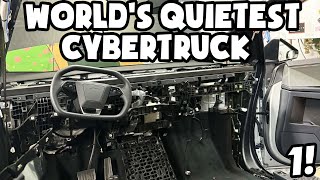
- Rattling: A rattling noise, especially at low fan speeds, can indicate debris in the cabin air filter housing or loose clips and screws around the dashboard area. 🎬 See how to quiet down cabin rattles and dashboard noises.
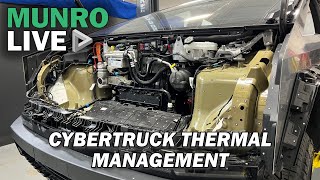
- Humming or Whirring: A noticeable hum from the front of the vehicle is often the normal sound of the A/C compressor and coolant pump, which are essential for both cabin climate and battery temperature management. 🎬 Watch: How the Cybertruck's unique thermal management system works. However, if this sound changes suddenly or becomes excessively loud, it could indicate a problem.
4. Poor Airflow or Distribution
Some owners have noted an inability to direct air to the side windows for demisting. This has been linked to a defective 'Airwave module'—one of the components that controls airflow direction. Unfortunately, replacing this module is a major repair that requires removing the entire instrument panel.
5. Weak Ventilated Seats
Many users report that the 'cooled' or ventilated seats feel very weak. This is a design characteristic rather than a failure. The seats are only ventilated, meaning they use fans to pull ambient cabin air through the perforated seat surface. They do not have a dedicated cooling element, so their effectiveness is limited until the entire cabin has cooled down.
🎬 Watch: Real-world owner review of the climate system after 1,500 miles.Warning: A failure of the heating system in freezing temperatures is a safety issue. It can lead to an inability to clear the windshield of fog or ice, making the vehicle unsafe to drive.
Known Issues, TSBs, and Recalls

As an early-production vehicle, the 2024-2026 Cybertruck has experienced several issues. While there are no specific recalls for the HVAC system as of early 2026, several related problems and other recalls highlight the risks of a first-generation model.
- Early Component Failures: Forum discussions are filled with reports of HVAC components failing with very low mileage, including control modules, manifolds, and coolant reservoirs.
- Service Center Availability: Not all Tesla Service Centers are equipped to handle major Cybertruck repairs, which can lead to significant delays in getting problems addressed.
- Drive Inverter Recall (SB-24-40-009): While not a direct HVAC part, the drive inverter is a critical component of the vehicle's electronics and thermal management. A recall was issued because a fault could cause a loss of propulsion. This underscores the integrated nature of the vehicle's systems.
Buying a Used HVAC Control Component

Since 'HVAC Control' is a system, you are more likely to be buying a specific component like an actuator, sensor, or fan motor rather than a single control unit. If you are buying a used Cybertruck, this section is about what to check on the vehicle itself.
Testing the System on a Used Cybertruck
This is the most important check. Before purchasing, spend at least 15 minutes testing the entire climate control system through the touchscreen:
- Test All Modes: Switch between Auto, Manual, Heat, and A/C. Set the temperature to its lowest and highest settings to confirm both heating and cooling work effectively.
- Check All Vents: Use the on-screen controls to direct air to every possible location—face, feet, and windshield. Ensure the 'Airwave' feature directs air properly towards the side windows.
- Listen Carefully: With the audio system off, listen for abnormal noises. Cycle the fan from low to high. Listen for rattling, loud whining, or excessive clicking as you change settings.
- Verify Ventilated Seats: Turn the ventilated seats to their highest setting. You should hear the fans and feel some airflow, however weak.
- Check for Error Messages: Navigate through the vehicle's service menu (if possible) or check for any persistent warning icons on the main display.
Inspecting a Used Component (e.g., Actuator, Sensor)
- Verify Part Numbers: The Cybertruck shares some HVAC components with other Tesla models. For example, the HVAC Upper and Lower Actuator may be part number 1500623-00-A, and an ambient air temperature sensor may be 6007379-00-B. Always match the part number exactly with the failed part from your vehicle.
- Physical Inspection: Check for any cracks in the plastic housing, damage to electrical connectors, or signs of water intrusion. For an actuator, try to gently move the arm to ensure it is not seized.
- Why Used OEM is a Good Choice: For a vehicle this new, aftermarket options are virtually nonexistent. A used OEM part from a low-mileage vehicle offers the same factory performance and fitment at a lower cost. Given the high cost of new Tesla parts, a recycled component can provide significant savings.
Pro Tip: When buying a used Cybertruck, ask the seller for service records. See if any HVAC-related warranty work has been performed, as this could indicate a recurring problem.
Cost Breakdown for HVAC Repairs

Repair costs for the Cybertruck are high due to its complex, integrated systems and high labor rates. While many early failures are covered under warranty, out-of-pocket expenses will be significant.
| Item | Estimated Cost | Notes |
|---|---|---|
| New OEM Components | $65 - $500+ | An actuator may cost around $65, but a control module or fan assembly will be much more. Prices are not widely public. |
| Used OEM Components | $40 - $300+ | Offers a significant discount over new OEM parts, depending on the component. |
| AC System Diagnosis | $122 - $179 | This is the typical cost for a shop to diagnose the problem, not including any repairs. |
| Shop Labor Cost | $2,000 - $5,000+ | Labor costs for the Cybertruck are extremely high. A simple actuator swap might be on the lower end, but any repair requiring dashboard removal (like for the 'Airwave module') will be thousands of dollars. |
Frequently Asked Questions (FAQ)
Is the humming noise from the front of my Cybertruck normal?
Often, yes. The Cybertruck uses its HVAC system (compressor and coolant pumps) to manage the temperature of the high-voltage battery, not just the cabin. You may hear humming or whirring from the front of the truck even when it's parked and the cabin A/C is off. This is considered normal operation.
What does the 'Cabin climate control limited' message mean?
This warning indicates the HVAC system has detected a problem and cannot operate at full capacity. It's often an early sign of a developing issue, such as a slow refrigerant leak or a failing sensor. You should schedule a service appointment soon if you see this message.
Why are my 'cooled' seats so weak?
The Cybertruck features ventilated, not refrigerated, seats. They use fans to circulate air that is already inside the cabin. They do not produce their own cold air. Their performance will improve significantly once the main A/C system has cooled the entire cabin interior.
Can I perform HVAC repairs on my Cybertruck myself?
For the average DIY mechanic, most repairs beyond replacing the cabin air filter are not feasible. Many components require removal of the entire dashboard or other major assemblies. Furthermore, the system is highly integrated with the vehicle's software, and replacement of certain modules may require calibration using Tesla's proprietary service tools.
Helpful Videos


Technical Specifications
OEM Part Numbers: 1500623-00-A 1500627-00-A 6007379-00-B
The HVAC system is integrated with the vehicle's main computer and operates via the central touchscreen. It uses a heat pump for high efficiency and is tied into the battery's thermal management system.

The information in this article is provided for general reference and educational purposes only. Vehicle specifications, procedures, and part compatibility can vary by production date, trim level, and region. Always consult your vehicle's factory service manual and verify part numbers before purchasing or performing repairs. Safety-critical components such as airbags, seat belts, and braking systems should be installed by a qualified professional.
- Tesla Cybertruck:
- 🎬 Helpful Videos
- Symptoms of HVAC System Failure
- 1. Complete Loss of Heating or Cooling
- 2. Warning Messages on the Touchscreen
- 3. Abnormal Noises
- 4. Poor Airflow or Distribution
- 5. Weak Ventilated Seats
- Known Issues, TSBs, and Recalls
- Buying a Used HVAC Control Component
- Testing the System on a Used Cybertruck
- Inspecting a Used Component (e.g., Actuator, Sensor)
- Cost Breakdown for HVAC Repairs
- Frequently Asked Questions (FAQ)
- 🎟️ Get 5% Off