

2017 Cadillac XT5 Heads Up Display: Diagnosing a Blank Screen and Replacement Guide
This guide covers the common causes of a blank or unresponsive Heads Up Display (HUD) in the 2017 Cadillac XT5, including a simple fix you can try before replacing the unit.
- A blank or unresponsive HUD is a known issue addressed by Technical Service Bulletin (TSB) 21-NA-127.
- Before replacing the unit, try resetting it by pulling the HUD fuse for one minute, as the problem is often a software glitch.
- Replacement is a very difficult (5/5) job requiring extensive dashboard disassembly; professional installation is highly recommended.
- Ensure your vehicle has the factory HUD option (RPO code UV6) before buying a used part, as retrofitting is not feasible.
Symptoms of a Failing Heads Up Display
When the HUD assembly in a 2017 Cadillac XT5 begins to fail, the symptoms are usually very noticeable. Understanding these signs can help you determine if the problem is a simple software glitch or a true hardware failure.
- Blank or Inoperative Display: The most common symptom is the HUD failing to turn on or project an image onto the windshield. This can be an intermittent problem, with the display sometimes working after restarting the vehicle.
- Unresponsive Controls: The display may be stuck on, but you are unable to adjust the brightness, change the information displayed (page controls), or adjust the vertical position (aim).
- Settings Not Saved: The system may fail to remember your preferred height, brightness, or rotation settings between ignition cycles.
- Flickering or Dim Image: The projected image may flicker, appear unusually dim even at the highest brightness setting, or seem distorted.
- Diagnostic Trouble Code (DTC) U1518: If you scan the vehicle with an OBD-II tool, you may find DTC U1518 stored in the instrument cluster module, which indicates a loss of communication with the HUD.
Known Issues, TSBs, and Recalls
While there are no specific recalls for the HUD assembly on the 2017 Cadillac XT5, General Motors has issued Technical Service Bulletins (TSBs) that address the most common failures.
TSB 21-NA-127: Blank or Unresponsive HUD
This is the most important TSB for this issue. It addresses a condition where the HUD goes blank or stops responding to controls, often setting DTC U1518.
- Cause: GM identified the cause as a timing issue with data messages on the vehicle's internal network (the LIN bus). This can cause the HUD module to get stuck in a standby mode.
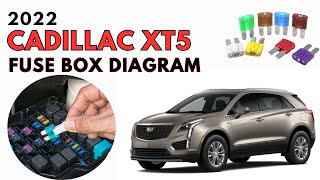
- The Fix: Before assuming the HUD has failed, GM recommends a simple power cycle. With the ignition off, locate and remove the fuse for the HUD in the instrument panel fuse block 🎬 Watch this video to locate your XT5 fuse box for at least 30 seconds. Reinstall the fuse and check for operation. If this works, it confirms the software glitch. A more permanent solution is to have a dealer reprogram the Instrument Panel Cluster (IPC) with updated software that corrects the timing issue.
Pro Tip: Always try the fuse pull reset described in TSB 21-NA-127 before purchasing a replacement part. This simple step can often restore functionality and save you hundreds of dollars.
TSB 19-NA-010: Crooked or Tilted Display
Some owners report that the HUD image appears tilted or crooked on the windshield. This is almost never a hardware fault. The HUD system has a rotation adjustment feature in the vehicle's settings menu. This TSB instructs 🎬 Watch this guide on how Cadillac's HUD controls and settings work technicians not to replace the HUD for this concern, but to simply guide the owner on how to adjust the rotation.
Buying a Used 2017 Cadillac XT5 Heads Up Display Assembly
Since new aftermarket units are not available for this complex part, a used OEM assembly is a cost-effective option. However, careful inspection and verification are critical to ensure you get a good part.
- Verify Your Option: First and foremost, confirm your XT5 was built with the HUD option. Check for the RPO code UV6 on the Service Parts Identification label, which is typically found in the glove box or trunk area. If your vehicle does not have this code, it is not wired for a HUD, and adding one is not a simple plug-and-play process.
- Check the Part Number: The most current part number is 85595016. This part supersedes many older versions. While an older number might work, purchasing the latest version ensures you have the most up-to-date hardware revisions.
- Physical Inspection: When you receive the used part, inspect it carefully. Check the projector lens for deep scratches, chips, or cloudiness that could distort the final image. Ensure the plastic housing is not cracked or broken, especially around the mounting points. Look at the electrical connector pins to make sure they are straight and free of corrosion.
- Ask About the Source Vehicle: If possible, find out the mileage of the vehicle the part came from. A lower-mileage part is generally preferable. Also, confirm the part was not removed from a vehicle with flood or fire damage, which can cause hidden electronic issues later on.
Replacement Overview & Difficulty
Replacing the Heads Up Display assembly is a complex and time-consuming job that requires extensive disassembly of the dashboard. It is not recommended for beginners.
- Difficulty Rating: 5 out of 5
- Process: The HUD unit is located deep within the dashboard, underneath the speaker grille near the windshield. Accessing it requires removing the instrument panel top pad, A-pillar trims, the center speaker grille, and potentially the instrument cluster itself.
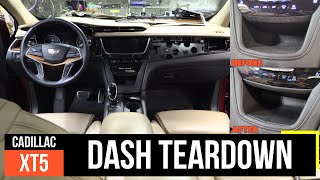
- Tools Required: You will need a good set of interior trim removal tools, a 7mm socket, 🎬 See how to tear down the XT5 dash panel and patience.
- Professional Installation: Due to the high risk of damaging delicate dashboard components, most owners should budget for professional installation.
Programming & Calibration
A replacement HUD may require programming or calibration to work correctly. After installation, the vehicle may need to be connected to a dealer-level scan tool to calibrate the projector's position and ensure it communicates properly with the instrument cluster and other modules. This is not a step that can be skipped if the display is misaligned or not functioning after installation.
Cost Comparison
The cost to fix a faulty HUD can vary significantly depending on whether you need a simple software update or a full hardware replacement.
| Item | Estimated Cost |
|---|---|
| New OEM Assembly | $360 - $560 |
| New Aftermarket Assembly | Not Available |
| Used OEM Assembly | $125 - $250 |
| Shop Labor for Replacement | $400 - $600 |
| Dealer IPC Reprogram (per TSB) | $150 - $250 |
Frequently Asked Questions (FAQ)
Can I add a Heads Up Display to my XT5 if it didn't have one from the factory?
This is not a practical or cost-effective modification. The vehicle would lack the specific wiring harness, the correct instrument cluster, and the special HUD-compatible windshield. The cost and complexity would be extremely high.
My HUD is working, but the image is blurry or I see a double image. Is the HUD broken?
Not necessarily. HUD-equipped vehicles use a special windshield with a laminated wedge film to focus the projected light into a single, clear image. If the windshield has been replaced with a standard, non-HUD version, you will see a blurry or double image. Always ensure the correct type of glass is used during a windshield replacement.
My HUD went blank. What is the first thing I should do?
Try resetting it by pulling the fuse. As outlined in TSB 21-NA-127, this common issue is often a software glitch. Turn the ignition off, locate the HUD fuse in the interior fuse panel, remove it for about a minute, and then reinstall it. This simple reset often restores function.
What is the RPO code UV6?
UV6 is the three-character Regular Production Option (RPO) code that General Motors uses to identify a vehicle equipped with the multicolor Head-Up Display. You can find your vehicle's RPO codes on the Service Parts Identification sticker, usually located in the glove compartment.
Helpful Videos

Technical Specifications
OEM Part Numbers: 85595016 84896816 84561256 84051289 23407900 84019534 84094046 84168725 84402384 84477578 84601951
Requires vehicle with RPO Code UV6 (Head-Up Display). Projects onto a HUD-specific windshield.
We Have This Part in Stock


The information in this article is provided for general reference and educational purposes only. Vehicle specifications, procedures, and part compatibility can vary by production date, trim level, and region. Always consult your vehicle's factory service manual and verify part numbers before purchasing or performing repairs. Safety-critical components such as airbags, seat belts, and braking systems should be installed by a qualified professional.
- Cadillac XT5:
- 🎬 Helpful Videos
- 🛍️ Shop This Part
- Symptoms of a Failing Heads Up Display
- Known Issues, TSBs, and Recalls
- TSB 21-NA-127: Blank or Unresponsive HUD
- TSB 19-NA-010: Crooked or Tilted Display
- Buying a Used 2017 Cadillac XT5 Heads Up Display Assembly
- Replacement Overview & Difficulty
- Programming & Calibration
- Cost Comparison
- Frequently Asked Questions (FAQ)
- 🎟️ Get 5% Off