

2013-2015 Lexus ES350 & ES300h Blank Screen & Rebooting Fix: Navigation System Guide
This guide diagnoses common navigation system failures, from a blank screen to constant rebooting, and clarifies which part—the controller, screen, or computer—is the likely cause.
- The most common problems (blank screen, rebooting) are caused by the main computer or screen, NOT the console joystick controller (part # 84780-XXXXX).
- For 2015 models, many issues can be fixed with a dealer-installed software update outlined in TSB L-SB-0006-18.
- Replacing the main computer/head unit may require programming by a dealer with Techstream software to sync it to your vehicle's VIN.
- A faulty Network Gateway ECU can cause a parasitic battery drain that is often misdiagnosed as a bad battery.
Symptoms of a Failing Navigation System

Problems with the navigation system in the 2013-2015 Lexus ES350 and ES300h usually point to a software glitch or a failure in the main computer or display screen, not the physical joystick controller. Here are the most common signs something is wrong:
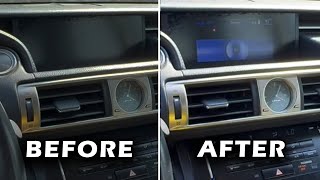
- Black or Blank Screen: The most common and frustrating symptom is a screen that goes completely black. 🎬 Watch this video on fixing Lexus ES 350 screen issues Often, the audio and climate controls may still function in the background, but you cannot see what you are doing. This can sometimes happen after a battery has been replaced or disconnected.
- System Constantly Reboots: The screen may display the Lexus logo, attempt to load, and then restart in a continuous loop. This makes the entire infotainment system unusable.
- Frozen or Unresponsive Screen: The display may be stuck on a single screen (like the map or radio) and will not respond to the joystick controller or any button presses.
- Intermittent Glitches: The system may work perfectly one moment and fail the next, with symptoms appearing and disappearing randomly.
- Incorrect GPS Location: The map may show your vehicle in the wrong location or fail to track your movement.
- Parasitic Battery Drain: A faulty Network Gateway ECU can fail to put other electronic modules to sleep when the car is off, causing the battery to drain overnight. This is often misdiagnosed as a bad battery or alternator.
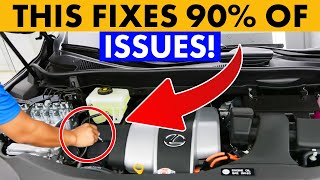
Pro Tip: Before assuming a hardware failure, try a simple system reset. Turn the vehicle completely off, wait a few minutes, and restart it. In some cases, particularly after a battery change, you may need to perform a hard reset by disconnecting the negative battery terminal for 30 minutes to clear any software bugs.
🎬 See how to do a free system reset on your LexusKnown Issues, TSBs, and Recalls

Many navigation issues in these vehicles are related to software bugs that can be fixed without replacing expensive hardware.
Technical Service Bulletin L-SB-0006-18 (2015 Models)
For 2015 Lexus ES350 and ES300h models, Lexus released a TSB to address numerous software problems. This bulletin supersedes a previous one (L-SB-0035-15). A simple software update performed by a dealer can fix a wide range of issues, including:
- Black display screen
- Navigation system rebooting or freezing intermittently
- Bluetooth® disconnecting
- Slow system response
- Incorrect traffic data display
If your 2015 model is experiencing these issues, a dealer software update is the first and most effective solution. The update is performed via a USB drive and is a quick procedure.
Errant Satellite Data Signal (2014-2016 Models)
Around 2016, a widespread issue occurred where errant data from a traffic and weather service provider caused the head units in many Lexus vehicles to reboot repeatedly. Lexus corrected the data broadcast, and the fix required owners to visit a dealer for a complimentary system reset to clear the bad data.
Safety Recall: Pre-Collision System (PCS)
While not directly related to the navigation module, owners of all 2013-2015 ES350 and ES300h vehicles should be aware of a significant safety recall. The Pre-Collision System (PCS) could falsely detect a steel plate or joint in the road as an obstacle, causing the vehicle to brake unexpectedly. The fix required dealers to replace certain PCS components free of charge. You can check if your vehicle has had this recall performed by entering your VIN on the NHTSA website.
Diagnosing the Correct Part: Controller vs. Computer vs. Screen

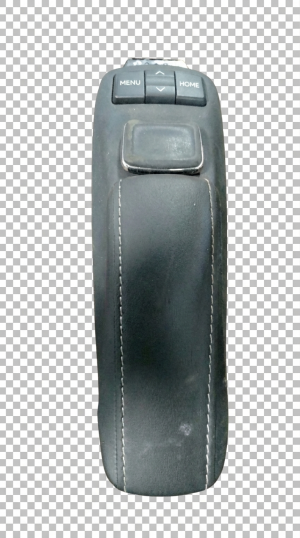
It's important to understand which part of the system has failed. The part numbers provided in the initial prompt, 84780-33011 and 84780-33090-C0, are for the center console controller—the physical joystick and buttons. This part rarely causes the common screen issues. The problem is almost always with the head unit/display or the Network Gateway Computer.
- If the joystick or buttons don't respond but the screen works: The problem is likely the center console controller (84780-XXXXX).
- If the screen is black or flickering but you can still hear audio: The problem is likely the display screen itself or its wiring.
- If the entire system is rebooting, frozen, or glitching: The problem is likely the main computer (often called the Network Gateway ECU or Head Unit).
The #1 Question: Does a Used Module Need Programming?
This is the most critical question when buying a used electronic part. The answer depends entirely on which part you are replacing.
- Center Console Controller (Part # 84780-XXXXX): No programming is required. This is a simple switch assembly. A used unit with a matching part number is plug-and-play.
- Navigation Head Unit / Network Gateway Computer: Programming may be required. These main computer modules are often linked to the vehicle's VIN. While some forum users report success swapping modules from the same model year without issue, the official procedure often requires a dealer to use the Toyota/Lexus Techstream software to perform a "VIN Synchronization." Without this step, the unit may not function correctly or at all. It is not linked to the engine immobilizer, so the car will still start, but the infotainment system may be inoperative.
Warning: Do not attempt to upgrade a standard, non-navigation audio system to a factory navigation system by simply swapping in these parts. The vehicle wiring harnesses are completely different, and it is not a feasible conversion.
Buying a Used GPS Navigation Control Module
Buying a used OEM part can save you thousands of dollars compared to a new part from the dealer. Here’s what to look for:
Inspecting a Used Part
- Match the Part Number Exactly: This is the most important step. Ensure the part number on the used module is identical to the one you are replacing.
- Check for Physical Damage: Inspect the housing for cracks and, most importantly, check that all connector pins are straight and free of corrosion.
- Buy From a Reputable Source: Purchase from a seller that offers a warranty and a return policy. This gives you protection if the part is dead on arrival.
- Understand the Risk with Computers: When buying a used head unit or gateway computer, understand that you may need to pay a dealership or a specialized independent shop for programming to get it to work with your car. Factor this potential cost into your decision.
Replacement Overview

Replacing the navigation components requires accessing the area behind the main screen in the dashboard. The difficulty is moderate and should be possible for a DIYer with basic tools.
- Disconnect the Battery: Always disconnect the negative battery terminal before working on any electronic components.
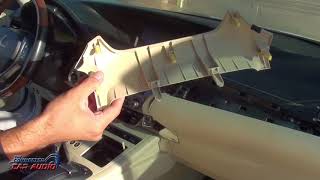
- Remove Trim Panels: Carefully pry away the silver trim pieces on either side of the center console and the trim surrounding the shifter. Using a plastic trim removal tool is essential to avoid scratching the panels. 🎬 Watch a full video tutorial on removing the factory stereo
- Remove Vents and Head Unit: The air vents above the radio are typically held in by clips and must be popped out. This will expose the 10mm bolts that secure the main radio/screen assembly.
- Disconnect and Swap: With the bolts removed, the entire head unit assembly can be pulled forward. Carefully disconnect the numerous electrical connectors on the back. The Network Gateway Computer is often a separate box attached to this assembly. Swap the faulty component with the replacement.
- Test Before Reassembly: Before bolting everything back in place, reconnect the battery and turn the car to accessory mode to test that the new component works.
Cost Comparison
The cost to fix a navigation system issue varies dramatically depending on the failed component.
| Part | New OEM Price (Dealer) | Used OEM Price (Online) |
|---|---|---|
| Center Console Controller (84780-XXXXX) | $280 - $400 | $70 - $120 |
| Network Gateway Computer | $250 - $400+ | $55 - $150 |
| Full Display/Head Unit Assembly | $2,000 - $13,000+ | $300 - $500 |
| Shop Labor (Replacement) | $150 - $300 | |
| Shop Labor (Programming) | $100 - $200 (if required) | |
Frequently Asked Questions (FAQ)
My screen is black. Do I need to replace the joystick controller with part number 84780-33090-C0?
No, almost certainly not. A black screen is caused by a failure of the display itself or the main computer that generates the video signal. The joystick controller is just an input device and does not affect the screen's ability to turn on.
Will a used navigation computer from another Lexus work in my car?
It might, but it's risky. You must match the part number exactly. Even with a matching number, the computer may need to be synchronized to your car's VIN using dealer-level software (Techstream) to function correctly.
Can I fix my rebooting navigation system with a software update myself?
The software update files and procedures are typically restricted to Lexus dealerships. While the process involves a simple USB stick, obtaining the correct, official software file is the main challenge. The safest and most reliable method is to have a dealer perform the update, especially for the 2015 models covered by the TSB.
My car doesn't have navigation. Can I add it by installing a used screen and computer?
This is not recommended. The wiring harness, antennas, and other supporting modules are different between navigation and non-navigation equipped vehicles. It would be an extremely complex and expensive conversion that is not plug-and-play. Aftermarket solutions that support Apple CarPlay and Android Auto are a much more practical upgrade path.
Helpful Videos
Technical Specifications
OEM Part Numbers: 84780-33011 84780-33011-C0 84780-33090 84780-33090-C0
The listed part numbers refer to the center console joystick controller. The main computer is a separate part, often called the Network Gateway ECU.
We Have This Part in Stock


The information in this article is provided for general reference and educational purposes only. Vehicle specifications, procedures, and part compatibility can vary by production date, trim level, and region. Always consult your vehicle's factory service manual and verify part numbers before purchasing or performing repairs. Safety-critical components such as airbags, seat belts, and braking systems should be installed by a qualified professional.
- Lexus ES350:
- Lexus ES300h:
- 🎬 Helpful Videos
- 🛍️ Shop This Part
- Symptoms of a Failing Navigation System
- Known Issues, TSBs, and Recalls
- Technical Service Bulletin L-SB-0006-18 (2015 Models)
- Errant Satellite Data Signal (2014-2016 Models)
- Safety Recall: Pre-Collision System (PCS)
- Diagnosing the Correct Part: Controller vs. Computer vs. Screen
- The #1 Question: Does a Used Module Need Programming?
- Buying a Used GPS Navigation Control Module
- Inspecting a Used Part
- Replacement Overview
- Cost Comparison
- Frequently Asked Questions (FAQ)
- 🎟️ Get 5% Off