

Fixing the 'No GPS' Error on 2011-16 Ford Edge, Fusion & Lincoln MKZ
This guide diagnoses the common GPS module failure in Ford and Lincoln vehicles with MyFord Touch, showing you how to fix an incorrect location or a 'No GPS' icon on your screen.
- The most common cause for the 'No GPS' icon is a failure of the small, separate Global Positioning System Module (GPSM), not the main SYNC computer (APIM).
- A replacement GPSM is typically plug-and-play and does not require expensive dealer programming, making it a great DIY repair.
- The GPSM is located behind the instrument cluster (speedometer) in the Ford Edge, Fusion, and Lincoln MKZ, requiring dash disassembly to access.
- Before replacing parts, always try a Master Reset of the SYNC system and check the fuse (Fuse 26 on Edge, Fuse 32 on Fusion/MKZ) to rule out simple fixes.
Understanding the Ford/Lincoln Navigation System Components

When your navigation system fails, it's important to understand which part is the likely culprit. The symptoms you see on the screen can point you in the right direction. This system has three main parts that can fail:
- Global Positioning System Module (GPSM): This is a small, separate box (OEM part numbers often start with DG9T-19H464) that acts as the GPS receiver. Its only job is to get a signal from satellites. If this module fails, the system loses its ability to know where it is. This is the most common cause of the 'No GPS' icon.
- Accessory Protocol Interface Module (APIM): This is the brain of your MyFord Touch or MyLincoln Touch system. It's bolted to the back of the 8-inch screen. It runs all the software for radio, phone, climate, and navigation. While an APIM can fail, it usually causes more widespread problems like a black screen or a totally unresponsive system.
- GPS Antenna: This captures the raw satellite signal and sends it to the GPSM. A bad antenna or a loose connection can mimic a failed GPSM.
Pro Tip: If your only problem is the 'No GPS' icon or an incorrect vehicle location, the GPSM is the most likely cause. If the entire screen is black, freezing, or rebooting, the APIM is more likely to blame.
Symptoms of a Failing GPS Navigation Control Module


A failing GPSM typically starts with intermittent issues before failing completely. The signs are almost always visible on the 8-inch center display.
- 'No GPS' Icon: The most common symptom is a red circle with a line through the letters 'GPS' appearing in the top-right corner of the screen where the navigation status is usually shown.
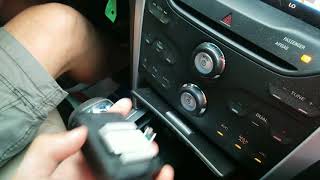
- Incorrect Vehicle Position: The map may show your car located hundreds of miles away, stuck at a previous location, or 'off-roading' in an empty field while you are on a major highway. 🎬 Watch this guide on diagnosing Ford Explorer GPS signal issues
- 'Navigation Stopped Functioning' Message: A pop-up message may appear on the screen, telling you to contact your dealer.
- Compass Malfunction: The compass on the display may get stuck pointing in one direction, regardless of which way the vehicle is turning.
- Associated OBD-II Codes: While a failing GPSM often won't trigger the main Check Engine Light, a scan with a more advanced tool may reveal a Body Control Module code, most commonly B2205 - GPS Receiver Error.
Step-by-Step Diagnosis and Troubleshooting

Before buying any parts, follow these steps to rule out simpler software glitches or fuse issues.
- Check the Fuse: A blown fuse can disable the module. For the 2011-2015 Ford Edge, check fuse F26 (a 5-amp fuse) in the interior fuse panel under the driver's side dashboard. For 2013-2016 Ford Fusion models, check fuse F32 (a 10-amp fuse) in the same interior fuse panel. 🎬 Watch how to locate the Ford Fusion GPS fuse
- Perform a SYNC Master Reset: Resetting the system to factory defaults can clear software bugs. Go to Settings > System > Master Reset. Be aware this will erase your paired phones, saved addresses, and radio presets.
- Perform a Key Cycle / Battery Reset: A simple but effective method is to turn the vehicle off, open and close the driver's door, lock it, and walk away for at least 5-10 minutes. For a more thorough reset, disconnect the negative terminal of the vehicle's 12V battery for 15 minutes.
- Check for Software Updates & TSBs: Ford released several Technical Service Bulletins (TSBs) for this issue. TSB 13-3-11 and TSB 14-0037 specifically address GPSM problems that can be fixed by reprogramming the module with updated software at a dealership. You can also check for general MyFord Touch updates on Ford's website, as TSB 13-8-2 included fixes for navigation performance.
- Enter Diagnostic Mode: You can check if the system is receiving satellite signals. With the radio on, press and hold the right 'Seek' button on both the steering wheel and the dashboard simultaneously for about 5 seconds. This will open a diagnostic menu. Navigate to the APIM Diagnostics or Location Information screen to see data like latitude, longitude, and number of satellites connected. If it shows 0 satellites, it confirms a problem with the GPSM or antenna.
GPS Navigation Control Module (GPSM) Replacement
If troubleshooting doesn't solve the problem, the GPSM itself likely needs to be replaced. This is a moderately difficult job that a DIY mechanic can perform in about 1-2 hours.
Module Location
- 2011-2015 Ford Edge: The GPSM is located behind the main instrument cluster (speedometer). You must remove the trim around the cluster to access the mounting screws, then pull the cluster out. 🎬 Watch how to remove the Ford Edge instrument cluster The small GPSM box is mounted to a bracket on the upper-right side of the cavity.
- 2013-2016 Ford Fusion & Lincoln MKZ: The GPSM is also located behind the instrument cluster in a similar position to the Edge. The main SYNC computer (APIM) is behind the 8-inch screen, but the GPSM is a separate part behind the gauges.
Programming and Calibration
Important: This section is critical for a successful repair. The programming requirements depend on which module you are replacing.
- Replacing the GPSM (for 'No GPS' issue): In most cases, a replacement GPSM is plug-and-play and does not require programming. Forum users have confirmed that after installing a new or used GPSM, the navigation system began working correctly after a short drive.
- Replacing the APIM (for black screen or total system failure): If you are replacing the main APIM module behind the screen, it absolutely must be programmed to your vehicle's VIN. A module from another vehicle will not have the correct settings for your car's features (like climate control, backup camera, etc.). This programming can be done by the dealer or by a DIYer using an OBD-II adapter and software like FORScan to write your car's original 'as-built' data to the new module.
Buying a Used GPS Navigation Control Module
Since a new GPSM from a dealer is relatively inexpensive, buying used is primarily a way to save a little extra money. For this specific part, a used OEM module is a reliable and cost-effective option.
- Verify the Part Number: Look for part numbers beginning with DG9T-19H464-xx. The last two letters indicate revisions (e.g., CC, CD, CE), which are generally interchangeable. The service part number may also be listed as DG9Z-10E893-D.
- Focus on the GPSM, Not the APIM: Double-check that you are buying the small, standalone GPSM, not the larger, more expensive APIM. Many online listings for 'Navigation Module' are actually for the APIM. If the listing mentions it enables navigation on a car that didn't have it, it's an APIM.
- Physical Inspection: When buying a used module, check for any signs of water damage, corrosion on the pins, or cracks in the plastic housing. Ensure the connector port is clean and free of debris.
- Why Used OEM is a Good Choice: There are no known aftermarket versions of the GPSM. A used OEM module is an identical replacement for the original part and, given its simple function, has a low failure rate when sourced from a reputable recycler. It is a simple electronic component without complex mechanical parts that wear out.
Cost of Replacing the GPS Navigation Control Module
The cost to fix this issue is relatively low if you can do the work yourself, as the part is not expensive.
| Part or Service | Estimated Cost |
|---|---|
| New OEM GPSM | $60 - $100 |
| Used OEM GPSM | $25 - $50 |
| Shop Labor to Replace GPSM | $200 - $400 (1.5-2.5 hours) |
| Dealer Reprogramming (If needed per TSB) | $120 - $250 (1.0-1.5 hours) |
Note: Prices are estimates and can vary based on location and supplier. Labor costs are based on typical shop rates.
Frequently Asked Questions (FAQ)
Do I need to program a replacement GPS module?
No, if you are replacing the small GPSM (part number DG9T-19H464-xx) to fix the 'No GPS' icon, it is typically plug-and-play and does not require programming. However, if you are replacing the entire SYNC computer (the APIM, located behind the screen), it must be programmed to your vehicle's VIN.
Is the problem my navigation SD card?
It's unlikely. A faulty SD card usually results in a 'Navigation SD card fault' message or maps that won't load at all. It does not typically cause the 'No GPS' icon, which indicates a loss of satellite signal reception.
Where is the GPS module located on my Ford Fusion / Edge / Lincoln MKZ?
The GPSM (Global Positioning System Module) is located behind the instrument cluster (speedometer), usually on the upper right side. You must remove the instrument cluster to access it. This is different from the main SYNC APIM, which is attached to the back of the 8-inch touchscreen.
Can I just use my phone instead of fixing the car's navigation?
Yes, you can always use a phone for navigation. However, a failing GPSM can sometimes affect other vehicle features that rely on location data, such as the on-screen compass or automatic time-setting. Fixing the module restores full factory functionality.
Helpful Videos


Technical Specifications
OEM Part Numbers: DG9T-19H464-CC DG9T-19H464-CD DG9T-19H464-CE DG9Z-10E893-D DT4Z-10E893-A
This module is the Global Positioning System Module (GPSM) for the SYNC 2 (MyFord Touch / MyLincoln Touch) system. It is a separate receiver from the main APIM unit.
We Have This Part in Stock



The information in this article is provided for general reference and educational purposes only. Vehicle specifications, procedures, and part compatibility can vary by production date, trim level, and region. Always consult your vehicle's factory service manual and verify part numbers before purchasing or performing repairs. Safety-critical components such as airbags, seat belts, and braking systems should be installed by a qualified professional.
- Ford Edge:
- Ford Fusion:
- Lincoln MKZ:
- 🎬 Helpful Videos
- 🛍️ Shop This Part
- Understanding the Ford/Lincoln Navigation System Components
- Symptoms of a Failing GPS Navigation Control Module
- Step-by-Step Diagnosis and Troubleshooting
- GPS Navigation Control Module (GPSM) Replacement
- Module Location
- Programming and Calibration
- Buying a Used GPS Navigation Control Module
- Cost of Replacing the GPS Navigation Control Module
- Frequently Asked Questions (FAQ)
- 🎟️ Get 5% Off