

2004-2010 Nissan Titan IPDM: Solving Stalling, No-Start, and Electrical Issues
This guide covers the common failures of the Intelligent Power Distribution Module (IPDM), including the infamous ECM relay issue, and confirms that replacement is a plug-and-play job.
- A replacement IPDM for a 2004-2010 Titan does NOT require programming; it is a plug-and-play part.
- Stalling and no-start issues are often caused by a faulty internal ECM relay, which was subject to a safety recall on 2004-2006 models.
- Water intrusion from clogged cowl drains is a common cause of failure; always inspect used units for corrosion.
- You can use the built-in IPDM self-test (by pressing the driver's door switch 10 times) to help diagnose electrical problems for free.
Symptoms of a Failing 2004-2010 Titan IPDM

A faulty IPDM can cause a variety of issues, ranging from a minor annoyance to leaving you stranded. The most common symptoms are related to the internal ECM (Engine Control Module) and fuel pump relays failing.
- Engine Cranks but Will Not Start: This is the most classic symptom. The starter will turn the engine over, but the engine won't fire up because the IPDM is not activating the fuel pump or the ECM.
- Engine Stalling Unexpectedly: The engine may stall while driving, often at low speeds. This can be extremely dangerous in traffic.
- Intermittent No-Start: The truck may fail to start, but then start normally minutes or hours later without any clear reason.
- Electrical Gremlins: You may notice headlights, windshield wipers, or the A/C compressor turning on by themselves or not working at all. This can be diagnosed using the IPDM's self-test feature.
- Cooling Fans Run on High Speed Constantly: When the IPDM fails, it can default to running the radiator fans at full speed as a fail-safe measure, even when the engine is cold.
- No Check Engine Light When Key is ON: If you turn the ignition to the 'ON' position (without starting) and the check engine light does not illuminate, it often points to a failed IPDM that isn't powering up the ECM.
- Clicking Noises: Audible clicking from the IPDM area when trying to start the vehicle can indicate a relay is trying to engage but failing.
Known Issues, Recalls, and Technical Bulletins

The IPDM in the first-generation Nissan Titan is a well-documented failure point, primarily due to an internal relay issue that prompted a recall.
Safety Recall on ECM Relay (PC068)
Nissan issued a voluntary safety recall (NHTSA Campaign ID: 10V554000) for the Engine Control Module (ECM) relay located inside the IPDM on 2004-2006 Nissan Titan and Armada models. Over time, oxidation could form on the relay's contacts, leading to poor engine performance, stalling at low speeds, or a no-start condition. The fix was for dealers to replace the single ECM relay inside the IPDM assembly free of charge. While Nissan generally advises against replacing individual relays, an exception was made for this specific campaign.
Pro Tip: Many of the original, failure-prone IPDM units had a white-colored case. The updated, more reliable replacement parts typically have a black case. If your truck has a white IPDM, it is more likely to fail.
Water Intrusion
The IPDM is located in the engine bay near the battery and firewall. If the cowl drains in this area become clogged with leaves and debris, rainwater can overflow and seep into the IPDM and its connectors. This leads to corrosion on the pins and circuit board, causing a host of electrical failures.
How to Diagnose a Bad IPDM

Before buying a new part, you can perform a few simple tests to help confirm the IPDM is the culprit.
The IPDM Self-Diagnostic Test
Nissan built a handy self-test into the IPDM that cycles through many of the components it controls. This is an excellent way to see if the module's internal relays are working.
- Sit in the driver's seat and close all doors.
- Turn the ignition key to the 'ON' position (do not start the engine).
- Within 20 seconds of turning the key on, press the driver's door jamb switch 10 times. (This is the small, rubber-covered button that tells the truck if the door is open or closed). 🎬 Watch: How to perform this IPDM self-test step-by-step
- Turn the ignition key 'OFF'.
- Turn the ignition key back to the 'ON' position. The horn should honk once to signal the start of the test.
The IPDM will then cycle the wipers, headlights (low and high beams), fog lights, and A/C compressor clutch in a sequence. If a component works during this test but not during normal operation, it points to a problem with the control switch (e.g., the headlight stalk). If a component does not work during this test, it suggests the IPDM, the component itself, or the wiring between them is bad.
Buying a Used 2004-2010 Titan IPDM
For a part like this, a used OEM unit is often a reliable and cost-effective choice, especially since the common failure points are well-understood.
Is Programming Required?
No. A replacement IPDM for a 2004-2010 Nissan Titan does not need to be programmed, flashed, or coded to the vehicle. It is a plug-and-play part. The vehicle's anti-theft system (NATS) information is stored in other modules, so swapping the IPDM will not prevent the truck from starting. You must, however, match the part number exactly.
Compatibility Warning: While the IPDM is plug-and-play, you must install a unit with the exact same OEM part number as the one you are removing. Different part numbers may look identical but can have internal differences based on trim level and model year, leading to certain features not working.
What to Inspect on a Used Unit
- Check for Corrosion: Carefully inspect all the connector pins on the bottom of the module. Look for any green or white crusty buildup, which is a clear sign of water damage. Do not buy a corroded unit.
- Look for a Black Case: Prioritize finding a used IPDM with a black plastic housing, as these are the updated, more reliable versions compared to the original white ones.
- Verify the Part Number: The OEM part number is printed on a sticker on the side of the unit. Ensure it is a perfect match for your original part.
How to Replace the Titan IPDM (DIY Guide)

Replacing the IPDM is a straightforward job that most DIY mechanics can complete in under an hour. It is located in the rear passenger-side corner of the engine bay, next to the battery.
- Disconnect the Battery: Always disconnect the negative battery terminal first to prevent electrical shorts.
- Remove Covers: Unclip and remove the plastic covers over the battery and the IPDM housing.
- Release the IPDM: There are two plastic tabs on the sides of the IPDM holder. Press these tabs in, and the entire module will slide upwards and out of its housing.
- Unplug Connectors: Carefully disconnect the multiple large electrical connectors from the bottom of the IPDM. They each have a release tab that must be pressed.
- Install the New Unit: Before plugging in the replacement, consider applying a small amount of dielectric grease to the connector pins to help prevent future moisture intrusion. Plug in all connectors firmly until they click.
- Reassemble: Slide the new IPDM back down into its housing until it clicks into place. Reinstall the covers and reconnect the negative battery terminal. 🎬 Watch: Step-by-step IPDM replacement and no-start fix
| Part Type | Estimated Cost |
|---|---|
| New OEM | $300 - $610 |
| New Aftermarket (Dorman) | $200 - $350 |
| Used OEM | $50 - $150 |
| Shop Labor | $100 - $180 |
Frequently Asked Questions
Do I have to take my truck to the dealer to program a new IPDM?
No, a replacement IPDM for the 2004-2010 Titan is a plug-and-play component and does not require any programming or dealer intervention.
What's the difference between an IPDM and a regular fuse box?
A regular fuse box is a simple passive device that just holds fuses and relays. An Intelligent Power Distribution Module (IPDM) contains a microprocessor and logic circuits, making it a computer that actively controls when and how power is sent to different vehicle systems based on inputs from the driver and other modules.
Can I just replace the bad ECM relay instead of the whole IPDM?
While Nissan issued a recall to replace only the ECM relay on 2004-2006 models, the company generally advises against replacing individual relays because it can damage the terminals inside the IPDM, leading to poor connections and new problems. However, many owners successfully diagnose a bad ECM relay by temporarily swapping it with the fog lamp relay. 🎬 See this quick relay swap trick to get started If the truck starts, it confirms the relay was the problem. Replacing just the relay is a possible low-cost fix, but replacing the entire IPDM with an updated unit is the more robust, long-term repair.
My truck cranks but won't start. Is it definitely the IPDM?
A crank-no-start condition is a classic symptom of a failed IPDM, but it's not the only cause. Other possibilities include a bad fuel pump, a failed crankshaft position sensor, or an issue with the anti-theft system. However, if you also have other electrical symptoms or if the check engine light doesn't come on with the key, the IPDM is the most likely culprit.
Helpful Videos
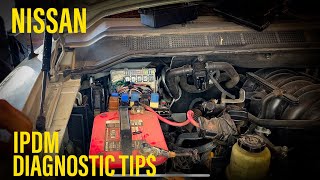


Technical Specifications
OEM Part Numbers: 24382-7S100 24382-7S110 24382-ZE00A 243827S100 243827S110 24382ZE00A 24382ZV01A 284B6-ZE03A 284B6-ZE03B
Located in the engine compartment, passenger side, near the battery. Contains integrated relays and a control module. Original units often have a white case; updated units have a black case.
We Have This Part in Stock



The information in this article is provided for general reference and educational purposes only. Vehicle specifications, procedures, and part compatibility can vary by production date, trim level, and region. Always consult your vehicle's factory service manual and verify part numbers before purchasing or performing repairs. Safety-critical components such as airbags, seat belts, and braking systems should be installed by a qualified professional.
- Nissan Titan:
- 🎬 Helpful Videos
- 🛍️ Shop This Part
- Symptoms of a Failing 2004-2010 Titan IPDM
- Known Issues, Recalls, and Technical Bulletins
- Safety Recall on ECM Relay (PC068)
- Water Intrusion
- How to Diagnose a Bad IPDM
- The IPDM Self-Diagnostic Test
- Buying a Used 2004-2010 Titan IPDM
- Is Programming Required?
- What to Inspect on a Used Unit
- How to Replace the Titan IPDM (DIY Guide)
- Frequently Asked Questions
- 🎟️ Get 5% Off