

2006-2008 Hyundai Azera Fog Light: Avoiding the Critical 2008 Mid-Year Mismatch
This guide covers the essential compatibility warning for the 2008 model year, common failure symptoms, and how to inspect a used fog light assembly for your Hyundai Azera.
- A critical mid-year change occurred in 2008; this part only fits models built on or before February 15, 2008.
- When buying a used assembly, the most important inspection points are the integrity of the mounting tabs and checking for signs of internal moisture.
- The system uses a simple halogen bulb (H8 or 9006 type) and does not require complex ballasts or modules, making replacement straightforward.
- Used OEM assemblies are often a better choice than cheap aftermarket parts due to superior lens quality and better seals, reducing the risk of yellowing and condensation.
Understanding the 2006-2008 Azera Fog Light System
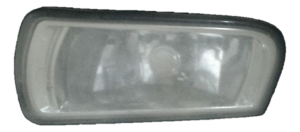
The fog light assembly on the 2006-2008 Hyundai Azera is a standard halogen unit. This means it uses a bulb with a tungsten filament, similar to a traditional household light bulb. This technology is simple, cost-effective, and reliable. The specific bulb type used is typically an H8 or 9006, depending on the exact production date and market. Unlike more modern HID/Xenon or LED systems, these halogen fog lights do not require any external components like ballasts, igniters, or LED driver modules, which simplifies diagnosis and replacement.
Critical Compatibility Warning: The most important detail for this part is a mid-year change during 2008. The OEM part number 92201-3L000 fits 2006, 2007, and early 2008 models. However, it will not fit Azera models produced from February 16, 2008, onward due to a front fascia restyling. Always check your vehicle's production date on the sticker inside the driver's door jamb before ordering.
Symptoms of a Failing Fog Light Assembly
Failure can be due to a simple burnt-out bulb or a problem with the assembly housing itself. Knowing the symptoms can help you diagnose the issue correctly.
- Fog Light Does Not Turn On: This is the most obvious symptom. It could be a burnt-out bulb, a blown fuse, a bad relay, or a faulty switch. Wiring problems, such as corrosion in the connector or a bad ground, can also prevent the light from working.
- Visible Moisture or Condensation: If you see water droplets or a persistent fog inside the lens, the assembly's seal has failed. This moisture will cause bulbs to burn out repeatedly and can corrode the electrical socket.
- Dim or Yellowed Light Output: Over time, the plastic lens can become hazy or yellowed from UV sun damage and road debris. This significantly reduces the amount of light that can pass through, making the fog light less effective.
- Cracked or Broken Lens: Physical damage from rocks and other road debris is common for low-mounted fog lights. A cracked lens will allow moisture to enter and should be replaced immediately.
Known Issues, Recalls, and Service Bulletins
There are no specific recalls or Technical Service Bulletins (TSBs) from the National Highway Traffic Safety Administration (NHTSA) that directly target the fog light assemblies on the 2006-2008 Hyundai Azera. However, a recall (NHTSA Campaign ID: 08E021000) was issued for some replacement headlamp assemblies sold for these vehicles that may not have been aimed properly. While this did not affect fog lights or factory-installed parts, it highlights the importance of proper aiming after any lighting component is replaced.
Pro Tip: A common electrical issue that can affect the lights is a faulty stop lamp switch, which was subject to a recall on some 2005-2007 Hyundai models (NHTSA ID: 09V280000). While this primarily affects brake lights, it's a reminder that lighting issues can sometimes stem from seemingly unrelated switches.
Buying a Used 2006-2008 Azera Fog Light Assembly: What to Check
A used OEM fog light can be a great value, often offering better quality and fit than a cheap aftermarket alternative. Here’s what to inspect before you buy:
- Verify the Part Number and Fitment: Double-check that the part is 92201-3L000 (left/driver) or 92202-3L000 (right/passenger). Reconfirm the 2008 production date split. If buying for a 2008, know your car's build date.
- Inspect the Lens Condition: Look for deep scratches, rock chips, and cracks. Minor surface hazing can often be polished out, but a lens with deep pitting or internal yellowing should be avoided.
- Check for Signs of Moisture Intrusion: Turn the assembly over and look for a dried water line or mineral deposits inside. This is a clear sign of a bad seal, and the unit will likely fail again.
- Examine All Mounting Tabs: This is critical. The plastic tabs used to bolt the assembly to the bumper are brittle and often break when a part is removed from a donor vehicle. Ensure all tabs are intact and free of stress cracks. A part with a broken tab will not mount securely.
- Inspect the Electrical Connector and Bulb Socket: Look inside the socket where the bulb connects. There should be no green or white corrosion, and the plastic should not be melted or deformed. A clean socket indicates the assembly was likely sealed well.
Replacement and Aiming Overview
Replacement Process
Replacing the fog light assembly is a straightforward job that a DIY mechanic can typically perform. Access is usually gained by removing part of the plastic wheel well liner or the splash shield under the front bumper.
- Park the vehicle on a level surface and ensure the lights are off.
- Turn the front wheels to one side to get better access to the wheel well liner.
- Remove the screws or plastic clips holding the liner to the bumper.
- Reach inside the bumper to access the back of the fog light assembly.
- Press the release tab on the electrical connector and unplug it.
- Unscrew the bolts (typically 10mm) holding the assembly in place and remove it.
- Installation is the reverse of removal.
Post-Installation Aiming
Proper aiming is necessary to ensure the fog lights illuminate the road correctly without blinding oncoming drivers.
- Park your car on a level surface 25 feet away from a flat wall.
- Measure the height from the ground to the center of your fog light lens.
- On the wall, make a mark at that same height.
- The top of the fog light beam's brightest cutoff point should be aimed 4 inches below your mark on the wall.
- Use the adjustment screw on the back of the fog light assembly to raise or lower the beam until it is correctly aimed.
Cost Comparison: 2006-2008 Azera Fog Light Assembly
| Part Type | Estimated Price Range (per side) |
|---|---|
| New OEM | $135 - $210 |
| New Aftermarket | $30 - $145 |
| Used OEM | $40 - $75 |
| Shop Labor | $75 - $150 |
Frequently Asked Questions (FAQ)
How do I find my 2008 Azera's production date?
The production date is printed on a sticker located on the driver's side door jamb. Look for a month and year (e.g., 02/08 for February 2008) to determine if you have an early or late model year vehicle.
Can I just replace the fog light bulb instead of the whole assembly?
Yes, if the only problem is a burnt-out bulb and the assembly housing is not cracked, hazy, or full of moisture, you can simply replace the bulb. The entire assembly only needs to be replaced if the housing itself is damaged or has a failed seal.
Can I upgrade my halogen fog lights to LED?
Yes, you can replace the stock halogen bulbs with aftermarket LED bulbs of the same size (e.g., H8 or 9006). This is a plug-and-play upgrade that does not require changing the entire assembly. However, ensure you buy quality LED bulbs to avoid radio interference or error codes.
Is some condensation inside the fog light normal?
A small amount of fine mist may appear temporarily after a car wash or during certain weather changes and then disappear as the light heats up. However, if you see large water droplets or standing water inside the lens, the assembly's seal has failed and it needs to be replaced to prevent electrical damage.
Technical Specifications
OEM Part Numbers: 92201-3L000 922013L000 92201-3L100 922013L100
Technology: Halogen Bulb Type: H8 or 9006 Voltage: 12V
We Have This Part in Stock


The information in this article is provided for general reference and educational purposes only. Vehicle specifications, procedures, and part compatibility can vary by production date, trim level, and region. Always consult your vehicle's factory service manual and verify part numbers before purchasing or performing repairs. Safety-critical components such as airbags, seat belts, and braking systems should be installed by a qualified professional.
- Hyundai Azera:
- 🛍️ Shop This Part
- Understanding the 2006-2008 Azera Fog Light System
- Symptoms of a Failing Fog Light Assembly
- Known Issues, Recalls, and Service Bulletins
- Buying a Used 2006-2008 Azera Fog Light Assembly: What to Check
- Replacement and Aiming Overview
- Replacement Process
- Post-Installation Aiming
- Cost Comparison: 2006-2008 Azera Fog Light Assembly
- Frequently Asked Questions (FAQ)
- 🎟️ Get 5% Off