

2017-2026 Tesla Model 3 & Model Y Side Repeater Camera: A Guide to Failures, Compatibility, and Replacement
This guide covers the common failures of the fender-mounted side repeater cameras, including the critical differences between Autopilot Hardware 3 and 4.
- The most critical compatibility factor is Autopilot Hardware 3 vs. Hardware 4. Cameras for these systems are not interchangeable. HW4 began appearing in mid-2023 models.
- Common failures include a black/flickering screen due to internal PCB faults and condensation inside the lens, which can disable Autopilot.
- Replacement is a simple DIY task, but it requires a mandatory camera calibration process that is initiated from the touchscreen and completed by driving.
- Find your 4-character paint code on the driver's door jamb sticker to buy a color-matched used part and avoid painting costs.
Symptoms of a Failing Side Repeater Camera

Failure of a side repeater camera can manifest in several ways, ranging from cosmetic annoyances to the complete loss of driver-assist features on one side of the vehicle. When a camera fails, the car's main screen will typically display an alert like "Autopilot features currently unavailable" or a specific camera error.
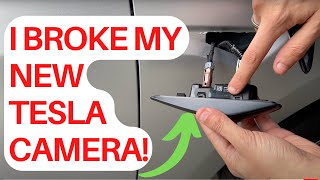
- Black or Flickering Video Feed: The most common symptom is a complete loss of video, resulting in a black square on the touchscreen 🎬 See how to troubleshoot and fix a camera feed failure. when the turn signal is activated. The feed may also flicker intermittently, which can be caused by a loose internal connection or a failing Printed Circuit Board (PCB).
- Condensation or Moisture Inside the Lens: Owners frequently report seeing fog, condensation, or water droplets inside the camera housing. This is a known issue across Tesla cameras, which are not perfectly sealed. This moisture can obscure the camera's view, triggering a "Camera Blocked or Blinded" alert and disabling Autopilot features until it clears.
- Yellow Tint or Glare at Night: Some earlier camera versions exhibit a strong yellow/orange glare when the turn signal LED activates at night, washing out the camera image and making it difficult to see. While a software update (2023.32.6) corrected the color balance for many, some hardware may still be prone to this issue.
- Physical Damage: Located just above the front wheel, the assembly is vulnerable to being cracked or chipped by road debris. The plastic lens can become hazy or yellowed over time due to UV exposure, degrading image quality.
- Turn Signal Failure: In cases of severe water intrusion or physical damage, the LED turn signal itself may stop working, which is a safety concern and may not be legal to drive with.
Known Issues, Service Bulletins, and Recalls

While there hasn't been a formal NHTSA recall specifically for the side repeater cameras, the issue of failing cameras is well-documented. In late 2021, the NHTSA confirmed it was in discussions with Tesla regarding faulty Autopilot cameras that were failing due to defective Printed Circuit Boards (PCBs). Tesla reportedly addressed many of these failures as "goodwill" repairs rather than through a recall campaign.
Condensation is another widespread concern. Tesla has acknowledged that camera enclosures are not hermetically sealed and that preconditioning the cabin can help clear moisture. 🎬 Try this simple trick to clear a blocked camera alert. A service bulletin (SB-20-12-002) was issued for the B-pillar cameras to improve airflow and reduce condensation, indicating Tesla is aware of this design characteristic.
Critical Compatibility Check: Autopilot Hardware 3 vs. Hardware 4
The single most important factor when purchasing a replacement side repeater camera is the vehicle's Autopilot hardware version. Tesla began phasing in Hardware 4 (HW4) in new Model 3 and Model Y vehicles around early-to-mid 2023.
- Hardware 3 (HW3): Found in all 2017-2022 models and some early 2023 models.
- Hardware 4 (HW4): Found in most models built from mid-2023 onwards. These cameras have higher resolution and a wider field of view.
The cameras for HW3 and HW4 are not interchangeable. They use different connectors and are not electronically compatible. Installing an HW3 camera in an HW4 car (or vice-versa) will not work. Before buying a used part, you must verify your vehicle's hardware. You can often identify HW4 cameras by a subtle red tint in the camera lens, whereas HW3 lenses are plain black.
Buying a Used Tesla Side Repeater Camera

Buying a used OEM repeater camera is an excellent way to save money, but careful inspection is key. Given the high failure rate, you need to ensure you're getting a good part.
How to Inspect a Used Assembly
- Check the Lens: Inspect the clear plastic lens for deep scratches, rock chips, or cracks. Look for any signs of hazing or yellowing from UV damage.
- Look for Moisture Stains: Check the inside of the housing for any dried water marks or residue, which would indicate a past problem with water intrusion.
- Inspect the Mounting Clips: The assembly is held in by several small plastic clips that are notoriously brittle and can break during removal. Ensure all clips, especially the main ones on the top and bottom, are intact for a secure fit.
- Verify the Part Number and Hardware Version: Cross-reference the part number with your vehicle's needs. Most importantly, confirm if you need an HW3 or HW4 camera. Do not purchase if you cannot confirm the hardware version.
- Confirm Paint Color: If you want to avoid painting, find a used part from a vehicle with the same paint code.
How to Verify Your Paint Code and Color Match
To ensure a perfect color match, you need your vehicle's paint code. This is found on the Vehicle Certification Label located in the driver's side door jamb. The paint code is typically a four-letter code, such as PMNG (Midnight Silver Metallic) or PPSW (Pearl White Multi-Coat). When buying a used part, providing the seller with this code is the best way to confirm a match.
Pro Tip: The painted portion of the repeater assembly is just a cover. On some versions, it can be carefully separated from the main camera/light unit. If you find a mechanically good camera with the wrong color paint, you may be able to swap your original painted cover onto the replacement camera, saving you the cost of repainting.
Replacement Overview and Calibration

Replacing the side repeater camera is a relatively simple DIY task that can be completed in about 15-30 minutes per side.
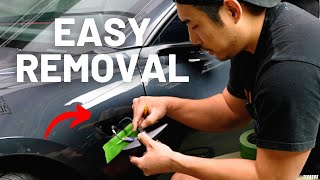
🎬 Watch: Step-by-step guide to replacing your side repeater camera.- Protect the Paint: Apply painter's tape around the repeater assembly to prevent scratching the fender.
- Pry the Assembly Out: Using a plastic trim removal tool, carefully pry the assembly out of the fender. It is held in by clips.
- Disconnect the Harness: Once loose, pull the unit out and disconnect the single electrical connector.
- Install the New Unit: Connect the new assembly and carefully press it into the fender until the clips click into place.
- Clear Calibration: After installation, you must clear the old calibration data. On the vehicle's touchscreen, navigate to 'Controls' > 'Service' > 'Camera Calibration' > 'Clear Calibration'.
- Self-Calibrate by Driving: The car will then need to self-calibrate the new camera. This requires driving for up to 100 miles. During this period, a progress bar will be shown on the screen, and Autopilot features will be unavailable.
Cost of Replacing a Side Repeater Camera
| Part or Service | Estimated Cost |
|---|---|
| New OEM (from Tesla) | $130 - $200 per side, part only |
| Used OEM | $60 - $120 per side |
| New Aftermarket | $50 - $150 per side |
| Shop Labor (Installation & Calibration) | $50 - $150 |
| Total Tesla Service Center Cost | $200 - $350 per side |
Can I drive with a broken side repeater camera?
Yes, but with limitations. The vehicle is safe to drive manually, but all Autopilot and driver-assist features that rely on that camera (like blind-spot monitoring and auto lane change) will be disabled. If the turn signal LED has also failed, it could be a safety and legal issue, and you should get it replaced promptly.
Is it normal for the camera to have condensation inside?
According to Tesla, yes, it can be considered normal. The camera housings are not fully sealed, and in cold or humid weather, moisture can get inside. Tesla's official recommendation is to precondition the car with the heat on and aim the vents towards the door pillars to help dry it out. However, if the problem is persistent and constantly causes camera errors, the unit's seal may be compromised and it should be replaced.
Do I need to calibrate the camera after replacing it?
Yes, calibration is mandatory. After installing the new camera, you must use the vehicle's service menu on the touchscreen to clear the old calibration data. Then, you must drive the vehicle for it to automatically calibrate the new camera, which can take up to 100 miles. Autopilot will not be available until calibration is complete.
Why is my new camera's video feed yellow?
This was a common software issue. For a long time, the side repeater cameras had a different, more yellow color profile than the other cameras. Tesla fixed this in software update 2023.32.6. If you are experiencing this, first ensure your vehicle's software is fully up to date. If the problem persists, it could indicate an issue with the camera hardware itself.
Helpful Videos

Technical Specifications
OEM Part Numbers: 1086265-01 1086269-01 1086269-01-K 1086269-01-L 1086269-01-M 1086269-01-N 1089773E 1109253-00 1109255-00 1119904-00 1128021-00 1128021-00-E 1128021-00-G 1128021-00-I 1128021-00-J 1495864-20-C 1495864-20-D 1495864-20-E 1495865-20-C 1495865-20-D 1125106-50-J 1125106-50-G
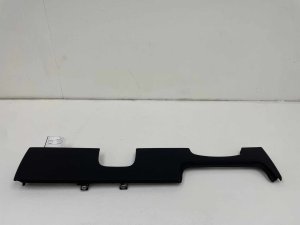
Houses both turn signal LED and Autopilot camera. Connects via a single wiring harness. Available in Hardware 3 and non-interchangeable Hardware 4 versions. Requires software calibration after replacement.
We Have This Part in Stock

The information in this article is provided for general reference and educational purposes only. Vehicle specifications, procedures, and part compatibility can vary by production date, trim level, and region. Always consult your vehicle's factory service manual and verify part numbers before purchasing or performing repairs. Safety-critical components such as airbags, seat belts, and braking systems should be installed by a qualified professional.
- Tesla Model 3:
- TESLA MODEL Y:
- 🎬 Helpful Videos
- 🛍️ Shop This Part
- Symptoms of a Failing Side Repeater Camera
- Known Issues, Service Bulletins, and Recalls
- Buying a Used Tesla Side Repeater Camera
- How to Inspect a Used Assembly
- How to Verify Your Paint Code and Color Match
- Replacement Overview and Calibration
- Cost of Replacing a Side Repeater Camera
- 🎟️ Get 5% Off