

2008-2009 Toyota Avalon ECM: Programming, Immobilizer, and Replacement Guide
This in-depth guide explains the critical programming requirements, failure symptoms, and replacement costs for the 2008-2009 Toyota Avalon Engine Control Module.
- A replacement ECM for a 2008-2009 Avalon MUST be programmed to the vehicle's immobilizer system, or the car will not start.
- You can buy pre-programmed or 'cloned' units online for a plug-and-play solution, avoiding a trip to the dealer.
- Always match the OEM part number from your original unit to ensure compatibility before purchasing a replacement.
- Common failure symptoms include a no-start condition, stalling, poor performance, and a persistent check engine light.
Symptoms of a Failing ECM in a 2008-2009 Toyota Avalon

A failing Engine Control Module can cause a wide range of confusing and intermittent issues. Because the ECM controls so many different systems, symptoms can often be mistaken for other problems. The most common signs point to issues with engine performance and starting.
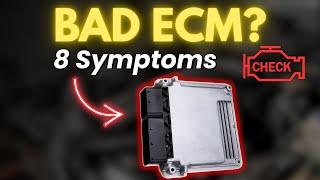
🎬 Watch: A breakdown of common symptoms of a failing ECM.- Check Engine Light: This is often the first sign. The light may be on constantly, or it may come on and off intermittently. A scanner might show codes related to ECM communication or internal faults.
- Engine Will Not Start: The engine may crank but refuse to start. This can happen if the ECM is not sending the correct signals to the fuel injectors or ignition coils, or if it has lost its programming with the immobilizer system.
- Poor Engine Performance: You might experience stalling, rough idling, engine misfires, hesitation, or a sudden loss of power during acceleration.
- Reduced Fuel Economy: If you notice a sudden and significant drop in your gas mileage, it could be due to the ECM providing an incorrect air-fuel mixture.
- Transmission Shifting Problems: The ECM communicates with the transmission control module. A faulty ECM can send bad data, leading to hard, erratic, or delayed shifting in the automatic transmission.
- No Communication with Scan Tool: In cases of complete failure, a diagnostic scan tool may not be able to communicate with the ECM at all, which is a strong indicator that the module itself has failed.
Common Diagnostic Trouble Codes (DTCs)
While many codes can point to a sensor failure, certain codes are more directly related to the ECM itself. However, a faulty ECM can also cause misleading codes for other components.
- P1600: ECM BATT Malfunction
- P1605: Knock Control CPU Malfunction
- P1349: VVT System Malfunction (can be caused by a faulty ECM, among other things)
Known Issues, Recalls, and Technical Service Bulletins (TSBs)

As of early 2026, there are no specific recalls or TSBs from Toyota or the NHTSA for widespread failure of the Engine Control Module on the 2008-2009 Toyota Avalon. The most prominent recalls for these model years concerned potential accelerator pedal interference from floor mats (NHTSA Campaign ID: 09V388000) and sticking accelerator pedals (NHTSA Campaign ID: 10V017000). While a TSB (T-SB-0061-08) was issued for a potential torque converter shudder, it is not directly related to the ECM.
Warning: The ECM is located behind the glove compartment. A separate recall for newer Avalon models (2012-2013) noted that a clogged A/C drain could leak water onto the Airbag Control Module in a similar location. While not a specific issue for the 2008-2009 models, any signs of water intrusion in or around the glove box area should be investigated immediately to prevent damage to sensitive electronics like the ECM.
Buying a Used Engine Control Module for Your Avalon

Purchasing a used OEM ECM is a cost-effective way to get your Avalon back on the road. However, due to the integrated anti-theft system, you cannot simply swap in a used module. This is the single most important factor to understand before you buy.
Compatibility and Part Numbers
First, you must match the part number on your original ECM. While several part numbers are listed as compatible, it is always safest to match your original number. The known compatible OEM part numbers for the 2008-2009 Toyota Avalon are:
- 89661-07480
- 89661-07481
- 89661-07482
- 89661-07483
Sources indicate these part numbers are interchangeable, with later numbers like 89661-07483 being newer revisions or replacements for earlier ones.
The Immobilizer and Programming: The Critical Step
The 2008-2009 Avalon uses an immobilizer system to prevent theft. The ECM, keys, and immobilizer module are all synced together. If you install a used ECM without programming, the components will not recognize each other, and your car will not start.
You have three main options when buying a used or remanufactured ECM:
- Buy a Non-Programmed Unit: This is the cheapest initial option. You buy a used ECM with a matching part number and take it to a professional for programming. This will require a visit to a Toyota dealership or an automotive locksmith who has Toyota's Techstream software or equivalent advanced tools.
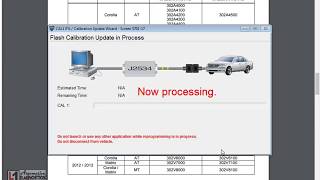
- Buy a Pre-Programmed (Plug-and-Play) Unit: Many online sellers offer to pre-program a remanufactured or used ECM to your car's Vehicle Identification Number (VIN) before shipping it. This makes the installation much simpler. Some may also include a small OBD-II reset tool to complete the immobilizer handshake process after you install the part. 🎬 Watch: How to perform an immobilizer reset using a paperclip.
- Cloning Service: Some suppliers require you to send in your original ECM. They will then transfer the critical immobilizer and VIN data from your old unit to the replacement unit. This creates a 'clone' of your original module that will be plug-and-play.
Pro Tip: Before condemning your ECM, ensure your battery is fully charged and the terminals are clean. Check all related fuses and the wiring harness connections to the ECM for any signs of corrosion or damage. A simple electrical issue can mimic ECM failure.
Cost of Replacing a 2008-2009 Avalon ECM
The cost can vary dramatically based on which type of part you buy and who does the labor.
| Part Type | Estimated Cost | Notes |
|---|---|---|
| New OEM | $800 - $1,250+ | Purchased from a Toyota dealership. Does not include labor or programming. |
| Remanufactured (Pre-Programmed) | $300 - $450 | Often sold online. Includes programming to your VIN for a plug-and-play installation. |
| Used OEM (Salvage) | $50 - $150 | Most affordable part option, but requires professional programming at an additional cost. |
| Shop Labor (Installation) | $80 - $120 | Physical replacement is relatively simple, taking less than an hour. |
| Shop Labor (Programming) | $100 - $250 | Cost for a dealership or locksmith to program a non-programmed unit to your vehicle. |
Frequently Asked Questions (FAQ)
Does a used ECM for a 2008-2009 Avalon need to be programmed?
Yes, absolutely. The ECM is part of the car's anti-theft immobilizer system. A replacement ECM must be programmed to your vehicle's VIN and synchronized with the immobilizer system, otherwise the engine will not start.
Can I program the ECM myself?
No, not without specialized tools. Programming requires professional diagnostic software like Toyota's Techstream and knowledge of the procedure. It is not a DIY task. You will need to go to a dealer or a qualified automotive locksmith.
Where is the ECM located on a 2008-2009 Toyota Avalon?
The ECM is located inside the cabin, on the passenger side, behind the glove compartment. You will need to remove the glove box assembly to access it.
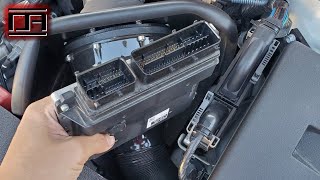
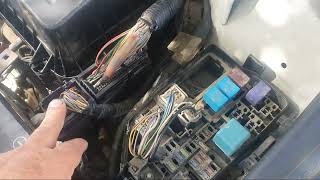
🎬 See this step-by-step guide to removing and replacing the ECM.Will my original keys work with a replacement ECM?
Yes, if the replacement ECM is programmed correctly to the car. The programming process syncs the new ECM with your existing keys and immobilizer. If you use a cloning service where data from your old ECM is transferred, your keys will work seamlessly.
Helpful Videos


Technical Specifications
OEM Part Numbers: 89661-07480 89661-07481 89661-07482 89661-07483
Location: Behind passenger side glove box.
We Have This Part in Stock


The information in this article is provided for general reference and educational purposes only. Vehicle specifications, procedures, and part compatibility can vary by production date, trim level, and region. Always consult your vehicle's factory service manual and verify part numbers before purchasing or performing repairs. Safety-critical components such as airbags, seat belts, and braking systems should be installed by a qualified professional.
- Toyota Avalon:
- 🎬 Helpful Videos
- 🛍️ Shop This Part
- Symptoms of a Failing ECM in a 2008-2009 Toyota Avalon
- Common Diagnostic Trouble Codes (DTCs)
- Known Issues, Recalls, and Technical Service Bulletins (TSBs)
- Buying a Used Engine Control Module for Your Avalon
- Compatibility and Part Numbers
- The Immobilizer and Programming: The Critical Step
- Cost of Replacing a 2008-2009 Avalon ECM
- Frequently Asked Questions (FAQ)
- 🎟️ Get 5% Off