

2023-2026 Tesla Model S & X HW4 Front Controller: A Guide to Failures, Recalls, and Replacement
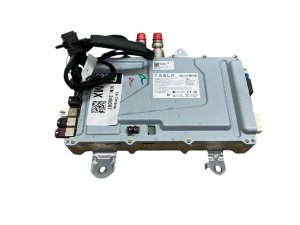
This guide covers the common failure symptoms, recall information, and critical programming requirements for the Autopilot 4.0 computer in recent Model S and Model X vehicles.
- This controller only fits 2023-2026 Model S and Model X with Hardware 4 (HW4); it will not work in 2021-2022 HW3 vehicles.
- Replacement is NOT plug-and-play. The module must be programmed and paired to the vehicle's VIN by Tesla or a certified security professional.
- A widespread recall (NHTSA SB-25-00-001) was issued in Jan 2025 for this computer short-circuiting in new vehicles, causing system-wide failures.
- Failure symptoms are severe, including loss of the main screen, all cameras, and Autopilot functions.
Critical Compatibility Warning: Hardware 4 (HW4) vs. Hardware 3 (HW3)

Warning: This controller is ONLY for Tesla Model S and Model X vehicles equipped with Autopilot Hardware 4 (HW4). HW4 was introduced on the Model S and Model X starting in early 2023 (approximately March 2023). Vehicles manufactured from 2021 to early 2023 are equipped with the older Hardware 3 (HW3) and are NOT compatible with this part. The physical shape and wiring for the HW4 computer are different, and it cannot be retrofitted into an HW3 car. Always verify your vehicle was built with HW4 before purchasing this module.
Known Issues and Recalls
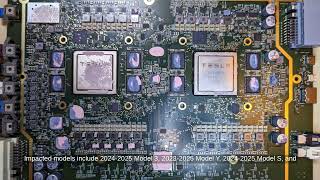
In January 2025, Tesla issued a recall in the US and Canada for nearly 240,000 vehicles, including the 2023-2025 Model S and Model X, due to a defect with the HW4 computer. The official recall (NHTSA ID SB-25-00-001 🎬 Watch: News report on the HW4 computer recall details) addresses an issue where the computer's circuit board can short-circuit.
This problem often appears within the first few hundred miles on new vehicles. The root cause is believed to be a reverse current during the power-on sequence, potentially made worse by cold weather conditions that affect the low-voltage battery. The primary safety concern cited in the recall is the loss of the rearview camera image, which violates Federal Motor Vehicle Safety Standards.
The Fix: For most vehicles, Tesla deployed an over-the-air (OTA) software update (version 2024.44.25.3 or newer) that changes the vehicle's power-up sequence to prevent the short circuit. However, for vehicles where the computer has already failed or experienced stress that could lead to failure, Tesla will replace the computer hardware free of charge.
Symptoms of a Failing HW4 Controller

A failing HW4 front controller can cause a cascade of problems. While a software glitch can cause temporary issues, a persistent failure of the HW4 computer hardware will result in more severe symptoms:
- Loss of Displays and Cameras: The main center screen may lag, become unresponsive, or go completely blank. The rearview camera image may be lost.
- Driver-Assistance System Failure: Autopilot, cruise control, and Full Self-Driving (FSD) features will become unavailable.
- GPS and Navigation Malfunctions: The vehicle's GPS may become inaccurate or stop working entirely, which also affects range estimations.
- Loss of Safety Warnings: Features like the blind spot warning chime may stop working.
Pro Tip: These failures have been noted to be more common in cold weather. Low temperatures can strain the low-voltage battery, which appears to be linked to the short-circuiting issue in the HW4 computer.
Programming and Installation Requirements

Warning: This is NOT a plug-and-play part. A replacement Front Body Controller must be electronically paired to the vehicle for it to function. The vehicle's security system is tied to this module.
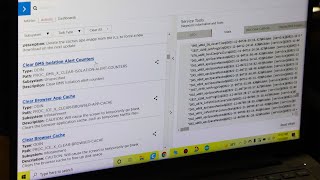
According to Tesla's service documentation, replacing this computer requires connecting the vehicle to a laptop with Tesla's diagnostic software, Toolbox 3. 🎬 See how to access Tesla's official diagnostic software The procedure involves running a "Car Computer Replacement" routine that associates the new module with the vehicle's VIN and configuration. This process requires a login for a Tesla Service Technician or an accredited vehicle security professional. An independent shop cannot perform this work unless they are registered and have access to Tesla's security-locked software. Attempting to install this module without proper programming will result in a non-functional unit, and the vehicle may not operate.
Buying a Used HW4 Front Controller

For buyers of used or recycled parts, the programming requirement is the most important consideration. While a used OEM module can be a cost-effective alternative to a new part from the dealer, the savings can be quickly erased if you cannot get the part programmed.
- Verify the Part Number: Ensure the part is an HW4 controller. The most common part number is 1585663-20-D or a later revision like 1585663-20-E.
- Factor in Programming Costs: Before purchasing, contact Tesla Service or a qualified independent Tesla specialist to get a quote for programming a customer-supplied used module. This cost is separate from the physical installation labor.
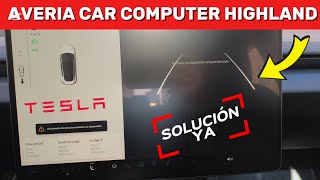
- Inspect for Damage: As with any electronic module, check for any signs of physical damage, corrosion on the pins, or evidence of water intrusion. 🎬 Watch: Expert breakdown of HW4 computer failures and solutions
- Understand the Risk: You are buying a complex computer. A used module is essentially a locked paperweight until it is successfully paired with your car. There is always a risk that the used part is defective or cannot be programmed.
Cost of Replacement
Replacing the HW4 computer is a significant expense. The total cost includes the part itself, labor for physical installation, and the specialized labor for software programming.
| Item | Estimated Cost | Notes |
|---|---|---|
| New OEM (from Tesla) | $1,800 - $2,600 | This is for the part and programming, as reported by owners facing out-of-warranty replacement. |
| Used OEM | $500 - $1,200 | Price varies widely on salvage marketplaces. This does not include programming. |
| Shop Labor (Installation) | $150 - $300 | Physical installation takes approximately 1-2 hours. |
| Shop Labor (Programming) | $200 - $500+ | This is a separate, required step that can only be done by Tesla or a qualified specialist. |
Frequently Asked Questions (FAQ)
Can I upgrade my 2022 Model S from Hardware 3 to Hardware 4 with this part?
No, you cannot. Tesla has confirmed that the HW4 computer has a different physical form factor and wiring harness, making it impossible to retrofit into an older vehicle designed for HW3 without extreme modifications.
What happens if I just swap the part without programming it?
The part will not work. The vehicle's systems will not recognize the un-programmed controller. This will prevent the car's displays, cameras, and Autopilot from functioning, and may prevent the vehicle from driving.
Can my local mechanic or an independent shop program this controller?
Generally, no. Programming this module requires access to Tesla's proprietary diagnostic and security software. Only Tesla Service Centers and a small number of independent repair facilities that are registered as vehicle security professionals and have subscribed to Tesla's systems can perform this task.
Is this part related to the older MCU (Media Control Unit) failures?
No, this is a different issue. The well-known MCU failures on pre-2018 models were due to the eMMC flash memory wearing out. The HW4 computer failure is a more recent issue related to a circuit board short on newer vehicles.
Helpful Videos
Technical Specifications
OEM Part Numbers: 1585663-20-D 1585663-00-C 1585663-20-E 1588948-00-A
Commonly known as: FSD Computer 2, Autopilot 4.0 Computer, Gen 4 Controller. Controls Autopilot, cameras, GPS, and main display.
We Have This Part in Stock

The information in this article is provided for general reference and educational purposes only. Vehicle specifications, procedures, and part compatibility can vary by production date, trim level, and region. Always consult your vehicle's factory service manual and verify part numbers before purchasing or performing repairs. Safety-critical components such as airbags, seat belts, and braking systems should be installed by a qualified professional.
- Tesla Model S:
- Tesla Model X:
- 🎬 Helpful Videos
- 🛍️ Shop This Part
- Critical Compatibility Warning: Hardware 4 (HW4) vs. Hardware 3 (HW3)
- Known Issues and Recalls
- Symptoms of a Failing HW4 Controller
- Programming and Installation Requirements
- Buying a Used HW4 Front Controller
- Cost of Replacement
- Frequently Asked Questions (FAQ)
- 🎟️ Get 5% Off