

2004-2008 Jaguar X-Type Rear Drive Shaft: Solving Vibrations and Driveline Noises
This guide covers the common failure symptoms, inspection tips for used parts, and critical compatibility details for the AWD Jaguar X-Type rear drive shaft.
- The most common failure is the center support bearing, which causes vibrations felt around 50 MPH.
- This rear drive shaft is a two-piece assembly used only on All-Wheel Drive (AWD) models.
- When buying a used shaft, the most important check is the condition of the rubber on the center support bearing and ensuring the U-joints have no play.
- Replacing the complete assembly is often easier than trying to press on a new center bearing, and a used OEM part offers good value.
Symptoms of a Failing X-Type Drive Shaft

A failing rear drive shaft on a 2004-2008 Jaguar X-Type almost always gives clear warning signs. The most common point of failure is the center support carrier bearing, which dries out or wears, causing the shaft to become unbalanced. Ignoring these symptoms can lead to damage to other driveline components.
Vibration Under the Vehicle
The most widely reported symptom is a noticeable vibration or "rumble" coming from underneath the car. This vibration often starts at a specific speed, typically around 40-50 MPH, and may change or worsen during acceleration. You might feel it through the floor, seats, or even the steering wheel. This is usually caused by a worn-out center support bearing or a bad universal joint (U-joint) that has thrown the shaft out of balance.
Clunking or Knocking Noises
A "clunking" or "knocking" sound when you shift from Park to Drive, or during acceleration, often points to excessive play in the U-joints. To check for this, you can safely chock the wheels, put the car in neutral, and try to shake the drive shaft by hand. Any significant movement or clunking sound indicates a worn part.
Squeaking or Grinding Sounds
A persistent squeaking or grinding noise that changes with vehicle speed is another classic sign of a failing drive shaft component. This is often caused by a dry, worn-out U-joint or a failing center support bearing. In some cases, the center bearing can be re-greased using a needle adapter for a grease gun as a temporary fix, but replacement is the long-term solution.
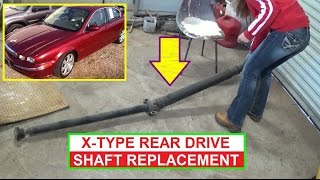
🎬 See how to replace a driveshaft center support carrier bearing.Known Issues, TSBs, and Compatibility Warnings

Warning: The rear drive shaft for the Jaguar X-Type is for All-Wheel Drive (AWD) models only. Front-wheel drive models do not have this part.
The most significant issue for the 2004-2008 X-Type rear drive shaft is the premature failure of the center support carrier bearing. This part consists of a rubber housing that holds a bearing, which supports the middle of the two-piece shaft. Over time, the rubber deteriorates and the bearing's grease dries out, leading to the vibrations and noises mentioned above.
While no specific recalls were found for the rear drive shaft on the 2004-2008 X-Type, Jaguar did issue a Technical Service Bulletin (TSB) for driveline vibrations on earlier 2002-2004 models, which pointed to the drive shaft as the cause. The initial prompt's mention of a VIN split at E19603 could not be definitively verified in public search results, but it's crucial to always match part numbers when ordering.
Buying a Used 2004-2008 Jaguar X-Type Drive Shaft

A used OEM drive shaft can be an excellent value compared to a very expensive new OEM unit, especially since many aftermarket options may have balancing issues or use lower-quality components. When buying used, a thorough inspection is key.
What to Physically Inspect
- Center Support Bearing: This is the most critical inspection point. Squeeze the rubber support around the bearing. It should be firm and free of cracks or tears. Try to spin the bearing by hand; it should be smooth and quiet. Any roughness, grinding, or excessive play means it needs to be replaced.
- Universal Joints (U-Joints): Hold the shaft on either side of a U-joint and try to twist it. There should be no play or clunking. The joints should pivot smoothly in all directions without binding.
- Shaft Body: Inspect the metal tubes for any dents, deep gouges, or signs of bending. A damaged shaft can never be properly balanced. Also, look for small metal squares welded to the shaft; these are balance weights. If any are missing, the shaft will vibrate.
- Mounting Flanges and Yokes: Check the bolt holes and splines for any signs of stripping or damage.
Pro Tip: Many sellers recommend replacing the center support bearing on a used drive shaft before installation. These bearings are available separately and are a wise investment for long-term reliability.
Replacement Overview

Replacing the rear drive shaft is a feasible DIY job for someone with moderate mechanical experience and the right tools. It involves working under the car, so proper safety procedures with jack stands are essential.
- Difficulty: 3 out of 5
- Estimated Time: 2-3 hours
- Process: The general process involves unbolting the shaft from the rear differential and the transfer case. There are typically six bolts at the rear flange. The center support bearing is held to the vehicle's underbody by two bolts. Before removing the shaft, it's critical to mark its orientation relative to the differential and transfer case flanges so it can be reinstalled in the same position to maintain its balance. The two-piece shaft is heavy and awkward, so an extra set of hands is helpful. 🎬 Watch this step-by-step video on removing and replacing the X-Type drive shaft.
Cost Comparison
Prices for a 2004-2008 Jaguar X-Type rear drive shaft can vary significantly based on the source.
| Part Type | Estimated Cost |
|---|---|
| New OEM | $1,200 - $1,500+ |
| New Aftermarket | $300 - $600 |
| Used OEM | $150 - $400 |
| Remanufactured | $400 - $700 |
| Shop Labor | $150 - $500 |
OEM Part Numbers and Specifications
The following OEM part numbers are associated with the 2004-2008 Jaguar X-Type rear drive shaft. Part numbers are often superseded over time, but C2S38967 is a commonly referenced final number for the assembly.
- C2S21762
- C2S22529
- C2S24877
- C2S26150
- C2S27390
- C2S38378
- C2S38561
- C2S38967
- C2S38967E (refers to the center bearing component)
Frequently Asked Questions (FAQ)
Can I just replace the center support bearing instead of the whole drive shaft?
Yes, the center support bearing can be purchased and replaced separately. However, the process requires removing the entire drive shaft and using a press or specialized tools to remove the old bearing and install the new one, which can be difficult. If the U-joints are also worn, replacing the complete assembly is often more practical.
What happens if I keep driving with a bad drive shaft?
Continuing to drive with a vibrating drive shaft is not recommended. The constant vibration can accelerate wear on the transmission seals, transfer case bearings, and differential bearings, leading to more expensive repairs. In a worst-case scenario, a U-joint or the shaft itself could break, causing a loss of power and potentially severe damage to the underside of your vehicle.
Is this the same as a CV axle?
No. The rear drive shaft (or propshaft) runs down the center of the car to the rear differential. The CV axles (or half-shafts) are separate parts that transmit power from the differential to each of the individual rear wheels.
Do I need to balance the drive shaft after installation?
If you are installing a complete new, used, or remanufactured assembly, it should already be balanced. It is crucial to reinstall it using the alignment marks you made during removal to ensure it goes back in the same orientation. If you have components like U-joints or the center bearing replaced on your existing shaft, it is highly recommended to have the entire assembly professionally balanced by a drive shaft shop.
Helpful Videos
Technical Specifications
OEM Part Numbers: C2S21762 C2S22529 C2S24877 C2S26150 C2S27390 C2S38378 C2S38561 C2S38967 C2S38967E
Two-piece steel construction with a central support bearing and universal joints at the ends. For All-Wheel Drive (AWD) models only.

The information in this article is provided for general reference and educational purposes only. Vehicle specifications, procedures, and part compatibility can vary by production date, trim level, and region. Always consult your vehicle's factory service manual and verify part numbers before purchasing or performing repairs. Safety-critical components such as airbags, seat belts, and braking systems should be installed by a qualified professional.
- Jaguar X-Type:
- 🎬 Helpful Videos
- Symptoms of a Failing X-Type Drive Shaft
- Vibration Under the Vehicle
- Clunking or Knocking Noises
- Squeaking or Grinding Sounds
- Known Issues, TSBs, and Compatibility Warnings
- Buying a Used 2004-2008 Jaguar X-Type Drive Shaft
- What to Physically Inspect
- Replacement Overview
- Cost Comparison
- OEM Part Numbers and Specifications
- Frequently Asked Questions (FAQ)
- 🎟️ Get 5% Off