

2006-2013 Hyundai Azera Master Window Switch: Fixing Failures & Avoiding Incompatible Parts
This guide covers common failures of the driver's door master switch and shows how to choose the correct used part by matching critical memory seat and power-folding mirror options.
- Compatibility is critical. You MUST match your car's options for Power Folding Mirrors and Memory Seats when buying a replacement.
- A used OEM switch offers the best value, costing around $100 compared to over $700 for a new OEM part.
- Symptoms include non-working windows, locks, or mirrors, and intermittent operation.
- Replacement is a simple DIY job, requiring only basic hand tools and about 30-45 minutes.
Key Compatibility Warnings: Read Before Buying
Warning: There are multiple versions of this master switch. They are NOT interchangeable. Failure to match your vehicle's exact options will result in a part that does not work correctly. The two key options that determine which switch you need are Power Folding Mirrors and the Integrated Memory System (IMS) for the driver's seat.
Before purchasing, you must physically inspect your original switch and compare it to the potential replacement. Look for the following buttons:
- Power Folding Mirror Button: This button is located near the mirror adjustment joystick. If your car has power-folding mirrors, you will have a button with an icon of a mirror folding inwards. If you do not have this feature, this button will be blank.
- Memory Seat Buttons ('SET', '1', '2'): These buttons are typically located on the door panel, often just above or integrated into the master switch trim. They allow the driver to save and recall seat and mirror positions.
For example, OEM part number 93570-3L512-WK is specifically for models without power-folding mirrors and without the memory seat function. Conversely, other switches exist for models equipped with both of these features. Always match the buttons on your old switch to the used part you are considering.
Symptoms of a Failing Master Window Switch
Failure of the master switch can manifest in several ways, from minor annoyance to a significant inconvenience. Because the switch controls multiple functions, you may experience one or more of the following symptoms:
- One or More Windows Won't Operate: The most common symptom is when a specific window (often the driver's) or multiple windows stop responding to the master switch controls. The individual door switches may or may not still work.
- Intermittent Operation: You may need to press a button multiple times for it to work, or a window may go down but struggle to go back up. This often points to corrosion or wear inside the switch contacts, sometimes caused by moisture from rain or spills.
- Only the Master Switch Works: If you can control all windows from the driver's door, but the individual passenger door switches do not work, this can sometimes indicate a problem within the master switch's circuitry or the window lock-out button being stuck.
- No Response from Any Switch: If all windows stop working at once, the first step is to check the fuse. However, if the fuse is good, the problem could be a total failure of the master switch assembly, which acts as the gateway for the entire system.
- Power Door Locks or Mirrors Inoperable: Since the door lock and mirror controls are part of the same unit, their failure to respond to button presses also points to a faulty master switch.
- No 'Click' or Sound from Window Motor: When you press a switch for a working window, you can often hear a faint click or the hum of the motor. If there is no sound at all when pressing the switch for a non-working window, it suggests that no power is being sent from the switch.
Buying a Used Door Lock Switch: What to Look For
Given the extremely high cost of a new OEM switch, a used OEM part is the most practical and cost-effective solution for most owners. Here’s what to check to ensure you get a good part.
1. Verify Compatibility Above All Else
As detailed in the warning section, you must match the switch to your Azera's features. The easiest way is a visual comparison. Lay your original switch and the potential replacement side-by-side (or use high-quality photos) and confirm the following:
- Does it have the power-folding mirror button?
- Does it have the memory seat buttons?
- Is the color correct (e.g., black, gray, beige)?
Do not rely on part numbers alone, as multiple revisions may exist. A visual match of the button layout is the safest method.
2. Physical Inspection
- Check for Liquid Damage: Spills are a primary cause of failure. Look for sticky residue around the buttons or chalky corrosion on the electrical connector pins. Avoid any switch that shows signs of moisture intrusion.
- Inspect Button Feel and Graphics: Press each button. They should move smoothly without sticking. Check that the white graphics on the buttons are not excessively worn, which can indicate very high usage.
- Examine the Housing: Look for cracks in the plastic housing or broken mounting tabs where the screws hold it to the door panel.
3. Why Used OEM is Often Better Than New Aftermarket
While new aftermarket switches are available, a quality used OEM part is often a superior choice. The original Hyundai part was designed for precise fit, finish, and electrical function. Aftermarket units can sometimes have buttons with a different feel, illumination that doesn't match the rest of the car's interior lighting, and a higher premature failure rate. A good, clean used OEM switch provides the original quality and longevity at a fraction of the new price.
Cost Comparison
The price difference for this part is significant, making the choice between new and used a major factor in the repair.
| Part Type | Estimated Price Range | Notes |
|---|---|---|
| New OEM | $680 - $1,400 | Extremely expensive. Price varies by dealer and specific part number. |
| Used OEM | $75 - $150 | Offers the best value, providing original quality at a huge discount. |
| New Aftermarket | $80 - $150 | Price is comparable to used OEM, but quality, fit, and longevity can be inconsistent. |
| Shop Labor | $70 - $100 | Typically takes 0.5 to 1 hour of labor for a professional to replace. |
Installation Guide
Replacing the master window switch is a beginner-friendly DIY job that requires basic tools.
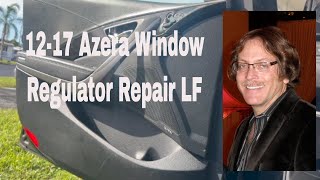
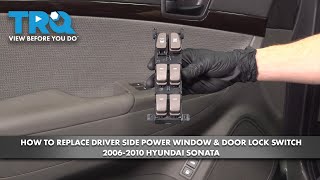
🎬 Watch this step-by-step master switch replacement walkthrough.- Difficulty: 2/5
- Estimated Time: 30-45 minutes
- Tools Needed: Phillips screwdriver, plastic trim removal tool, small flathead screwdriver.
Step-by-Step Replacement
- Disconnect the Battery: As a safety precaution, disconnect the negative terminal of your car's battery.
- Remove Screw Covers: On the driver's door panel, locate the small plastic covers inside the door pull handle and the interior door handle recess. Use a small flathead screwdriver or a pick to gently pry these covers off, revealing Phillips head screws.
- Remove Mounting Screws: Unscrew the Phillips screws you just exposed. There are typically two or three in total.
- Pry the Door Panel: Starting from the bottom edge, insert a plastic trim removal tool between the door panel and the metal door frame. Gently pry to release the plastic clips holding the panel in place. Work your way around the sides of the panel until all clips are free. 🎬 See how to safely remove the door panel clips.
- Lift and Disconnect: Lift the door panel straight up to unhook it from the top of the door near the window. Don't pull it away completely yet. Let it hang while you disconnect the electrical connectors for the master switch, any speakers, and the door courtesy light on the back of the panel. 🎬 Watch: How to disconnect components behind the door panel.
- Remove the Old Switch: Place the door panel on a soft surface. On the back of the panel, you will see several screws holding the master switch assembly in place. Remove these screws and take the old switch out.
- Install the New Switch: Place the new switch into the door panel and secure it with the screws you just removed.
- Reconnect and Reassemble: Reconnect all electrical harnesses to the back of the door panel. Hook the top of the panel back onto the door frame, then align the plastic clips and press the panel firmly back into place. Reinstall the main screws and pop the covers back on. Reconnect the battery.
Pro Tip: After installation, you may need to reset the driver's window "auto down/up" feature. To do this, close the driver's window completely, then pull up on the switch and hold it for at least one second.
Known Issues, Recalls, and TSBs
While there are no recalls specifically for the window switch, owners of the 2006-2011 Azera should be aware of two important safety recalls:
- NHTSA Recall #18V026: Addresses a defect where moisture can enter the Anti-Lock Brake System (ABS) module, creating an electrical short and increasing the risk of an engine compartment fire, even when the car is parked. The remedy involves installing a relay in the main junction box.
- NHTSA Recall #13V354: Affects vehicles sold or registered in "salt belt" states. Road salt can cause corrosion on the rear crossmember, potentially leading to a control arm detachment and loss of vehicle control.
Contact a Hyundai dealer with your VIN to see if these free recall services have been performed on your vehicle.
Frequently Asked Questions (FAQ)
Can I replace just the one broken button on my switch?
No, the master switch is a single, sealed assembly. The individual buttons are not sold separately and cannot be easily replaced. The entire module must be swapped out.
Why did my window switch fail? Is there a way to prevent it?
The most common causes of failure are moisture intrusion from rain or spills, and simple wear and tear from years of use. To prolong the life of your switch, avoid leaving the window open in the rain and be careful with drinks inside the car.
Do I need to program the car after installing a new switch?
No complex programming is required. However, you will likely need to reset the "auto up/down" function for the driver's window. This is a simple procedure: roll the window all the way up and continue to hold the switch in the "up" position for a few seconds.
A window works from its own switch but not the master switch. Is the master switch bad?
This is a very strong indicator that the master switch is faulty. The master switch has individual circuits for each window, and it's common for one of these circuits to fail while the others continue to work. First, check that the window lock-out button on the master switch isn't engaged, as this is designed to disable the passenger window switches.
Helpful Videos


Technical Specifications
OEM Part Numbers: 93570-3L512 93570-3L512X6 935703L500WK 93570-3L512-WK
Varies based on vehicle options (Power Folding Mirrors, Integrated Memory System).
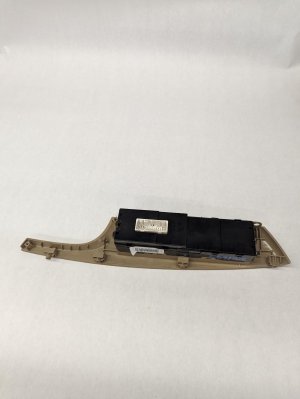
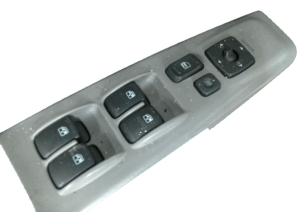
We Have This Part in Stock

The information in this article is provided for general reference and educational purposes only. Vehicle specifications, procedures, and part compatibility can vary by production date, trim level, and region. Always consult your vehicle's factory service manual and verify part numbers before purchasing or performing repairs. Safety-critical components such as airbags, seat belts, and braking systems should be installed by a qualified professional.
- Hyundai Azera:
- 🎬 Helpful Videos
- 🛍️ Shop This Part
- Key Compatibility Warnings: Read Before Buying
- Symptoms of a Failing Master Window Switch
- Buying a Used Door Lock Switch: What to Look For
- 1. Verify Compatibility Above All Else
- 2. Physical Inspection
- 3. Why Used OEM is Often Better Than New Aftermarket
- Cost Comparison
- Installation Guide
- Step-by-Step Replacement
- Known Issues, Recalls, and TSBs
- Frequently Asked Questions (FAQ)
- 🎟️ Get 5% Off