

2012-2015 Chevrolet Volt & Opel Ampera Key Fob Guide: Programming, Problems, and Costs
This guide covers common failures, DIY programming, and critical differences for the 2012-2015 Chevrolet Volt and Opel Ampera key fob remote.
- The key fob for a North American Chevrolet Volt (315 MHz) is NOT compatible with a European Opel Ampera (433 MHz).
- You can program a new or used key fob yourself, but the 30-minute process will erase all existing keys and carries the risk of failure, potentially requiring a tow.
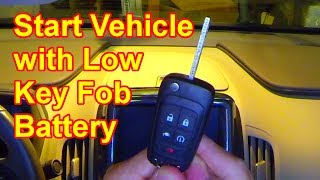
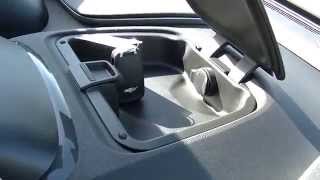
- If the fob battery dies, you can still start the car by placing the fob in a special slot inside the dashboard storage compartment.
- Before replacing the fob, always try a new CR2032 battery first and check the car's 12-volt battery, as both can cause similar symptoms.
Symptoms of a Failing Key Fob

When the key fob for your 2012-2015 Chevrolet Volt or Opel Ampera begins to fail, the signs are usually noticeable and can become progressively worse. Recognizing them early can prevent you from being locked out or unable to start your car.
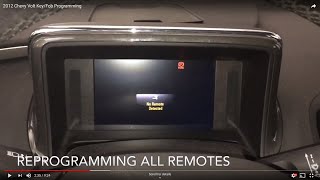
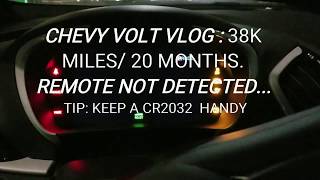
- "No Remote Detected" Message: The most common and direct symptom is a message on the Driver Information Center (DIC) stating "No Remote Detected" when you try to start the car. This indicates the vehicle cannot sense the fob's presence.
- Reduced Operating Range: You may find that you need to be much closer to the vehicle than usual for the lock, unlock, or remote start functions to work. A healthy fob should work from 30-60 feet away.
- Inconsistent or Delayed Response: The car may not respond to every button press, or there might be a significant delay. You might have to press a button multiple times to get a response.
- Passive Entry Failure: The buttons on the door handles may stop working to lock or unlock the car, even though the buttons on the fob itself still function.
- Complete Failure: In the final stages of failure, none of the buttons will work, and the car will not start without using the emergency backup procedure.
Pro Tip: Before assuming the key fob is bad, replace its CR2032 battery. Also, check the health of your car's 12-volt battery, as a weak 12V battery can cause a wide range of electronic issues, including problems with key detection. Some owners have also reported that aftermarket electronic devices, like dashcams, can cause signal interference that prevents the fob from being detected.
Known Issues, TSBs, and Recalls

While there are no specific recalls for the key fob itself on the 2012-2015 Chevrolet Volt or Opel Ampera, some related issues have been noted by owners.
- Opel Ampera Bumper Antenna: Some early Opel Ampera models have a known issue with a defective bumper antenna cable connection. This can lead to intermittent or complete failure of the keyless entry and starting system. The fix involves replacing the faulty cable, which is located behind the rear bumper.
- Signal Interference: As mentioned, aftermarket electronics plugged into the car's power outlets can sometimes generate radio frequency (RF) interference that disrupts the signal between the key fob and the car's receiver module. The receiver is located near the rearview mirror, so devices mounted on the windshield are common culprits.
- No Fob-Specific Recalls: Searches of NHTSA data and technical service bulletins (TSBs) do not show any recalls or widespread campaigns directly addressing the key fob for these models.
Buying a Used Door Lock Key: What to Check

Purchasing a used or recycled OEM key fob can be a great way to save money, but there are critical details to verify to ensure you get a compatible and functional part. Used OEM fobs are often more reliable than cheap, new aftermarket alternatives.
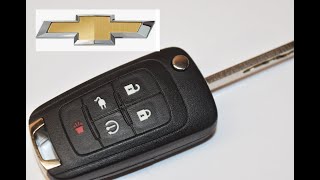
- Verify the FCC ID and Part Number: The most important step is to match the FCC ID. For North American Chevrolet Volts, the correct FCC ID is OHT05918179. The part number should also match; common compatible part numbers include 22923862, 22755321, and Strattec 5920157. Do not rely on appearance alone.
- Check the Frequency (Volt vs. Ampera): This is a major compatibility trap. North American Chevrolet Volts use a 315 MHz frequency. The European Opel Ampera uses a 433 MHz frequency. A fob from a European Ampera will NOT work with a North American Volt, and vice-versa. Always confirm the frequency with the seller if buying online from an international source.
- Inspect for Physical Damage: Check the fob's casing for cracks, especially around the area where the key ring attaches. Ensure the buttons are not excessively worn and still have a tactile 'click' when pressed. A rattling sound could indicate broken internal components.
- Confirm Reprogrammability: Unlike some manufacturers that lock fobs to a single vehicle, used key fobs for the 2012-2015 Volt and Ampera can be erased and reprogrammed to a new vehicle using the 30-minute DIY procedure.
- Generation Compatibility: This key fob is only for the first-generation Volt (2011-2015) and Ampera (2012-2015). It is not compatible with the second-generation Volt (2016 and newer), which uses a different fob design and system.
Replacement and Programming Guide

Replacing and programming a key fob for the Gen 1 Volt and Ampera can be done without a trip to the dealer, but the process requires patience and careful attention to detail.
Installation Difficulty: 2/5
Estimated Time: 45 minutes
Emergency Start Procedure (If Fob is Undetected)
If your fob battery is dead or the car won't detect it, you can still start the vehicle:
- Use the physical key blade to manually unlock the driver's door. The alarm may sound.
- Open the storage compartment on top of the center dashboard.
- Remove the rubber mat inside.
- You will see a small slot. Insert the key fob (or just its physical key blade) into this slot.
- With your foot on the brake, press the POWER button. The car should now start.
DIY Programming Procedure (All Keys Lost/Adding a New Key)
Warning: This procedure takes approximately 30 minutes and will erase all existing key fobs from the vehicle's memory. You must reprogram all your fobs (old and new) during this process. If the procedure fails, you may be left with no working keys and the vehicle may need to be towed to a dealer or locksmith.
This procedure is for programming keys when you have no currently recognized fobs.
- With the vehicle off, take the physical key blade from your new or existing fob.
- Insert the key into the driver's side exterior door lock cylinder.
- Turn the key to the unlock position 5 times within 10 seconds.
- The Driver Information Center (DIC) will display: "REMOTE LEARN PENDING, PLEASE WAIT".
- Wait for 10 minutes. The DIC will then display: "PRESS START BUTTON TO LEARN". Press the POWER button on the center stack.
- The DIC will again show "REMOTE LEARN PENDING, PLEASE WAIT". Wait another 10 minutes.
- After 10 minutes, the DIC will again show "PRESS START BUTTON TO LEARN". Press the POWER button again.
- The DIC will again show "REMOTE LEARN PENDING, PLEASE WAIT". Wait a final 10 minutes. After this third 10-minute cycle, all old fobs are erased.
- The DIC should now display "READY FOR REMOTE #1". Place your first fob into the backup slot in the dashboard storage compartment.
- Press and hold the POWER button for about 2 seconds. The DIC will confirm the fob is learned and then display "READY FOR REMOTE #2".
- Remove the first fob and press the UNLOCK button on it to finalize.
- To program additional fobs, repeat steps 9-11 for each one.
- When all fobs are programmed, press and hold the POWER button for about 12 seconds to exit programming mode.
Cost Comparison
The cost of replacing a key fob can vary significantly depending on where you source the part and who does the programming.
| Item | Estimated Cost |
|---|---|
| New OEM Fob (Dealer/Online) | $70 - $140 |
| New Aftermarket Fob | $20 - $50 |
| Used/Refurbished OEM Fob | $25 - $50 |
| Dealer Programming Labor | $150 - $300 |
| Automotive Locksmith Programming | $75 - $150 |
| DIY Programming | $0 (but carries risk) |
Frequently Asked Questions (FAQ)
Can I just replace the battery in my Volt key fob?
Yes. The fob uses a standard CR2032 coin battery. Replacing it is simple, requires no tools, and does not require you to reprogram the fob. This should always be the first step when troubleshooting.
Can I program a used Chevrolet Volt key fob from another car?
Yes, for the 2012-2015 generation, a used OEM fob can be programmed to your vehicle using the 30-minute DIY procedure, which erases all existing keys and adds the new (used) one.
Will a key fob from an Opel Ampera work on my Chevrolet Volt?
No. While the cars are nearly identical, the key fobs operate on different frequencies. North American Volts use 315 MHz, while European Amperas use 433 MHz. They are not interchangeable.
What do I do if my key fob is dead and I can't get in or start the car?
Use the physical key inside the fob to unlock the driver's door. Then, place the fob in the special slot inside the top dashboard compartment and press the power button with your foot on the brake to start the car.
Why do I have to wait 30 minutes to program a new key?
The 30-minute wait (three 10-minute cycles) is a security feature designed by GM to prevent rapid theft. It acts as a time-delay to deter thieves from quickly programming a new key and stealing the vehicle.
Helpful Videos
Technical Specifications
OEM Part Numbers: 22923862 22755321 22755323 22923867 13504204
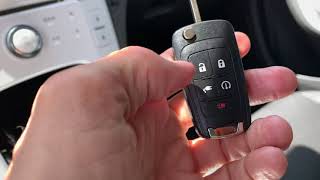
FCC ID: OHT05918179. Frequency: 315 MHz (North America), 433 MHz (Europe). Battery: CR2032. Buttons: 5 (Lock, Unlock, Panic, Remote Start, Charge Port Door).
We Have This Part in Stock



The information in this article is provided for general reference and educational purposes only. Vehicle specifications, procedures, and part compatibility can vary by production date, trim level, and region. Always consult your vehicle's factory service manual and verify part numbers before purchasing or performing repairs. Safety-critical components such as airbags, seat belts, and braking systems should be installed by a qualified professional.
- Chevrolet Volt:
- Opel Ampera:
- 🎬 Helpful Videos
- 🛍️ Shop This Part
- Symptoms of a Failing Key Fob
- Known Issues, TSBs, and Recalls
- Buying a Used Door Lock Key: What to Check
- Replacement and Programming Guide
- Emergency Start Procedure (If Fob is Undetected)
- DIY Programming Procedure (All Keys Lost/Adding a New Key)
- Cost Comparison
- Frequently Asked Questions (FAQ)
- 🎟️ Get 5% Off